springcloud - erureka 配置及其使用
先导入依赖
        <!--        eureka-->
        <dependency>
            <groupId>org.springframework.cloud</groupId>
            <artifactId>spring-cloud-starter-netflix-eureka-server</artifactId>
        </dependency>
到启动类加上注解 先说服务端
服务端注解
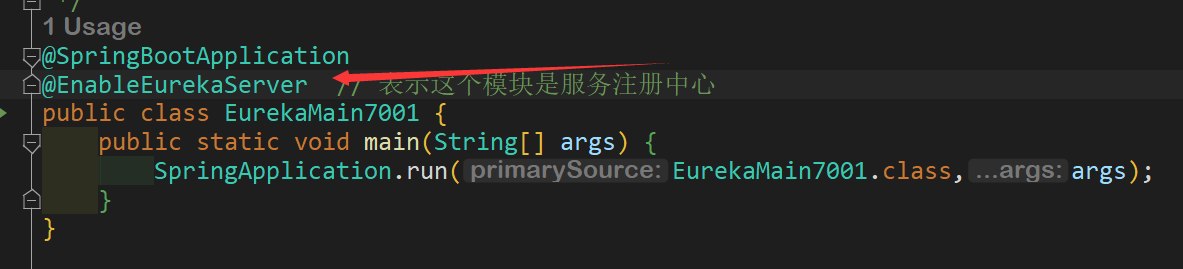
服务端application.yml 此处进行了集群演示
server:
    port: 7001

eureka:
  instance:
    hostname: eureka7001.com #eureka服务端的实例名称
  client:
    #false表示不注册自己
    register-with-eureka: false
    #false标志自己端就是注册中心,我的职责是维护服务实例,并不需要去检索服务
    fetch-registry: false
    service-url:
      # 设置与eureka server交互的地址查询服务和注册服务都需要依赖这个地址
      defaultZone: http://eureka7002.com:7002/eureka/
客户端 @EnableEurekaClient
@SpringBootApplication
@EnableEurekaClient
public class OrderMain80 {
    public static void main(String[] args) {
        SpringApplication.run(OrderMain80.class,args);
    }
}
客户端 application.yml
server:
  port: 80

#eureka
eureka:
  client:
    # 表示将自己注册进服务注册中心
    register-with-eureka: true
    # 是否从服务注册中心抓取已有的注册信息,默认为true,单节点无所谓,集群必须设置为true才能配合ribbon使用
    fetch-registry: true
    service-url:
      defaultZone: http://eureka7001.com:7001/eureka/,http://eureka7002.com:7002/eureka/
#      defaultZone: http://localhost:7001/eureka
spring:
  application:
    name: cloud-order-service
需要写一个配置类来让不同模块之间产生关系(调用)
@Configuration
public class ApplicationContextConfig {
    @Bean
    @LoadBalanced  // 负载均衡,这里是使用轮询的方式访问服务器,比如两台服务器,一台访问一次,多台服务器同步,实现了集群
    public RestTemplate getRestTemplate() {
        return new RestTemplate();
    }

}
在client端编写一个controller调用服务端的接口
@RestController
@Slf4j
public class OrderController {

//    private static final String PAYMENT_URL = "http://localhost:8001";
    // 这个就是服务的名称
    private static final String PAYMENT_URL = "http://CLOUD-PAYMENT-SERVICE";

    @Resource
    private RestTemplate restTemplate;

    @GetMapping(value = "consumer/payment/create")
    public CommonResult<Payment> create(Payment payment){
        return restTemplate.postForObject(PAYMENT_URL + "/payment/create",payment,CommonResult.class);
    }

    @GetMapping(value = "consumer/payment/get/{id}")
    public CommonResult<Payment> getById(@PathVariable("id") Long id){
        return restTemplate.getForObject(PAYMENT_URL + "/payment/get/" + id,CommonResult.class);
    }
}
由于在host文件进行了地址映射模拟不同主机
127.0.0.1 eureka7001.com
127.0.0.1 eureka7002.com
可以直接在浏览器输入eureka7001.com:7001 就能看到注册中心的界面
最后通过调用接口地址


 浙公网安备 33010602011771号