vim 多文件编辑
使用vim打开多个文件
vim可以同时打开好几个文件同时进行编辑
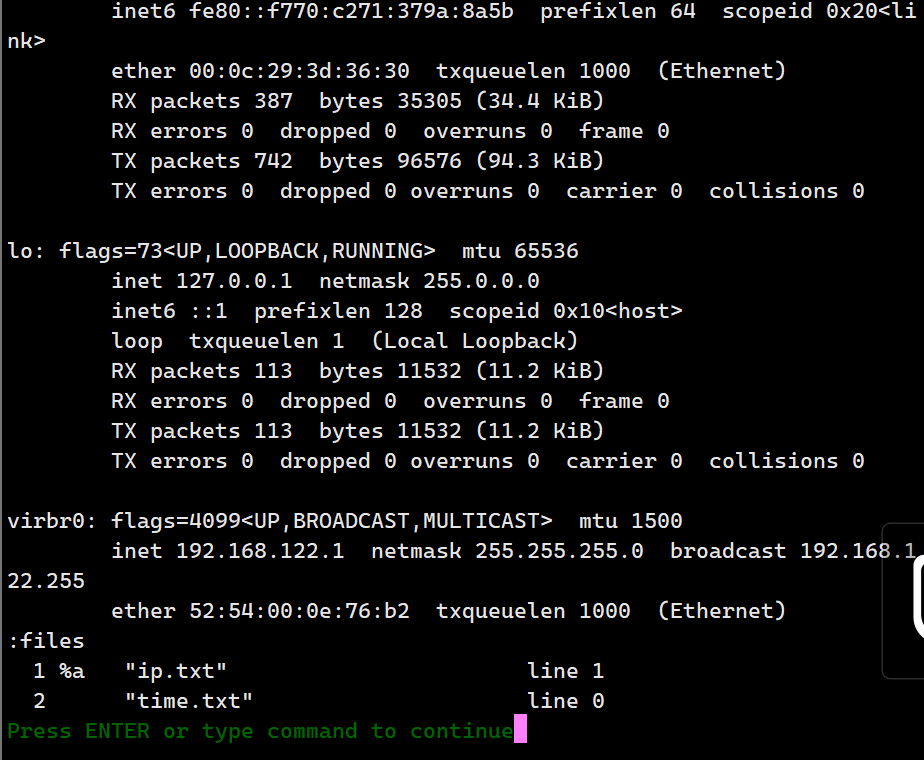
[root@localhost opt]# vim ip.txt time.txt
2 files to edit

ens32: flags=4163<UP,BROADCAST,RUNNING,MULTICAST>  mtu 1500
        inet 192.168.10.10  netmask 255.255.255.0  broadcast 192.168.10.255
        inet6 fe80::f770:c271:379a:8a5b  prefixlen 64  scopeid 0x20<link>
        ether 00:0c:29:3d:36:30  txqueuelen 1000  (Ethernet)
        RX packets 387  bytes 35305 (34.4 KiB)
        RX errors 0  dropped 0  overruns 0  frame 0
        TX packets 742  bytes 96576 (94.3 KiB)
        TX errors 0  dropped 0 overruns 0  carrier 0  collisions 0

lo: flags=73<UP,LOOPBACK,RUNNING>  mtu 65536
        inet 127.0.0.1  netmask 255.0.0.0
        inet6 ::1  prefixlen 128  scopeid 0x10<host>
        loop  txqueuelen 1  (Local Loopback)
        RX packets 113  bytes 11532 (11.2 KiB)
        RX errors 0  dropped 0  overruns 0  frame 0
        TX packets 113  bytes 11532 (11.2 KiB)
        TX errors 0  dropped 0 overruns 0  carrier 0  collisions 0

virbr0: flags=4099<UP,BROADCAST,MULTICAST>  mtu 1500
        inet 192.168.122.1  netmask 255.255.255.0  broadcast 192.168.122.255
        ether 52:54:00:0e:76:b2  txqueuelen 1000  (Ethernet)
:files
  1 %a   "ip.txt"                       line 1
  2      "time.txt"                     line 0
Press ENTER or type command to continue
':n'编辑下一个文件
':N'编辑上一个文件
:files查看目前这vim列出的所有文件
多窗口功能
vim打开一个文本
在命令行输入:sp filename,就可以多窗口进行编辑
[root@localhost opt]# vim ip.txt

Thu Dec 21 15:04:53 CST 2023
~
~
~
~
~
~
~
~
~
~
time.txt                                                                                                                      1,28           All
ens32: gs=4163<UP,BROADCAST,RUNNING,MULTICAST>  mtu 1500
        inet 192.168.10.10  netmask 255.255.255.0  broadcast 192.168.10.255
        inet6 fe80::f770:c271:379a:8a5b  prefixlen 64  scopeid 0x20<link>
        ether 00:0c:29:3d:36:30  txqueuelen 1000  (Ethernet)
        RX packets 387  bytes 35305 (34.4 KiB)
        RX errors 0  dropped 0  overruns 0  frame 0
        TX packets 742  bytes 96576 (94.3 KiB)
        TX errors 0  dropped 0 overruns 0  carrier 0  collisions 0

lo: flags=73<UP,LOOPBACK,RUNNING>  mtu 65536
        inet 127.0.0.1  netmask 255.0.0.0
        inet6 ::1  prefixlen 128  scopeid 0x10<host>
ip.txt [+]                                                                                                                    2,25           Top
按键:
ctrl+w 上键|下键 切换窗口
(首先按住ctrl+w,然后松开在按上键或者下键)
:sp 再开一个这个文件的vim编辑器
vim的关键词补全
| 组合键 | 补齐内容 |
|---|---|
| ctrl+x ctrl+n | 通过目前正在编辑的这个文件的内容文字作为关键词,予以补齐 |
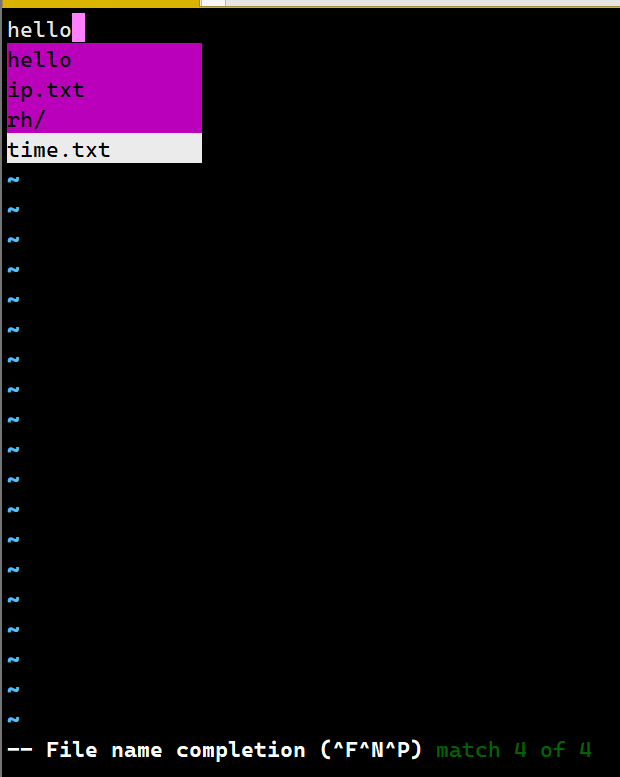
| ctrl+x ctrl+f | 以当前目录内的文件名作为关键词,予以补齐 |
| ctrl+x ctrl+o | 以扩展名作为语法补充,以vim内置的关键词,予以补齐 |
[root@localhost opt]# vim hello

hello hello hello
hello
~
~
~
~
~
~
~
~
~
~
~
~
~
~
~
-- Keyword Local completion (^N^P) The only match
先输入一个h 按住ctrl+x 左下角出现-- ^X mode (^]^D^E^F^I^K^L^N^O^Ps^U^V^Y)在按住ctrl+n 以正在编辑的文件的内容文字作为关键词,进行补齐
![Alt text]
[root@localhost opt]# vim name
先输入一个h 按住ctrl+x 左下角出现-- ^X mode (^]^D^E^F^I^K^L^N^O^Ps^U^V^Y)在按住ctrl+f -- File name completion (^F^N^P) match 4 of 4以当前目录内的文件名作为关键词,进行补齐
[root@localhost opt]# vim css.html

<html>
<head>
先输入一个<h> 按住ctrl+x 左下角出现-- ^X mode (^]^D^E^F^I^K^L^N^O^Ps^U^V^Y)在按住ctrl+o -- File name completion (^F^N^P) match 4 of 4以扩展名作为语法补充,进行补齐。[扩展名一定要对,否则vim不能识别正确的语法]

 浙公网安备 33010602011771号