
Nginx-访问认证
Nginx-访问认证
示例
location / {
    auth_basic        "closed site";
    auth_basic_user_file  conf/htpasswd;
}

#参数说明
    auth_basic
语法:auth_basic string|off;
默认值:auth_basic off;
使用位置: http \ server \location \ limit_except

    auth_basic_user_file
语法:auth_basic_user_file file;
默认值:-
使用位置: http \ server \ location \ limit_except


auth_basic_user_file参数后接认证密码文件,file的内容如下:

#comment
name1:password1
name2:password2:comment
name3:password3
配置
#配置虚拟主机文件之前需要安装httpd
yum install -y httpd
#查看生成密码文件
which htpasswd
显示: /user/bin/htpasswd


#开始配置虚拟主机
vi /appliction/nginx/conf/zj/hello.conf

配置文件内容:
    server {
        listen      9998 ;
        server_name  www.hello.com hello.com;
        location / {
            root   html/hello;
            index  index.html index.htm;
            auth_basic		"hello";    #服务器名称
	    auth_basic_user_file /appliction/nginx/conf/htpasswd;     #存放用户密码的文件目录
	}
        access_log logs/access_www.log main;
    }


#配置文件修改完成后
生成用户密码
htpasswd -bc /appliction/nginx/conf/htpasswd  lxx lxx123
# /appliction/nginx/conf/htpasswd #用户密码存放路径
#lxx lxx123        #前面是用户后面是密码,中间用空格分开


#重启Nginx
/appliction/nginx/sbin/nginx -s reload

浏览器访问虚拟主机
www.hello.com:9998
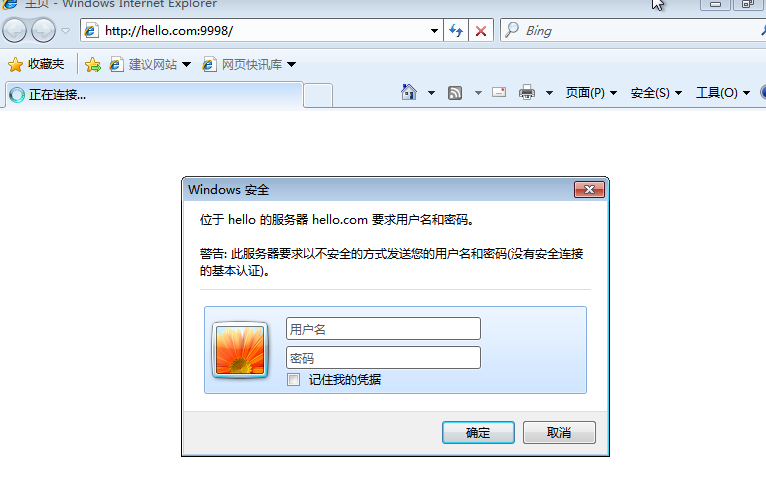
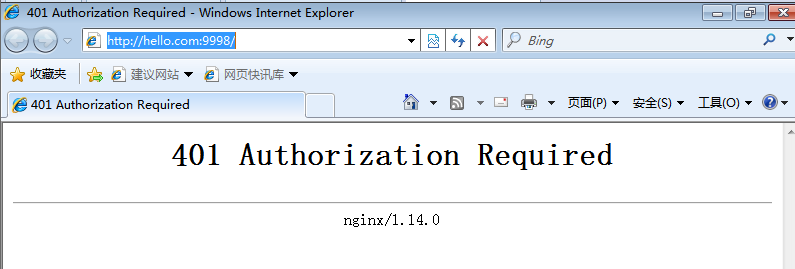
密码输入正确则正常进入页面,三次输入错误则显示401页面

 浙公网安备 33010602011771号