

win11中nacos3.0.1.1启动问题
问题一:启动方式不对
nacos3.0.1.1默认启动方式是集群
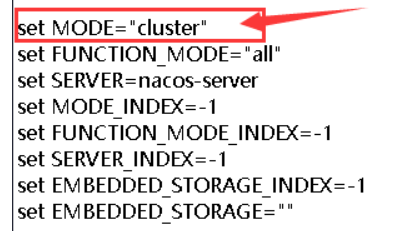
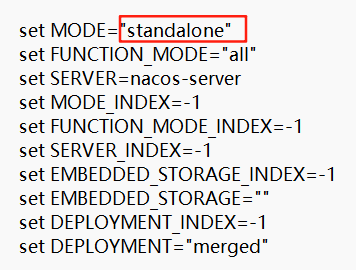
单机模式启动要修改bin目录下启动文件 startup.cmd,把mode改为standalone,
问题二:JDK版本不正确,nacos3.0.1.1要求jdk版本17以上。
ERROR: Please set the JAVA_HOME variable in your environment, We need java(x64)! jdk17 or later is better! !!
请在您的环境中设置JAVA_HOME变量,我们需要JAVA(x64)!jdk17或更高版本更好!!
意思是说我们的java变量没有配置或者jdk版本过低,但是我用的是新下载的最高的版本,然后再排查java变量配置发现应该是启动脚本里面没有配置java变量。
所以,我赶紧去看了我安装的Jdk
jdk17下载:Java Downloads | Oracle
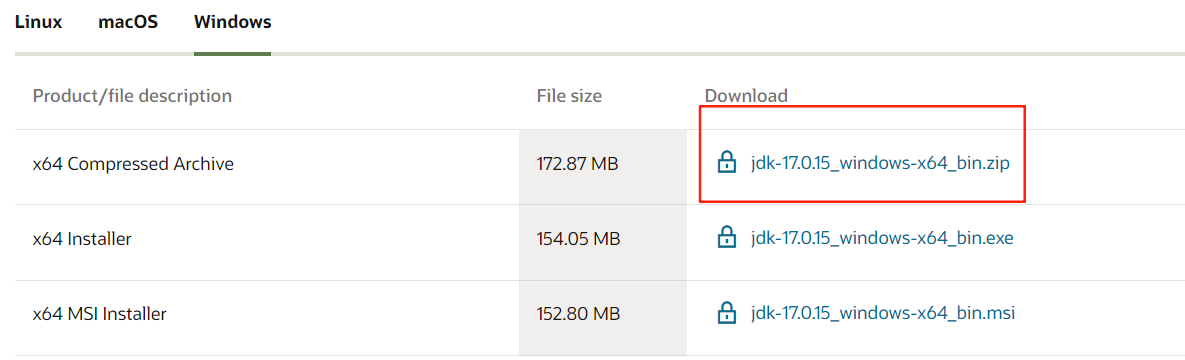
解压,配置JAVA_HOME环境变量就可以了
问题三:org.springframework.beans.factory.UnsatisfiedDependencyException: Error creating bean with name 'defaultAuthenticationManager' defined in class path resource
WARN Exception encountered during context initialization - cancelling refresh attempt: org.springframework.beans.factory.UnsatisfiedDependencyException: Error creating bean with name 'defaultAuthenticationManager' defined in class path resource [com/alibaba/nacos/plugin/auth/impl/configuration/core/NacosAuthPluginCoreConfig.class]: Unsatisfied dependency expressed through method 'defaultAuthenticationManager' parameter 1: Error creating bean with name 'tokenManagerDelegate' defined in class path resource [com/alibaba/nacos/plugin/auth/impl/configuration/core/NacosAuthPluginCoreConfig.class]: Unsatisfied dependency expressed through method 'tokenManagerDelegate' parameter 0: Error creating bean with name 'tokenManager' defined in class path resource [com/alibaba/nacos/plugin/auth/impl/configuration/core/NacosAuthPluginCoreConfig.class]: Failed to instantiate [com.alibaba.nacos.plugin.auth.impl.token.TokenManager]: Factory method 'tokenManager' threw exception with message: the length of secret key must great than or equal 32 bytes; And the secret key must be encoded by base64.Please see https://nacos.io/docs/latest/manual/admin/auth/
2025-06-05 10:50:45,678 WARN [WatchFileCenter] start close
2025-06-05 10:50:45,679 WARN [WatchFileCenter] start to shutdown this watcher which is watch : D:\tool\nacos-server-3.0.1.1\nacos\conf
2025-06-05 10:50:45,681 WARN [WatchFileCenter] already closed
2025-06-05 10:50:45,681 INFO [NotifyCenter] Start destroying Publisher
2025-06-05 10:50:45,682 INFO [NotifyCenter] Completed destruction of Publisher
2025-06-05 10:50:45,682 ERROR Startup errors :
org.springframework.beans.factory.UnsatisfiedDependencyException: Error creating bean with name 'defaultAuthenticationManager' defined in class path resource [com/alibaba/nacos/plugin/auth/impl/configuration/core/NacosAuthPluginCoreConfig.class]: Unsatisfied dependency expressed through method 'defaultAuthenticationManager' parameter 1: Error creating bean with name 'tokenManagerDelegate' defined in class path resource [com/alibaba/nacos/plugin/auth/impl/configuration/core/NacosAuthPluginCoreConfig.class]: Unsatisfied dependency expressed through method 'tokenManagerDelegate' parameter 0: Error creating bean with name 'tokenManager' defined in class path resource [com/alibaba/nacos/plugin/auth/impl/configuration/core/NacosAuthPluginCoreConfig.class]: Failed to instantiate [com.alibaba.nacos.plugin.auth.impl.token.TokenManager]: Factory method 'tokenManager' threw exception with message: the length of secret key must great than or equal 32 bytes; And the secret key must be encoded by base64.Please see https://nacos.io/docs/latest/manual/admin/auth/
at org.springframework.beans.factory.support.ConstructorResolver.createArgumentArray(ConstructorResolver.java:804)
at org.springframework.beans.factory.support.ConstructorResolver.instantiateUsingFactoryMethod(ConstructorResolver.java:546)
at org.springframework.beans.factory.support.AbstractAutowireCapableBeanFactory.instantiateUsingFactoryMethod(AbstractAutowireCapableBeanFactory.java:1361)
at org.springframework.beans.factory.support.AbstractAutowireCapableBeanFactory.createBeanInstance(AbstractAutowireCapableBeanFactory.java:1191)
at org.springframework.beans.facto
出现这个问题是由于nacos3的鉴权引起的,nacos3默认开启鉴权,而我在一开始启动设置鉴权密钥的时候随便输入了秘钥,没有设置Base64编码的字符串,
`nacos.core.auth.plugin.nacos.token.secret.key` is missing, please set with Base64 string: ${your_input_token_secret_key}
nacos.core.auth.plugin.nacos.token.secret.key` Updated:
----------------------------------
`nacos.core.auth.server.identity.key` is missing, please set: ${your_input_server_identity_key}
`nacos.core.auth.server.identity.key` Updated:
----------------------------------
`nacos.core.auth.server.identity.value` is missing, please set: ${your_input_server_identity_key}
`nacos.core.auth.server.identity.value` Updated:
----------------------------------
需要在使用用户名和密码登录之后,才能正常使用nacos。
开启鉴权之前,application.properties中的配置信息为:
### If turn on auth system:
nacos.core.auth.enabled=false
开启鉴权之后,application.properties中的配置信息为:
### If turn on auth system:
nacos.core.auth.system.type=nacos
nacos.core.auth.enabled=true
开启鉴权之后,你可以自定义用于生成JWT令牌的密钥,application.properties中的配置信息为:
注意:
- 文档中提供的密钥为公开密钥,在实际部署时请更换为其他密钥内容,防止密钥泄漏导致安全风险。
- 在2.2.0.1版本后,社区发布版本将移除以文档如下值作为默认值,需要自行填充,否则无法启动节点。
- 密钥需要保持节点间一致,长时间不一致可能导致403 invalid token错误。
自定义密钥时,推荐将配置项设置为Base64编码的字符串,且原始密钥长度不得低于32字符。例如下面的的例子:
注意:鉴权开关是修改之后立马生效的,不需要重启服务端。
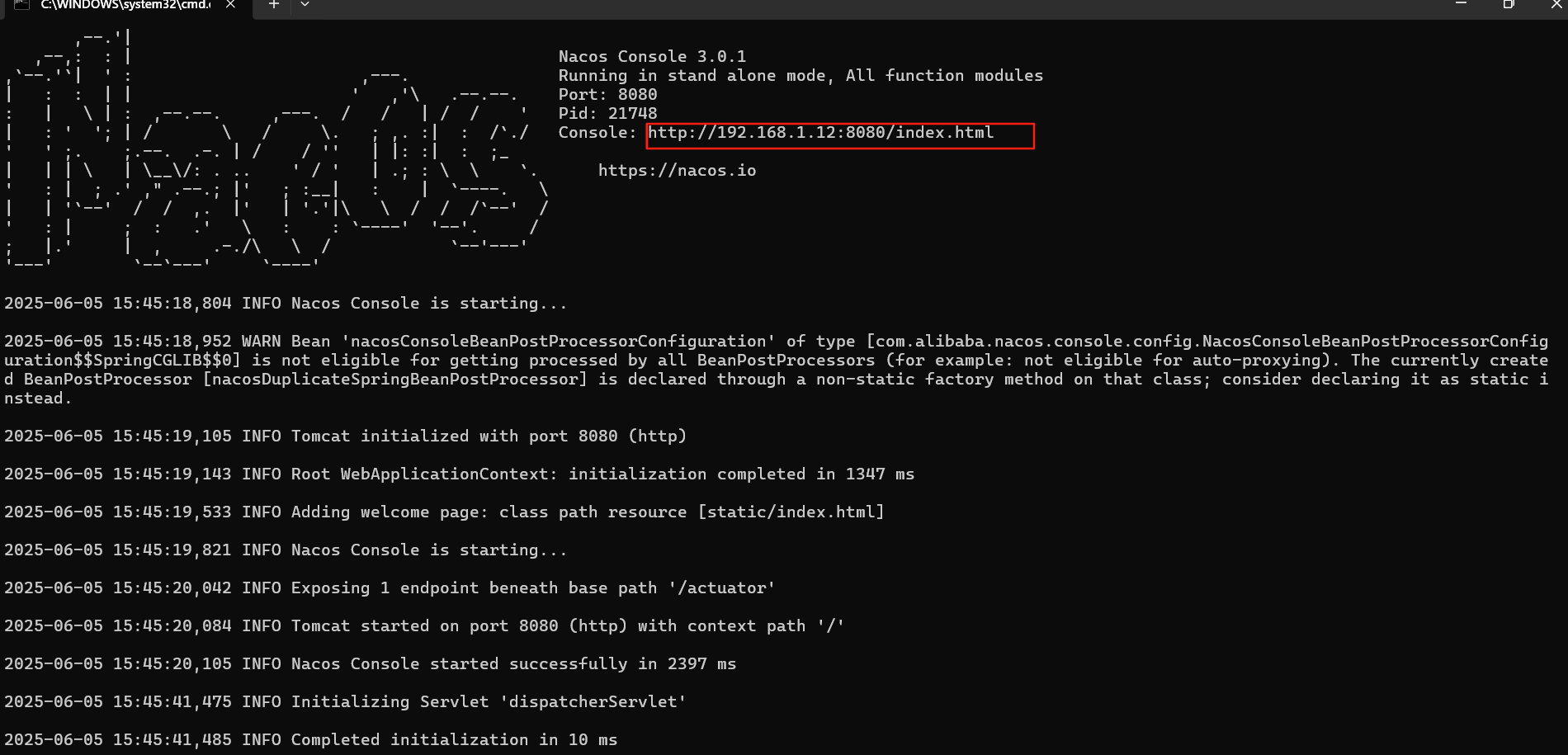
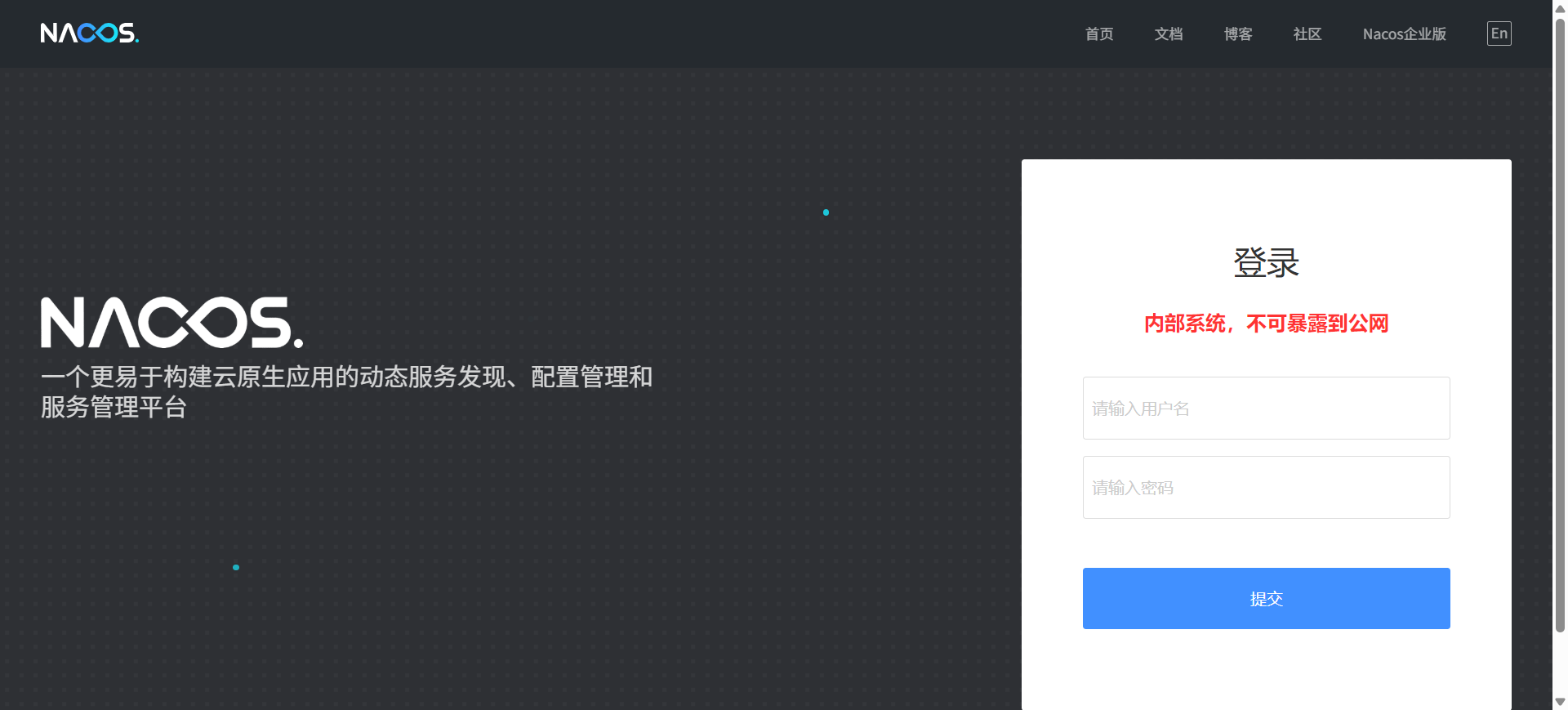
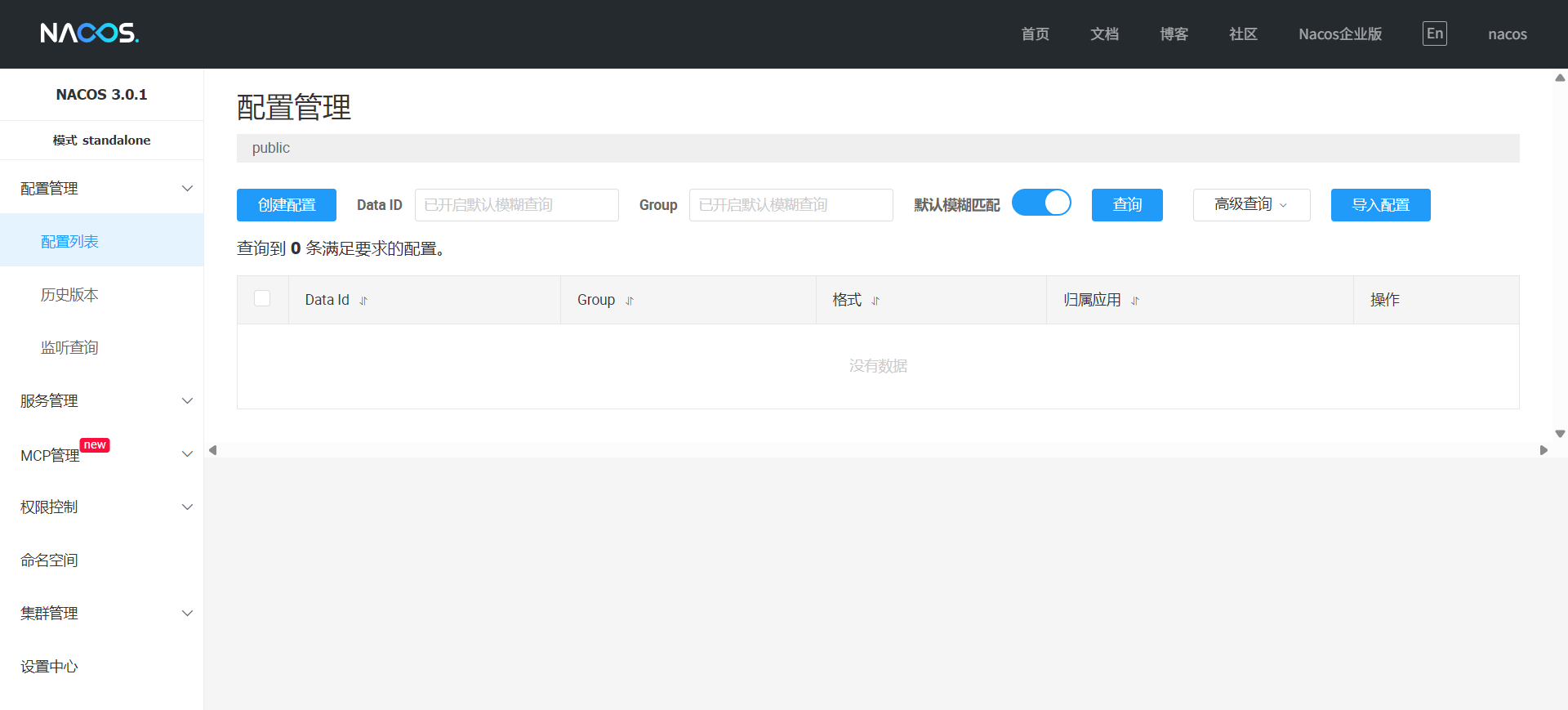
最后nacos启动成功,可以访问 http://192.168.1.12:8080/index.html,其中ip是本机电脑的ip,在登录页面输入你设置的用户名和密码就可访问nacos。
快速开始-阿里云Spring Cloud Alibaba官网
----------------------------------

 浙公网安备 33010602011771号