
前端面试题-常见的水平垂直居中实现方案
方案一:
<!DOCTYPE html>
<html lang="en">
<head>
    <meta charset="UTF-8">
    <meta http-equiv="X-UA-Compatible" content="IE=edge">
    <meta name="viewport" content="width=device-width, initial-scale=1.0">
    <title>css</title>
    <style>
        /* 常见的水平垂直居中实现方案一 */
        .father {
            display: flex;
            justify-content: center; /* 定义了项目在主轴上的对齐方式 */
            align-items: center; /* 定义项目在交叉轴上的对齐方式 */
            width: 100px;
            height: 100px;
            background-color: red;
        }
        .son {
            width: 60px;
            height: 60px;
            background-color: green;
        }
    </style>
</head>
<body>
    <div class="father">
        <div class="son"></div>
    </div>
</body>
</html>
效果图:
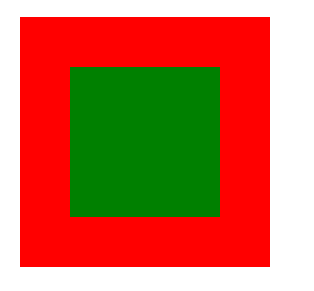
方案二:
/* 常见的水平垂直居中实现方案二 */
        .father {
            /* 绝对定位配合margin:auto的实现方案 */
            position: relative;
            width: 100px;
            height: 100px;
            background-color: red;
        }
        .son {
            position: absolute;
            top: 0;
            left: 0;
            bottom: 0;
            right: 0;
            margin: auto;
            width: 60px;
            height: 60px;
            background-color: green;
        }
方案三:
/* 常见的水平垂直居中实现方案三 */
        .father {
            /* 绝对定位配合transform实现 */
            position: relative;
            width: 100px;
            height: 100px;
            background-color: red;
        }
        .son {
            position: absolute;
            top: 50%;
            left: 50%;
            transform: translate(-50%, -50%);
            width: 60px;
            height: 60px;
            background-color: green;
        }
fighting

 浙公网安备 33010602011771号