
DB2-DMC安装与配置
安装
解压安装包后,进入文件夹
cd ./ibm-db2-data-management-console-3.1.0/resources/bin
./setup.sh
期间会设置console的登陆用户名和密码,注意设置。将会在之后通过浏览器登陆console时使用到。
IBM Db2 Data Management Console installation will start now.......

International Program License Agreement

Part 1 - General Terms

BY DOWNLOADING, INSTALLING, COPYING, ACCESSING, CLICKING ON
AN "ACCEPT" BUTTON, OR OTHERWISE USING THE PROGRAM,
LICENSEE AGREES TO THE TERMS OF THIS AGREEMENT. IF YOU ARE
ACCEPTING THESE TERMS ON BEHALF OF LICENSEE, YOU REPRESENT
AND WARRANT THAT YOU HAVE FULL AUTHORITY TO BIND LICENSEE
TO THESE TERMS. IF YOU DO NOT AGREE TO THESE TERMS,

* DO NOT DOWNLOAD, INSTALL, COPY, ACCESS, CLICK ON AN
"ACCEPT" BUTTON, OR USE THE PROGRAM; AND

* PROMPTLY RETURN THE UNUSED MEDIA, DOCUMENTATION, AND
PROOF OF ENTITLEMENT TO THE PARTY FROM WHOM IT WAS OBTAINED

Press Enter to continue viewing the license agreement, or
enter "1" to accept the agreement, "2" to decline it, "3"
to print it, or "99" to go back to the previous screen.
1
Moving new product files in place... [Completed]
******************************************************************************

Welcome to IBM Db2 Data Management Console

The following settings are defined in the setup.conf configuration file:
Server settings
HTTP port number (-1 indicates that the port is disabled)
        port = 11080

HTTPS port number (-1 indicates that the port is disabled)
        https.port = 11081

******************************************************************************

Specify a new default administrator user ID to initially log in to the web console with administrator privileges. The user ID is specific to the product and is independent of operating system user IDs : shawnhuang
Specify a password to use for the default administrator user :
Re-enter the password for the default administrator user :
Do you want to continue setting up the product with this configuration? [Y/n] : Y
Saving settings...

Setup is complete.

Starting the server...

The server is started.

******************************************************************************

Summary
        * Web console HTTP URL
                http://shahuang-lt.nvidia.com:11080/console   (login: shawnhuang)

        * Web console HTTPS URL
                https://shahuang-lt.nvidia.com:11081/console   (login: shawnhuang)

Press Enter to continue...
shawnhuang@shahuang-lt:~/db2_dmc_install/ibm-db2-data-management-console-3.1.0/resources/bin$ microsoft-edge
"{{\"ping\",\"success\"}}}"
[8263:8263:0602/165348.991466:ERROR:interface_endpoint_client.cc(722)] Message 0 rejected by interface blink.mojom.WidgetHost
Deserialization failed!

shawnhuang@shahuang-lt:\
配置
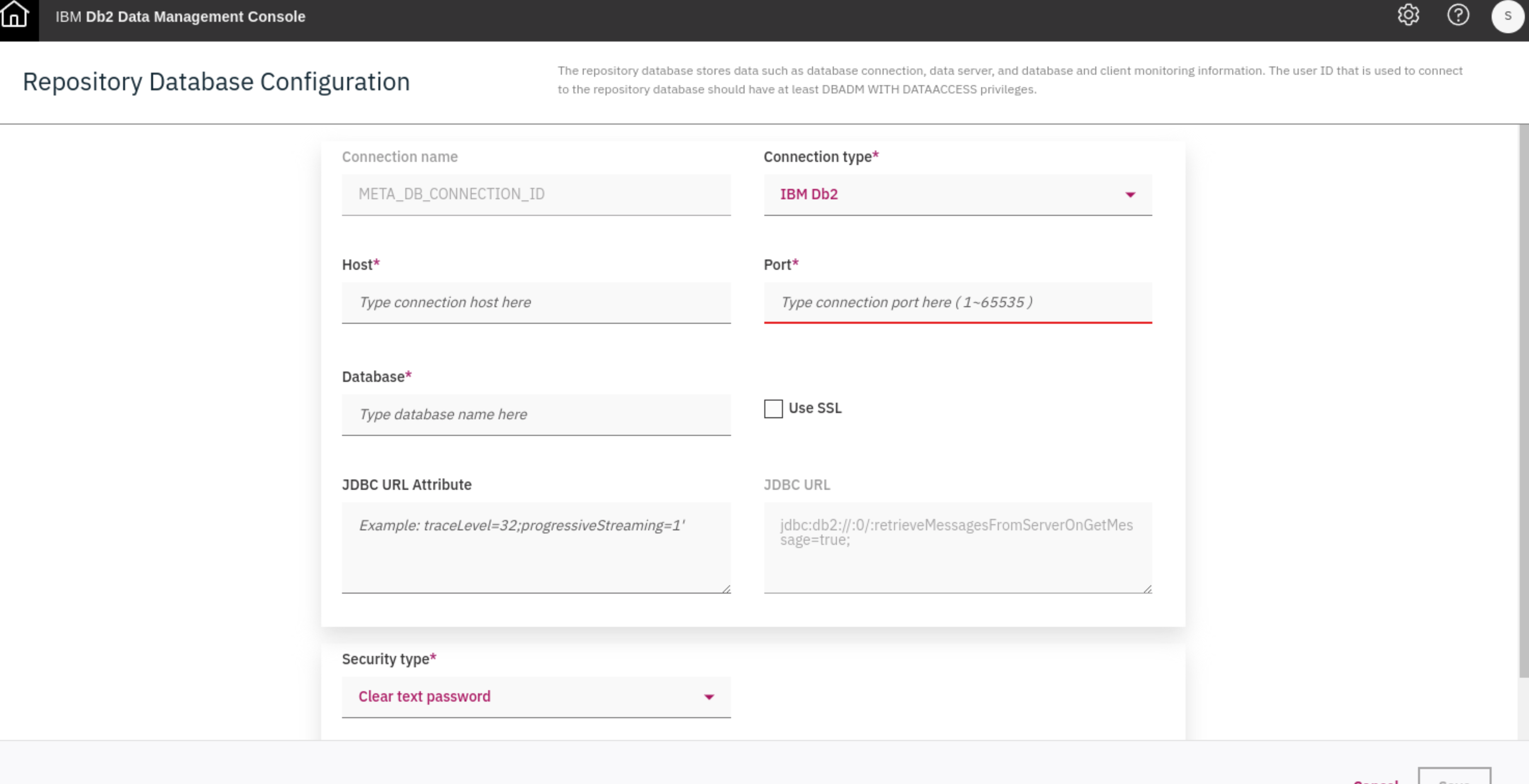
进入网页链接。登陆console后,进入设置界面。

 浙公网安备 33010602011771号