
oc加载gif

如果有补充的地方,欢迎指出
使用sdwebimage第三方库加载本地的gif
 NSString  *name = @"qianming.gif";

    NSString  *filePath = [[NSBundle bundleWithPath:[[NSBundle mainBundle] bundlePath]] pathForResource:name ofType:nil];

    NSData  *imageData = [NSData dataWithContentsOfFile:filePath];

    self.qianMingImgView.backgroundColor = [UIColor clearColor];

    [self.qianMingImgView setBackgroundImage: [UIImage sd_animatedGIFWithData:imageData] forState:UIControlStateNormal];
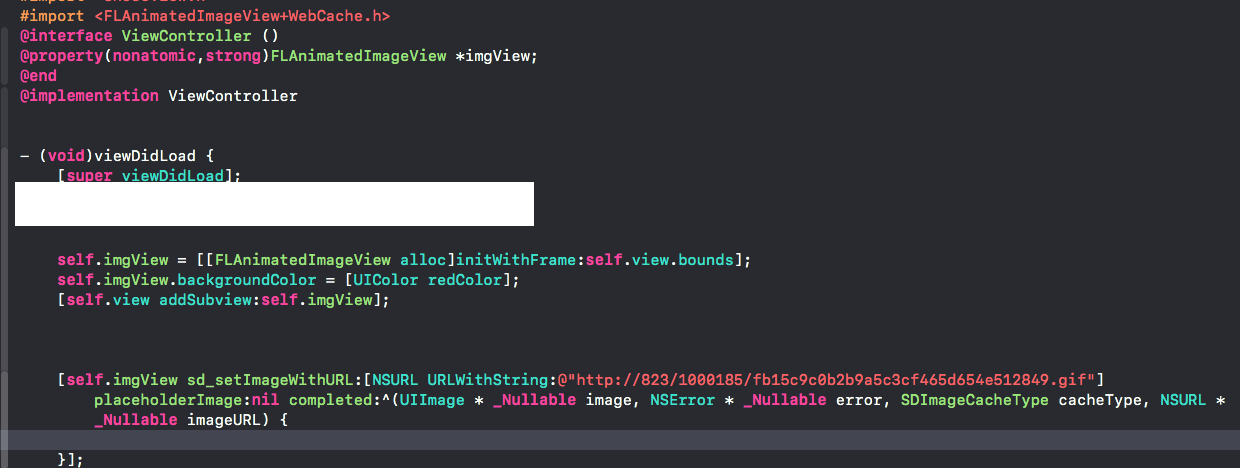
使用sdwebimage第三方库加载网络的gif
使用UIWebView加载本地的gif或者网络的gif
 CGRect frame = CGRectMake(50,300,200,200);
    // view生成
    UIWebView *webView = [[UIWebView alloc] initWithFrame:frame];
    webView.backgroundColor = [UIColor redColor];
    webView.userInteractionEnabled = NO;//用户不可交互
//    http://code.cocoachina.com/uploads/attachments/20180718/137419/afde9046babf7fe244f4c9a9b4baf452.gif
//    NSURL *url = [NSURL URLWithString:[[NSBundle mainBundle] pathForResource:@"aaaa" ofType:@"gif"]];//加载本地的gif
    NSURL *url = [NSURL URLWithString:@"http://code.cocoachina.com/uploads/attachments/20180718/137419/afde9046babf7fe244f4c9a9b4baf452.gif"];
    [webView loadRequest:[NSURLRequest requestWithURL:url]];
    [webView setScalesPageToFit:YES];//自动适应当前frame大小
    [self.view addSubview:webView];
补充: imageNamed图片是在内存里,建议用以下写法
UIImageView *imgView = [[UIImageView alloc]initWithFrame:CGRectMake(200, 200, 200, 200)];
    [self.view addSubview:imgView];
    NSString *imgPath = [[NSBundle mainBundle]pathForResource:@"aaa" ofType:@"png"];
    imgView.image = [UIImage imageWithContentsOfFile:imgPath];

 浙公网安备 33010602011771号