Nginx Rewrite
一、常用的Nginx正则表达式
location = / {
proxy_pass http://tomcat_server/;
}
5.2 第二个必选规则是处理静态文件请求
这是Nginx作为http服务器的强项
有两种配置模式,目录匹配或后缀匹配,任选其一或搭配使用

location ^~ /static/ {
root /webroot/static/;
}

location ~* \.(html|gif|jpg|jpeg|png|css|js|ico)$ {
root /webroot/res/;
}
5.3 第三个规则就是通用规则
比如用来转发带.php、.jsp后缀的动态请求到后端应用服务器
非静态文件请求就默认是动态请求
location / {
proxy_pass http://tomcat_server;
}
三、访问重新rewrite
1、rewrite概述
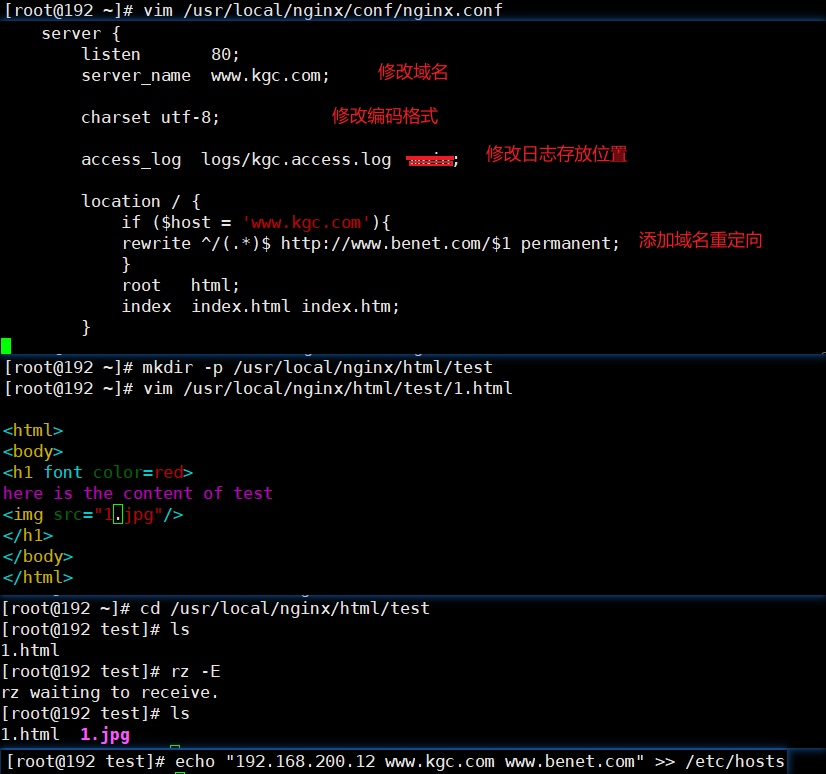
vim /usr/local/nginx/conf/nginx.conf
server {
listen 80;
server_name www.kgc.com; #域名修改
charset utf-8;
access_log /var/log/nginx/www.kgc.com-access.log main; #日志修改
location / { #添加域名重定向
if ($host = 'www.kgc.com'){ #$host为rewrite全局变量,代表请求主机头字段或主机名
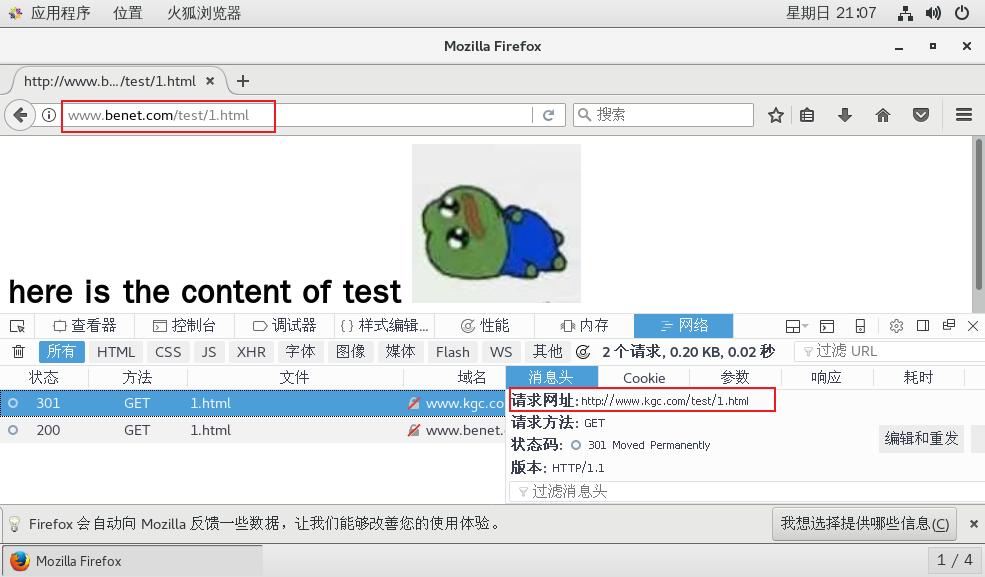
rewrite ^/(.*)$ http://www.benet.com/$1 permanent; #$1为正则匹配的内容,即域名后边的字符串
}
root html;
index index.html index.htm;
}
}

echo "192.168.153.20 www.kgc.com www.benet.com" >> /etc/hosts

systemctl restart nginx #重启服务
vim /usr/local/nginx/conf/nginx.conf

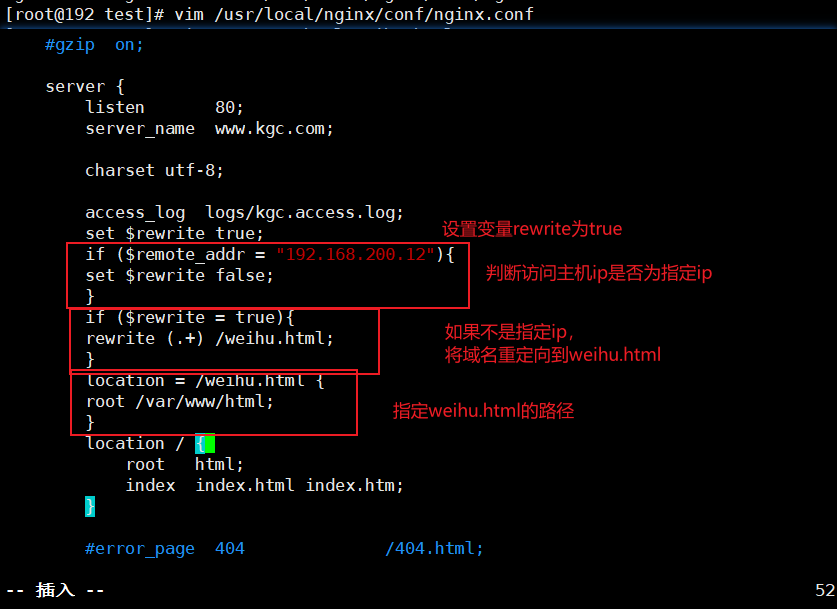
server {
listen 80;
server_name www.kgc.com; #域名修改
charset utf-8;
access_log /var/log/nginx/www.kgc.com-access.log main; #日志修改

#设置是否合法的IP标记
set $rewrite true; #设置变量$rewrite,变量值为boole值true
#判断是否为合法IP
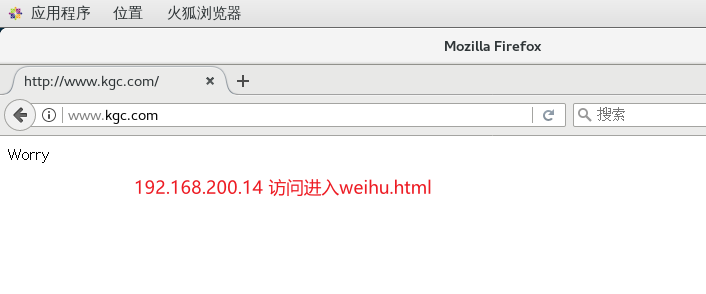
if ($remote_addr = "192.168.153.30"){ #当客户端IP为192.168.80.200时,将变量值设为false,不进行重写
set $rewrite false;
}
#除了合法IP,其它都是非法IP,进行重写跳转维护页面
if ($rewrite = true){ #当变量值为true时,进行重写
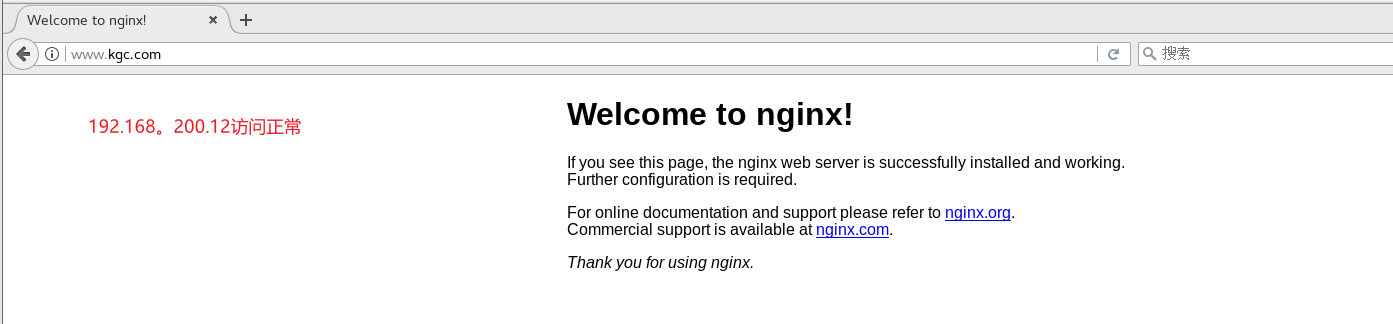
rewrite (.+) /weihu.html; #重写在访问IP后边插入/weihu.html,例如192.168.80.11/weihu.html
}
location = /weihu.html {
root /var/www/html; #网页返回/var/www/html/weihu.html的内容
}

location / {
root html;
index index.html index.htm;
}
}

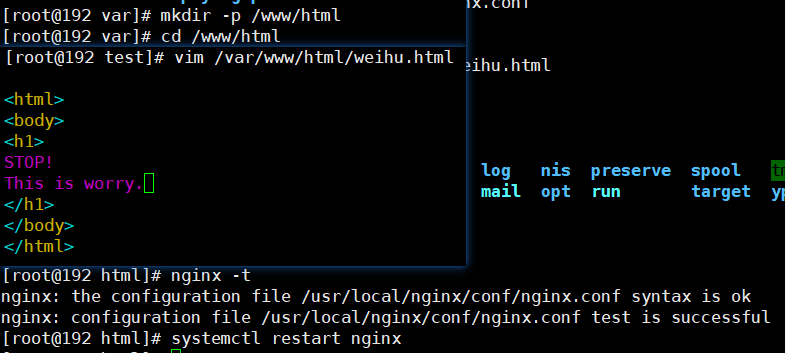
mkdir -p /var/www/html/
echo "<h1>We are busy now!</h1>" > /var/www/html/weihu.html
systemctl restart nginx
3、基于旧域名跳转到新域名后面加目录
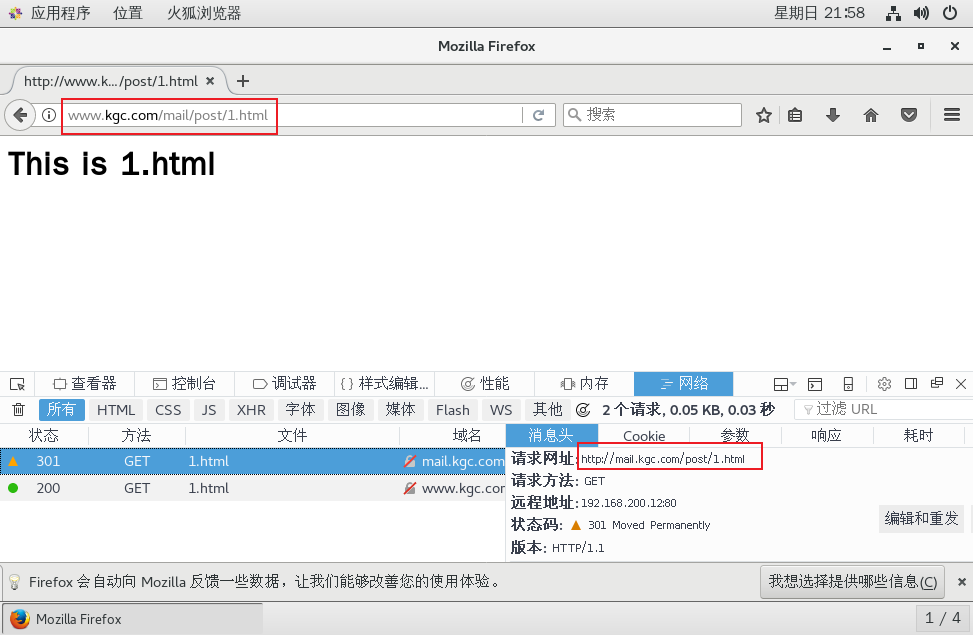
现在访问的是 http://mail.kgc.com/post,现在需要将这个域名下面的访问都跳转到http://www.kgc.com/bbs
vim /usr/local/nginx/conf/nginx.conf

server {
listen 80;
server_name bbs.kgc.com; #域名修改
charset utf-8;
access_log /var/log/nginx/www.kgc.com-access.log main;
#添加
location /post {
rewrite (.+) http://www.kgc.com/mail$1 permanent; #这里的$1为位置变量,代表/post
}

location / {
root html;
index index.html index.htm;
}
}

mkdir -p /usr/local/nginx/html/bbs
echo "this is 1.html" >> /usr/local/nginx/html/mail/1.html
echo "192.168.80.11 bbs.kgc.com" >> /etc/hosts
systemctl restart nginx
使用浏览器访问 http://bbs.kgc.com/ post/1.html 跳转到 http://www.kgc.com/mail/post/1.html

4、基于参数匹配的跳转
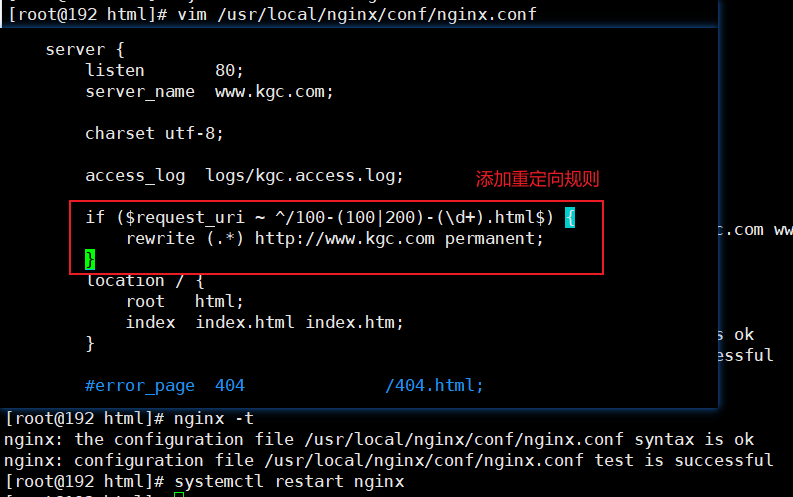
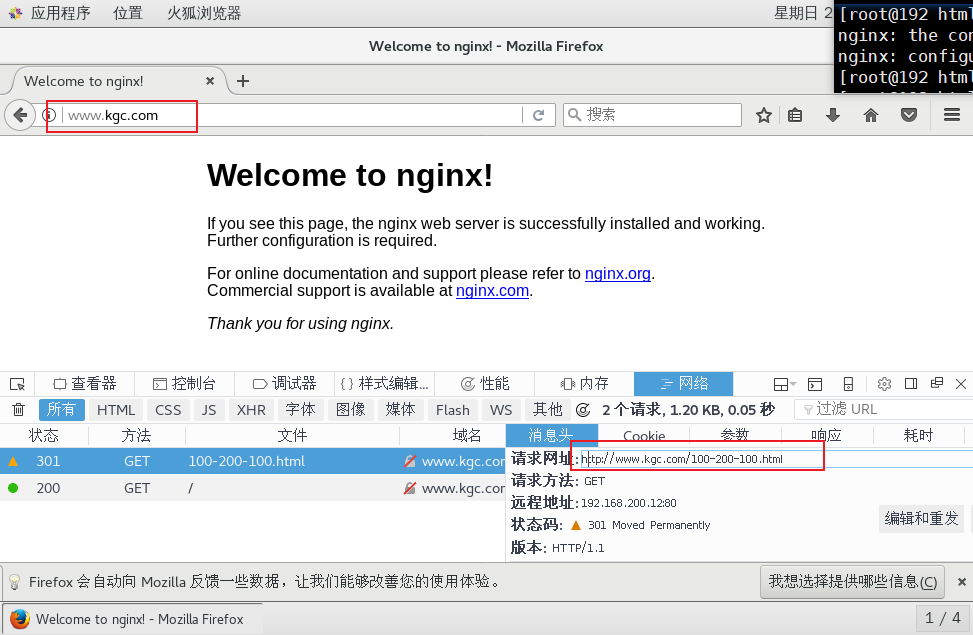
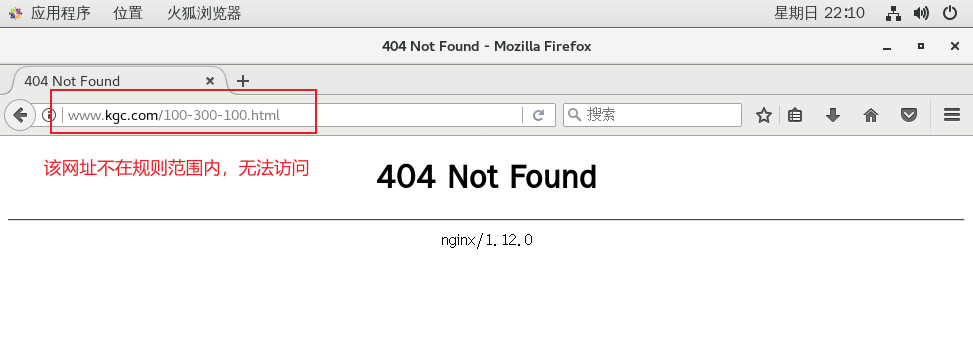
访问http://www.kgc.com/100-(100|200)-100.html 跳转到http://www.kgc.com页面。
vim /usr/local/nginx/conf/nginx.conf

server {
listen 80;
server_name www.kgc.com; #域名修改
charset utf-8;
access_log /var/log/nginx/www.kgc.com-access.log main;

if ($request_uri ~ ^/100-(100|200)-(\d+).html$) {
rewrite (.*) http://www.kgc.com permanent;
}

location / {
root html;
index index.html index.htm;
}
}

systemctl restart nginx
使用浏览器访问 http://www.kgc.com/100-200-100.html 或 http://www.kgc.com/100-100-100.html 跳转到http://www.kgc.com页面。
5、基于目录下所有php结尾的文件跳转
vim /usr/local/nginx/conf/nginx.conf

server {
listen 80;
server_name www.kgc.com; #域名修改
charset utf-8;
access_log /var/log/nginx/www.kgc.com-access.log main;

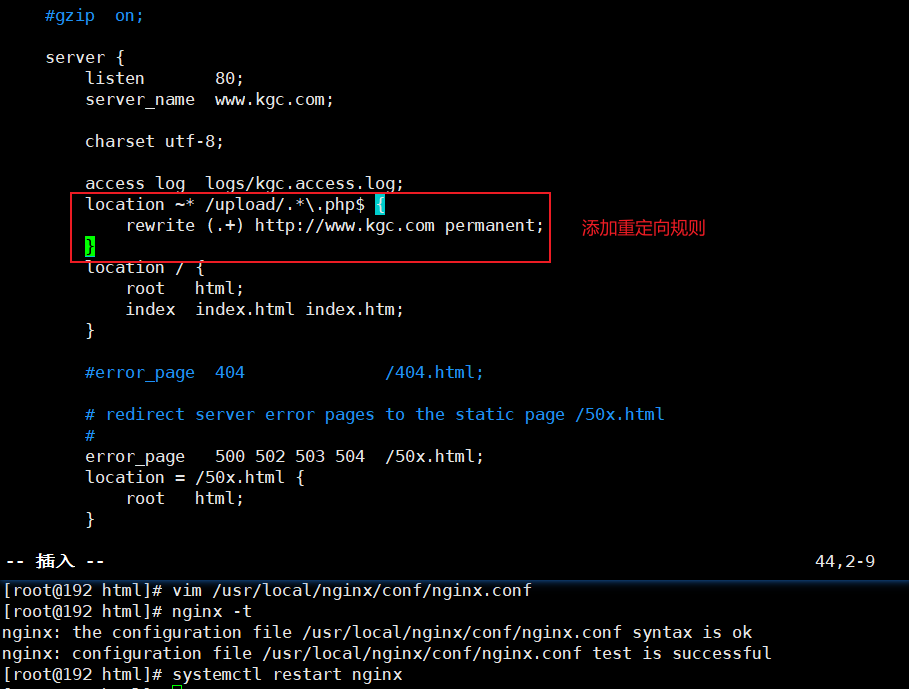
location ~* /upload/.*\.php$ {
rewrite (.+) http://www.kgc.com permanent;
}

location / {
root html;
index index.html index.htm;
}
}

systemctl restart nginx
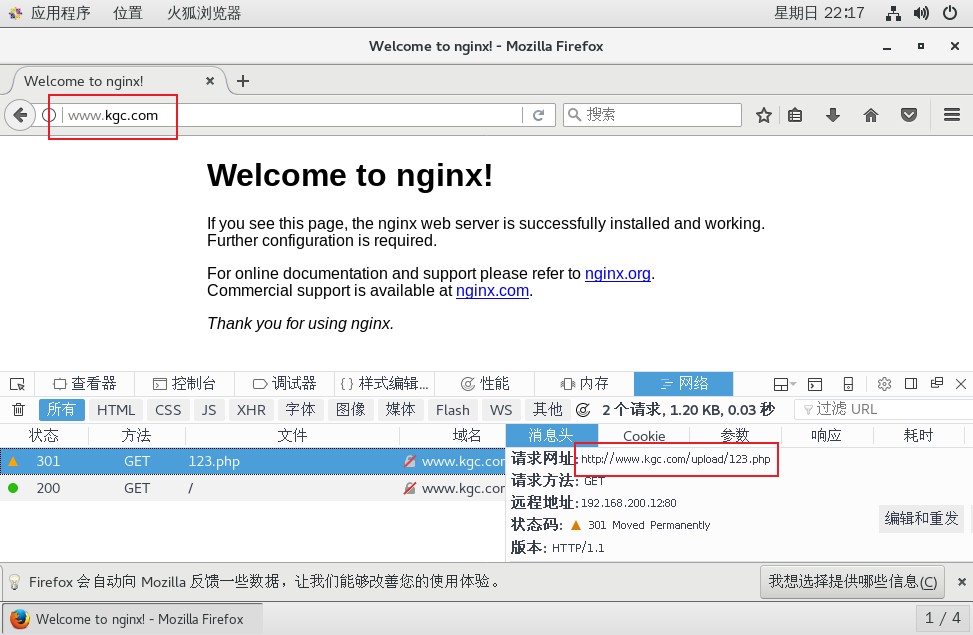
浏览器访问 http://www.kgc.com/upload/123.php 跳转到http://www.kgc.com页面。
6、基于最普通的一条url请求的跳转
要求访问一个具体的页面如 http://www.kgc.com/abc/123.html 跳转到首页
vim /usr/local/nginx/conf/nginx.conf

server {
listen 80;
server_name www.kgc.com; #域名修改
charset utf-8;
access_log /var/log/nginx/www.kgc.com-access.log main;

location ~* ^/abc/123.html {
rewrite (.+) http://www.kgc.com permanent;
}

location / {
root html;
index index.html index.htm;
}
}


systemctl restart nginx
浏览器访问 http://www.kgc.com/abc/123.html 跳转到http://www.kgc.com页面。


 浙公网安备 33010602011771号