

python:通过pip install安装第三方库失败,提示:Could not fetch URL https://pypi.org/simple/pip/: There was a problem confirming the ssl certificate: HTTPSConnectionPool(host='pypi.org', port=443)
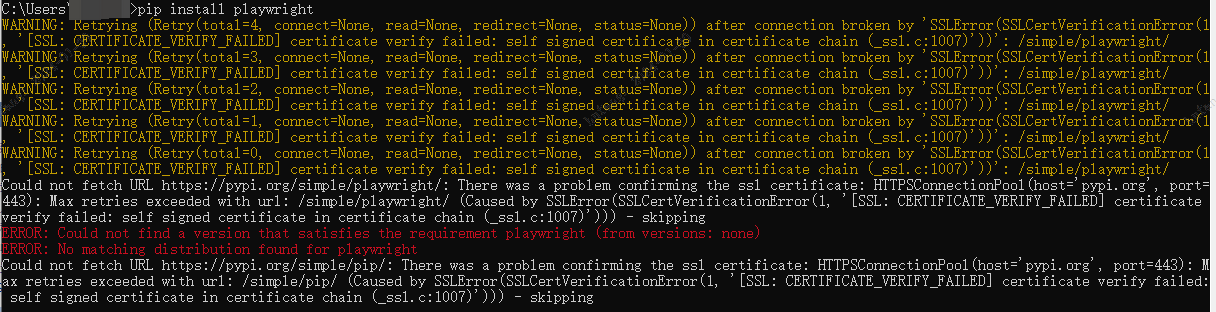
一、通过pip安装查件失败,具体错误描述为:
Could not fetch URL https://pypi.org/simple/pip/: There was a problem confirming the ssl certificate: HTTPSConnectionPool(host='pypi.org', port=443): Max retries exceeded with url: /simple/pip/ (Caused by SSLError(SSLCertVerificationError(1, '[SSL: CERTIFICATE_VERIFY_FAILED] certificate verify failed: self signed certificate in certificate chain (_ssl.c:1007)'))) - skipping
二、解决方法为:
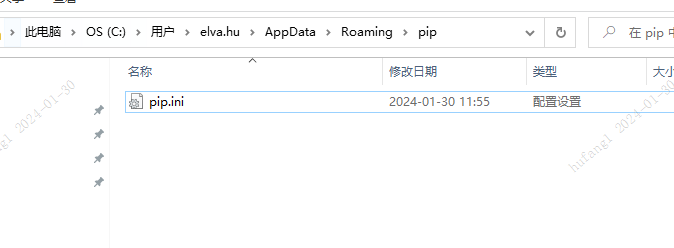
1.打开windows的我的电脑,在最上方目录栏输入%APPDATA%


2.回车,接着会定位到一个新的目录,目录路径为C:\Users\Administrator\AppData\Roaming,在这个目录中新建一个pip文件夹,然后在pip文件夹中新建个pip.ini文件,
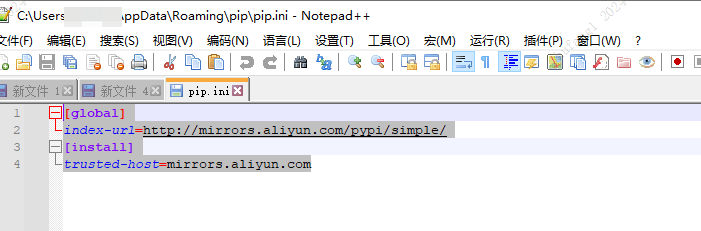
3.最后再新建的pip.ini文件中输入一下内容:
[global]
index-url=http://mirrors.aliyun.com/pypi/simple/
[install]
trusted-host=mirrors.aliyun.com
清华大学:https://pypi.tuna.tsinghua.edu.cn/simple
阿里云:http://mirrors.aliyun.com/pypi/simple/
中国科技大学 https://pypi.mirrors.ustc.edu.cn/simple/
华中理工大学:http://pypi.hustunique.com/
山东理工大学:http://pypi.sdutlinux.org/
豆瓣:http://pypi.douban.com/simple/
华中科技大学:http://pypi.hustunique.com/
百度: https://simple.baidu.com/pypi/simple
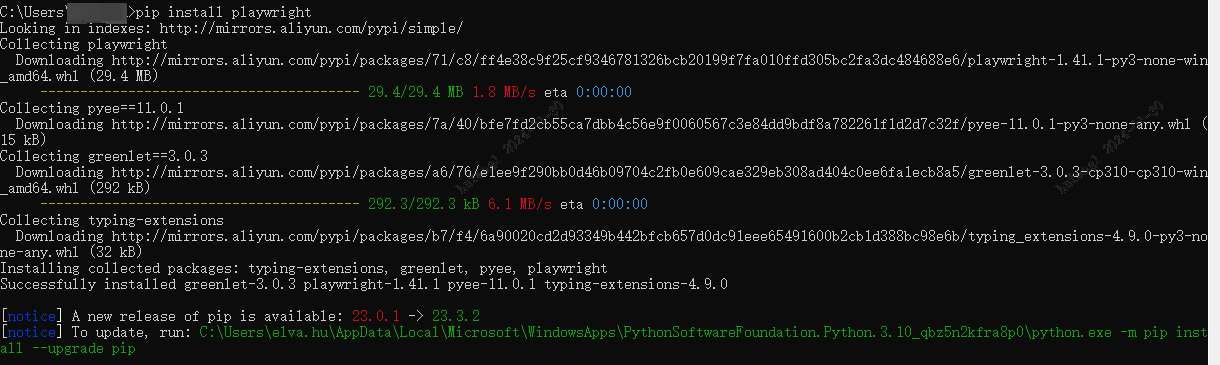
4.保存后,重新安装正常
三、 参考引用博文传送门:
[1]:https://blog.csdn.net/u014535666/article/details/106085005


 浙公网安备 33010602011771号