

第二次作业
[实验目的]
1.掌握软件开发的基本流程
2.掌握常用的软件开发方式和工具。
[实验内容]
1.设计一个包含登录界面的计算器软件,该软件可以实现第一次作业中的全部功能,同时可以保存用户的历史计算记录(保存数据最好使用数据库)。
[实验要求]
1.完成软件的UI设计、使用Visio设计软件中所涉及的所有流程图。
2.选择合适的集成开发环境和工具完成计算器软件的开发
3.将开发好软件进行测试并截图
4.将本次实验过程写成实验报告提交在本次作业的链接中
5.关键代码部分以代码块格式粘贴在实验报告正文中
6.软件架构以及开发技术不限
7.本次作业为个人作业,发现雷同作业一律按0分处理。
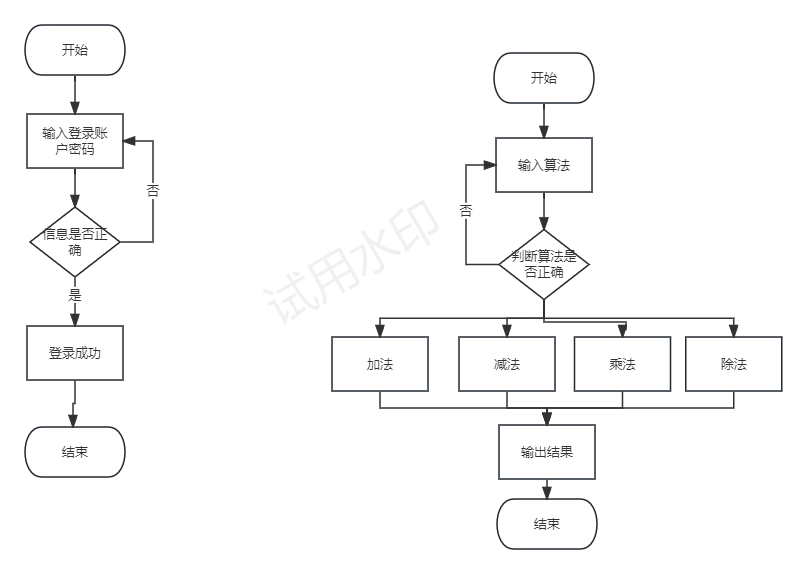
流程图如下
登录界面代码
package whk.login;
import javax.swing.JFrame;
import javax.swing.JLabel;
import javax.swing.ImageIcon;
import javax.swing.JTextField;
import javax.swing.JPasswordField;
import javax.swing.JButton;
import java.awt.FlowLayout;
import java.awt.Dimension;
public class Login {
/**
* @param args
*/
public static void main(String[] args) {
// TODO Auto-generated method stub
Login l=new Login();
l.initUI();
}
public void initUI(){
JFrame frame=new JFrame();
frame.setTitle("计算器");
frame.setSize(new Dimension(300,450));
frame.setLocationRelativeTo(null);
frame.setDefaultCloseOperation(3);
FlowLayout f1=new FlowLayout(FlowLayout.CENTER,5,5);
frame.setLayout(f1);
ImageIcon icon = new ImageIcon("E:\\JAVA\\login.jpeg");
JLabel labelIcon = new JLabel(icon);
frame.add(labelIcon);
JLabel labelName = new JLabel("账号:");
frame.add(labelName);
JTextField textName = new JTextField();
textName.setPreferredSize(new Dimension(220,30));
frame.add(textName);
JLabel labelName2 = new JLabel("密码:");
frame.add(labelName2);
JPasswordField textName2 =new JPasswordField();
textName2.setPreferredSize(new Dimension(220,30));
frame.add(textName2);
JButton labelName3 = new JButton("登录");
frame.add(labelName3);
frame.setVisible(true);
}
}
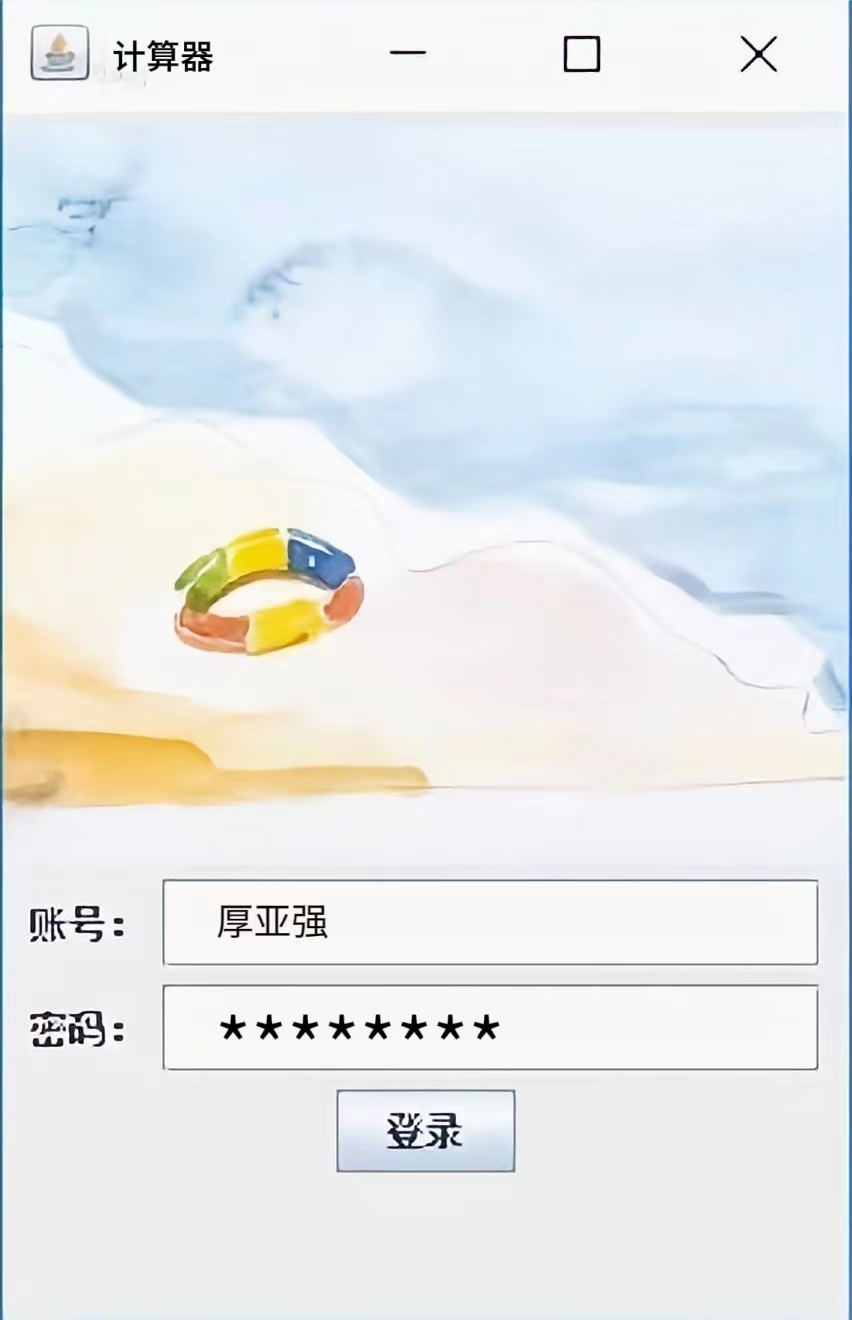
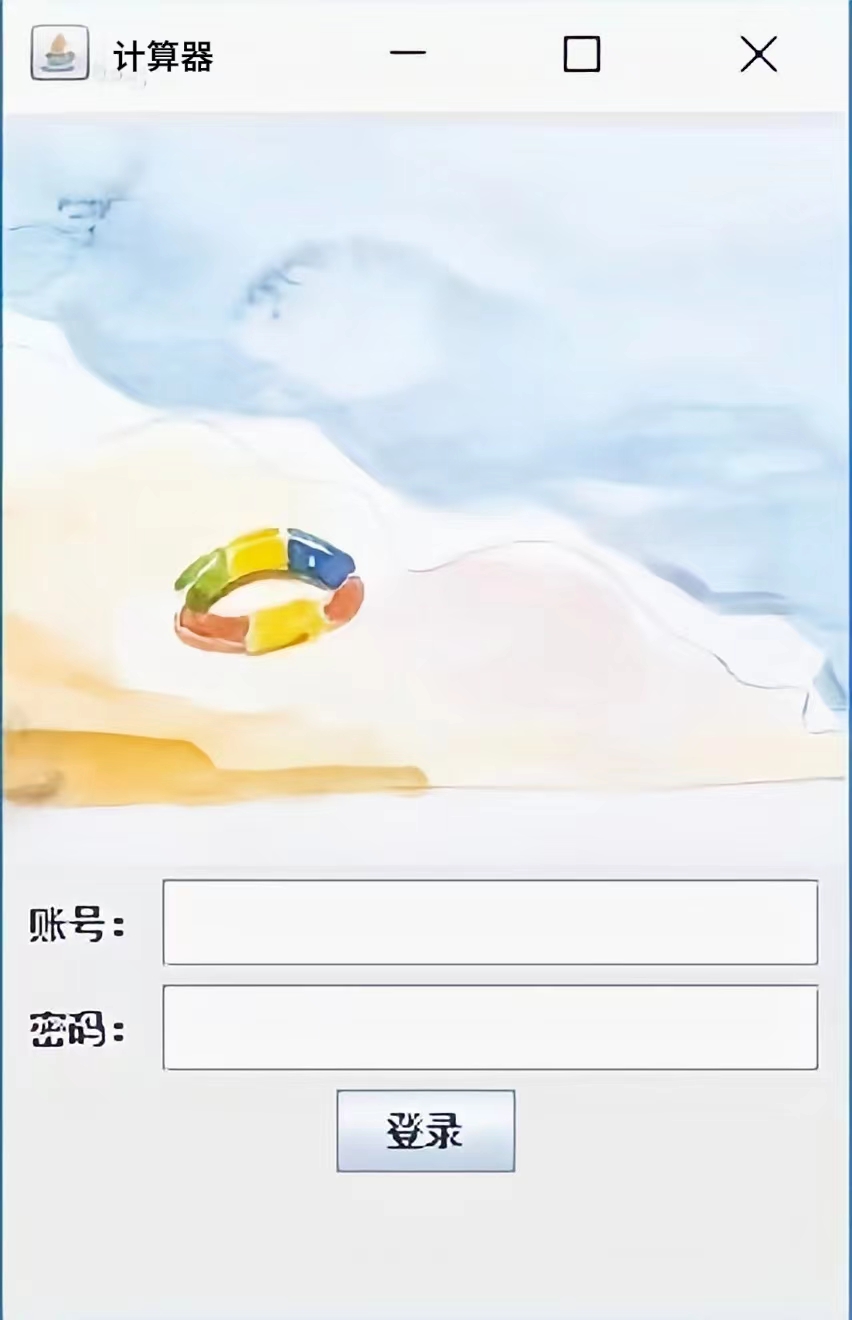 登录界面如下
计算器代码如下:
package whk.js;
import javax.swing.JFrame;
import javax.swing.JLabel;
import javax.swing.JTextField;
import javax.swing.JButton;
import java.awt.FlowLayout;
import java.awt.Dimension;
import javax.swing.JFrame;
import javax.swing.JTextField;
public class Cal {
/**
* @param args
*/
public static void main(String[] args) {
// TODO Auto-generated method stub
Cal c =new Cal();
c.initUI();
}
public void initUI(){
//实例化JFrame窗体容器组件类对象
JFrame frame =new JFrame();
//设置窗体属性值:标题、大小、显示位置、关闭操作、布局、可见、
frame.setTitle("Calculator");
//设置标题属性值
frame.setSize(new Dimension(300,350));
frame.setLocationRelativeTo(null);
frame.setDefaultCloseOperation(3);
//实例化FlowLayout流式布局类的对象,设置对齐方式,水平间距,垂直间距
FlowLayout f1=new FlowLayout(FlowLayout.CENTER,5,5);
frame.setLayout(f1);
//实例化元素组件类的对象,然后将组件对象添加到窗体上)。
JTextField screen =new JTextField();
screen.setPreferredSize(new Dimension(300,30));
frame.add(screen);
JButton jia =new JButton(" + ");
frame.add(jia);
JButton jian =new JButton(" - ");
frame.add(jian);
JButton cheng =new JButton(" x ");
frame.add(cheng);
JButton chu =new JButton(" / ");
frame.add(chu);
JButton yi =new JButton(" 1 ");
frame.add(yi);
JButton er =new JButton(" 2 ");
frame.add(er);
JButton san =new JButton(" 3 ");
frame.add(san);
JButton si =new JButton(" 4 ");
frame.add(si);
JButton wu =new JButton(" 5 ");
frame.add(wu);
JButton liu =new JButton(" 6 ");
frame.add(liu);
JButton qi =new JButton(" 7 ");
frame.add(qi);
JButton ba =new JButton(" 8 ");
frame.add(ba);
JButton jiu =new JButton(" 9 ");
frame.add(jiu);
JButton ling =new JButton(" 0 ");
frame.add(ling);
JButton deng =new JButton(" = ");
frame.add(deng);
JButton CE =new JButton(" CE ");
frame.add(CE);
frame.setVisible(true);
}
}
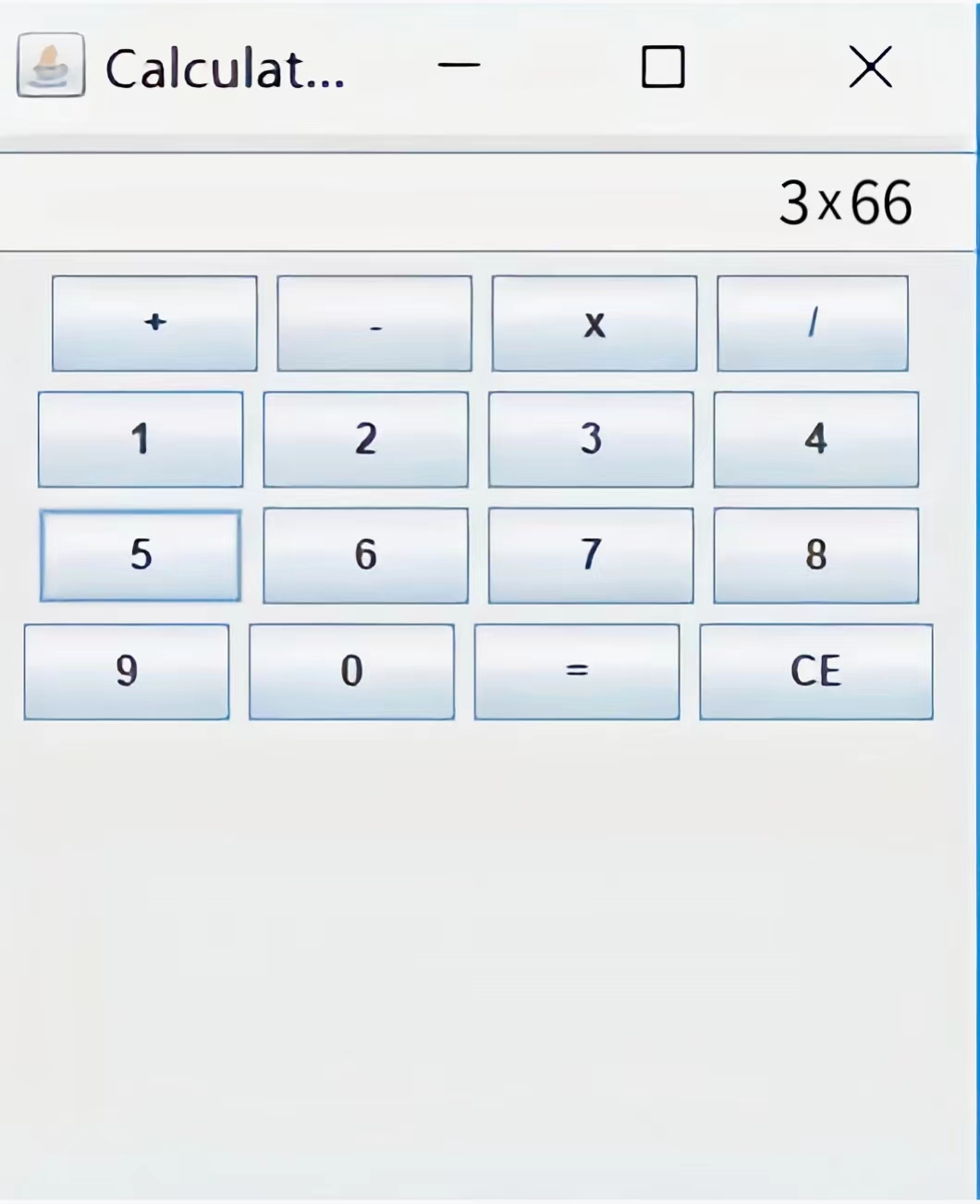
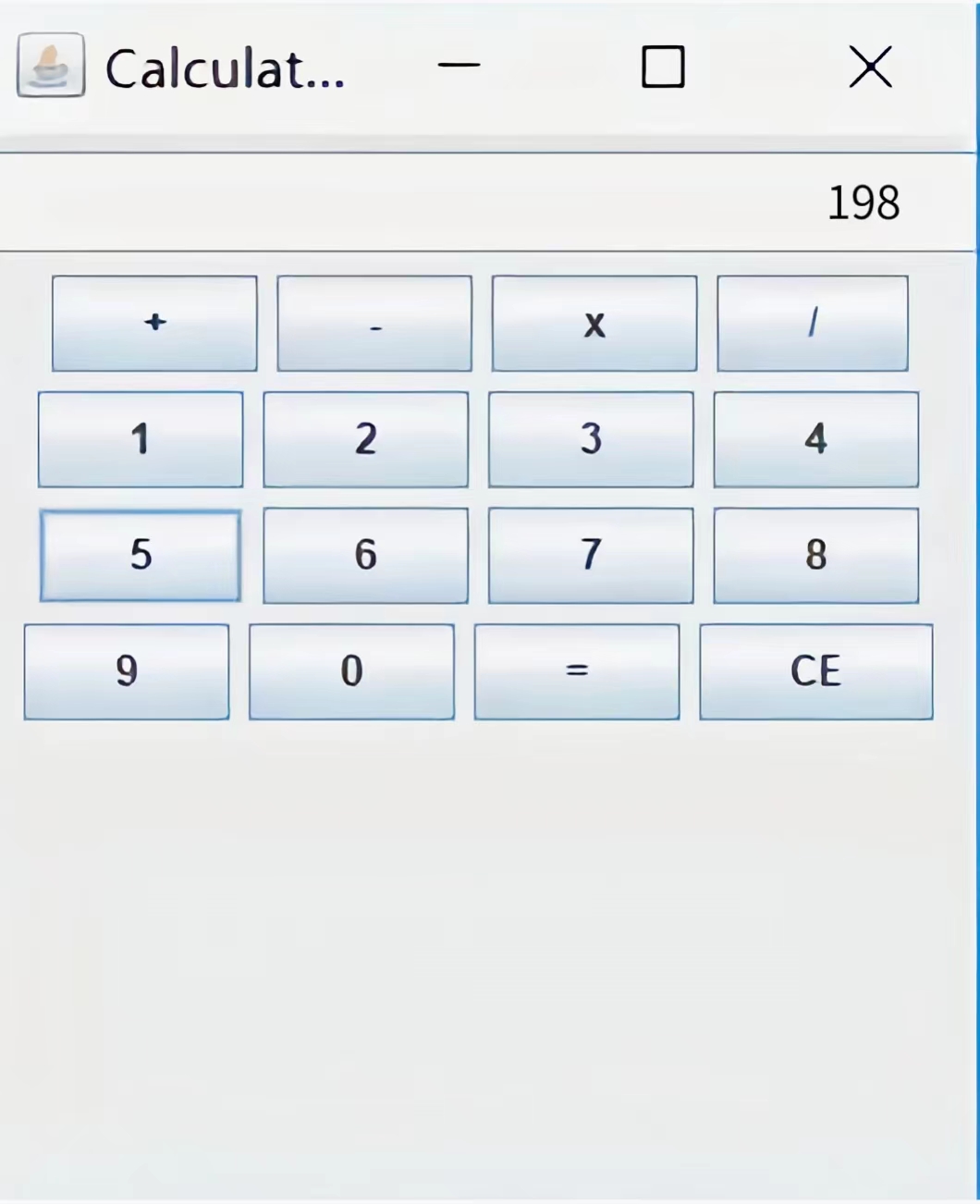
计算器界面实现如下:

 浙公网安备 33010602011771号