

LNMP介绍、部署(nginx调优)(rewrite重写)04
LNMP介绍、部署(nginx调优)(rewrite重写)
1、LNMP环境的搭建部署
2、Rewrite重写
3、Nginx的调优
安装软件包、创建用户、解压:
wget http://nginx.org/download/nginx-1.14.0.tar.gz
yum -y install gcc pcre pcre-devl zlib zlib-devel openssl openssl-devel
groupadd www
useradd -g www wwww
useradd -g www www
tar xf nginx-1.14.0.tar.gz
cd nginx-1.14.0/
编译安装:
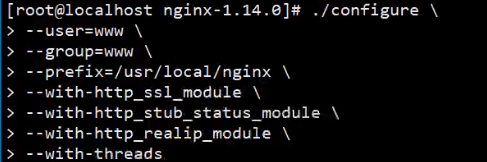
./configure --user=www --group=www --prefix=/usr/local/nginx --with-http_ssl_module --with-http_stub_status_module --with-http_realip_module --with-threads
make && make install
yum -y install mariadb mariadb-server mariadb-devel php php-mysql php-fpm
重启相关服务:
systemctl restart mariadb
systemctl status mariadb
systemctl enable mariadb
systemctl enable php-fpm
systemctl restart php-fpm
systemctl status php-fpm
/usr/local/nginx/sbin/nginx
ps -ef | grep nging
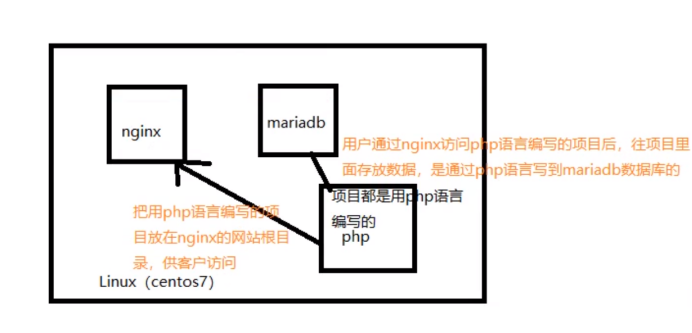
LNMP架构:
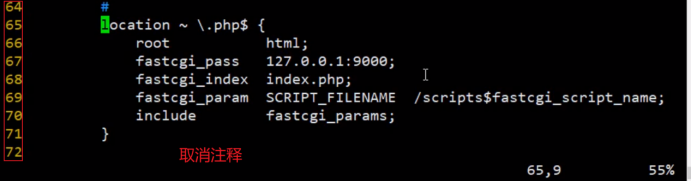
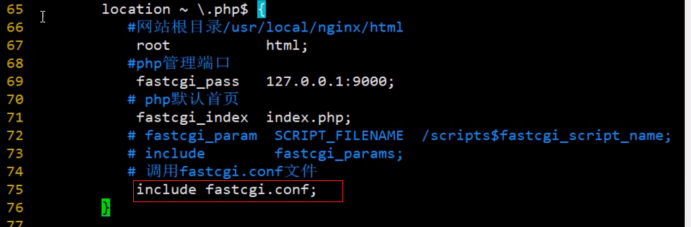
Nginx连接php:
[root@localhost ~]# cd /usr/local/nginx/conf/
[root@localhost conf]# vim nginx.conf


<?php
phpinfo();
?>
测试访问:

连接数据库:

<?php
$link=mysql_connect('localhost','root','123456');
if(!$link) echo '<p>failed.</p>';
else echo '<p>successed.</p>';
mysql_close();
?>
测试访问:


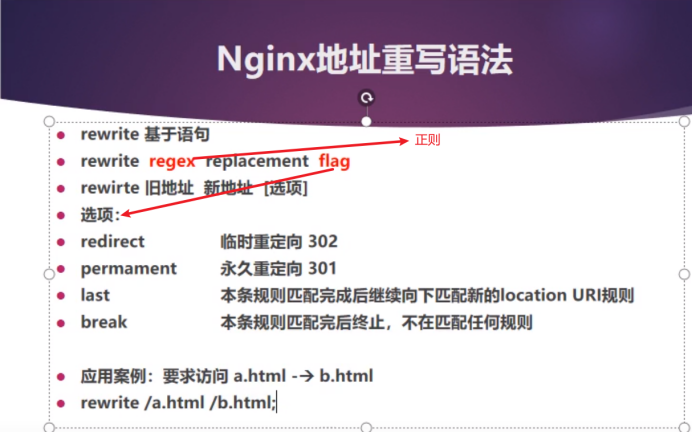

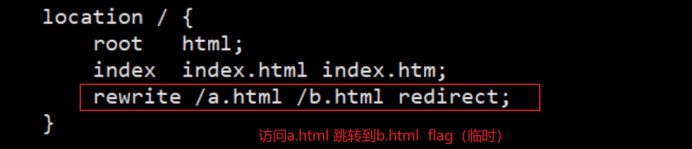
Nginx地址重写:
[root@localhost html]# pwd
/usr/local/nginx/html





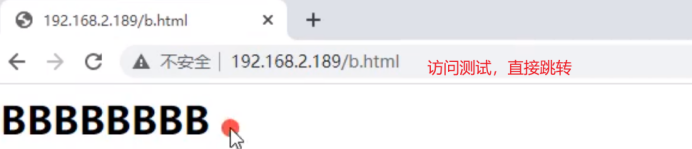

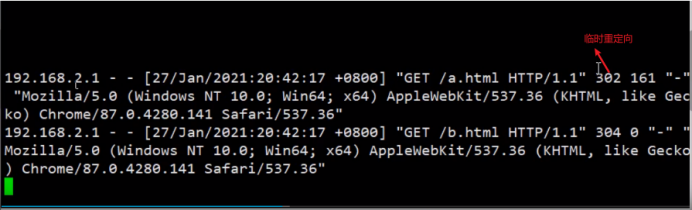
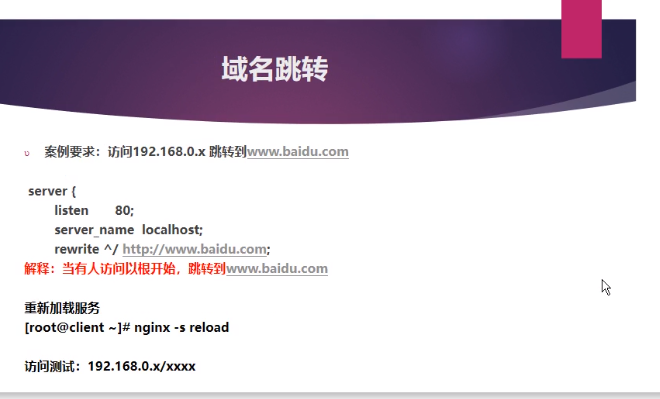
域名跳转:(跳转百度)
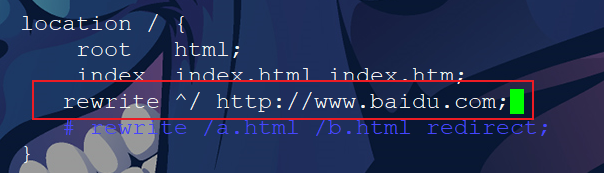
检查语法,重新加载,访问测试
[root@localhost html]# /usr/local/nginx/sbin/nginx -t
nginx: the configuration file /usr/local/nginx/conf/nginx.conf syntax is ok
nginx: configuration file /usr/local/nginx/conf/nginx.conf test is successful
[root@localhost html]# /usr/local/nginx/sbin/nginx -s reload
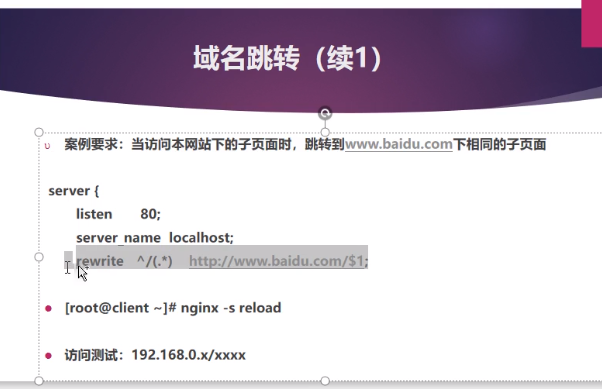
域名跳转(续1):
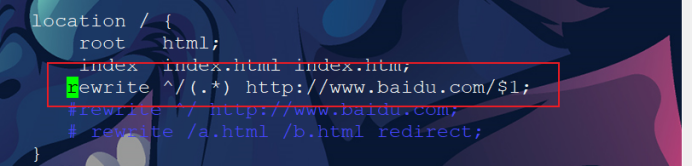
[root@localhost html]# vim /usr/local/nginx/conf/nginx.conf
[root@localhost html]# /usr/local/nginx/sbin/nginx -t
nginx: the configuration file /usr/local/nginx/conf/nginx.conf syntax is ok
nginx: configuration file /usr/local/nginx/conf/nginx.conf test is successful
[root@localhost html]# /usr/local/nginx/sbin/nginx -s reload
测试:


实验说明:在开启两台机器
Web01和web02都要操作:
yum install lrzsz httpd -y
cd /var/www/
ls
cd html/
ls
vim index.html
a.html b.html (两台机器分别)
systemctl restart httpd
history
网页测试访问:
Nginx:(实现负载均衡)
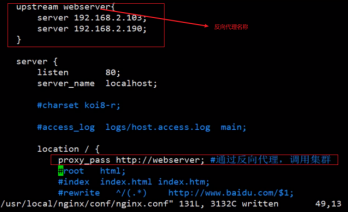
[root@localhost html]# /usr/local/nginx/sbin/nginx -t
[root@localhost html]# /usr/local/nginx/sbin/nginx -s reload
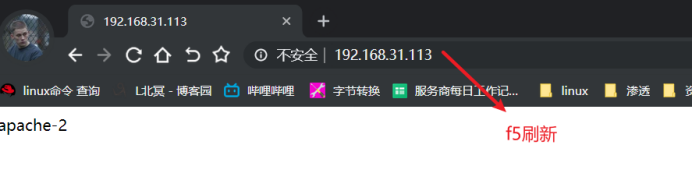

集群属性(轮询、调度算法)


测试
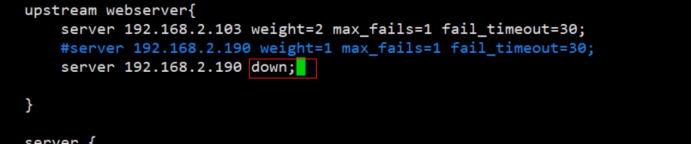
测试
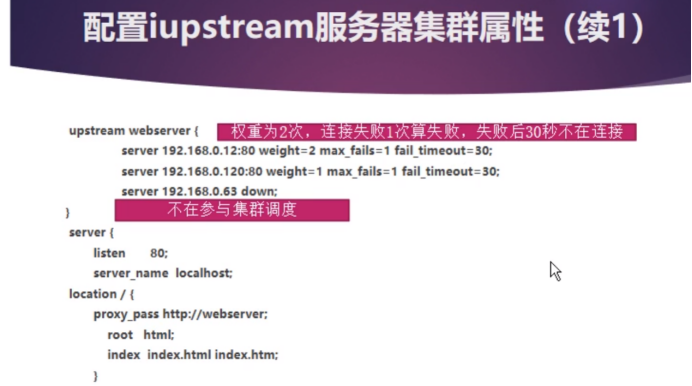

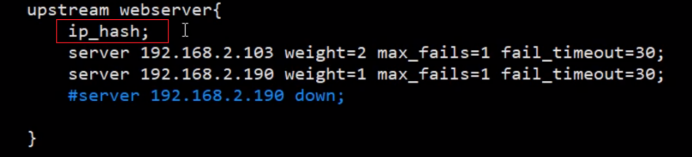
测试

调度nginx ssh调度

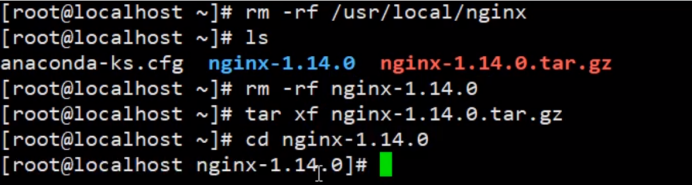
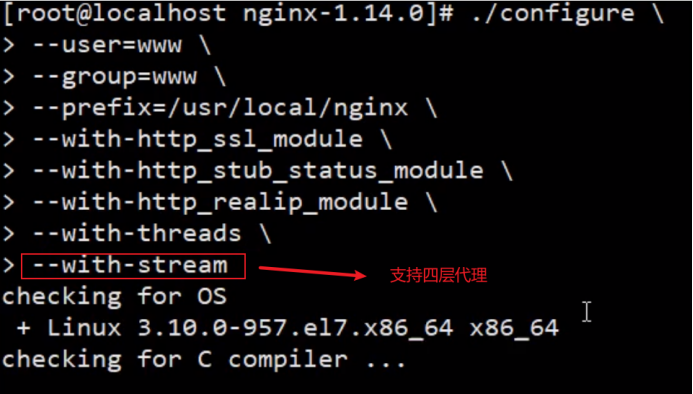
./configure --user=www --group=www --prefix=/usr/local/nginx --with-http_ssl_module --with-http_stub_status_module --with-http_realip_module --with-threads --with-stream

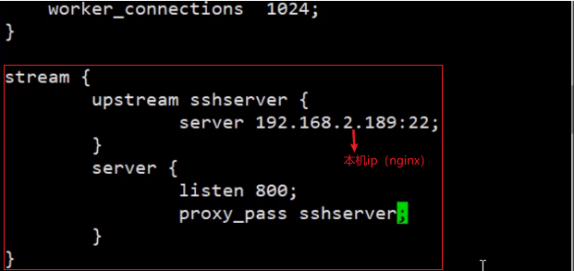
events {
worker_connections 1024;
}
stream {
upstream sshserver {
server 192.168.31.113;
}
server {
listen 800;
proxy_pass sshserver;
}
}



Nginx并发优化:

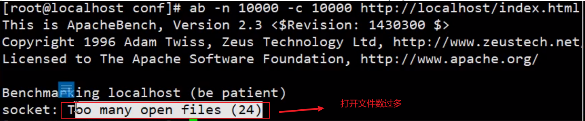
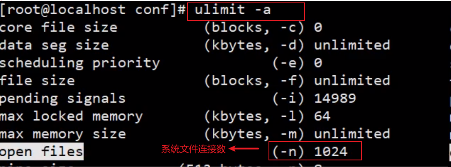
ab -n 10000 -c 10000 http://localhost/index.html





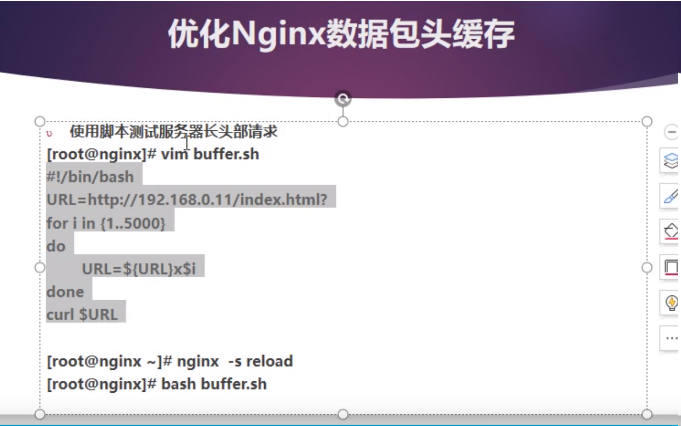
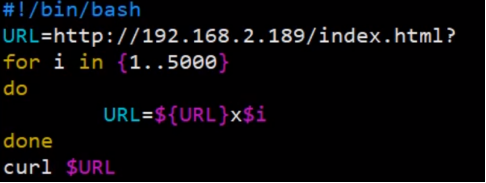
#!/bin/bash
URL=http://192.168.31.113/index.html?
for i in {1..5000}
do
URL=${URL}x$i
done
curl $URL
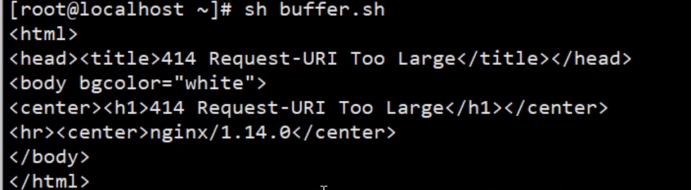
优化:
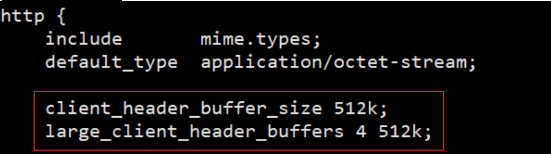
client_header_buffer_size 512k;
large_client_header_buffers 4 512k;
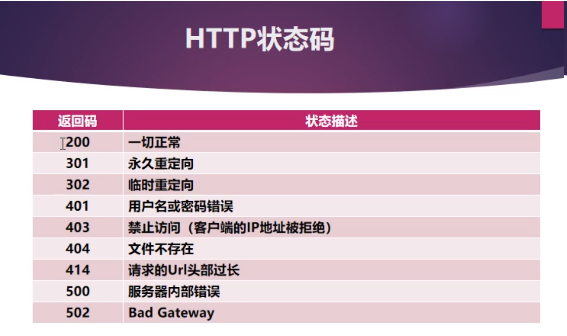
client_header_buffer_size 512k; //该参数对发自客户端的http头信息的大小进行了限制,这个值和large_client_header_buffers同时限制了http请求头的大小,超过其中一个值则服务器会返回错误状态码 414(Request-URI Too Large)。该参数的默认值为1K
large_client_header_buffers 7 512k; //该参数对nginx服务器接受客户端请求的头信息时所分配的最大缓冲区的大小做了限制,也就是nginx服务器一次接受一个客户端请求可就收的最大都信息大小。这个头不仅包含 request-line,还包括通用信息头、请求头域、响应头域的长度总和。这也相当程度的限制了url的长度。nginx服务器默认的限制是4K或者8K,这是根据服务器的硬件配置有关的,一般为内存一页的大小,目前大部分为4K,即4096字节。


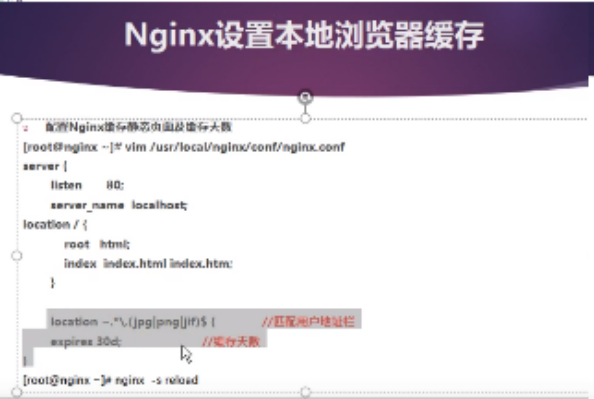
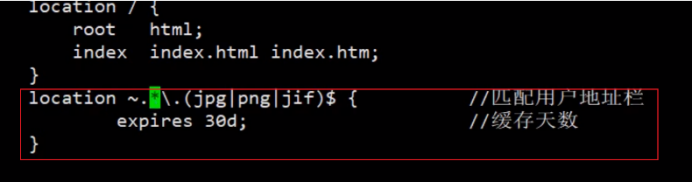
location ~.*\.(jpg|png|jif)$ {
expires 30d;
}
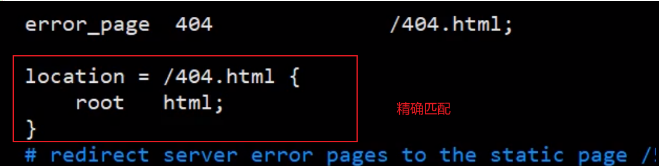
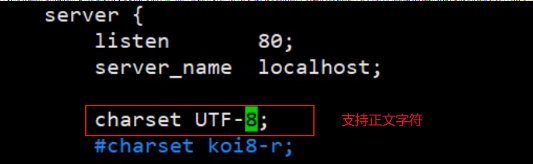
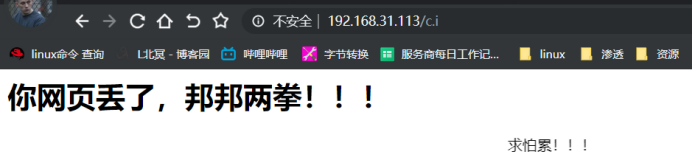
手动编写404错误



测试:
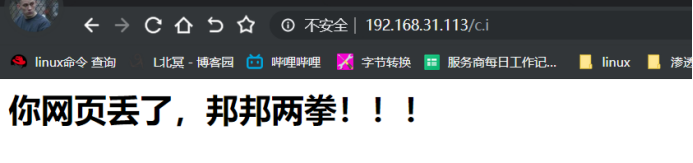
Vim 404.html

重载
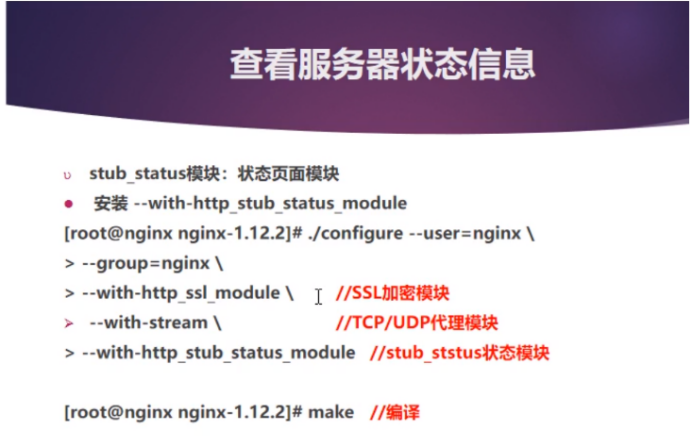
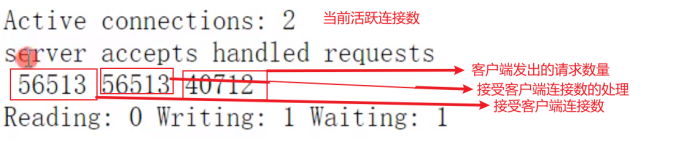
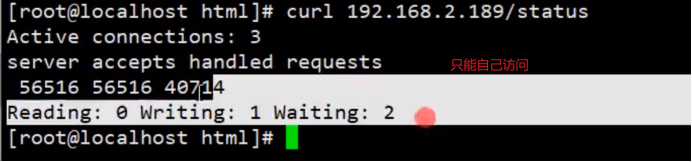
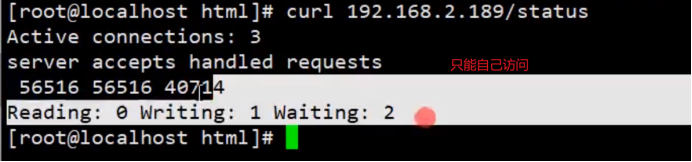
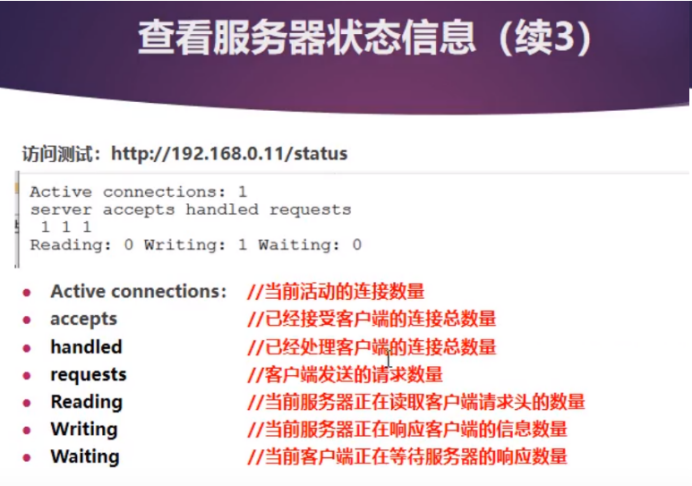
查看服务器状态信息
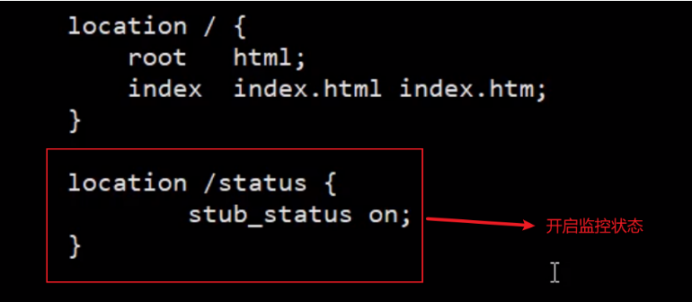
location /status {
stub_status on;
}
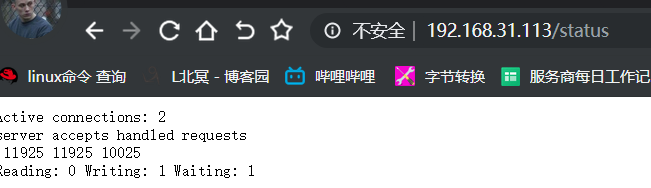
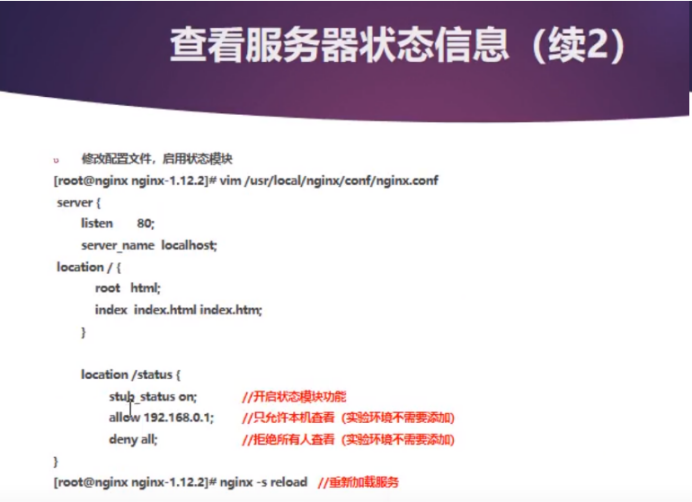
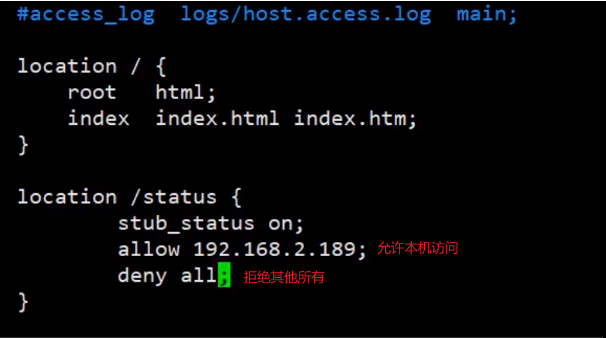
location /status {
stub_status on;
allow 192.168.31.113;
deny all;
}

案例:

gzip on;
gzip_min_length 1k;
gzip_comp_level 3;
gzip_type text/vml image/png text/plain application/json a
pplication/msword application/pdf;


 浙公网安备 33010602011771号