
input样式设置
input居中
和行内样式一样
<input text-align="center" vertical-align="middle" />
input边框样式
input搜索框默认样式会受outline覆盖,因此设置outline:none;再设置边框样式
代码
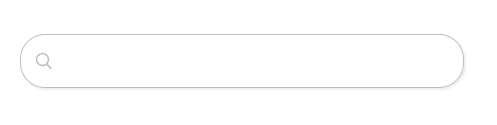
input {
  background: url("./search.svg") no-repeat;
  background-position: 10px;
  background-size: 25px 25px;

  position: absolute;
  top: 30%;
  left: 50%;
  transform: translateX(-50%);

  height: 50px;
  width: 400px;

  border: 1px solid rgb(191,191,191);
  border-radius: 25px;

  box-shadow: 2px 2px 2px #eee;
  padding-left: 40px;

  font-size: 16px;
}
获取焦点时的样式:
/* input边框的颜色,默认是outline控制的,不是border */
/* jQuery设置的border会生效(未尝试) */
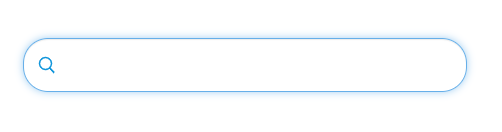
input:focus {
  background-image: url("./search-active.svg");
  border-color: #66afe9;
  outline: none;
  -webkit-box-shadow: inset 0 1px 1px rgba(0,0,0,.075),0 0 8px rgba(102,175,233,.6);
  box-shadow: inset 0 1px 1px rgba(0,0,0,.075),0 0 8px rgba(102,175,233,.6);
}
效果图:
失去焦点时:
获取焦点时:

 浙公网安备 33010602011771号