
初探kafka streams
1、启动zookeeper
zkServer.cmd
2、启动kafka
kafka-server-start.bat d:\soft\tool\Kafka\kafka_2.12-2.1.0\config\server.properties
3、创建一个用于存储输入数据的topic
kafka-console-producer.bat --broker-list localhost:9092 --topic streams-file-input < file-input.txt
为了方便演示,其中file-input.txt我是直接放到kafka的bin目录下
4、在idea中创建一个简单的项目,书写以下代码:
/**
 * ymm56.com Inc.
 * Copyright (c) 2013-2019 All Rights Reserved.
 */
package wikiedits;

import org.apache.kafka.common.serialization.Serde;
import org.apache.kafka.common.serialization.Serdes;
import org.apache.kafka.streams.KafkaStreams;
import org.apache.kafka.streams.StreamsConfig;
import org.apache.kafka.streams.kstream.KStream;
import org.apache.kafka.streams.kstream.KStreamBuilder;
import org.apache.kafka.streams.kstream.KTable;

import java.util.Arrays;
import java.util.Properties;

/**
 * @author LvHuiKang
 * @version $Id: KafkaStreamTest.java, v 0.1 2019-03-26 19:45 LvHuiKang Exp $$
 */
public class KafkaStreamTest {
    public static void main(String[] args) {
        Properties config = new Properties();
        config.put(StreamsConfig.APPLICATION_ID_CONFIG, "streams-wordcount");
        config.put(StreamsConfig.BOOTSTRAP_SERVERS_CONFIG, "localhost:9092");
        config.put(StreamsConfig.DEFAULT_KEY_SERDE_CLASS_CONFIG, Serdes.String().getClass());
        config.put(StreamsConfig.DEFAULT_VALUE_SERDE_CLASS_CONFIG, Serdes.String().getClass());
        Serde<String> sdeStr = Serdes.String();
        Serde<Long> sdeLong = Serdes.Long();
        KStreamBuilder builder = new KStreamBuilder();
        KStream<String, String> inputLines = builder.stream(sdeStr, sdeStr, "streams-file-input");
        KTable<String, Long> wordCounts = inputLines.flatMapValues(inputLine -> Arrays.asList(inputLine.toLowerCase().split("\\W+"))).groupBy((key, word) -> word).count("Counts");
        wordCounts.to(sdeStr, sdeLong, "streams-wordcount-output");
        KafkaStreams streams = new KafkaStreams(builder, config);
        streams.start();
        System.out.println();

    }
}
pom 依赖如下:
<dependency>
      <groupId>org.apache.kafka</groupId>
      <artifactId>kafka-streams</artifactId>
      <version>0.11.0.0</version>
</dependency>
<dependency>
      <groupId>org.apache.kafka</groupId>
      <artifactId>kafka_2.11</artifactId>
      <version>0.11.0.0</version>
</dependency>
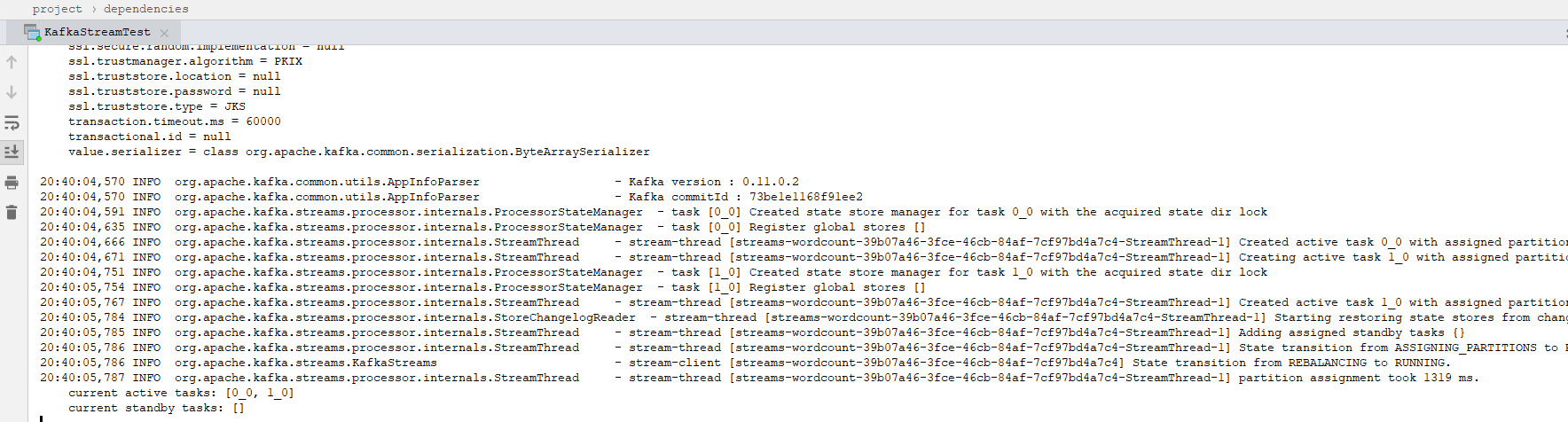
然后启动main方法,运行如下:
5、启动consumer:
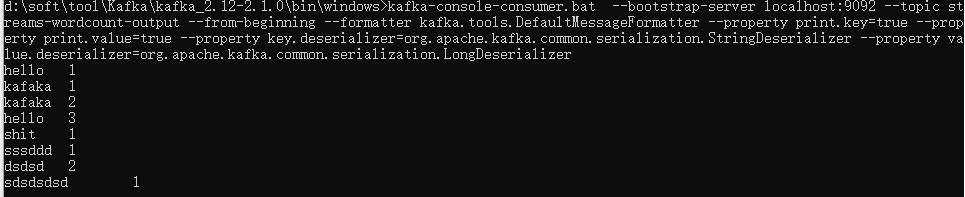
kafka-console-consumer.bat --bootstrap-server localhost:9092 --topic streams-wordcount-output --from-beginning --formatter kafka.tools.DefaultMessageFormatter --property print.key=true --property print.value=true --property key.deserializer=org.apache.kafka.common.serialization.StringDeserializer --property value.deserializer=org.apache.kafka.common.serialization.LongDeserializer
展示如下:
按Ctrl + C 退出。
以上就演示了kafka streams 的word-count示例

 浙公网安备 33010602011771号