
改造列名
修改全部列名
df.columns = [列1, 列2, 列3...]
缺点:必须修改全部列名,一旦列表中的列名数量与df的列名数量不一致就会报错
修改部分列名
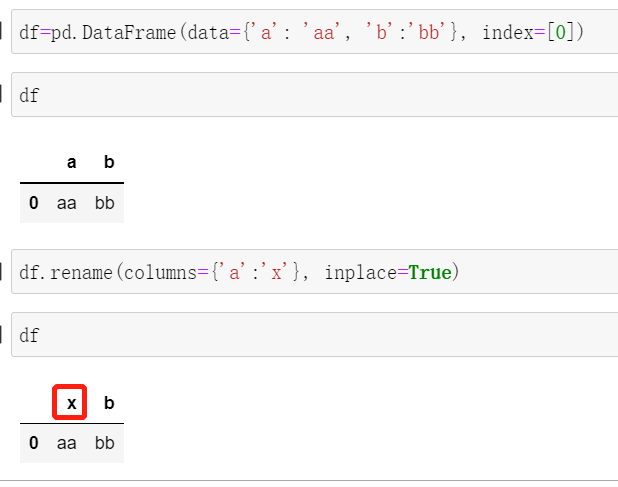
df对象.rename(columns={旧列名:新列名}, inplace=True)方法进行修改
rename(
        mapper: Renamer | None = None,
        *,
        index: Renamer | None = None,
        columns: Renamer | None = None,
        axis: Axis | None = None,
        copy: bool = True,
        inplace: bool = False,
        level: Level | None = None,
        errors: str = "ignore"
):
"""
mapper: dict-like or function
index: dict-like or function
        指定要修改的行索引
columns: dict-like or function
        指定要修改的列名

"""
示例
改造行名
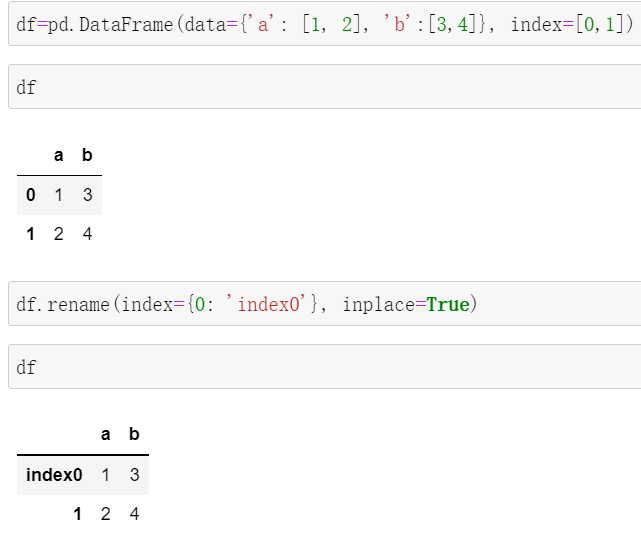
df.rename(index={旧行名:新行名}, inplace=True)
示例
改造内容
缺失数据处理
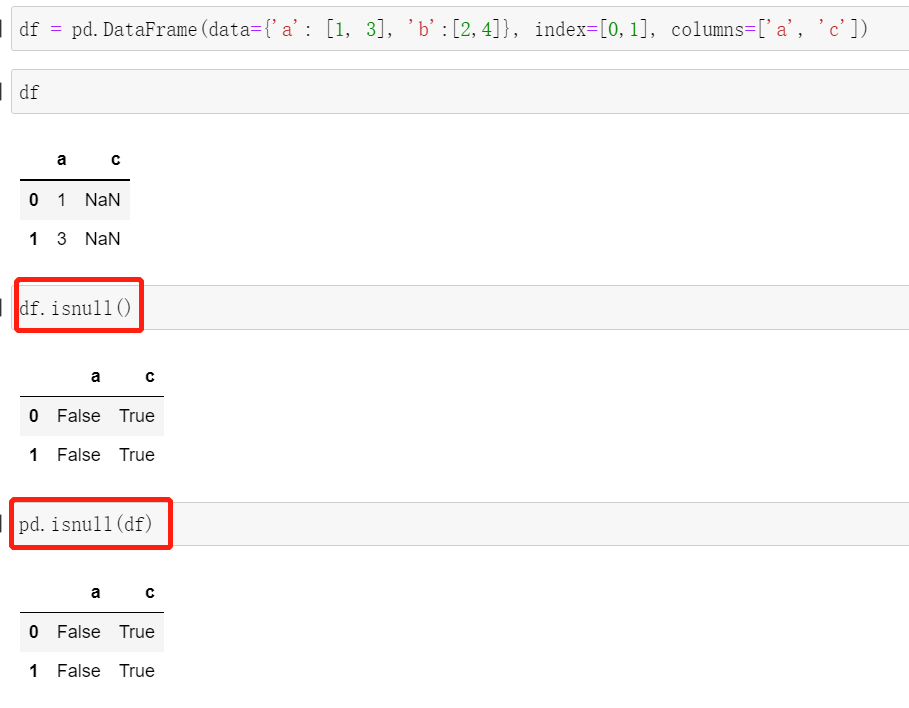
df.isnull()或者 pandas.isnull(df) 判断是否为NaN
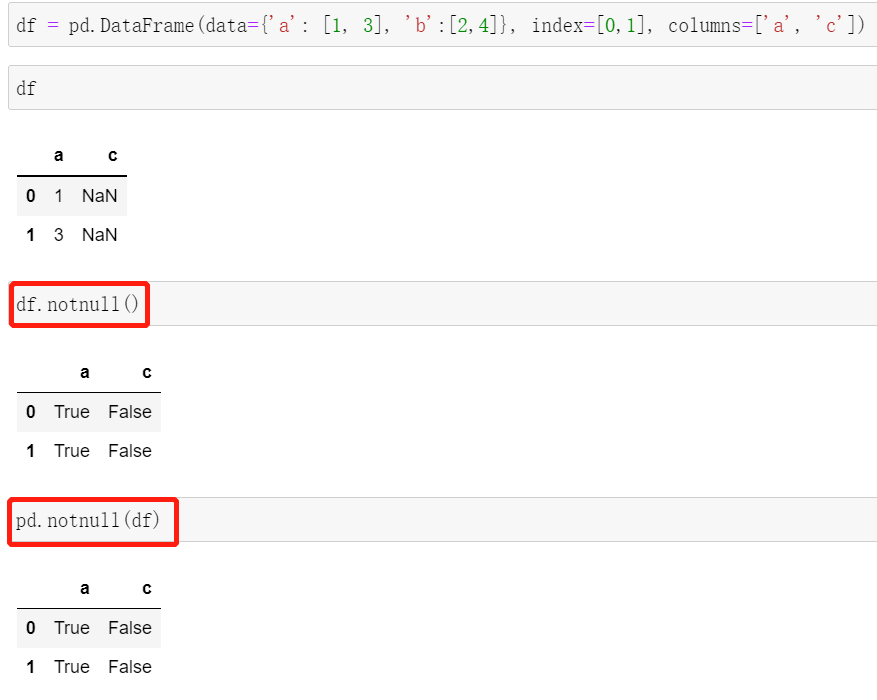
df.notnull()或者pandas.notnull(df)判断是否为非NaN
删除NaN
使用df.dropna()方法删除带NaN的行或者列
dropna定义
def dropna(
        axis: Axis = 0,
        how: str = "any",
        thresh=None,
        subset: IndexLabel = None,
        inplace: bool = False,
):
"""
axis : {0 or 'index', 1 or 'columns'}, default 0
          要处理的轴,默认为0
          0或者'index':删除包含NaN的行
          1或者'columns':删除包含NaN的列
how : {'any', 'all'}, default 'any'
          按哪种逻辑删除
          any:只要包含NaN就删除该行或者列
          all:只有全部都是NaN才删除该行或者列
thresh : int, optional
            Require that many non-NA values.
subset : column label or sequence of labels, optional
inplace : bool, default False
"""
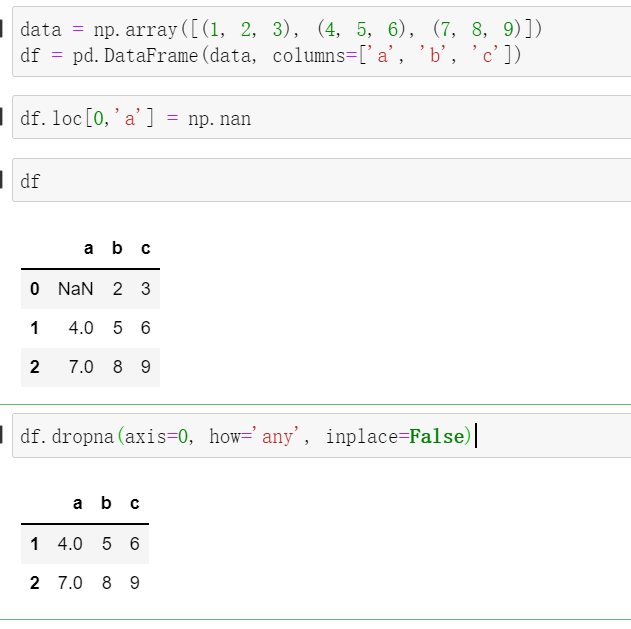
示例
删除行(只要包含NaN就删除)
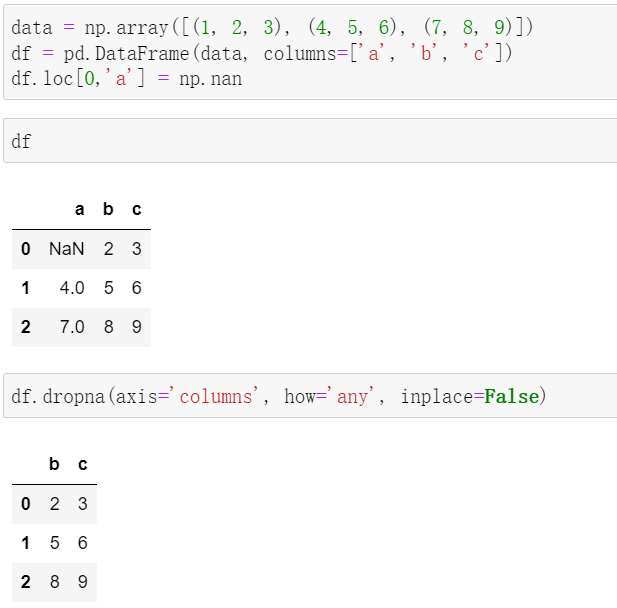
删除列(只要包含NaN就删除)
将NaN填充为一个指定值
使用df.fillna()方法进行填充
定义
def fillna(
        self,
        value: object | ArrayLike | None = None,
        method: FillnaOptions | None = None,
        axis: Axis | None = None,
        inplace: bool = False,
        limit=None,
        downcast=None,
):
"""
value: 要填充的值
"""
正常替换
df.loc[]

 浙公网安备 33010602011771号