
1、下载php 对应版本的phpinfo压缩包注意要对应安装的php8.0版本
wget https://www.php.net/distributions/php-8.0.26.tar.gz
2、 找到对应目录执行phpize命令
,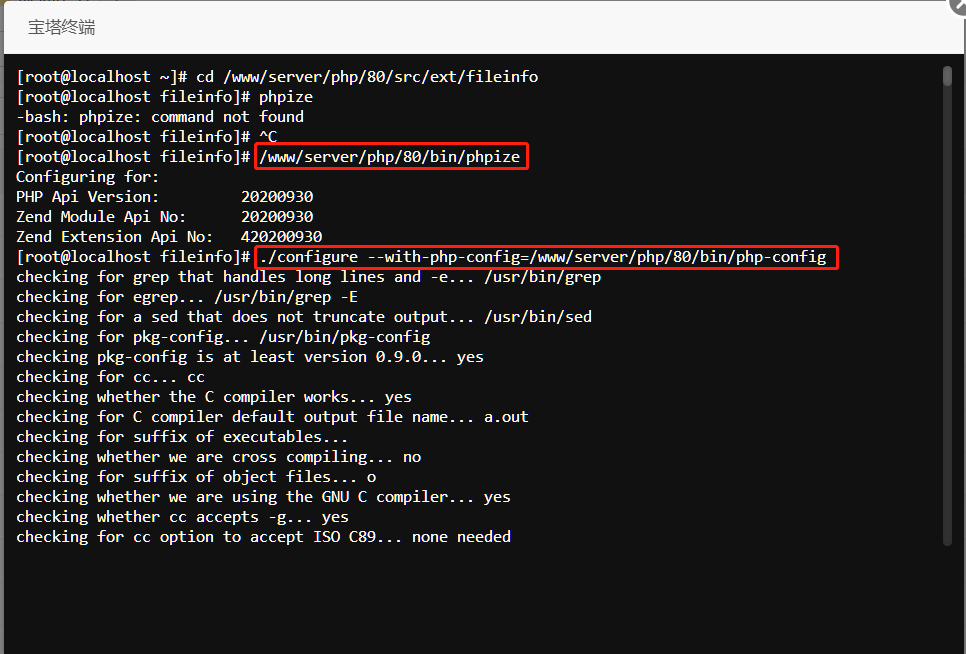
3、编译扩展模块,执行上图第二个命令
./configure --with-php-config=/www/wwwserve/php/80/bin/php-config
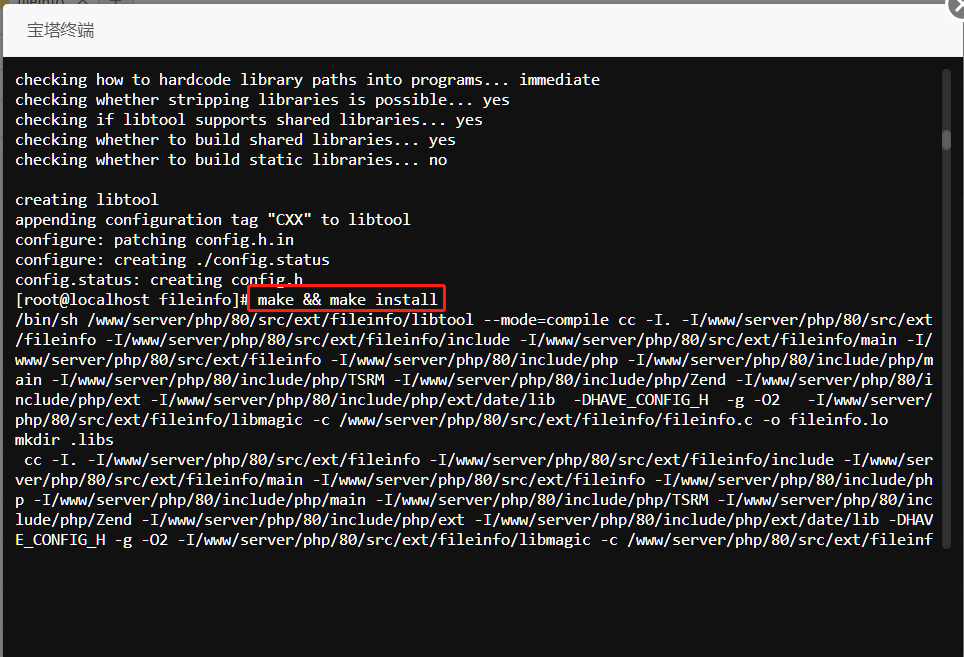
4、执行安装命令
make && make install
5 可能会报错
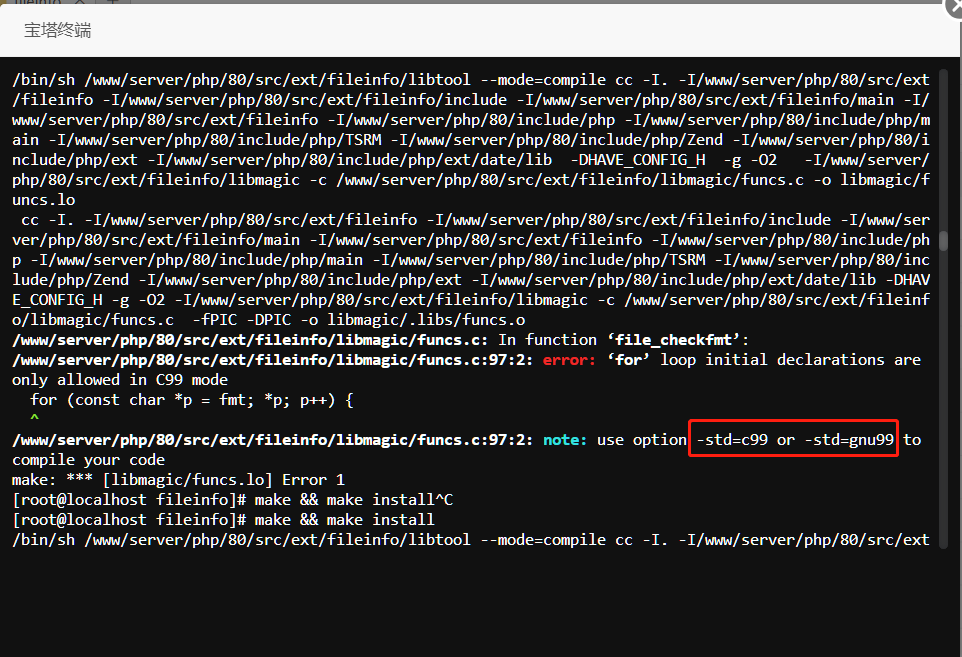
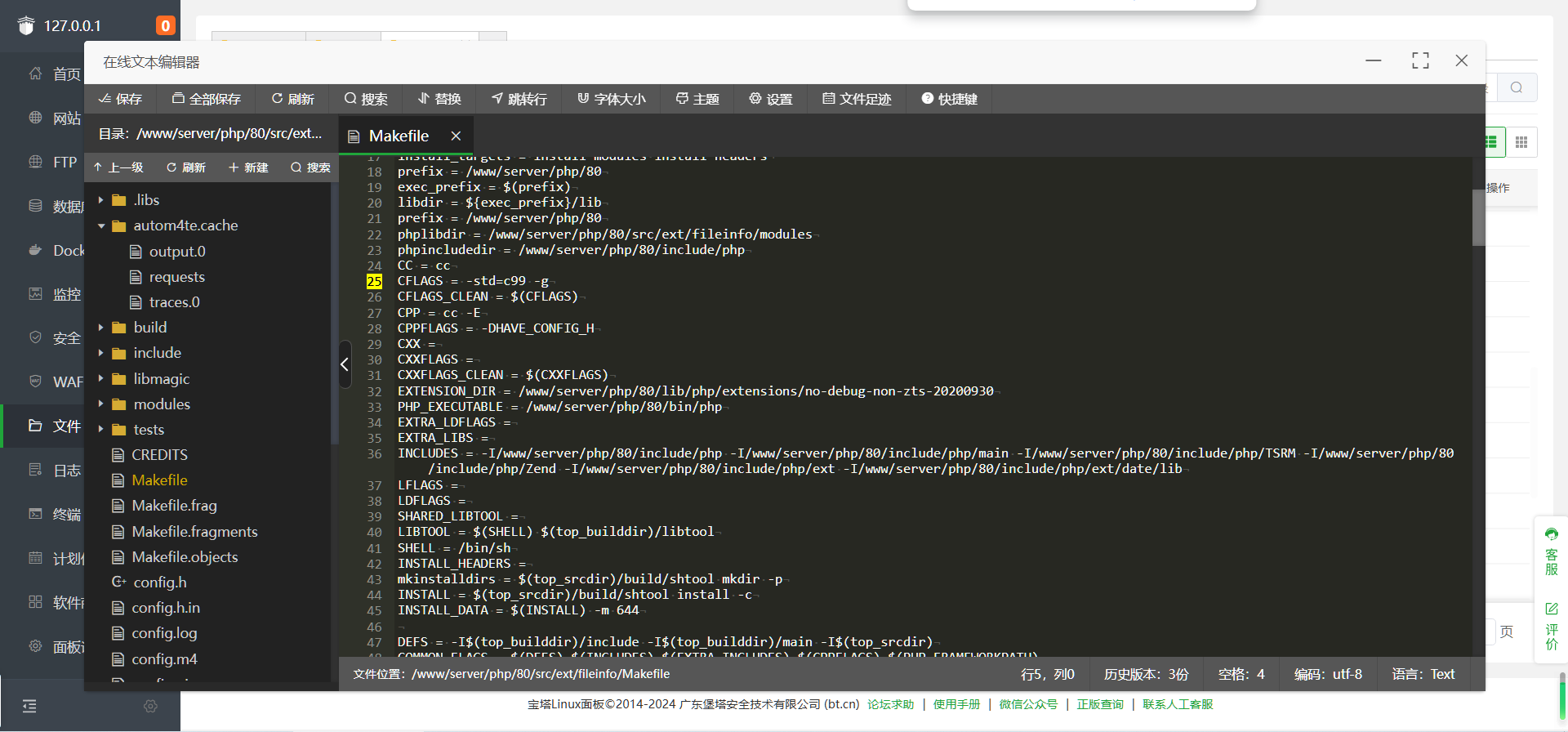
6 需要将自己端口改成图里的端口/www/server/php/80/src/ext/fileinfo下的Makefile文件第25行
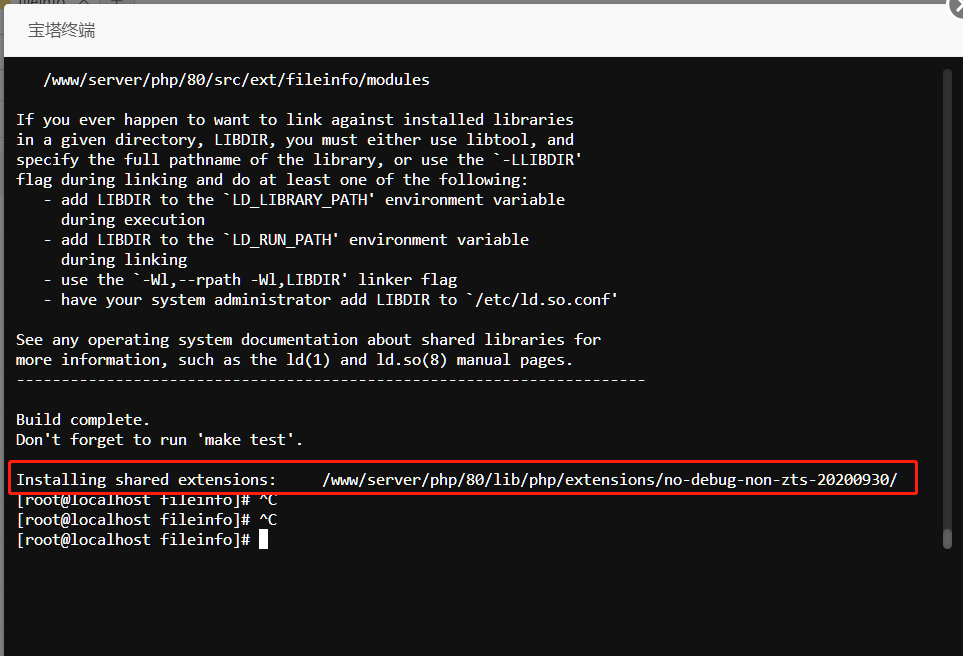
7 再次执行命令 make && make install,成功后会显示扩展
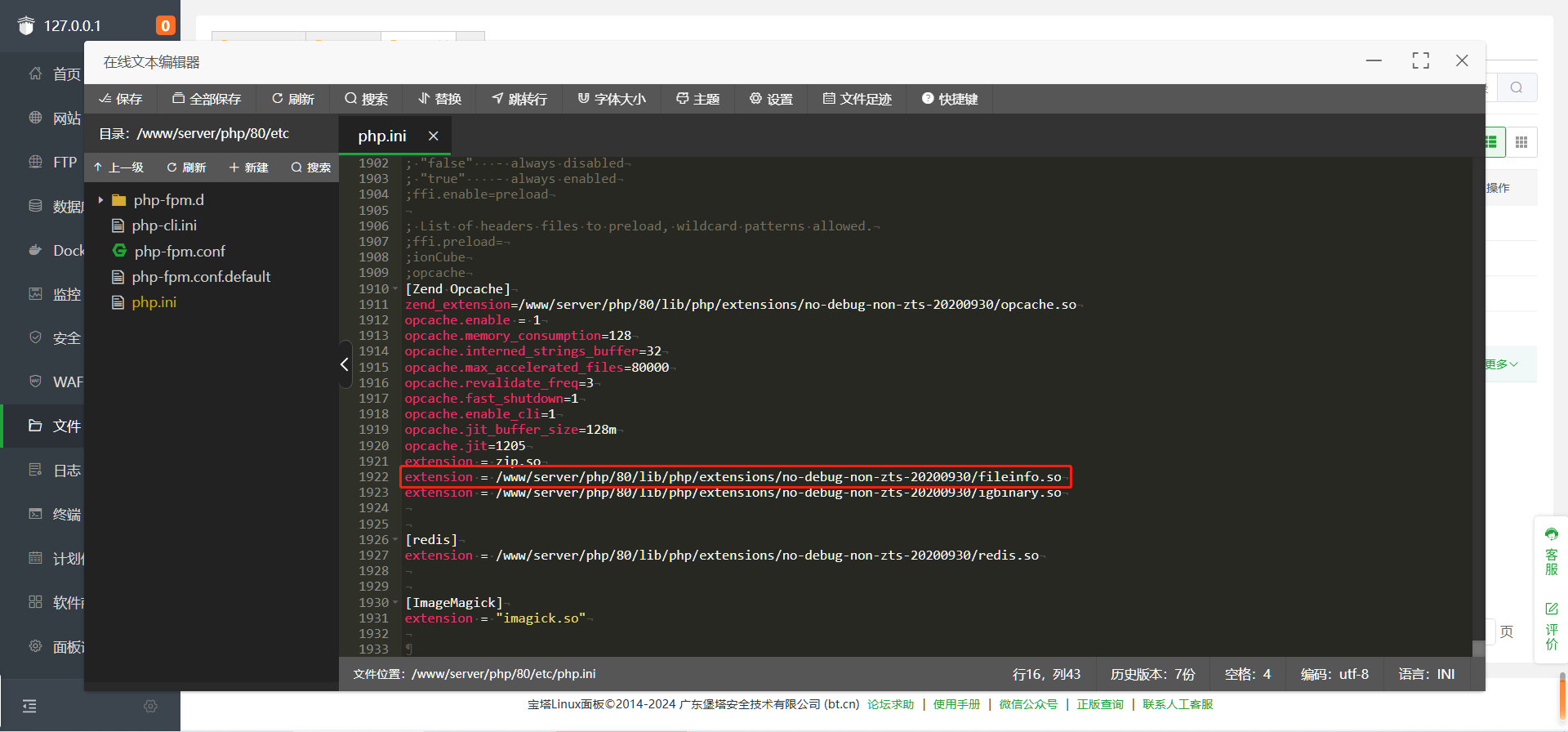
8 去php.ini里配置fileinfo拓展文件位置,注意结尾/后,要添加fileinfo.so类型
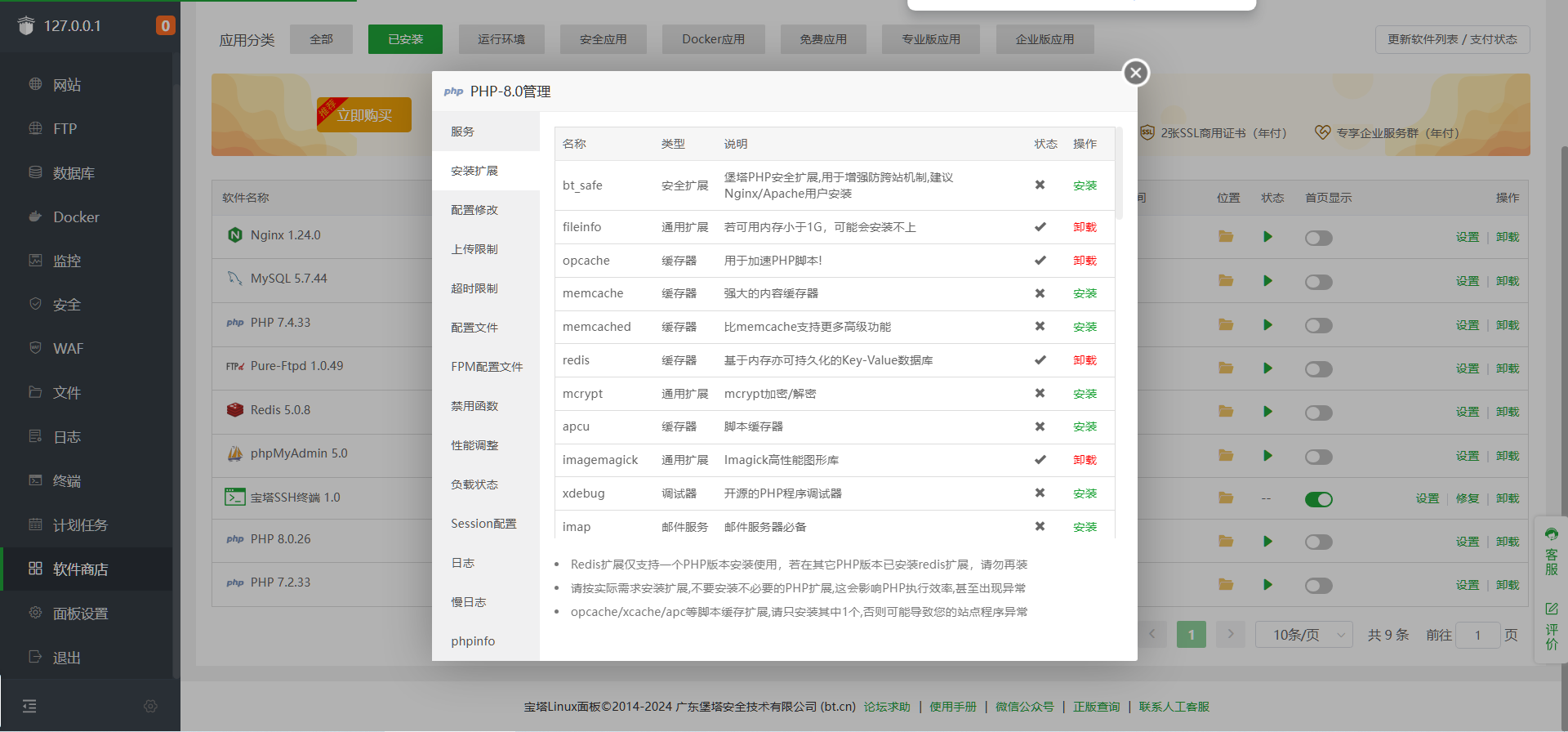
9 在php8.0拓展里就可以看到fileinfo拓展了
其它版本请参考文章:
https://www.cnblogs.com/yingxiaozhu/p/15468741.html
https://developer.aliyun.com/article/1044369
https://learnku.com/laravel/t/14390/php-installation-extension-fileinfo-process-source-compiler-version
