
maven项目配置New Relic监控
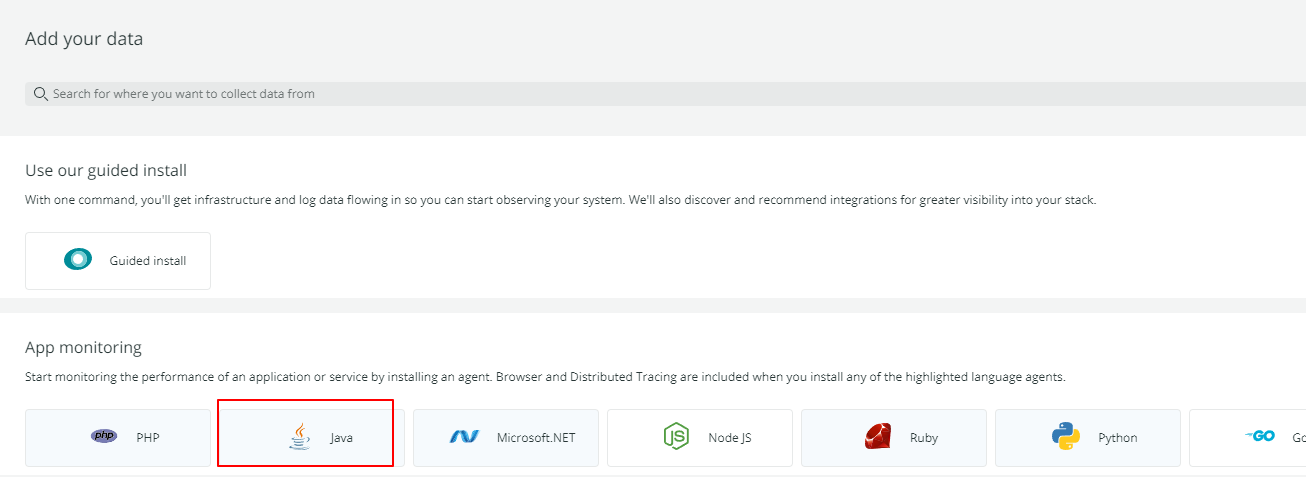
1. https://one.newrelic.com/ 登录newrelic官网,  点击“Get started”按钮,或者“add more data” button.
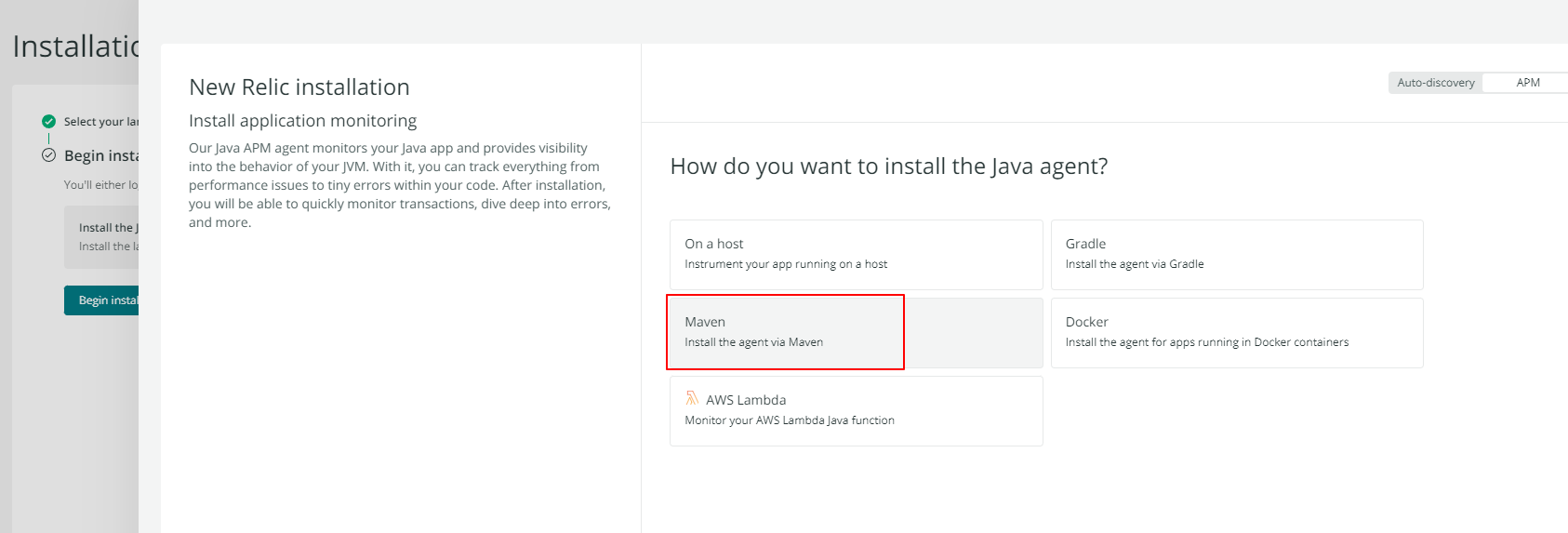
2. 一步步走,到最后会在新窗口打开一个文档:
文档: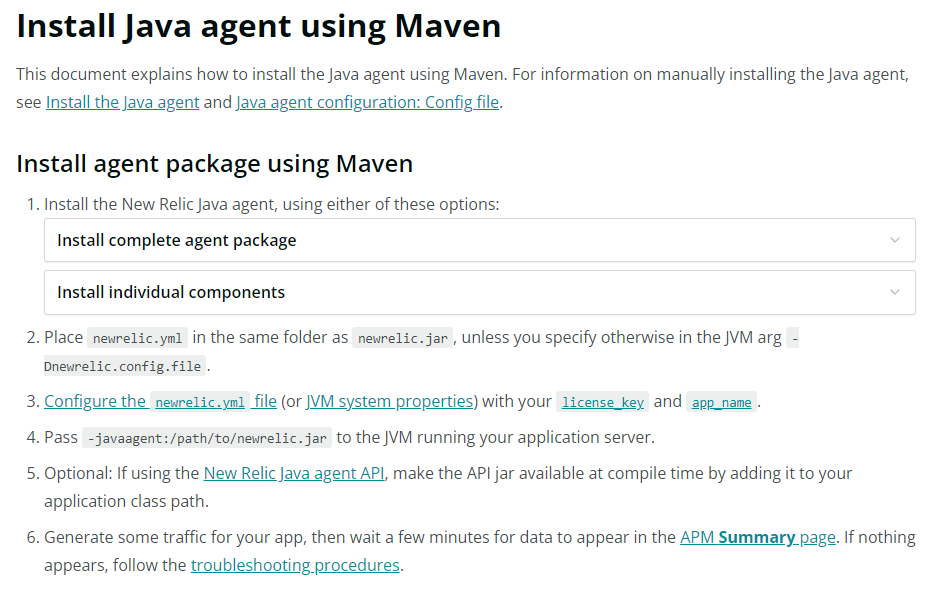
3. 按照文档中 “Install complete agent package ”的操作,在pom.xml中添加 newrelic-java 依赖,and plugin to Unzip New Relic Java agent into target
4. 添加一个API key , 注意要选择License keys, for agent configuration and metric, event, log and trace APIs 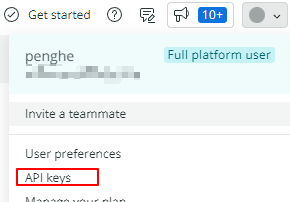
然后打包项目,并将生成的key和配置的app name 配置到target目录下,:

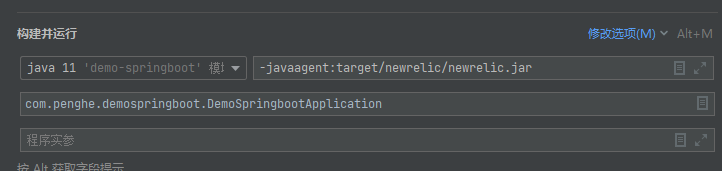
在service中故意放一些运行时会报错的代码,最后添加代理并运行:
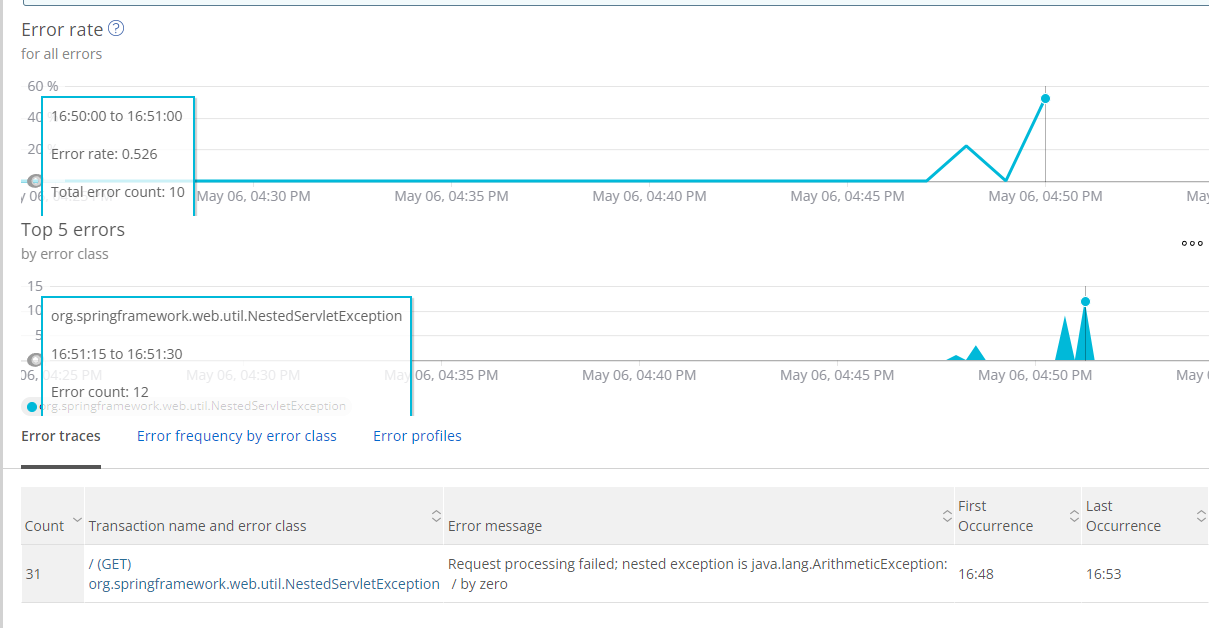
查看监控结果:
5. 可以在项目中创建一个newrelic目录,并将newrelic.yml配置好,然后利用插件copy到target中,避免每次打包都需要配置
<plugin>
   <artifactId>maven-resources-plugin</artifactId>
   <executions>
      <execution>
         <id>copy-resource</id>
         <phase>package</phase>
         <goals>
            <goal>copy-resources</goal>
         </goals>
         <configuration>
            <outputDirectory>${basedir}/target/newrelic</outputDirectory>
            <resources>
               <resource>
                  <!-- 文件地址 -->
                  <directory>${basedir}/newrelic</directory>
                  <includes>
                     <include>*</include>
                  </includes>
               </resource>
            </resources>
         </configuration>
      </execution>
   </executions>
</plugin>

 浙公网安备 33010602011771号