


vue微信仿真键盘
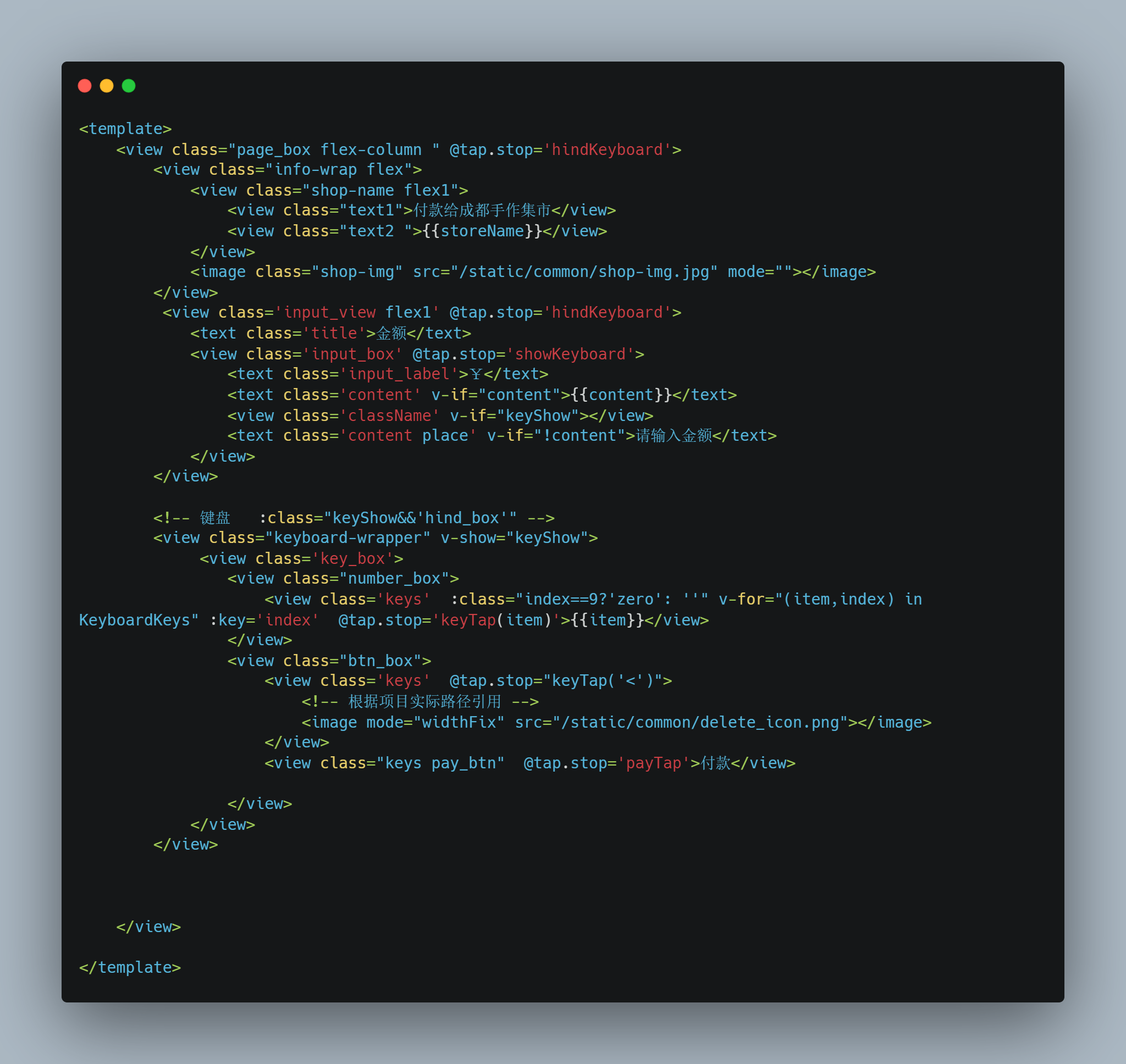
html
<view class="page_box flex-column " @tap.stop='hindKeyboard'>
<view class="info-wrap flex">
<view class="shop-name flex1">
<view class="text1">付款给成都手作集市</view>
<view class="text2 ">{{storeName}}</view>
</view>
<image class="shop-img" src="/static/common/shop-img.jpg" mode=""></image>
</view>
<view class='input_view flex1' @tap.stop='hindKeyboard'>
<text class='title'>金额</text>
<view class='input_box' @tap.stop='showKeyboard'>
<text class='input_label'>¥</text>
<text class='content' v-if="content">{{content}}</text>
<view class='className' v-if="keyShow"></view>
<text class='content place' v-if="!content">请输入金额</text>
</view>
</view>
<!-- 键盘 :class="keyShow&&'hind_box'" -->
<view class="keyboard-wrapper" v-show="keyShow">
<view class='key_box'>
<view class="number_box">
<view class='keys' :class="index==9?'zero': ''" v-for="(item,index) in KeyboardKeys" :key='index' @tap.stop='keyTap(item)'>{{item}}</view>
</view>
<view class="btn_box">
<view class='keys' @tap.stop="keyTap('<')">
<!-- 根据项目实际路径引用 -->
<image mode="widthFix" src="/static/common/delete_icon.png"></image>
</view>
<view class="keys pay_btn" @tap.stop='payTap'>付款</view>
</view>
</view>
</view>
</view>
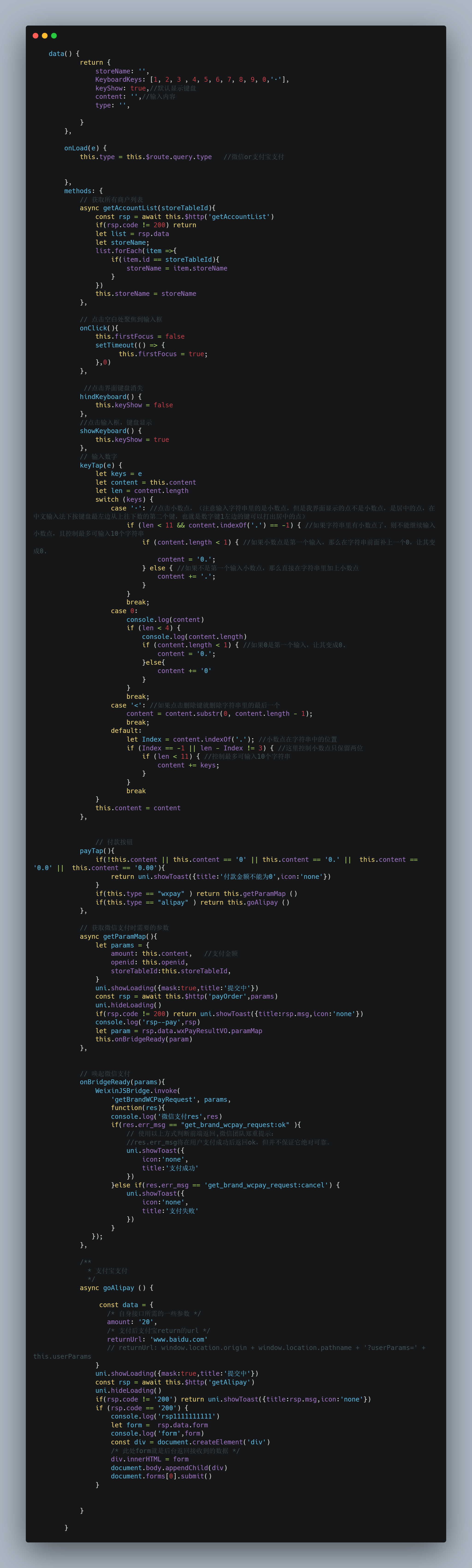
js
data() {
return {
storeName: '',
amount: '',
KeyboardKeys: [1, 2, 3 , 4, 5, 6, 7, 8, 9, 0,'·'],
keyShow: true,//默认显示键盘
content: '',//输入内容
type: this.$route.query.type //微信or 支付宝支付
}
},
methods: {
// 获取所有商户列表
async getAccountList(storeTableId){
const rsp = await this.$http('getAccountList')
if(rsp.code != 200) return
let list = rsp.data
let storeName;
list.forEach(item =>{
if(item.id == storeTableId){
storeName = item.storeName
}
})
this.storeName = storeName
},
// 点击空白处聚焦到输入框
onClick(){
this.firstFocus = false
setTimeout(() => {
this.firstFocus = true;
},0)
},
//点击界面键盘消失
hindKeyboard() {
this.keyShow = false
},
//点击输入框,键盘显示
showKeyboard() {
this.keyShow = true
},
// 输入数字
keyTap(e) {
let keys = e
let content = this.content
let len = content.length
switch (keys) {
case '·': //点击小数点,(注意输入字符串里的是小数点,但是我界面显示的点不是小数点,是居中的点,在中文输入法下按键盘最左边从上往下数的第二个键,也就是数字键1左边的键可以打出居中的点)
if (len < 11 && content.indexOf('.') == -1) { //如果字符串里有小数点了,则不能继续输入小数点,且控制最多可输入10个字符串
if (content.length < 1) { //如果小数点是第一个输入,那么在字符串前面补上一个0,让其变成0.
content = '0.';
} else { //如果不是第一个输入小数点,那么直接在字符串里加上小数点
content += '.';
}
}
break;
case 0:
console.log(content)
if (len < 4) {
console.log(content.length)
if (content.length < 1) { //如果0是第一个输入,让其变成0.
content = '0.';
}else{
content += '0'
}
}
break;
case '<': //如果点击删除键就删除字符串里的最后一个
content = content.substr(0, content.length - 1);
break;
default:
let Index = content.indexOf('.'); //小数点在字符串中的位置
if (Index == -1 || len - Index != 3) { //这里控制小数点只保留两位
if (len < 11) { //控制最多可输入10个字符串
content += keys;
}
}
break
}
this.content = content
},
payTap(){
if(!this.content || this.content == '0' || this.content == '0.' || this.content == '0.0' || this.content == '0.00'){
return uni.showToast({title:'付款金额不能为0',icon:'none'})
}
if(this.type == "wxpay" ) return this.getParamMap ()
if(this.type == "alipay" ) return this.goAlipay ()
},
// 获取微信支付时需要的参数
async getParamMap(){
let params = {
amount: this.content, //支付金额
openid: this.openid,
storeTableId:this.storeTableId,
}
uni.showLoading({mask:true,title:'提交中'})
const rsp = await this.$http('payOrder',params)
uni.hideLoading()
if(rsp.code != 200) return uni.showToast({title:rsp.msg,icon:'none'})
console.log('rsp--pay',rsp)
let param = rsp.data.wxPayResultVO.paramMap
this.onBridgeReady(param)
},
// 唤起微信支付
onBridgeReady(params){
WeixinJSBridge.invoke(
'getBrandWCPayRequest', params,
function(res){
console.log('微信支付res',res)
if(res.err_msg == "get_brand_wcpay_request:ok" ){
// 使用以上方式判断前端返回,微信团队郑重提示:
//res.err_msg将在用户支付成功后返回ok,但并不保证它绝对可靠。
uni.showToast({
icon:'none',
title:'支付成功'
})
}else if(res.err_msg == 'get_brand_wcpay_request:cancel') {
uni.showToast({
icon:'none',
title:'支付失败'
})
}
});
},
/**
* 支付宝支付
*/
async goAlipay () {
const data = {
/* 自身接口所需的一些参数 */
amount: '20',
/* 支付后支付宝return的url */
returnUrl: 'www.baidu.com'
// returnUrl: window.location.origin + window.location.pathname + '?userParams=' + this.userParams
}
uni.showLoading({mask:true,title:'提交中'})
const rsp = await this.$http('getAlipay')
uni.hideLoading()
if(rsp.code != '200') return uni.showToast({title:rsp.msg,icon:'none'})
if (rsp.code == '200') {
console.log('rsp1111111111')
let form = rsp.data.form
console.log('form',form)
const div = document.createElement('div')
/* 此处form就是后台返回接收到的数据 */
div.innerHTML = form
document.body.appendChild(div)
document.forms[0].submit()
}
}
}
css
<style lang='scss' scoped>
.page_box {
width: 100%;
height: 100%;
background: #EDEDED;
overflow: hidden;
}
.info-wrap{
margin: 40rpx 60rpx 40rpx 60rpx;
align-items: center;
.shop-img{
width: 154rpx;
height: 147rpx;
}
.shop-name{
font-size: 16px;
font-family: PingFang SC;
font-weight: 500;
letter-spacing: 1rpx;
.text1{
/* font-weight: 600; */
color: #342c2a;
}
.text2{
margin-top: 15rpx;
font-size: 18px;
color: #181818;
font-weight: 900;
}
}
}
.input_view {
width: 100%;
/* height:500rpx; */
background: #fff;
border-top-left-radius: 20rpx;
border-top-right-radius: 20rpx;
padding: 30rpx 60rpx 40rpx 60rpx;
box-sizing: border-box;
}
.title {
display: block;
font-size: 24rpx;
color: #000;
padding-left: 10rpx;
}
.input_box {
/* background: #ffc; */
display: flex;
padding: 20rpx 0;
/* height: 80rpx; */
border-bottom: 1px solid #efefef;
}
.input_label {
font-size: 70rpx;
font-weight: bold;
margin-right: 5rpx;
}
.content {
font-size: 70rpx;
line-height: 90rpx;
font-weight: bold;
margin-top: 8rpx;
}
.content.place {
font-size: 40rpx;
color: #E2E2E2;
font-weight: normal;
margin-top: 8rpx;
}
.className {
width: 6rpx;
height: 66rpx;
background: #43ad3f;
border-radius: 6rpx;
margin-top: 22rpx;
animation: twinkling 1s infinite;
}
.animated {
animation-duration: 1s;
animation-fill-mode: both
}
/* 键盘 */
@-webkit-keyframes twinkling {
0% {
opacity: 0;
}
100% {
opacity: 1;
}
}
.keyboard {
height: 0;
width: 100%;
background: #f7f7f7;
position: fixed;
bottom: 0;
left: 0;
transition: height 0.3s;
padding: 0 0 0 16rpx;
z-index: 10;
}
.hind_box {
height: 440rpx;
}
.key_box {
overflow: hidden;
}
.number_box{
width: calc((100% / 4 * 3) - 16rpx);
display: inline-block;
margin-left: 16rpx;
}
.btn_box{
width: calc(100% / 4);
display: inline-block;
}
.keys {
float: left;
width: calc(100% / 3 - 16rpx);
height: 90rpx;
text-align: center;
line-height: 90rpx;
box-sizing: border-box;
font-size: 40rpx;
background: #fff;
margin: 16rpx 16rpx 0 0;
border-radius: 10rpx;
font-weight: bold;
}
.keys.zero{
width: calc((100% / 3) * 2 - 16rpx);
}
.keys image{
width: 50rpx;
height: auto;
}
.btn_box{
width: calc((100% / 4));
}
.btn_box .keys{
width: calc(100% - 16rpx);
padding-top: 10rpx;
}
.btn_box .pay_btn{
height: 298rpx;
line-height: 298rpx;
padding-top: 0;
background: #05c160;
font-size: 30rpx;
color: #fff;
font-weight: normal;
}
</style>


 浙公网安备 33010602011771号