
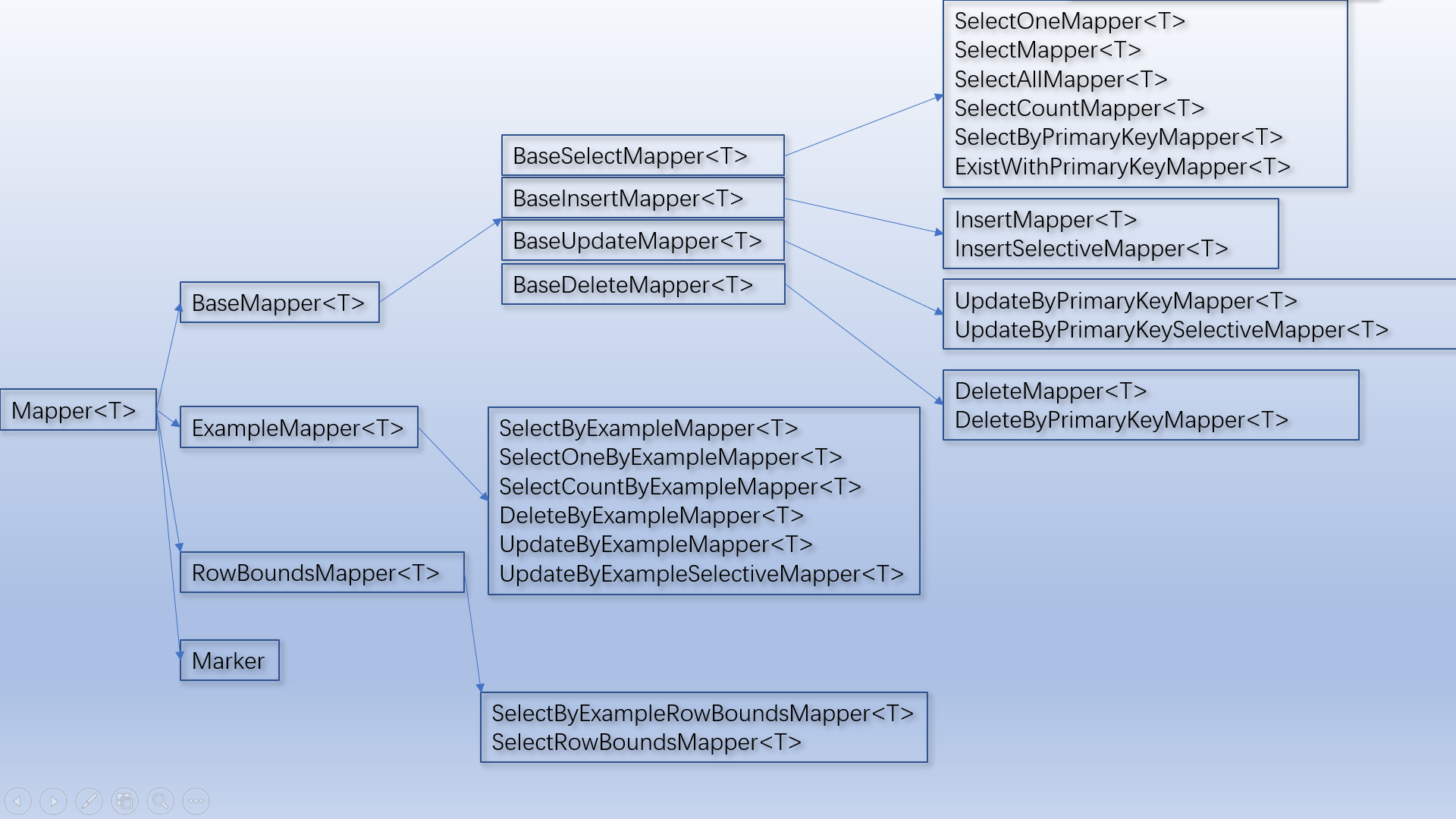
Mapper 体系结构

自定义接口
1、自定义接口用途
可以根据开发的实际需要对Mapper 接口进行定制
如果你想按需选择接口,不想使用Mapper包含的那么多的方法,你可以创建自己的MyMapper,自己搭配想要的方法。
2、创建自定义MyMapper 接口

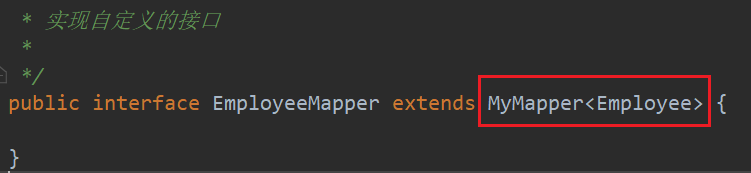
3、配置自定义接口
配置MapperScanConfiguration 注册 MyMapper
    <bean class="tk.mybatis.spring.mapper.MapperScannerConfigurer">
        <property name="basePackage" value="com.njf.mapper.mappers"/>
        <property name="properties">
            <value>
                mappers=com.njf.mapper.customized_mapper.MyMapper
            </value>
        </property>
    </bean>
如果我自己定义了MyMapper,MyMapper2,MyMapper3,可以如下配置:
<bean class="tk.mybatis.spring.mapper.MapperScannerConfigurer">
    <property name="basePackage" value="com.isea533.mybatis.mapper"/>
    <property name="properties">
        <value>
            mappers=com.xxx.xxx.MyMapper,com.xxx.xxx.MyMapper2,com.xxx.xxx.MyMapper3
        </value>
    </property>
</bean>
如果你觉得配置太长不方法,你可以这样:
public interface AllMapper<T> extends
    MyMapper<T>,
    MyMapper2<T>,
    MyMapper3<T> {

}
然后配置mappers=com.xxx.xxx.AllMapper即可。
4、测试自定义Mapper接口
public class MyMapperTest {

    private ApplicationContext ioc = new ClassPathXmlApplicationContext("applicationContext.xml");
    private EmployeeService employeeService = ioc.getBean(EmployeeService.class);

    @Test
    public void test() {
        List<Employee> emp = employeeService.getAll();
        emp.forEach(System.out::println);
    }
}


@Service
public class EmployeeService {

    @Autowired
    private EmployeeMapper employeeMapper;


    public List<Employee> getAll() {
        return employeeMapper.selectAll();
    }
}
运行结果: 
可以看到数据成功查出。
5、易错点
(1)自定义接口与要使用的Mapper接口不能放在同一个包中。

 浙公网安备 33010602011771号