

linux安装nexus私服
下载
因为官网下载比较慢,这里可以从我的阿里云盘下载,nexus-3.19.1-01-unix.tar.gz
需要注意的是,这个版本存在安全漏洞,官方建议升级到3.21.2或更高版本
安装
创建目录
cd /usr/local && mkdir nexus && cd nexus
解压
tar -zxvf nexus-3.6.0-02-unix.tar.gz
重命名
mv nexus-3.6.0-02  nexus
启动
/usr/local/nexus/nexus/bin/nexus start
Nexus默认的端口是8081,可以在etc/nexus-default.properties配置中修改
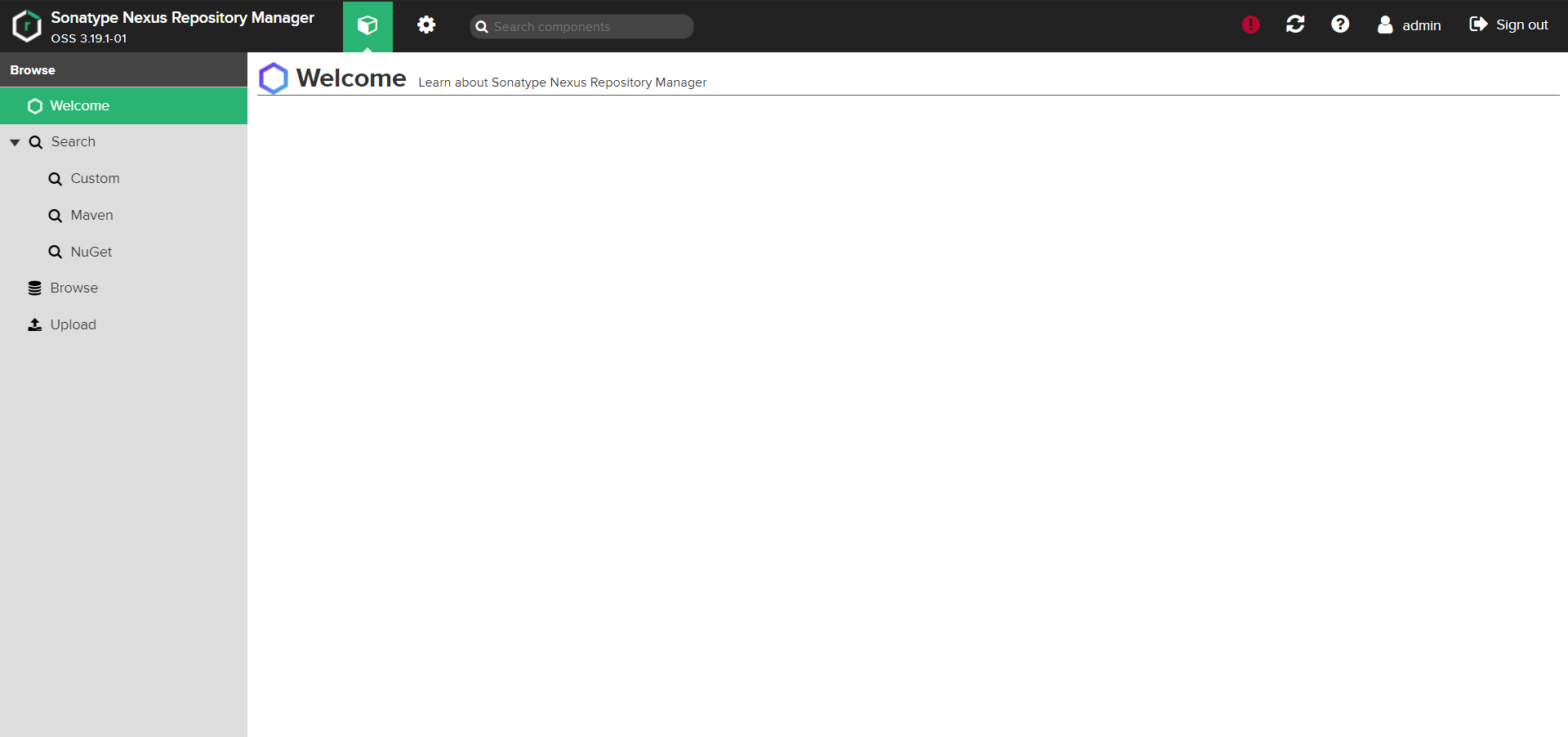
登录
访问:ip:8081
默认用户名密码:admin/admin123
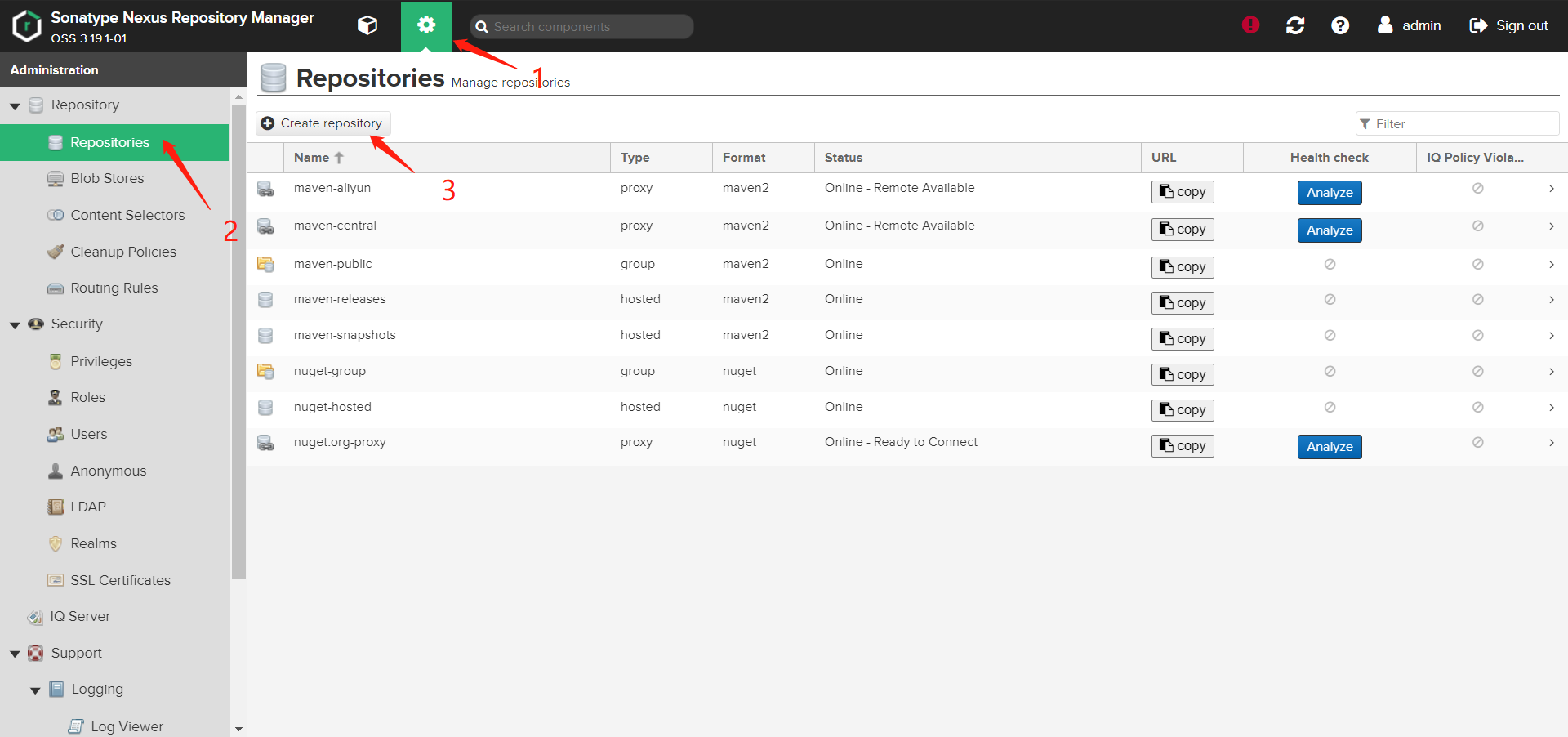
配置阿里云仓库
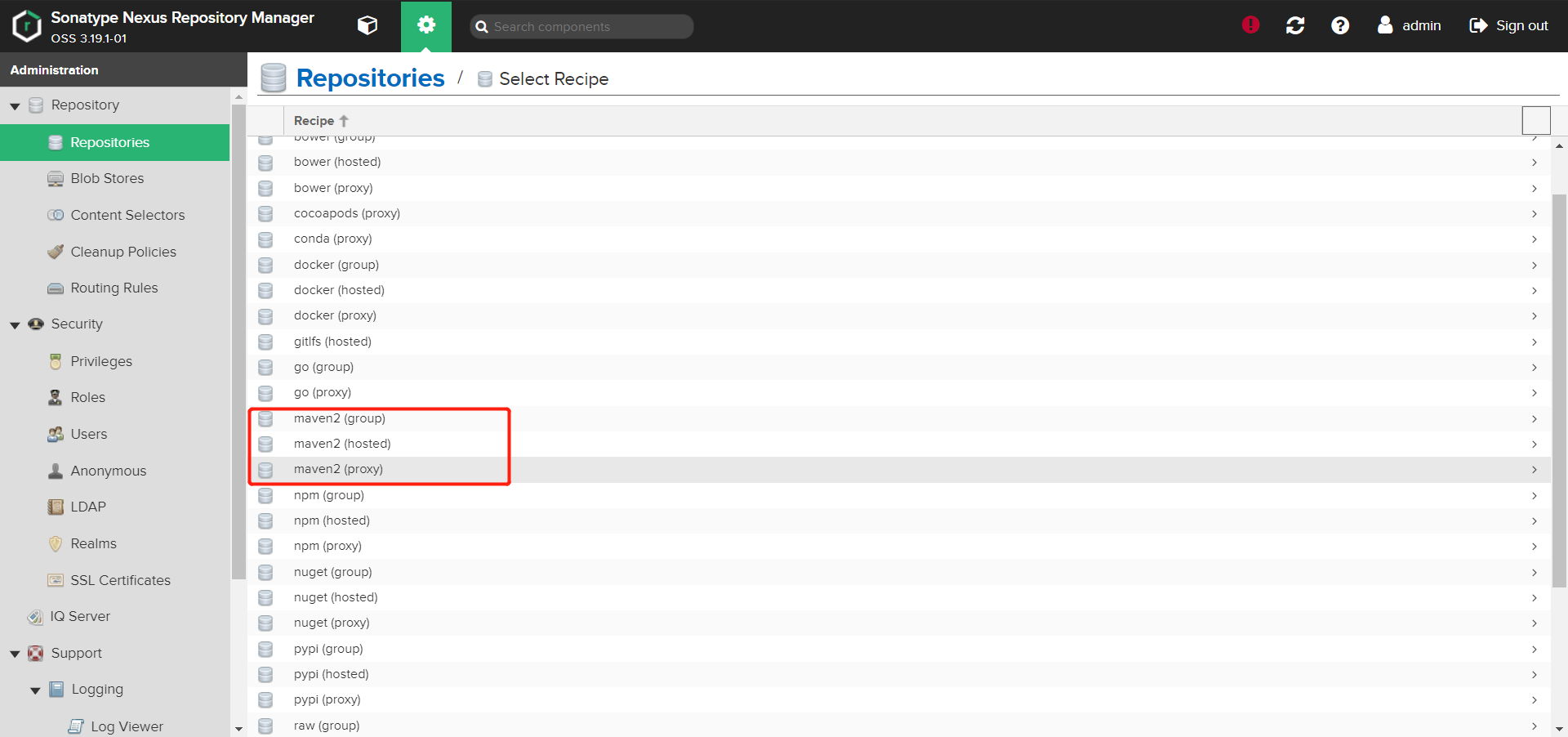
选择maven2(proxy)
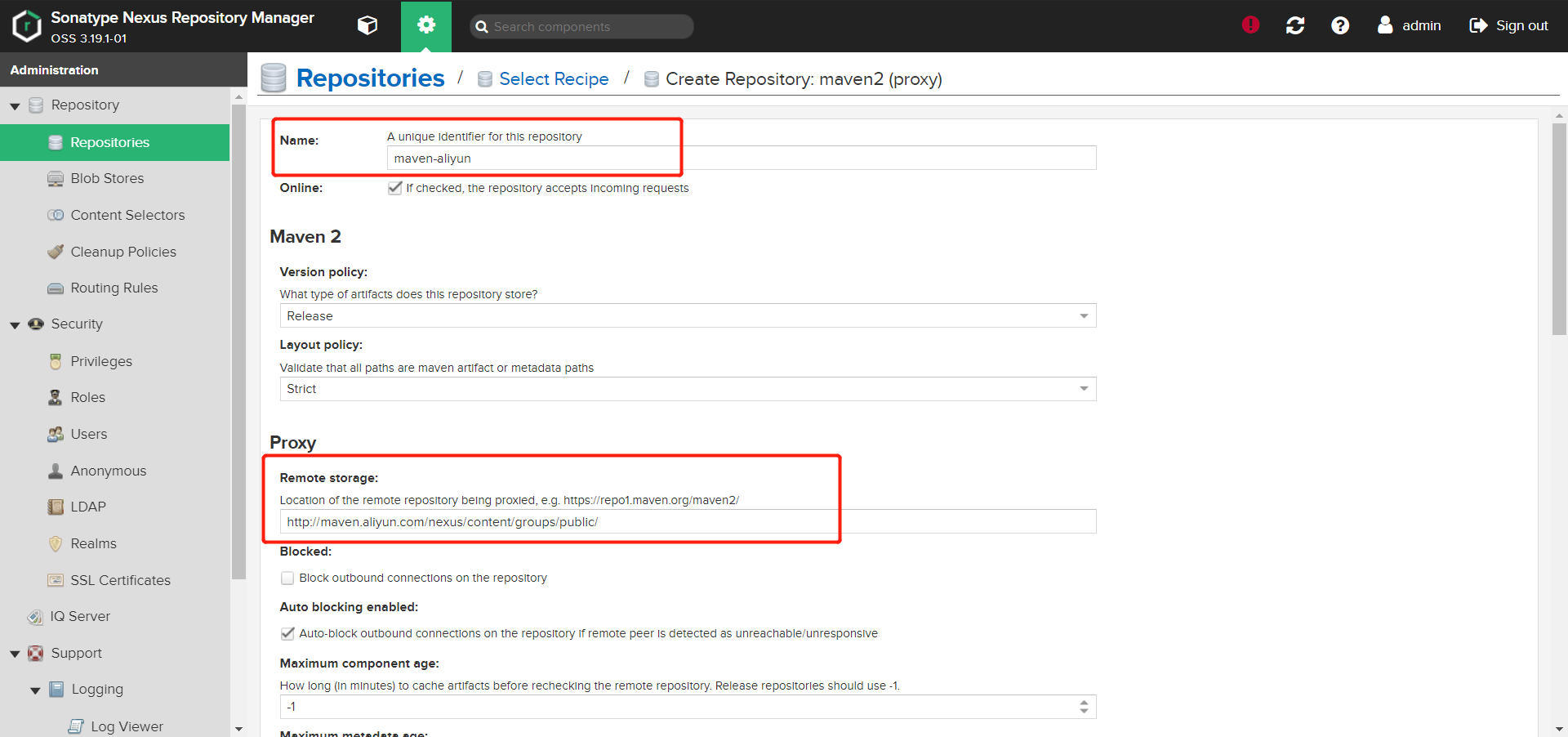
给仓库起名:maven-aliyun
填写阿里云仓库地址
创建完成之后,配置maven-public,设置如下
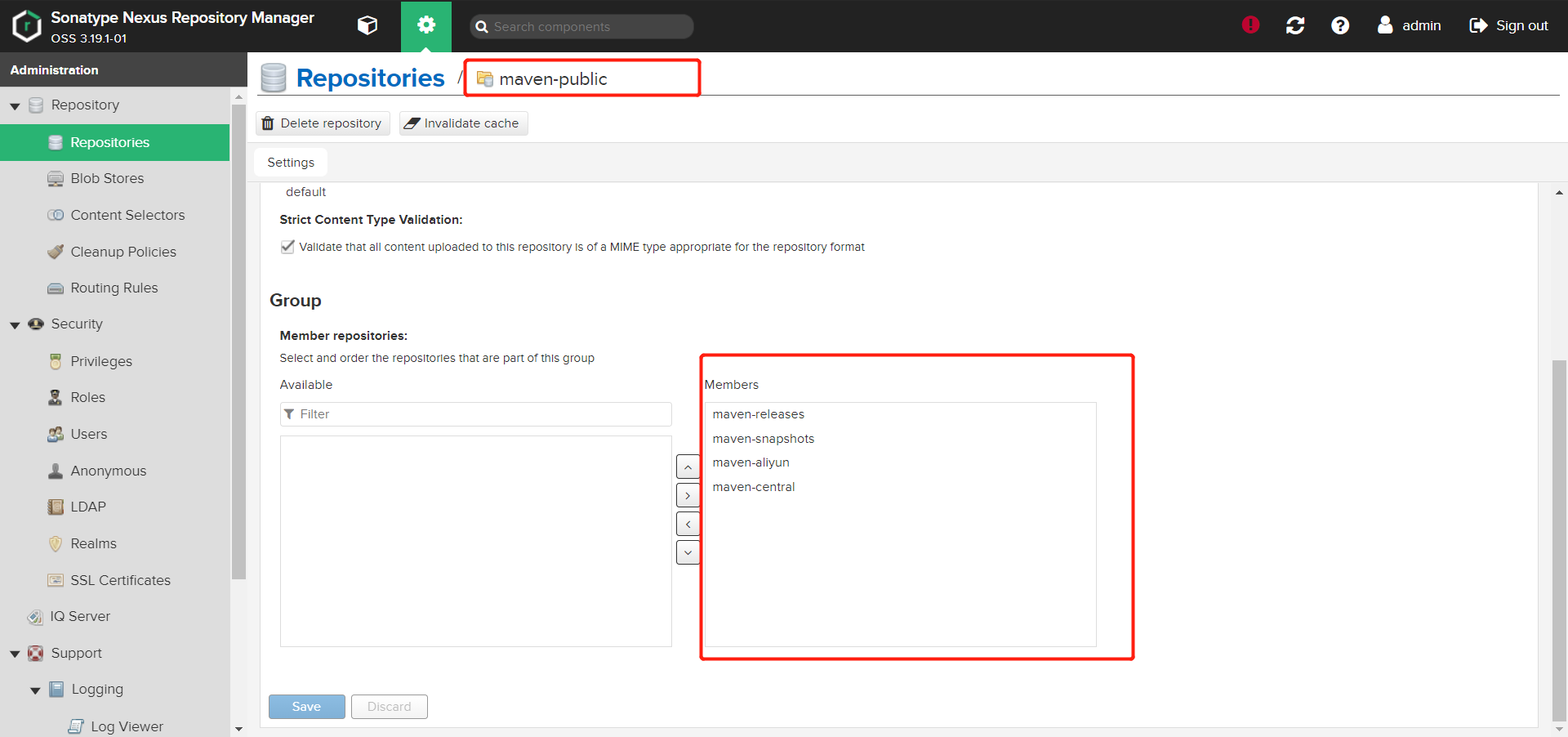
点击save即可
4种默认仓库功能介绍
- maven-central: maven中央库,默认从https://repo1.maven.org/maven2/拉取jar
- maven-releases: 私库发行版jar
- maven-snapshots:私库快照(调试版本)jar
- maven-public: 仓库分组,把上面三个仓库组合在一起对外提供服务,在本地maven基础配置settings.xml中使用
4种仓库类型
- group(仓库组类型):又叫组仓库,用于方便开发人员自己设定的仓库;
- hosted(宿主类型):内部项目的发布仓库(内部开发人员,发布上去存放的仓库);
- proxy(代理类型): 从远程中央仓库中寻找数据的仓库;
- virtual(虚拟类型): 虚拟仓库(这个基本用不到,重点关注上面三个仓库的使用);
settints.xml配置
<?xml version="1.0" encoding="UTF-8"?>
<settings
    xmlns="http://maven.apache.org/SETTINGS/1.0.0"
    xmlns:xsi="http://www.w3.org/2001/XMLSchema-instance"
          xsi:schemaLocation="http://maven.apache.org/SETTINGS/1.0.0 http://maven.apache.org/xsd/settings-1.0.0.xsd">
    <servers>
        <server>
            <id>releases</id>
            <username>admin</username>
            <password>admin123</password>
        </server>
        <server>
            <id>snapshots</id>
            <username>admin</username>
            <password>admin123</password>
        </server>
		<server>
            <id>nexus</id>
            <username>admin</username>
            <password>admin123</password>
        </server>
    </servers>

    <mirrors>
        <mirror>
            <id>nexus</id>
            <url>http://ip:8081/repository/maven-public/</url>
            <mirrorOf>central</mirrorOf>
        </mirror>
    </mirrors>

    <profiles>
        <profile>
            <id>nexus</id>
            <repositories>
                <repository>
                    <id>central</id>
                    <url>http://ip:8081/repository/maven-public/</url>
                    <releases>
                        <enabled>true</enabled>
                    </releases>
                    <snapshots>
                        <enabled>true</enabled>
                    </snapshots>
                </repository>
            </repositories>
        </profile>
    </profiles>
    <activeProfiles>
        <activeProfile>nexus</activeProfile>
    </activeProfiles>
</settings>

 浙公网安备 33010602011771号