
第四周作业
一、自建yum仓库,分别为网络源和本地源
配置本地源:
1.备份默认yum源配置
默认的yum源配置保存在/etc/yum.repos.d路径下,备份该文件夹下的所有文件
[root@centos7 hc]# cd /etc/yum.repos.d/
[root@centos7 yum.repos.d]# mkdir backup
[root@centos7 yum.repos.d]# mv *.repo
backup/                    CentOS-Media.repo
CentOS-Base.repo           CentOS-Sources.repo
CentOS-CR.repo             CentOS-Vault.repo
CentOS-Debuginfo.repo      CentOS-x86_64-kernel.repo
CentOS-fasttrack.repo
[root@centos7 yum.repos.d]# mv *.repo ./backup/
[root@centos7 yum.repos.d]#
2.挂载光盘
[root@centos7 hc]# mkdir /mnt/cdrom
[root@centos7 hc]# mkdir /yum
[root@centos7 hc]# mount /dev/sr0 /mnt/cdrom
mount: /dev/sr0 is write-protected, mounting read-only
mount: /dev/sr0 is already mounted or /mnt/cdrom busy
/dev/sr0 is already mounted on /run/media/hc/CentOS 7 x86_64
/dev/sr0 is already mounted on /mnt/cdrom
[root@centos7 hc]#
3.配置光盘作为本地yum源
[root@centos7 hc]# vi /etc/yum.repos.d/base.repo
[Centos7]
name=Centos7
baseurl=file:///mnt/cdrom
gpgcheck=0
enable=1
验证是否出错
[root@centos7 hc]# yum repolist
Loaded plugins: fastestmirror, langpacks
Loading mirror speeds from cached hostfile
 * base: mirrors.ustc.edu.cn
 * extras: mirrors.ustc.edu.cn
 * updates: mirrors.ustc.edu.cn
Centos7                                                  | 3.6 kB     00:00
base                                                     | 3.6 kB     00:00
extras                                                   | 2.9 kB     00:00
updates                                                  | 2.9 kB     00:00
(1/2): Centos7/group_gz                                    | 153 kB   00:00
(2/2): Centos7/primary_db                                  | 3.3 MB   00:00
repo id                             repo name                             status
Centos7                             Centos7                                4,070
base/7/x86_64                       CentOS-7 - Base                       10,072
extras/7/x86_64                     CentOS-7 - Extras                        500
updates/7/x86_64                    CentOS-7 - Updates                     2,963
repolist: 17,605
[root@centos7 hc]#
4.配置网络源
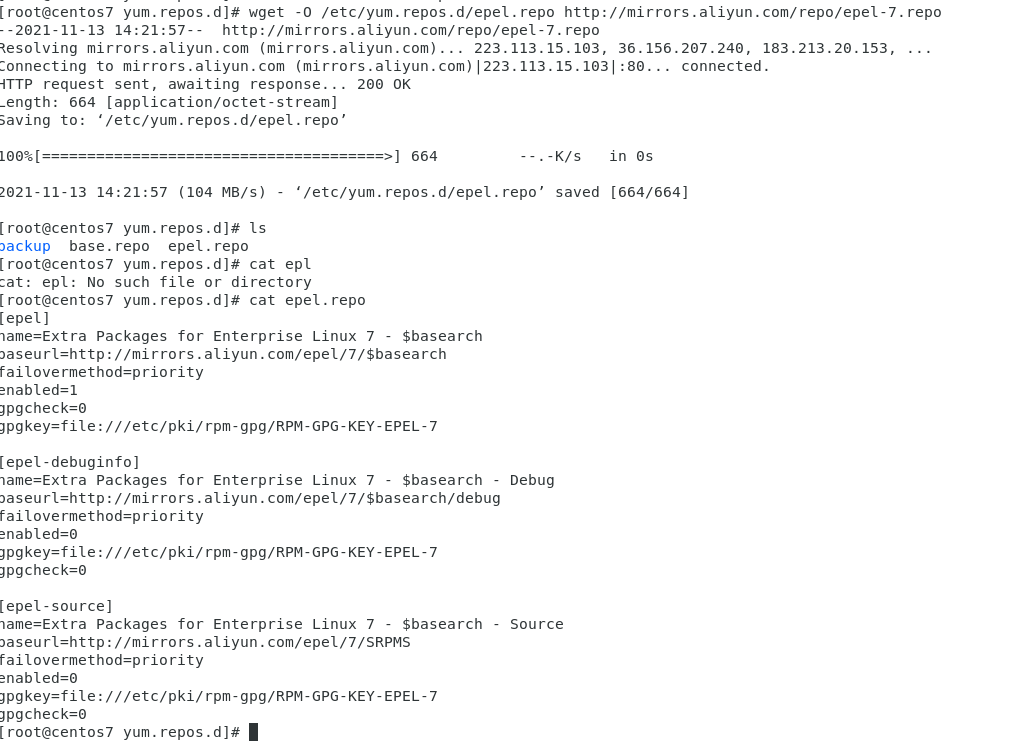
验证是否出错
[root@centos7 yum.repos.d]# yum repolist
Loaded plugins: fastestmirror, langpacks
Loading mirror speeds from cached hostfile
Centos7                                                                                                                                | 3.6 kB  00:00:00
epel                                                                                                                                   | 4.7 kB  00:00:00
(1/3): epel/x86_64/group_gz                                                                                                            |  96 kB  00:00:00
(2/3): epel/x86_64/updateinfo                                                                                                          | 1.0 MB  00:00:03
(3/3): epel/x86_64/primary_db                                                                                                          | 7.0 MB  00:00:17
repo id                                                   repo name                                                                                     status
Centos7                                                   Centos7                                                                                        4,070
epel/x86_64                                               Extra Packages for Enterprise Linux 7 - x86_64                                                13,684
repolist: 17,754
[root@centos7 yum.repos.d]# ls
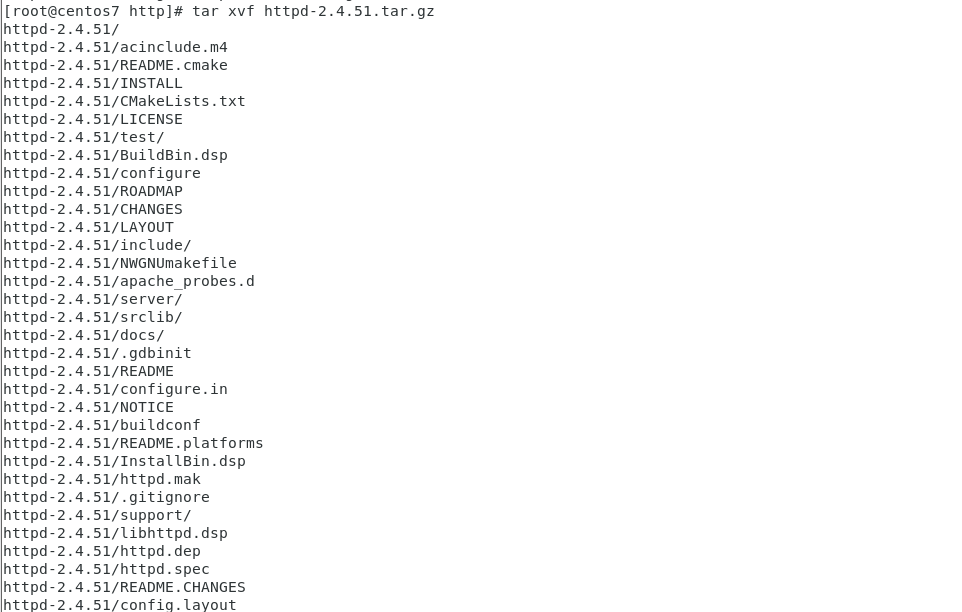
二、编译安装http2.4,实现可以正常访问,并将编译步骤和结果提交。
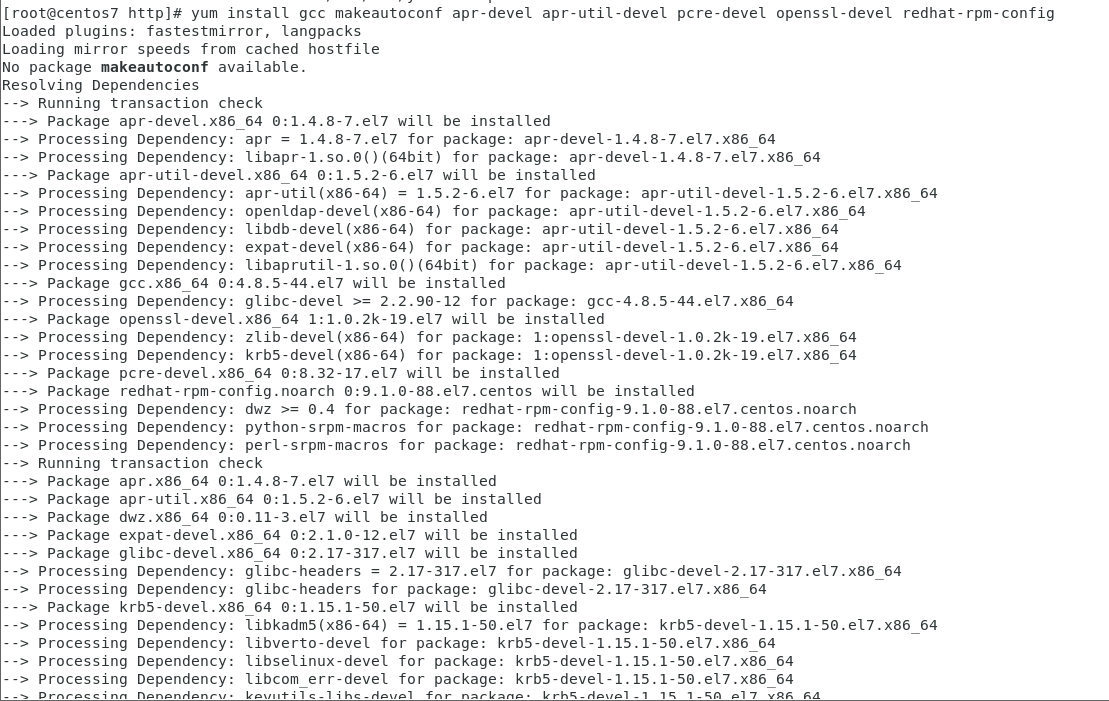
1.环境准备
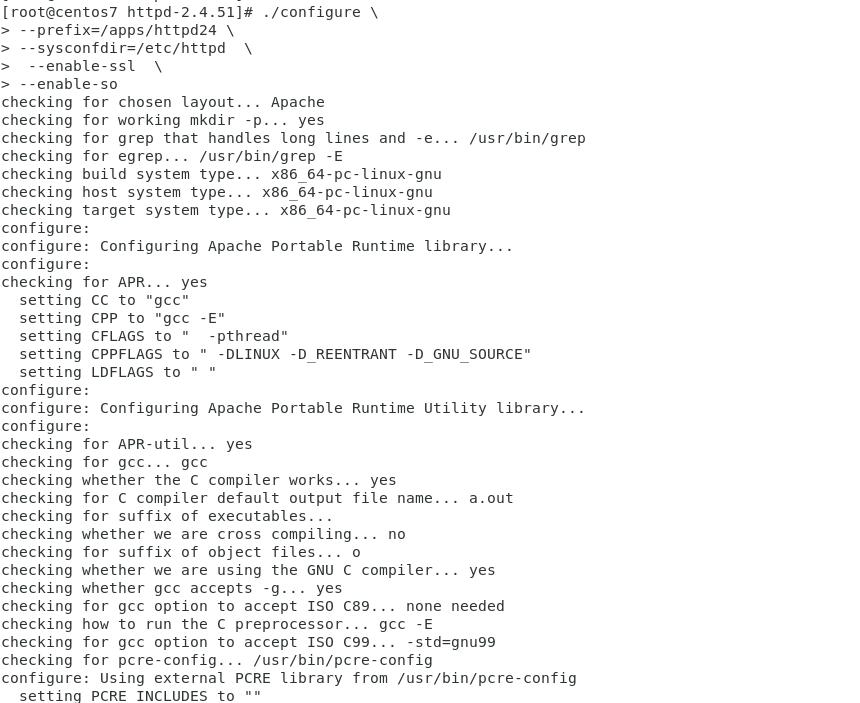
编译源码:
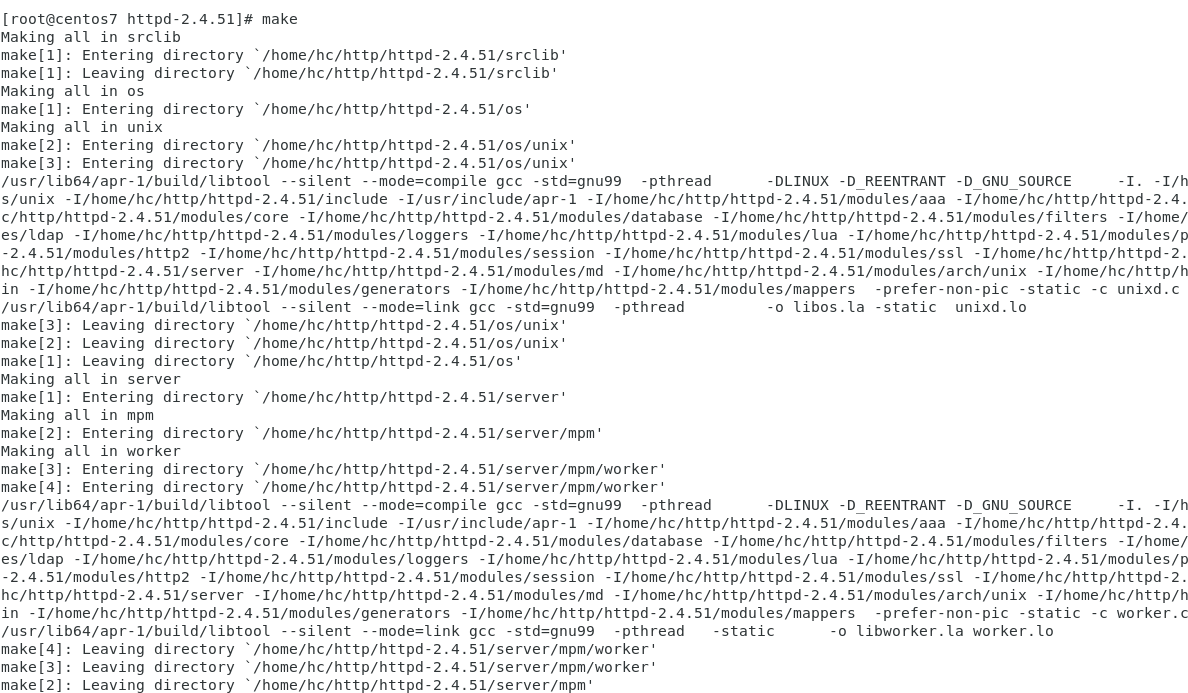
安装:
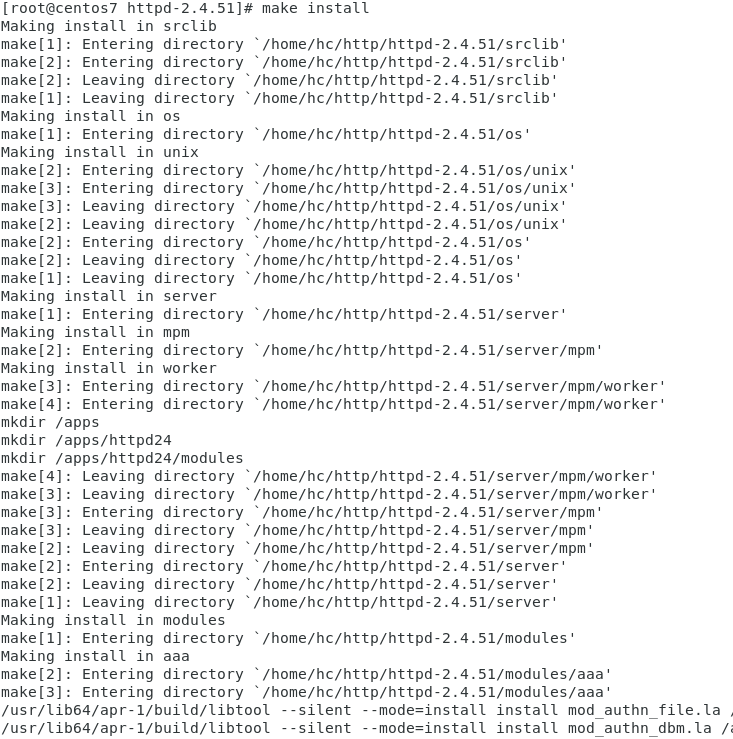
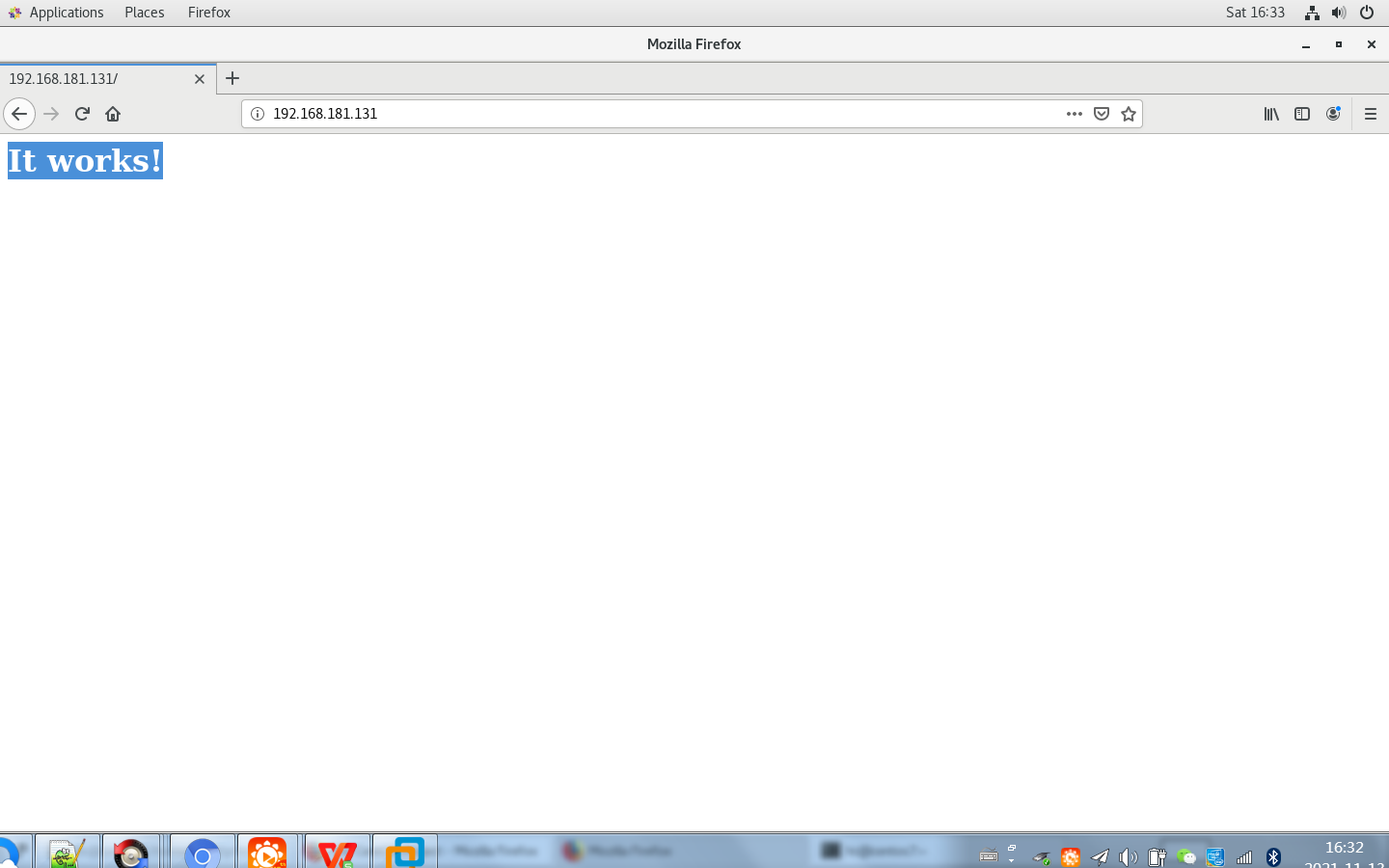
启动httpd服务:
[root@centos7 httpd-2.4.51]# /apps/httpd24/bin/apachectl start
三、利用sed 取出ifconfig命令中本机的IPv4地址
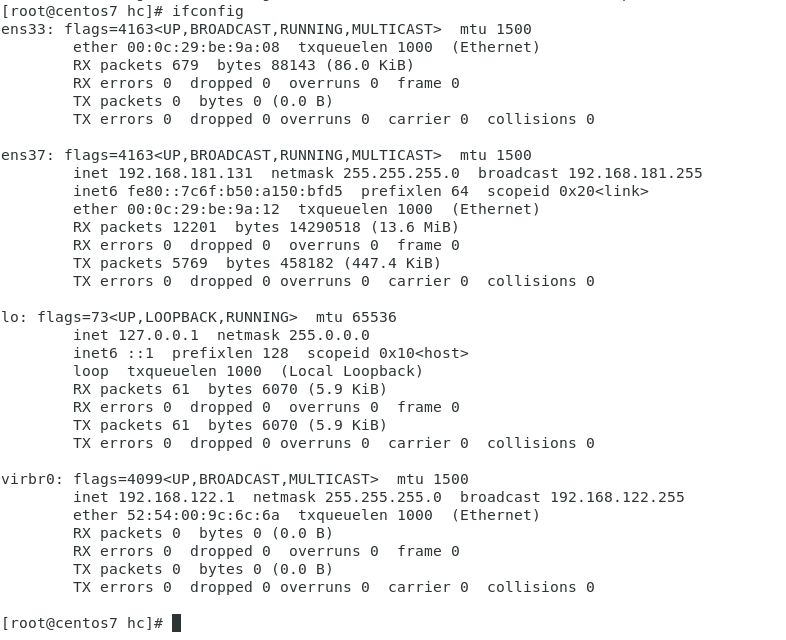
root@centos7 hc]# ifconfig  | grep -v 127.0.0.1|sed -n '/inet /s#\(.*inet \)\(.*\)\( n.*\)#\2#gp'
192.168.181.131
192.168.122.1
[root@centos7 hc]#
四、删除/etc/fstab文件中所有以#开头,后面至少跟一个空白字符的行的行首的#和空白字符
删除前:

删除后:

五、处理/etc/fstab路径,使用sed命令取出其目录名和基名
[root@centos7 etc]# basename /etc/fstab
fstab
[root@centos7 etc]# dirname /etc/fstab
/etc
[root@centos7 etc]# echo /etc/fstab | sed -nr 's/(^\/.*)\/(.*$)/\1/p'
/etc
[root@centos7 etc]# echo /etc/fstab | sed -nr 's#(^\/.*)\/(.*)#\2#p'
fstab
[root@centos7 etc]#
六、列出ubuntu软件管理工具apt的一些用法(自由总结)
apt install 安装软件包apt remove 移除软件包apt purge 移除软件包以及配置文件apt list 列出包含条件的包apt search 搜索应用程序(可以使用正则表达式)apt show 显示安装细节apt upgrade 升级所有可升级的包apt update 刷新存储库索引

 浙公网安备 33010602011771号