

Home Assistant HACS安装教程
Home Assistant HACS安装教程
container版本安装教程
https://hacs.xyz/docs/setup/download/
由于我使用的是RaspberryPi4,为了使用方便,所以我安装了docker,安装HACS的脚本需要在终端内进入HA终端界面,教程在这里:
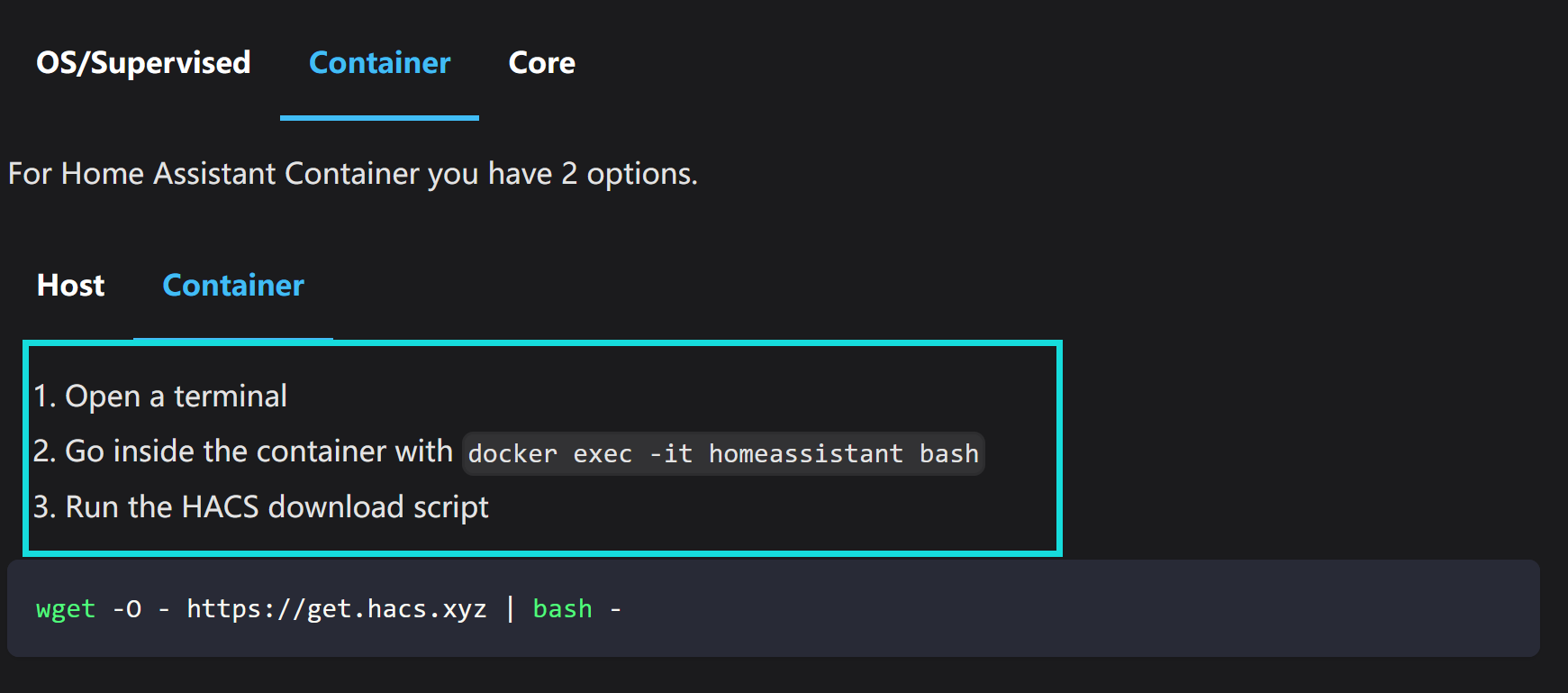
docker exec -it homeassistant bash

如图所示,进入HA终端后可以使用以下命令来执行hacs的安装脚本,在文章末附上了脚本内容。
wget -O - https://get.hacs.xyz | bash -
注意,在执行脚本的过程中需要好好上网,否则你就会像作者一样卡在这里。

以下是安装好后的结果:
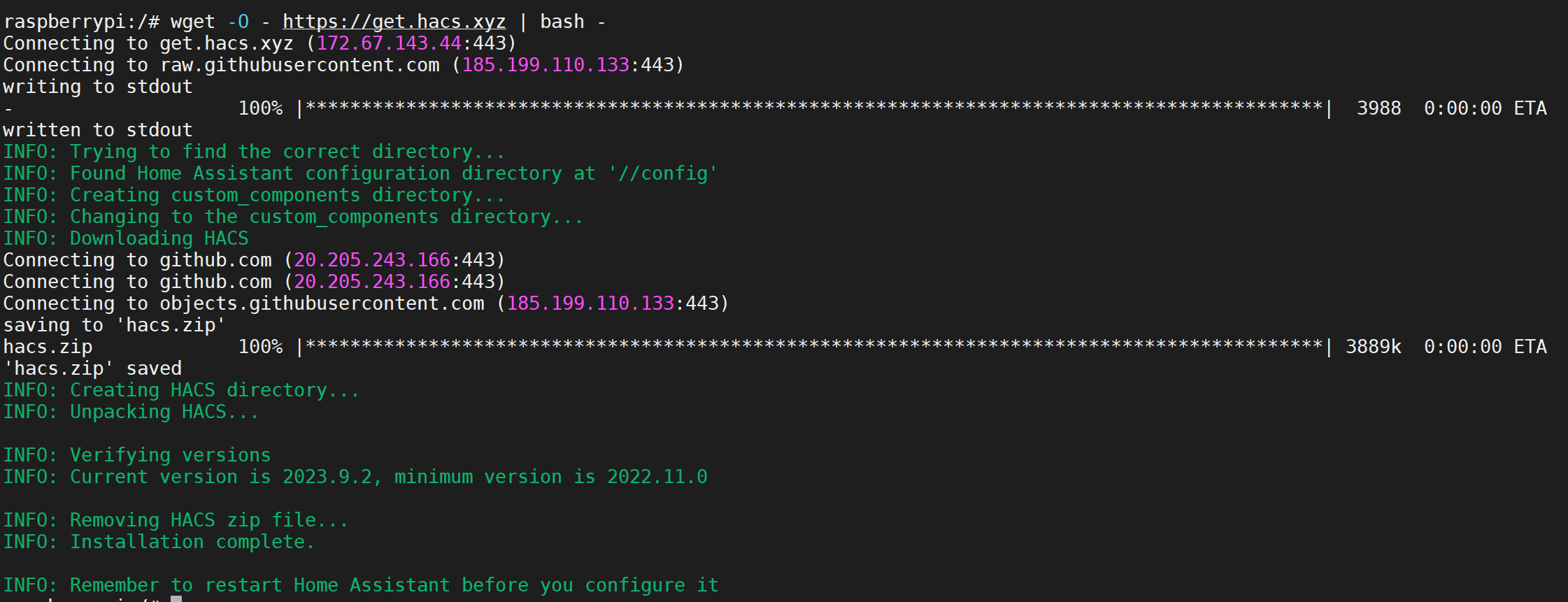
到这里先不要急,我们打开homeassistant.local:8123后发现HACS商店仍然没有出现,这里需要我们手动操作一下。
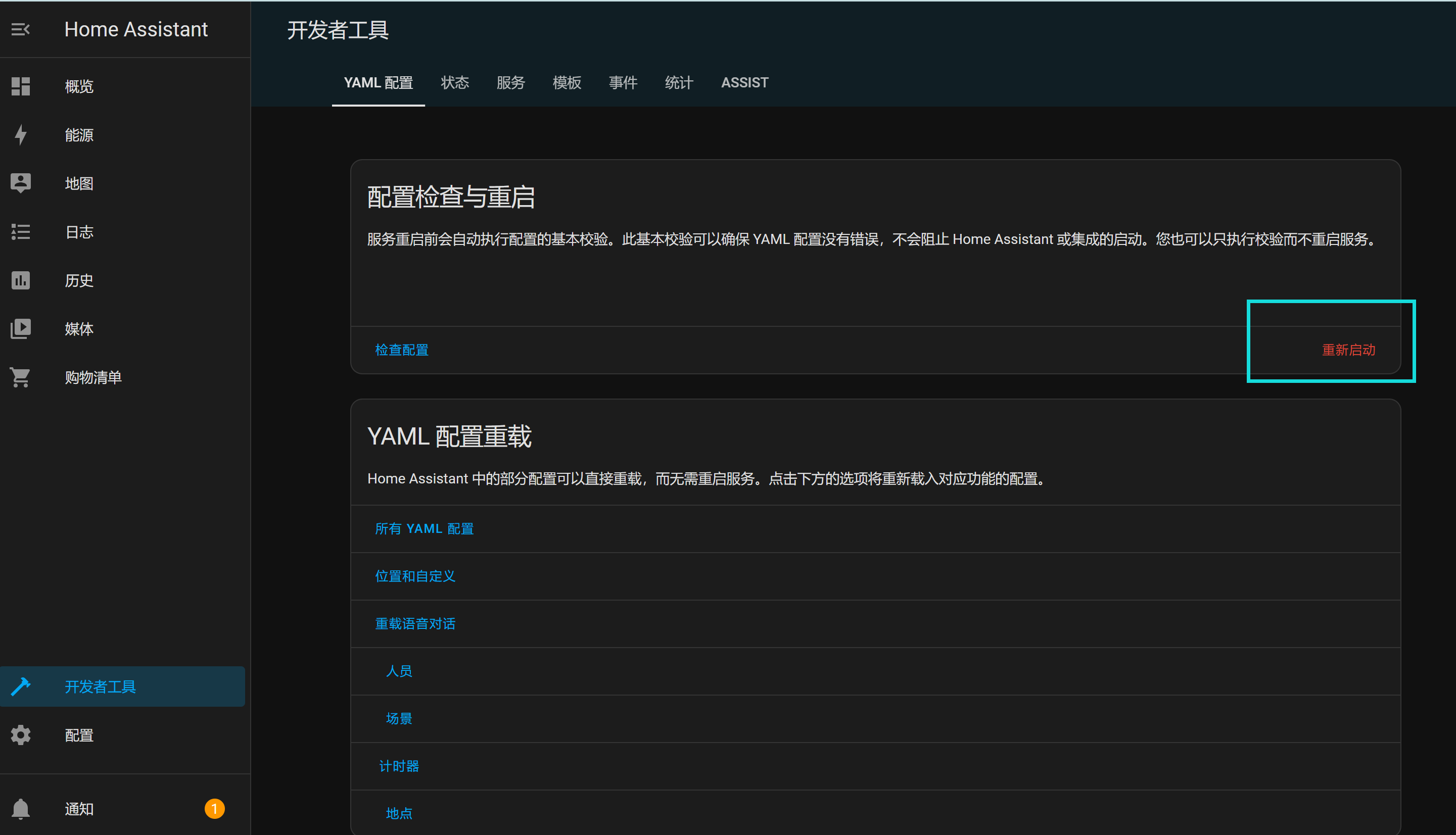
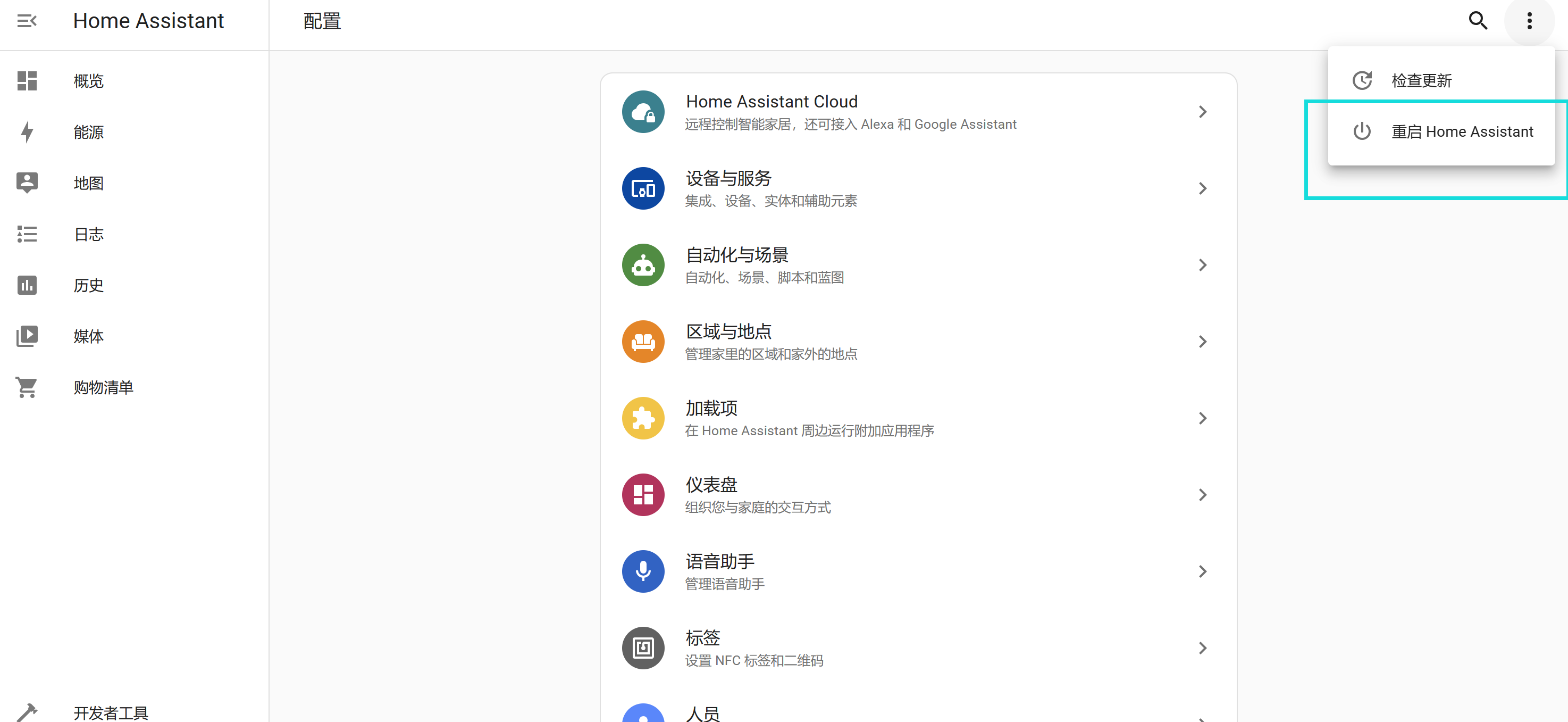
首先我们需要在开发者工具一栏,yaml配置中重新启动一下系统配置
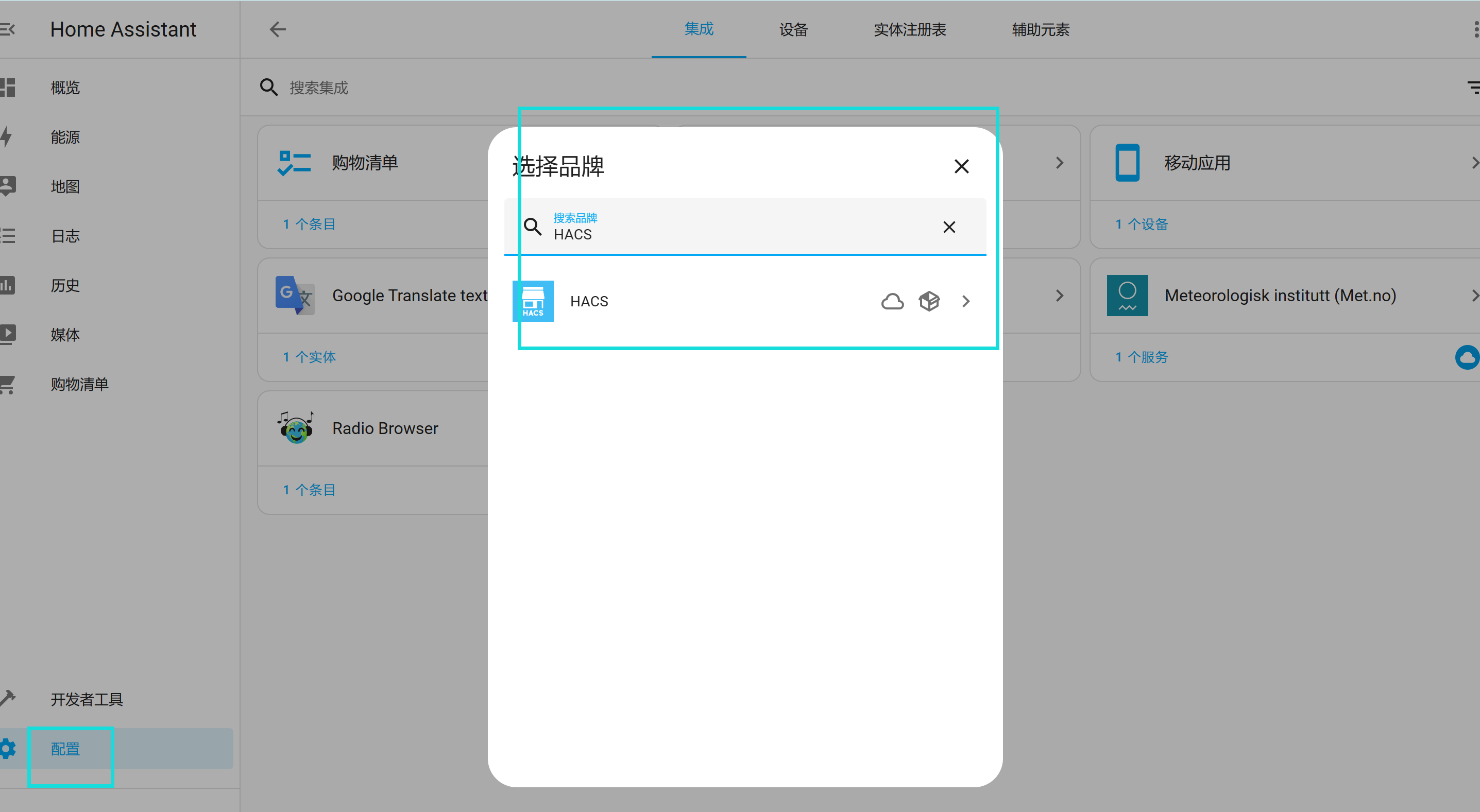
然后在 配置>设备与服务>添加集成中寻找
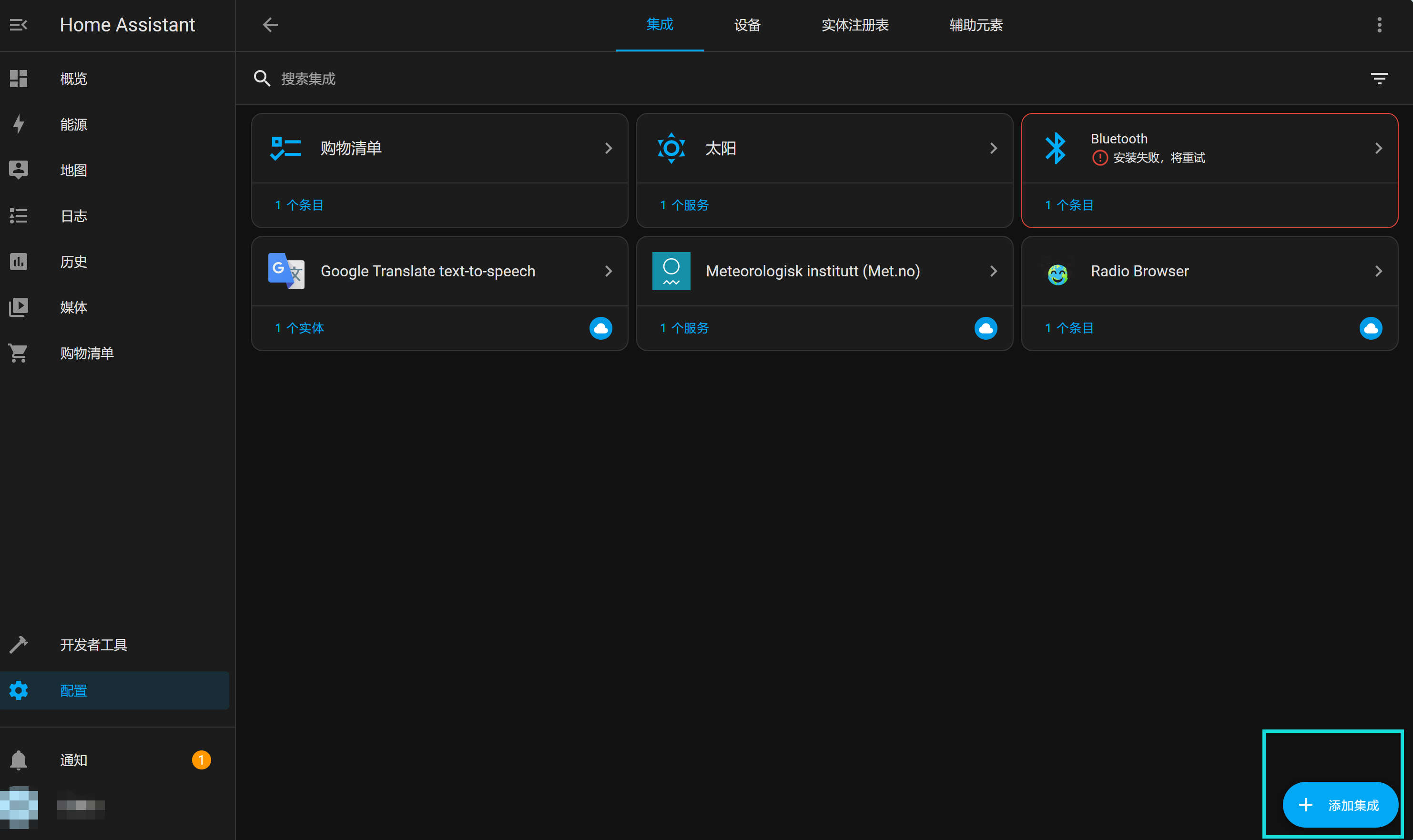
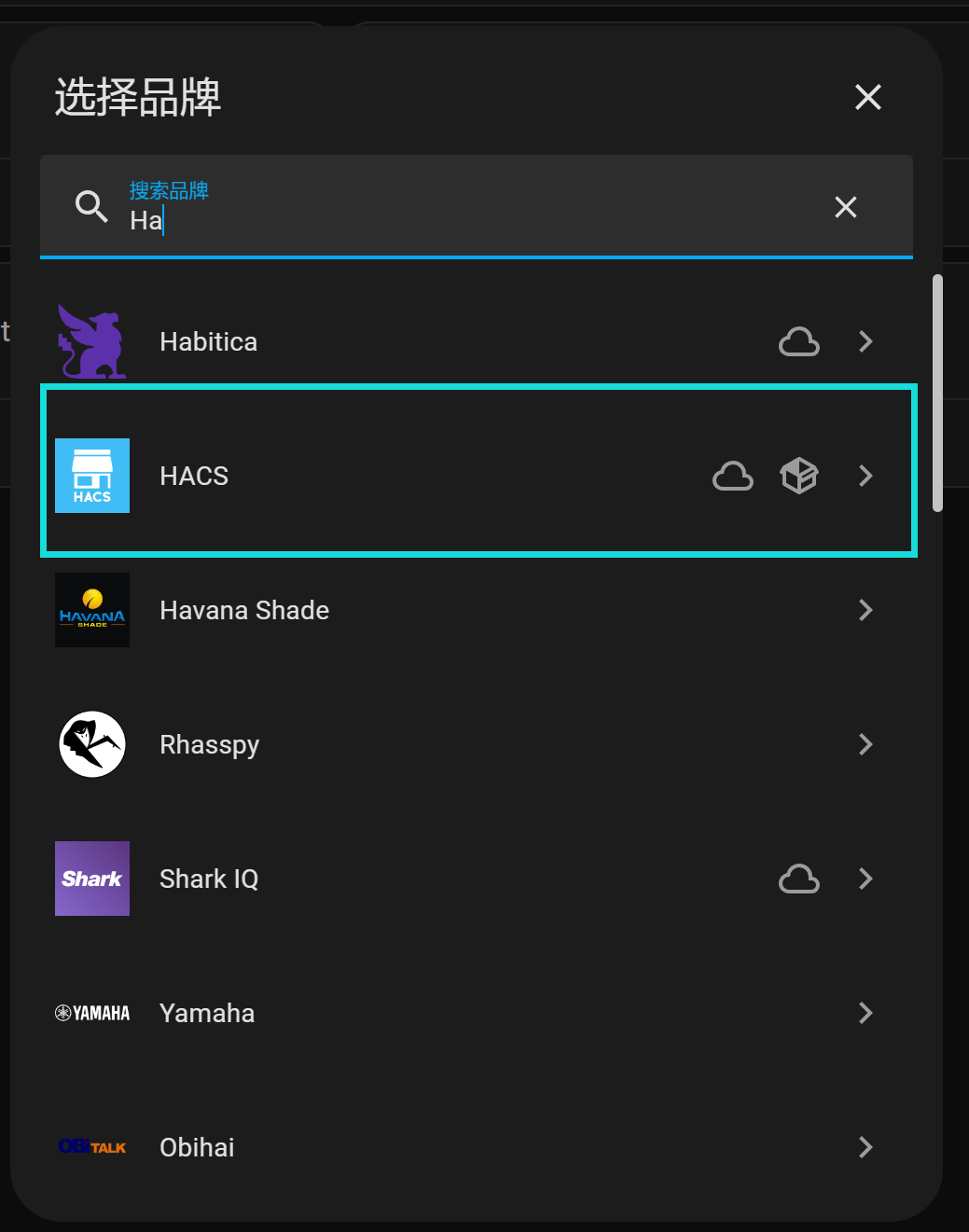
搜索HACS即可找到了
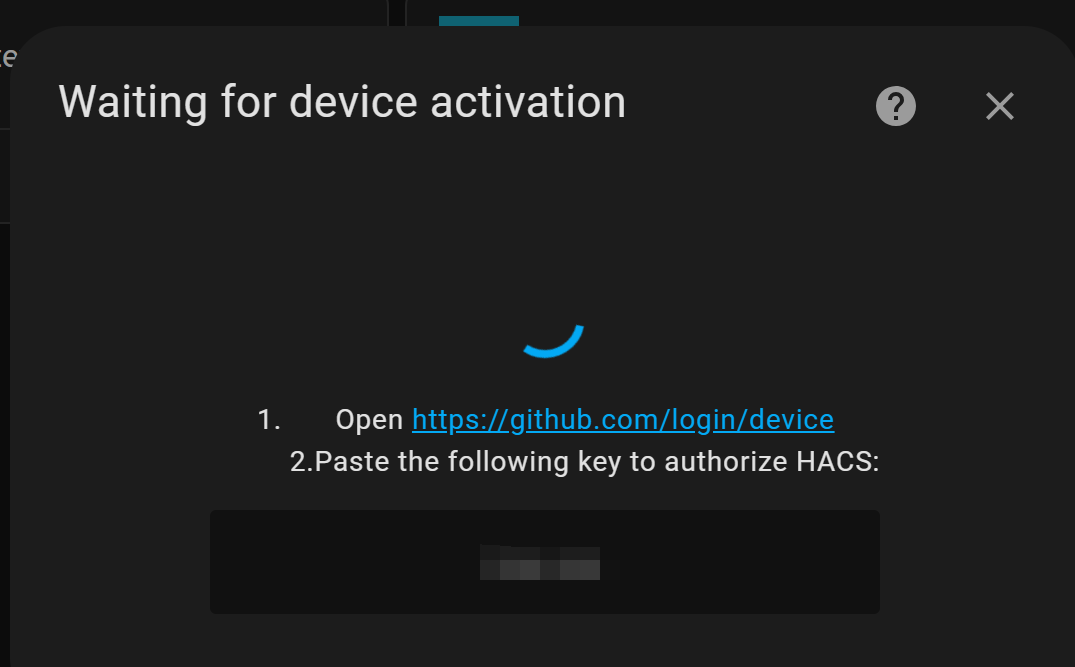
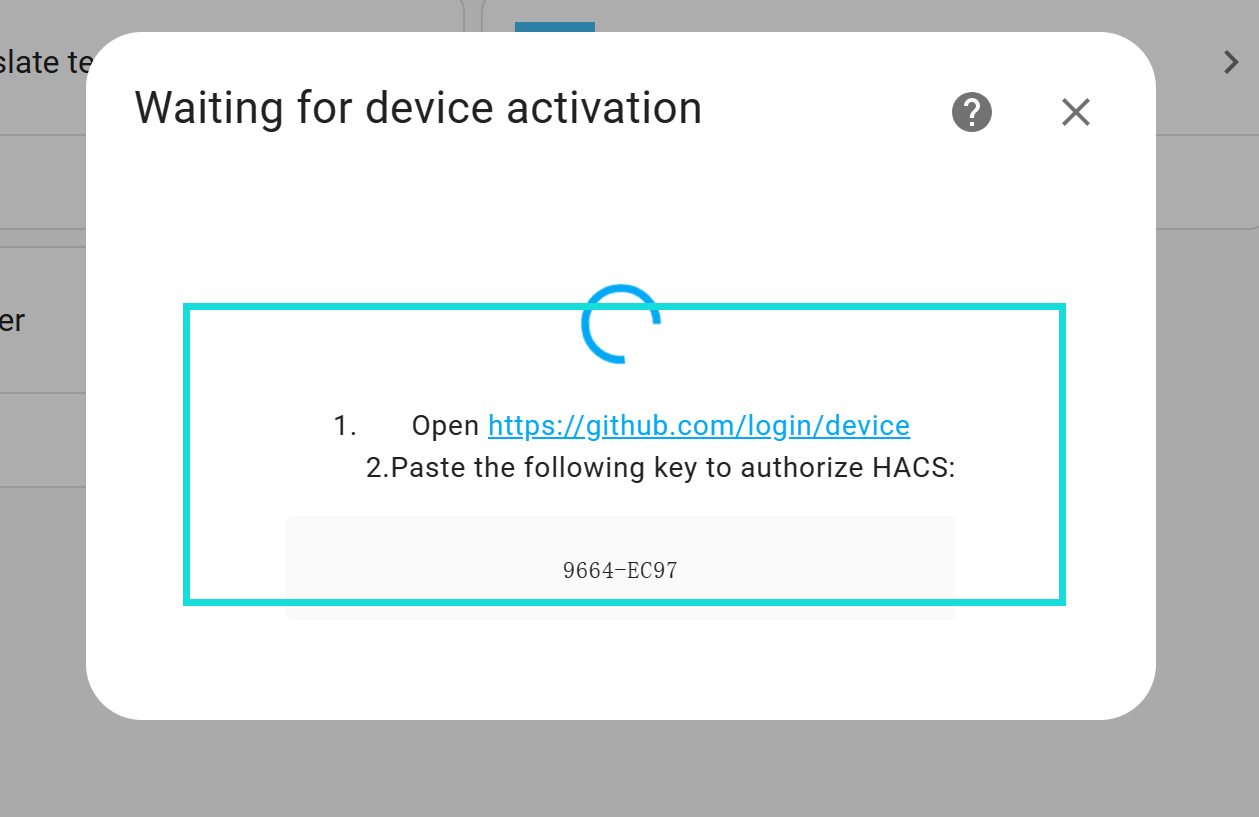
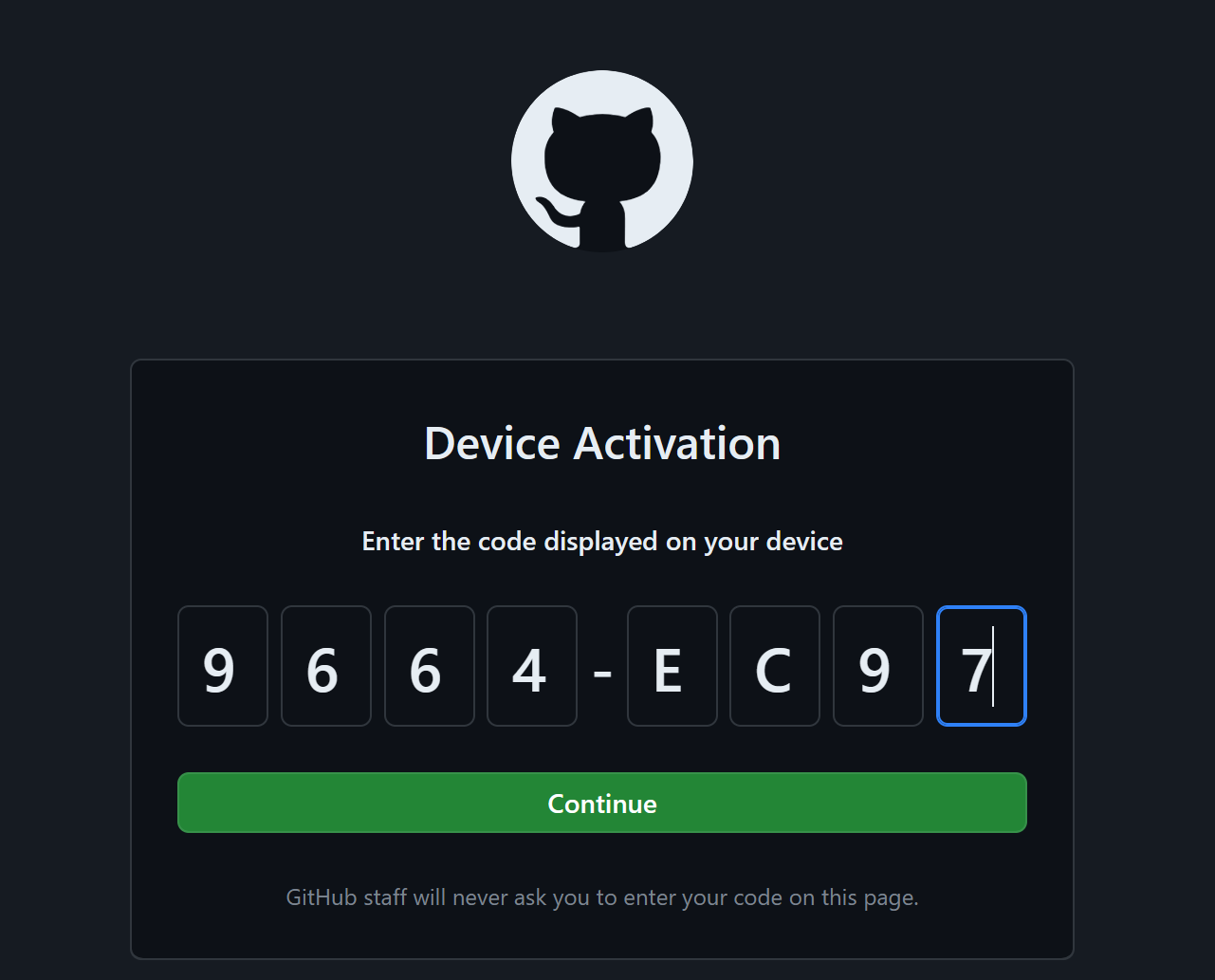
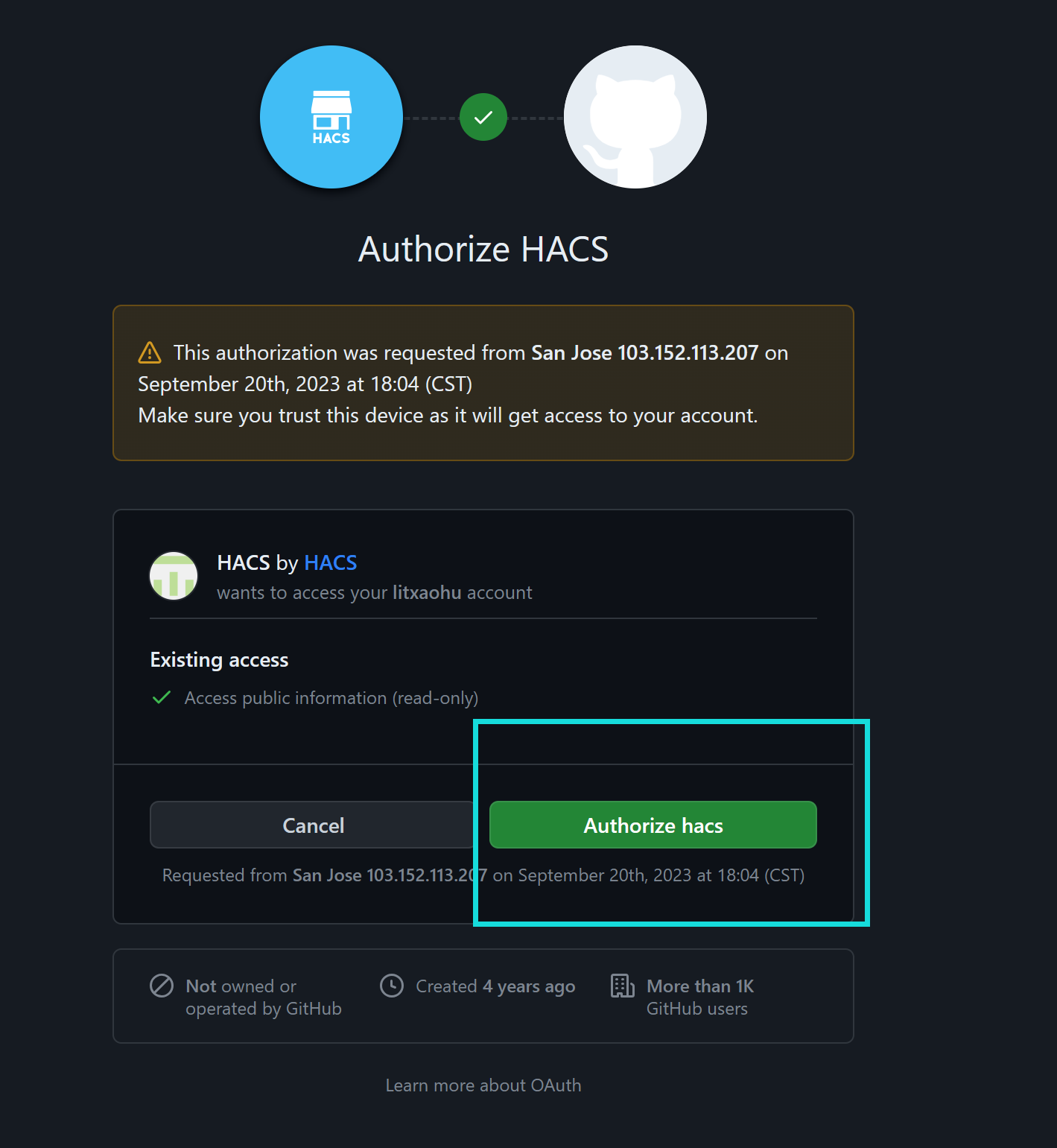
安装过程中需要我们激活一下HACS,登录自己的GitHub账号,输入下面的激活码就可以激活了
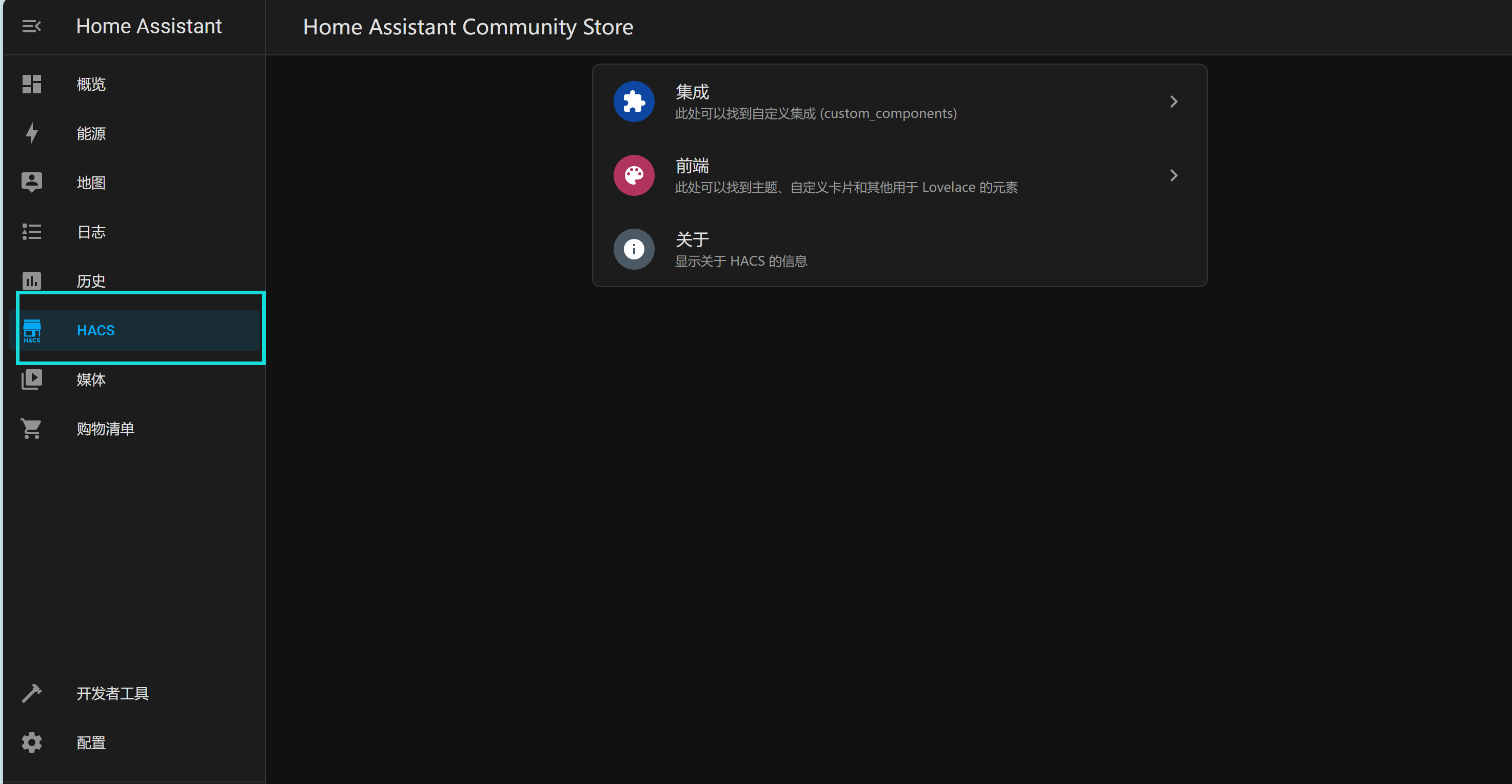
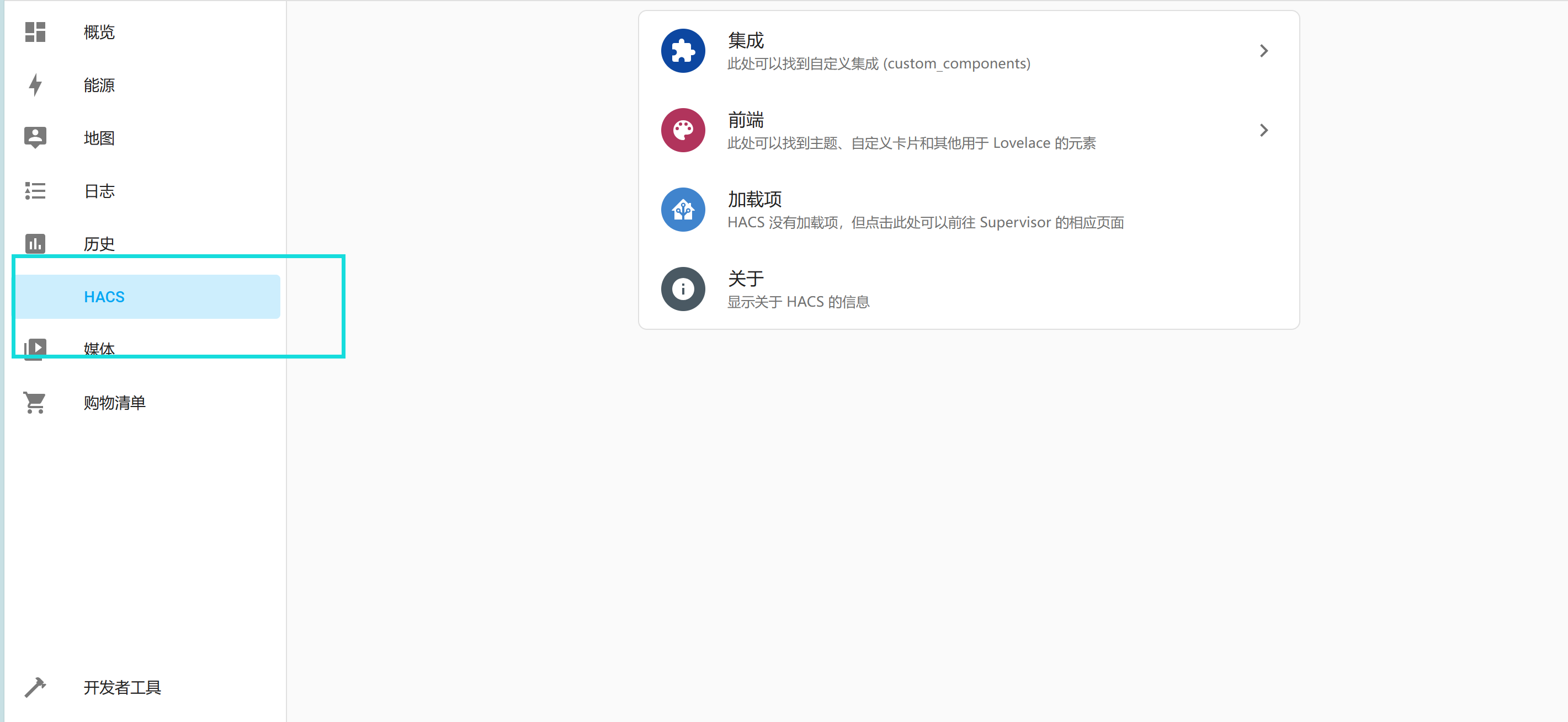
之后在自己的web侧边栏里就可以找到HACS了
脚本
#!/bin/bash
# wget -O - https://get.hacs.xyz | bash -
set -e

RED_COLOR='\033[0;31m'
GREEN_COLOR='\033[0;32m'
GREEN_YELLOW='\033[1;33m'
NO_COLOR='\033[0m'

declare haPath
declare -a paths=(
    "$PWD"
    "$PWD/config"
    "/config"
    "$HOME/.homeassistant"
    "/usr/share/hassio/homeassistant"
)
declare currentVersion
declare currentYear
declare currentMonth
declare currentPatch
declare targetVersion
declare targetYear
declare targetMonth
declare targetPatch

function info () { echo -e "${GREEN_COLOR}INFO: $1${NO_COLOR}";}
function warn () { echo -e "${GREEN_YELLOW}WARN: $1${NO_COLOR}";}
function error () { echo -e "${RED_COLOR}ERROR: $1${NO_COLOR}"; if [ "$2" != "false" ]; then exit 1;fi; }

function checkRequirement () {
    if [ -z "$(command -v "$1")" ]; then
        error "'$1' is not installed"
    fi
}

checkRequirement "wget"
checkRequirement "unzip"

info "Trying to find the correct directory..."
for path in "${paths[@]}"; do
    if [ -n "$haPath" ]; then
        break
    fi

    if [ -f "$path/.HA_VERSION" ]; then
        haPath="$path"
    fi
done

if [ -n "$haPath" ]; then
    info "Found Home Assistant configuration directory at '$haPath'"
    cd "$haPath" || error "Could not change path to $haPath"
    if [ ! -d "$haPath/custom_components" ]; then
        info "Creating custom_components directory..."
        mkdir "$haPath/custom_components"
    fi

    info "Changing to the custom_components directory..."
    cd "$haPath/custom_components" || error "Could not change path to $haPath/custom_components"

    info "Downloading HACS"
    wget "https://github.com/hacs/integration/releases/latest/download/hacs.zip"

    if [ -d "$haPath/custom_components/hacs" ]; then
        warn "HACS directory already exist, cleaning up..."
        rm -R "$haPath/custom_components/hacs"
    fi

    info "Creating HACS directory..."
    mkdir "$haPath/custom_components/hacs"

    info "Unpacking HACS..."
    unzip "$haPath/custom_components/hacs.zip" -d "$haPath/custom_components/hacs" >/dev/null 2>&1


    echo
    info "Verifying versions"
    targetVersion=$(sed -n -e '/^MINIMUM_HA_VERSION/p' "$haPath/custom_components/hacs/const.py" | cut -d '"' -f 2)
    currentVersion=$(cat "$haPath/.HA_VERSION")

    info "Current version is ${currentVersion}, minimum version is ${targetVersion}"

    targetYear=$(echo "${targetVersion}" | cut -d "." -f 1)
    currentYear=$(echo "${currentVersion}" | cut -d "." -f 1)

    if [ "${currentYear}" -lt "${targetYear}" ]; then
        rm -R "$haPath/custom_components/hacs"
        error "Version ${currentVersion} is not new enough, needs at least ${targetVersion}"
    fi

    if [ "${currentYear}" == "${targetYear}" ]; then
        targetMonth=$(echo "${targetVersion}" | cut -d "." -f 2)
        currentMonth=$(echo "${currentVersion}" | cut -d "." -f 2)

        if [ "${currentMonth}" -lt "${targetMonth}" ]; then
        rm -R "$haPath/custom_components/hacs"
            error "Version ${currentVersion} is not new enough, needs at least ${targetVersion}"
        fi

        if [ "${currentMonth}" == "${targetMonth}" ]; then
            targetPatch=$(echo "${targetVersion}" | cut -d "." -f 3)
            currentPatch=$(echo "${currentVersion}" | cut -d "." -f 3)

            if [ "${currentPatch}" -lt "${targetPatch}" ]; then
                rm -R "$haPath/custom_components/hacs"
                error "Version ${currentVersion} is not new enough, needs at least ${targetVersion}"
            fi
        fi
    fi

    echo
    info "Removing HACS zip file..."
    rm "$haPath/custom_components/hacs.zip"
    info "Installation complete."
    echo
    info "Remember to restart Home Assistant before you configure it"

else
    echo
    error "Could not find the directory for Home Assistant" false
    echo "Manually change the directory to the root of your Home Assistant configuration"
    echo "With the user that is running Home Assistant"
    echo "and run the script again"
    exit 1
fi
HA OS版本安装HACS步骤:
github.com/hacs/integration/releases
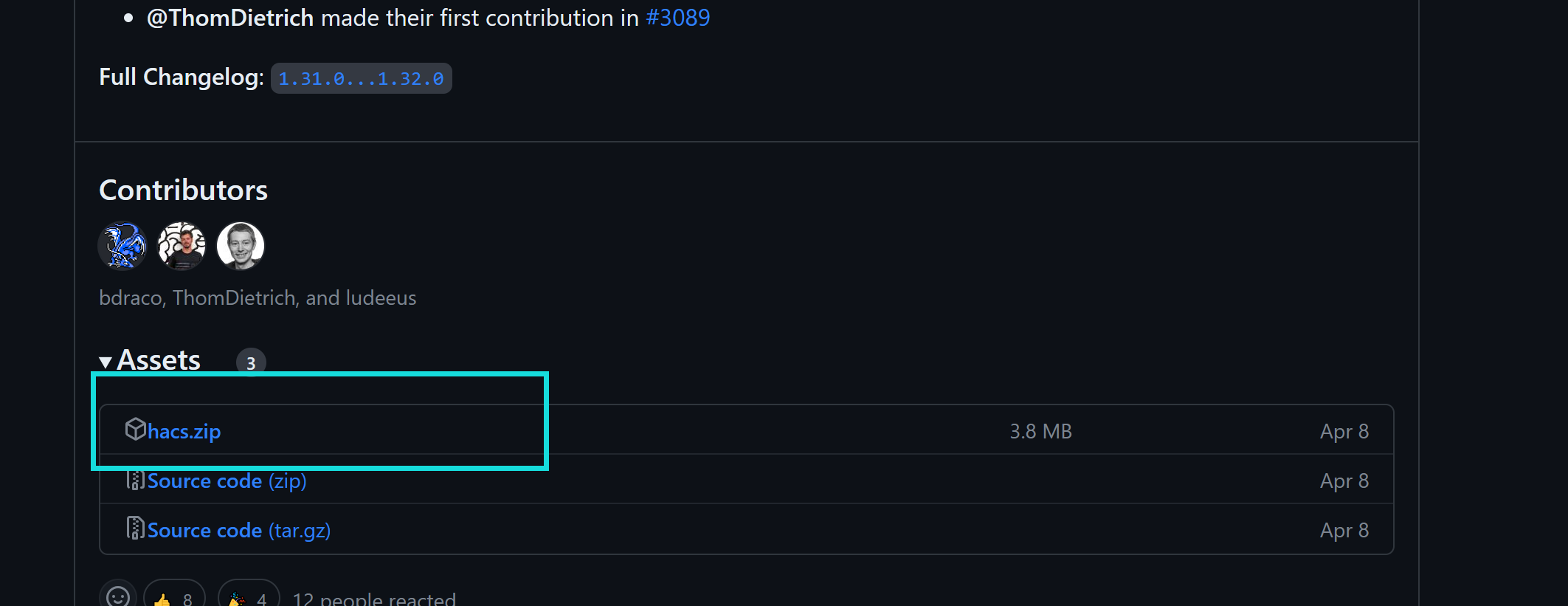
在这里下载安装包,下载好后解压在hacs文件夹下,后续需要使用。
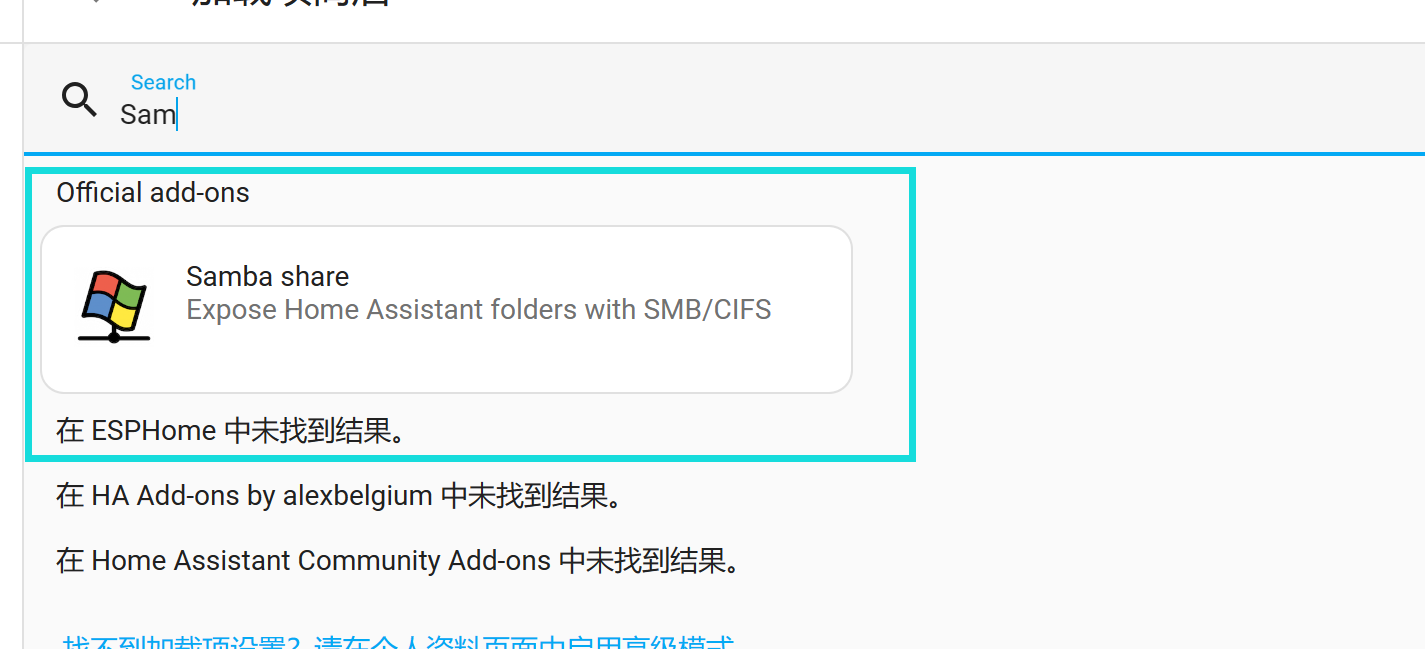
在加载项里搜索Samba share并安装

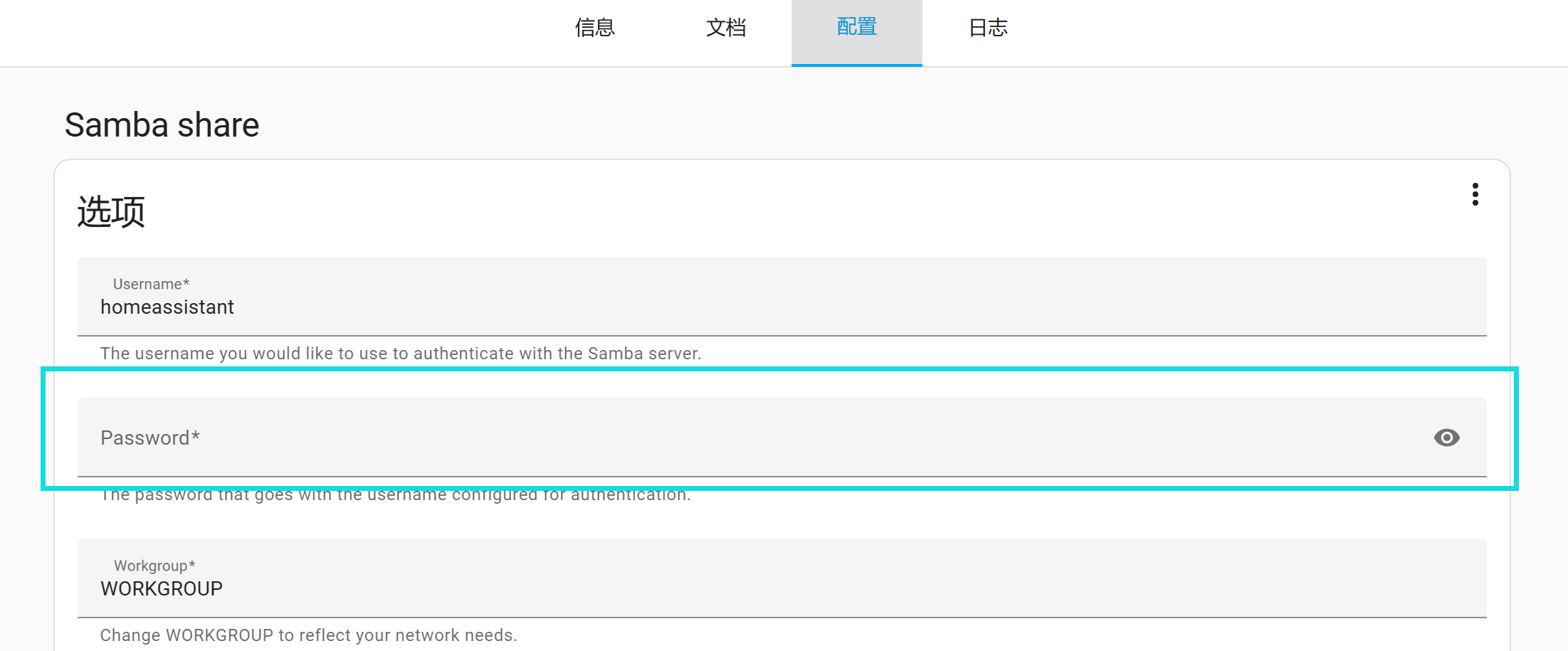
下载好后需要在配置里输入一个密码,然后再启动。
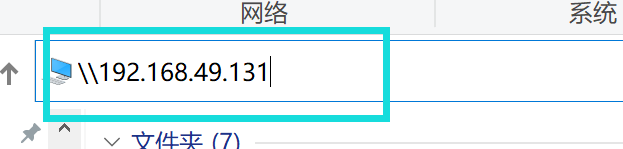
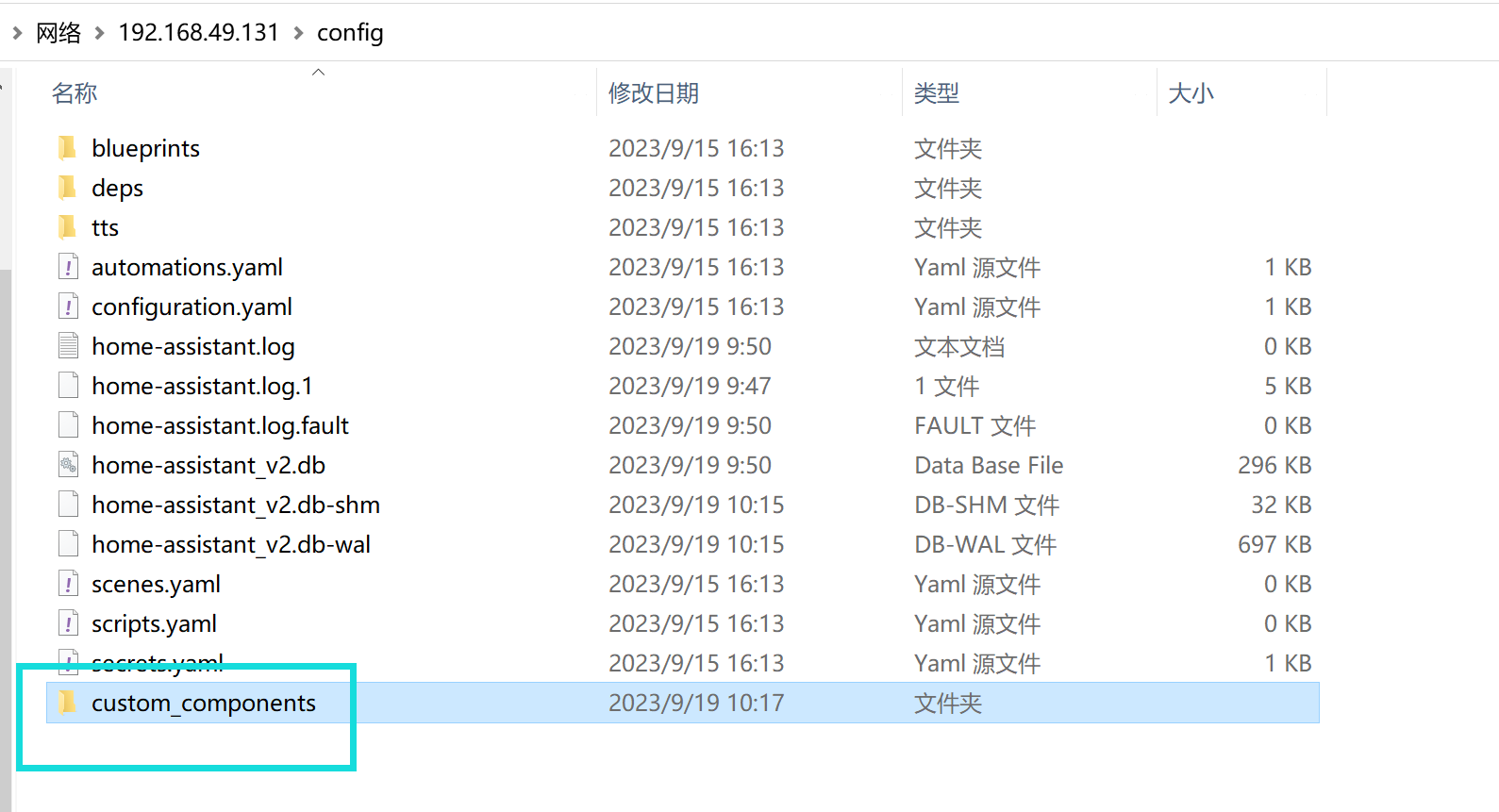
在我的电脑一栏输入两个反斜杠+自己的设备IP,可以进入到HA OS的config文件夹
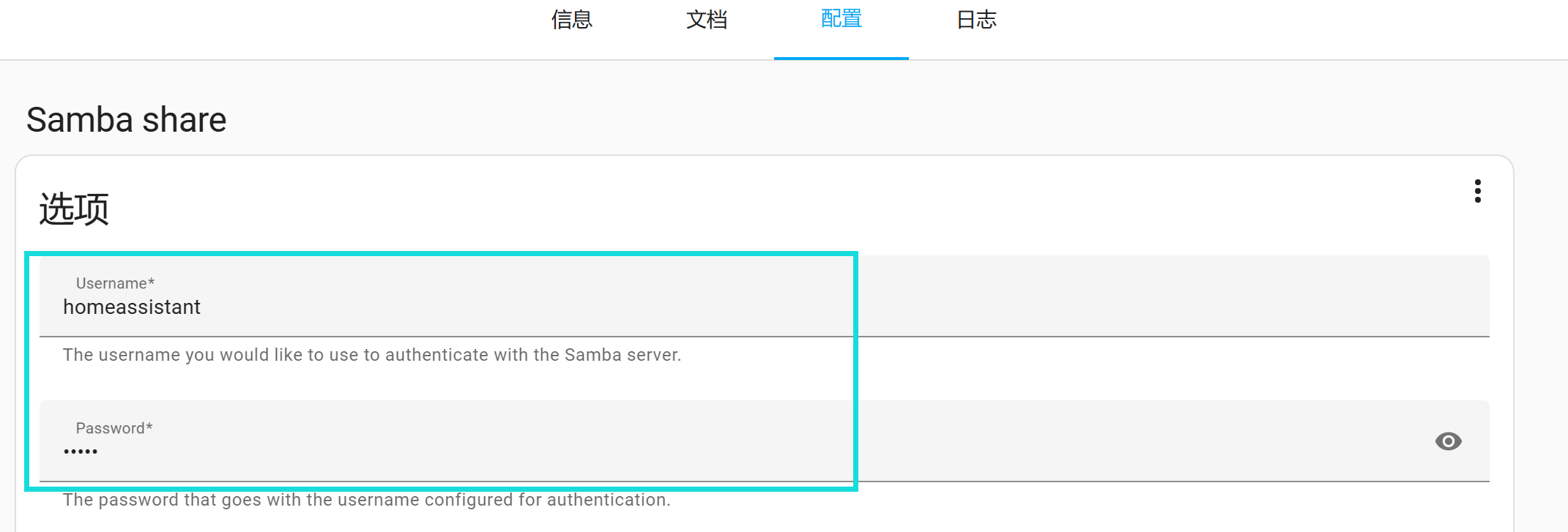
这里要输入的用户名密码就是之前配置的
然后再config文件夹下新建一个custom_components文件夹,将解压好的hacs文件夹放进去
重启一下HA
重启后在设备与服务里添加集成,搜索hacs,集成即可
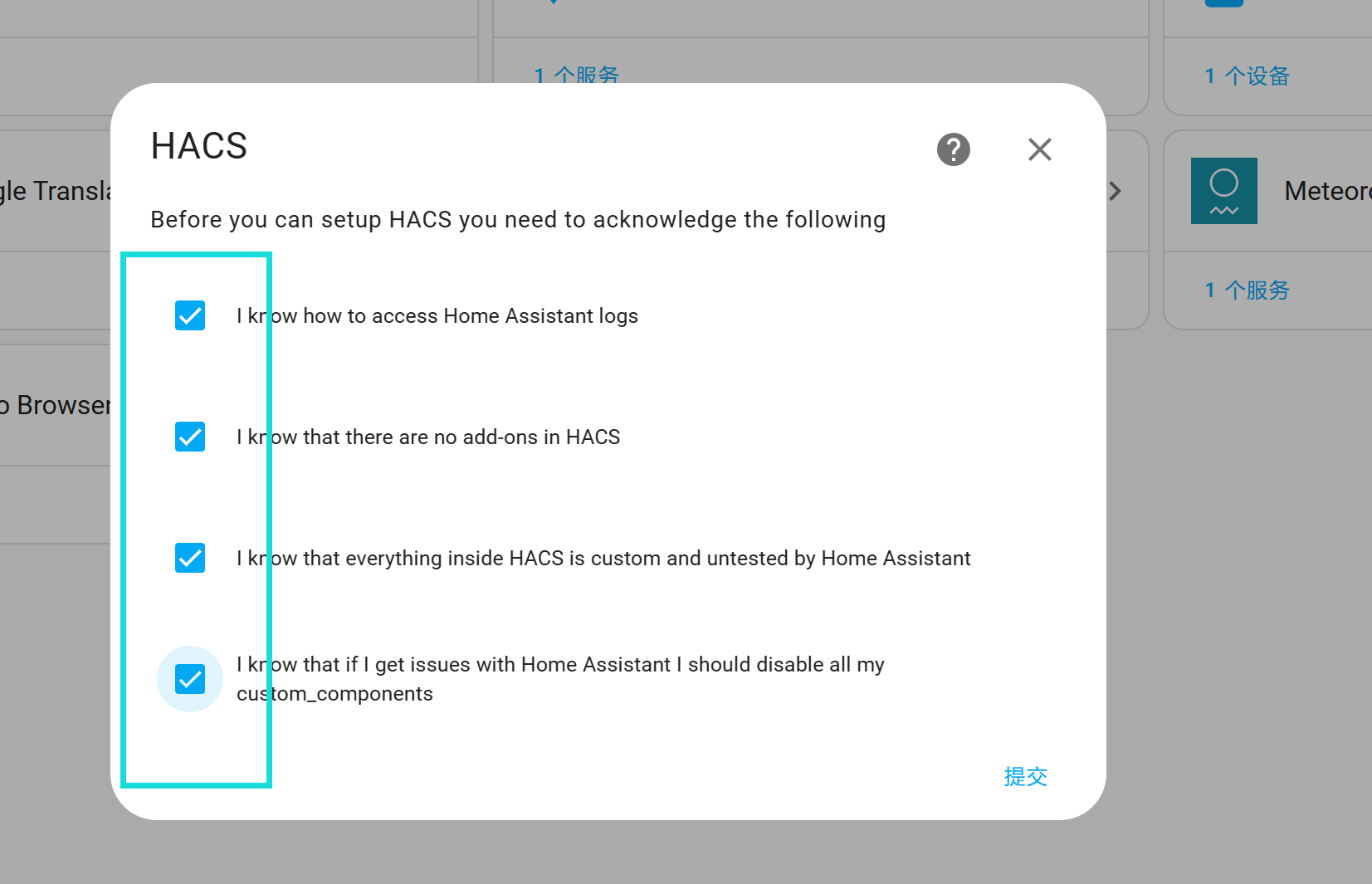
这里全选
打开给的网址,输入激活码激活即可

 浙公网安备 33010602011771号