
震惊!!某人使用CSS3属性制作酷炫的点击按钮涟漪
各位观众老爷们来一波点赞👍、投币🐱🐉、收藏💖
效果实例如下(让你的网站Big满满)
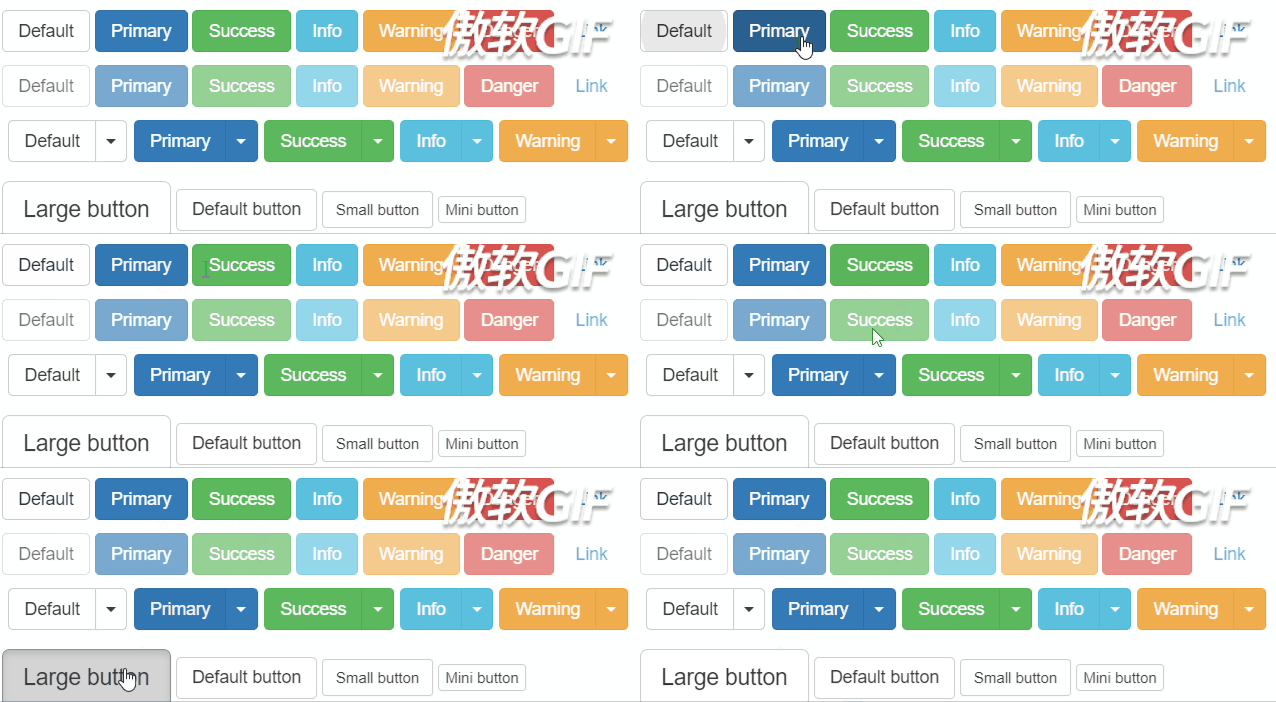
效果实例参考链接:https://mladenplavsic.github.io/css-ripple-effect/#
实现原理
-
使用after伪类。
-
CSS3中的transform和transition属性过渡。
-
CSS3中的radial-gradient
实现代码
<!DOCTYPE html>
<html lang="en">
<head>
    <meta charset="UTF-8">
    <meta name="viewport" content="width=device-width, initial-scale=1.0">
    <meta http-equiv="X-UA-Compatible" content="ie=edge">
    <title>Document</title>
    <script src="https://cdn.bootcss.com/vue/2.6.10/vue.min.js"></script>
    <style>
        .d1{
            display: block; /* button 默认是inline-block 无法用margin给它居中 */
            height: 60px;
            width: 150px;
            color: #FFF;
            font-size: 16px;
            background: #E95546;
            outline: none;
            border: 0;
            cursor: pointer; /* 为了增加用户体验 */

            position: relative; /* 为了保持和ripple的位置关系 */
            overflow: hidden;
            /* 为了遮盖超出的ripple */
        }
        .di :hover{
            opacity: 0.9;
        }

        .ripple {
            position: absolute; /* 为了保持和button的位置关系 */
            border-radius: 50% 50%; /* 水波纹圆形 */
            background: rgba(255, 255, 255, 0.4);
            /* 为了保证所有地方都被覆盖,所以这个的大小要是他的两倍大.调整失败,还是按照原来的搞吧*/

            /* 下面与动画效果相关 是0%时候的状态 */
            /* 默认的 transform-origin 是 center 即中心点 */
            transform: scale(0);
            /* -webkit-transform: scale(0); */
            opacity: 1;
        }
        .bo{
            animation: bo 1s linear;
        }
        @keyframes bo{
            100%{
                transform: scale(2);
                opacity:0;
            }
        }
    </style>
</head>
<body>
    <div class="div">
        <div class="d1"  ref="d1" @click="handleClick">
               <div class="ripple"
                    :style="computedStyle"
                    :class="boClass"
               ></div>
        </div>
        {{boClass}}
    </div>
    <script>
        var app=new Vue({
            el:".div",
            data:{
                left:0,
                top:0,
                haha:"飞机飞过天空",
                innerleft:0,
                innertop:0,
                boClass:[],
                isClick:true,
                boWidth:0,
            },
            methods:{
                handleClick(e){
                    console.log("点击")
                    // console.log(window.getComputedStyle(this.$refs.d1))
                    // 一共会返回279个css属性

                    this.left=this.$refs.d1.getBoundingClientRect().left+document.documentElement.scrollLeft
                    this.top=this.$refs.d1.getBoundingClientRect().top+document.documentElement.scrollTop

                    // 水波纹的半径要等于最长的那一条边
                    if(this.$refs.d1.getBoundingClientRect().width>this.$refs.d1.getBoundingClientRect().height){
                        this.boWidth=this.$refs.d1.getBoundingClientRect().width
                    }else{
                        this.boWidth=this.$refs.d1.getBoundingClientRect().height
                    }

                    this.innerleft=e.x-this.left-this.boWidth/2
                    // 在他左边的时候会自动变成负数

                    this.innertop=e.y-this.top-this.boWidth/2
                    // 要保证以鼠标点的为放大的圆心

                    if(this.isClick){
                        this.boClass.push('bo')
                        this.isClick=false
                        setTimeout(()=>{
                            this.boClass=[]
                            this.isClick=true
                            this.innerleft=0
                            this.innertop=0
                            // 下一次点击前重置这些属性
                        },900)
                        // 这个值比之前那个少一点
                    }


                }
            },
            mounted(){
                console.log(this)
            },
            computed:{
                computedStyle(){
                    // return {
                    //     left:`${this.innerleft}+px`,
                    //     top:`${this.innertop}+px`
                    // }

                    return {
                        // 多加了一个加号
                        left:`${this.innerleft}px`,
                        top:`${this.innertop}px`,
                        width:`${this.boWidth}px`,
                        height:`${this.boWidth}px`
                    }
                },

            }
        })
    </script>
</body>
</html>

 浙公网安备 33010602011771号