
NetCore.WepApi 添加 Swagger简单配置
- 前言
Swagger UI的作用描述:提供了一个可视化的UI页面展示描述文件。接口的调用方、测试、项目经理等都可以在该页面中对相关接口进行查阅和做一些简单的接口请求。该项目支持在线导入描述文件和本地部署UI项目(PS:来源百度百科)
- 引入Swagger包
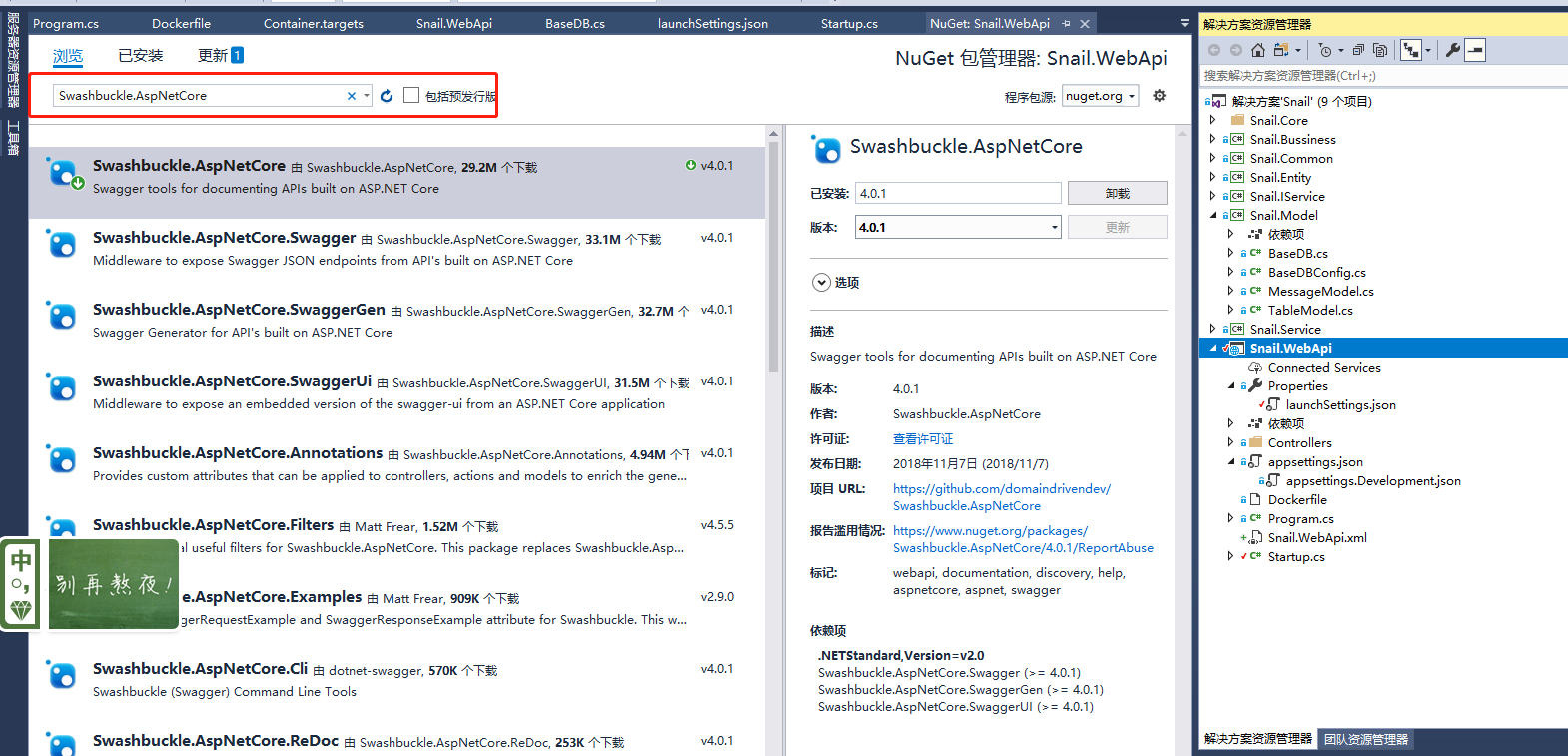
- 配置Swagger中间件
ConfigureServices 就是配置服务器的DI容器中将SwaggerAdd进去
 #region ==Swagger Info信息==
            services.AddSwaggerGen(c =>
               {
                   c.SwaggerDoc("v1", new Info { Title = "Snail.WebApi", Version = "v1" });
               });
 #endregion
在Configure 中和添加中间件
 app.UseSwagger();
            app.UseSwaggerUI(c =>
            {
                c.SwaggerEndpoint("/swagger/v1/swagger.json", "Snail.WebApi.V1");
            });
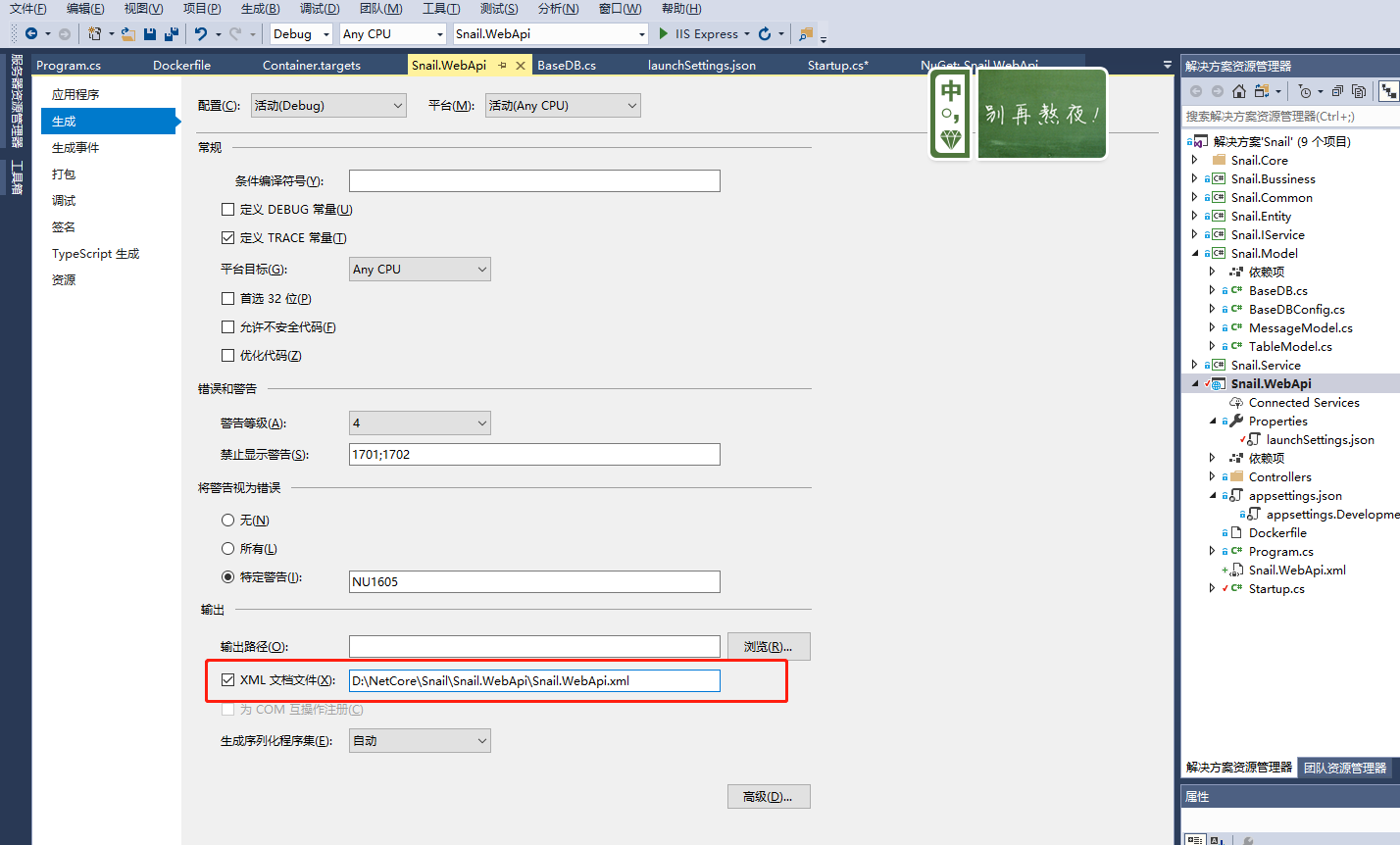
- Swagger显示Xml注释
右键属性==>生成==>输出==>XML文档文件==>打勾 一气呵成 !!!
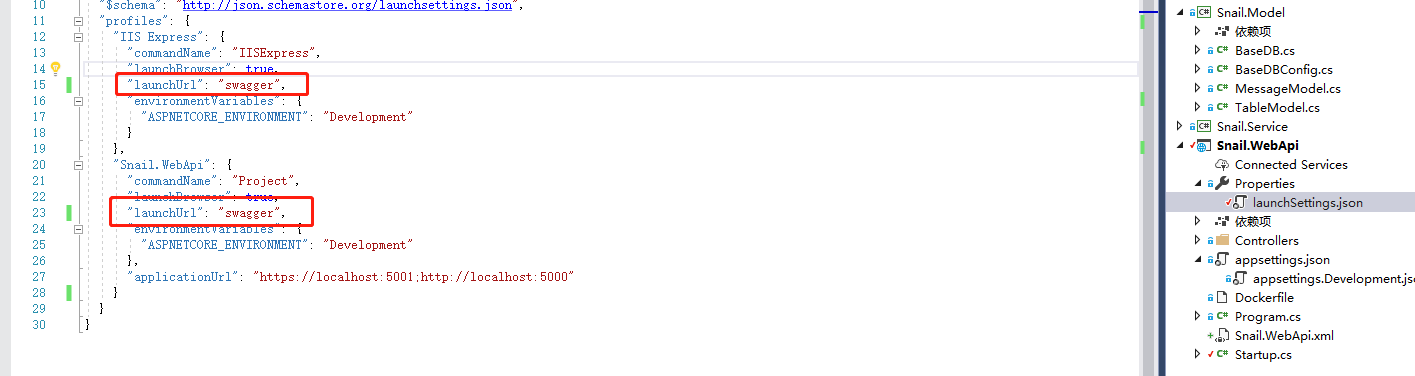
- 配置Swagger默认启动页
-
-
"profiles": {
    "IIS Express": {
      "commandName": "IISExpress",
      "launchBrowser": true,
      "launchUrl": "swagger",
      "environmentVariables": {
        "ASPNETCORE_ENVIRONMENT": "Development"
      }
    },
    "Snail.WebApi": {
      "commandName": "Project",
      "launchBrowser": true,
      "launchUrl": "swagger",
      "environmentVariables": {
        "ASPNETCORE_ENVIRONMENT": "Development"
      },
      "applicationUrl": "https://localhost:5001;http://localhost:5000"
    }
  }
![]()
-
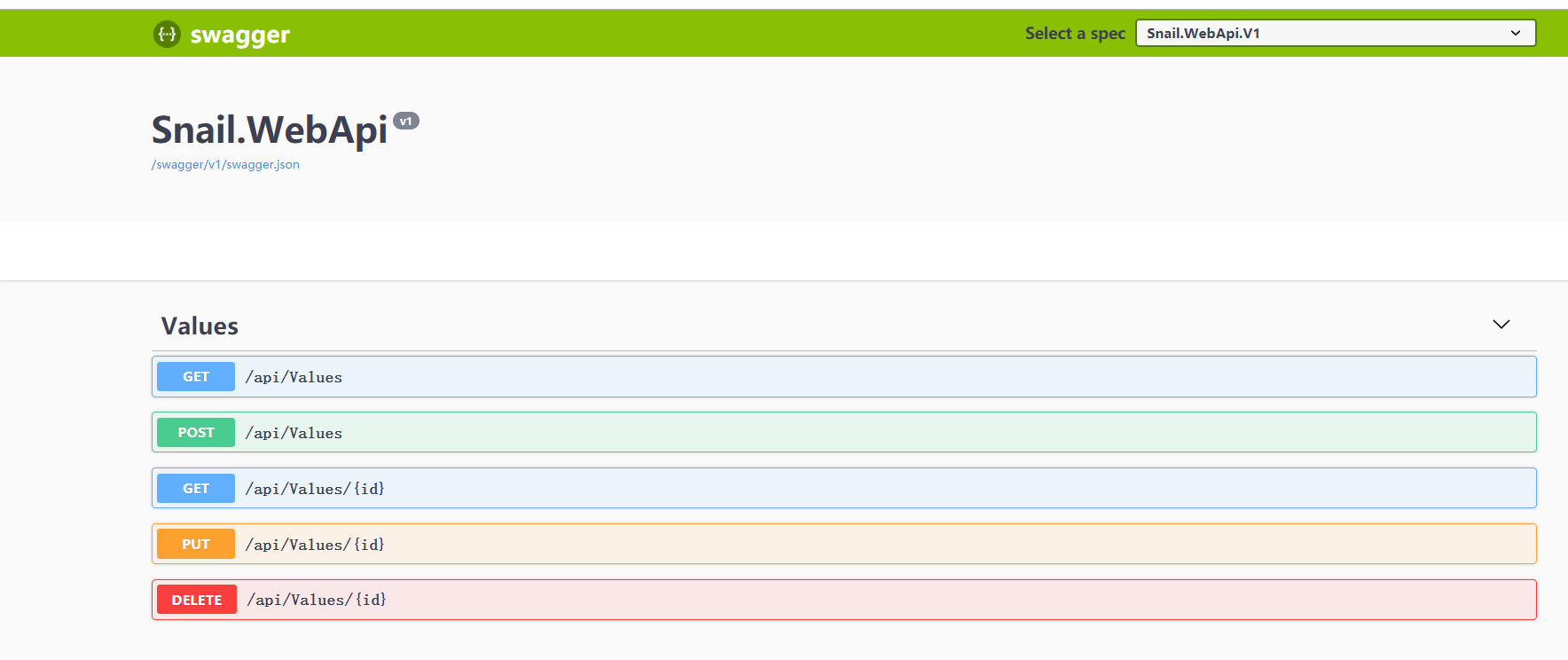
- Ctrl+F5 效果预览

 浙公网安备 33010602011771号