
Cisco(思科)远程登录交换机
Cisco(思科)远程登录交换机
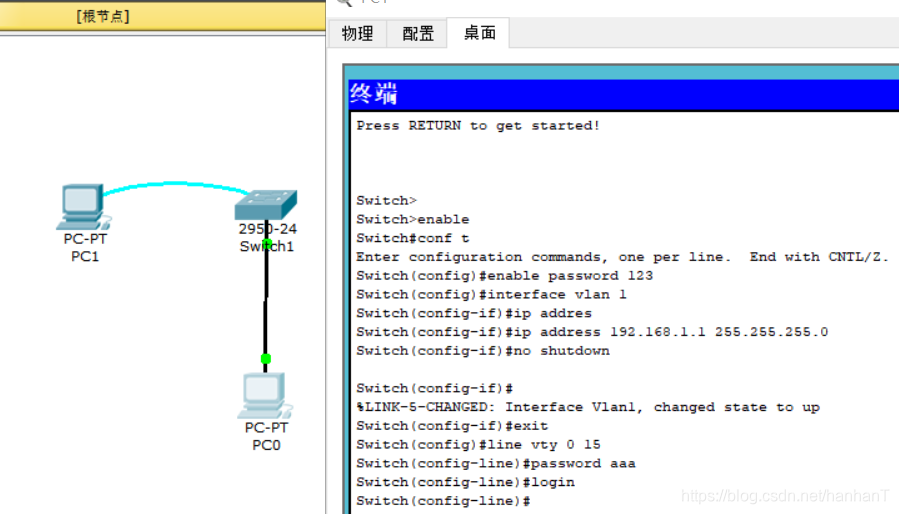
一、拓扑图


二、实验步骤
1.先配置好交换机,配置如下:
我们知道交换机本身是没有ip的,但是我们可以给交换机VLAN1设置一个管理ip(用来做一些设置和远程登录的)
先进入配置电脑的终端进行配置操作具体如下:
Switch>enable          //进入特权模式
Switch>enable
Switch#
Switch#conf t           //进入配置模式
Enter configuration commands, one per line.  End with CNTL/Z.
Switch(config)#
Switch(config)#enble password aaa     //进入配置模式设置密码
Switch(config)#interface vlan1        //进入VLAN1
Switch(config-if)#ip address 192.168.1.1 255.255.255.0  //给VLAN1配置一个管理ip
Switch(config-if)#no shutdown                        //激活接口

Switch(config-if)#
%LINK-5-CHANGED: Interface Vlan1, changed state to up
Switch(config-if)#exit
Switch(config)#
Switch(config)#line vty 0 15              //设置接口可以远程登录
Switch(config-line)#password 123          //为远程登录设置密码
Switch(config-line)#login                 //激活可远程登录
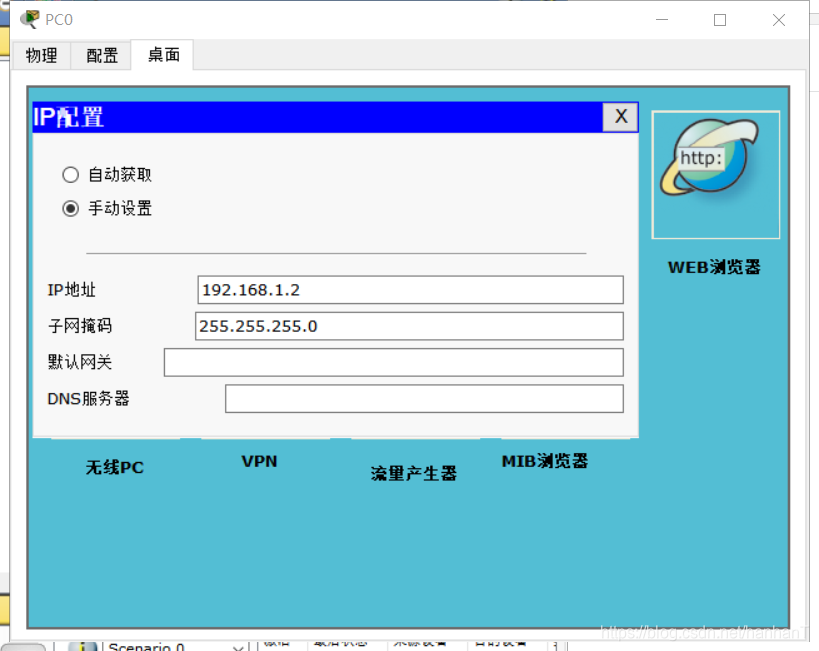
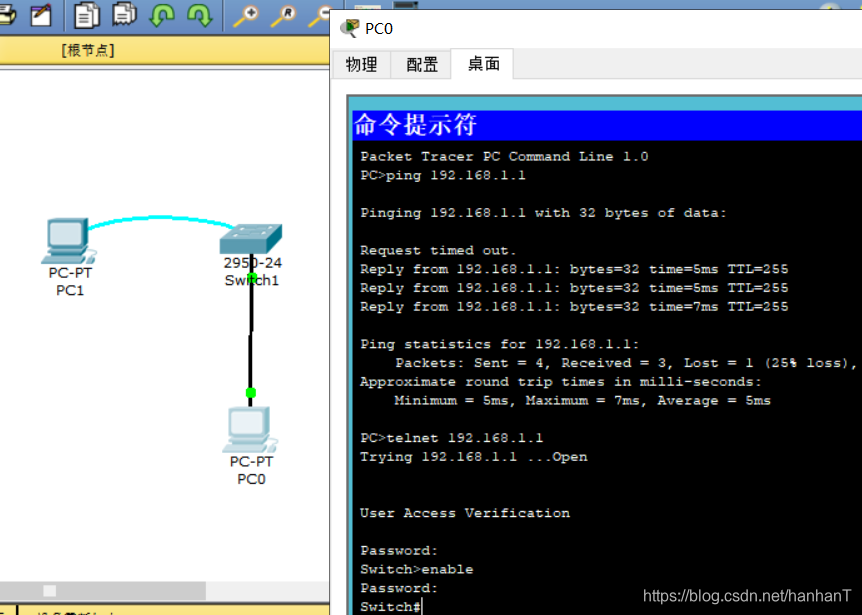
2.使用一台电脑(事先配置好ip 192.168.1.2)利用命令提示符远程登录交换机,具体如下:
Packet Tracer PC Command Line 1.0
PC>ping 192.168.1.1      //ping命令用来测试两个设备能否互通

Pinging 192.168.1.1 with 32 bytes of data:

Request timed out.
Reply from 192.168.1.1: bytes=32 time=6ms TTL=255
Reply from 192.168.1.1: bytes=32 time=7ms TTL=255
Reply from 192.168.1.1: bytes=32 time=7ms TTL=255

Ping statistics for 192.168.1.1:
    Packets: Sent = 4, Received = 3, Lost = 1 (25% loss),
Approximate round trip times in milli-seconds:
    Minimum = 6ms, Maximum = 7ms, Average = 6ms

PC>telnet 192.168.1.1             //远程登录交换机telnet命令
Trying 192.168.1.1 ...Open


User Access Verification

Password:                         //输入远程登录密码  进入用户模式
Switch>enable
Password:                         //输入特权登录密码  进入特权模式
Switch#
Switch#
Switch#
实例操作图:
了解远程登录路由器请点击:https://blog.csdn.net/hanhanT/article/details/111032851
喜欢的小可爱可以点赞关注哦,谢谢啦!

 浙公网安备 33010602011771号