
更新Ubuntu为国内源
更新Ubuntu为国内源
-
查看源文件
cat /etc/apt/sources.list.d/ubuntu.sources -
备份源文件
cp /etc/apt/sources.list.d/ubuntu.sources /etc/apt/sources.list.d/ubuntu.sourcesbak -
找到ubuntu软件仓库
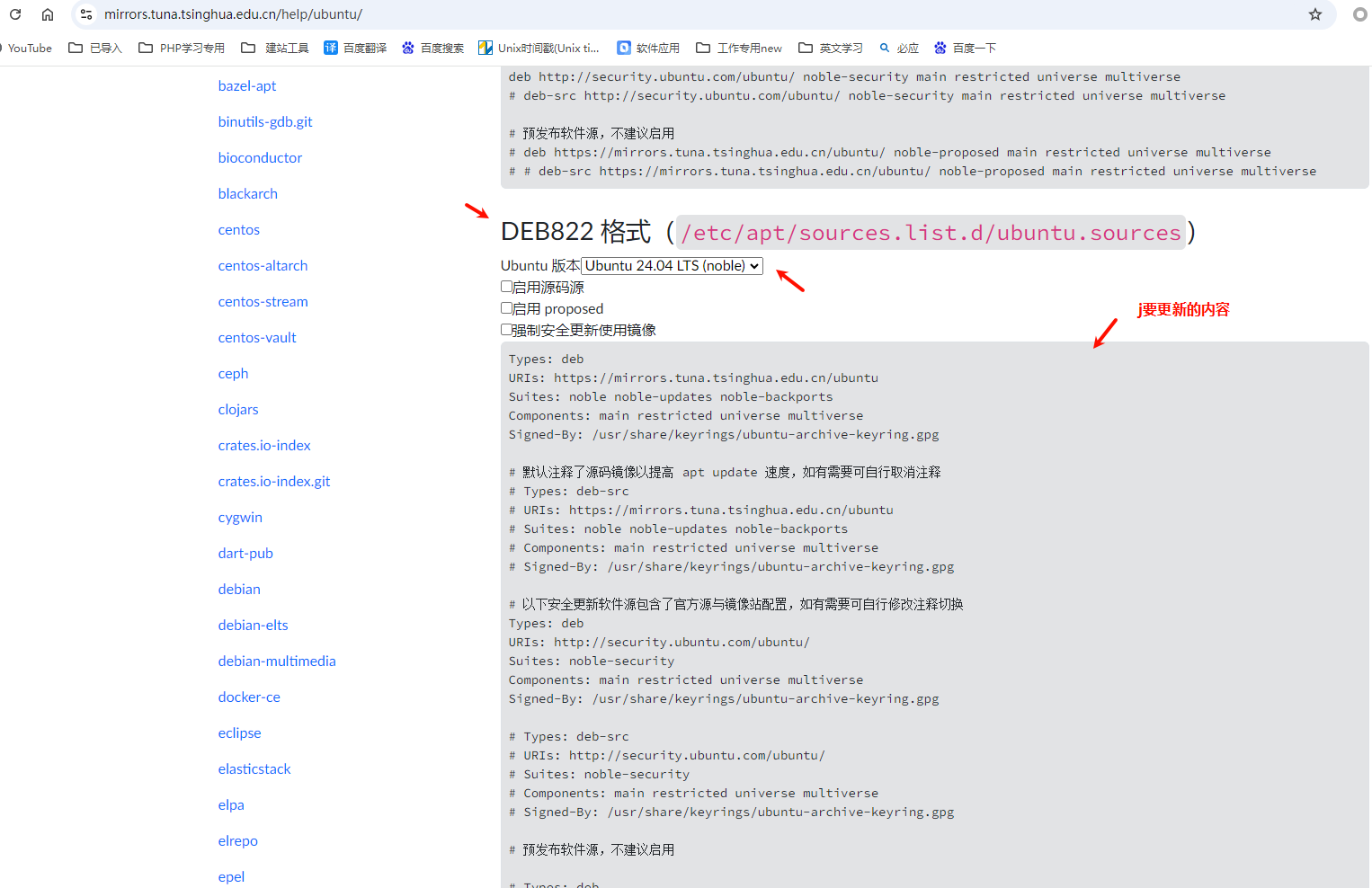
找到对应版本的源,这里以Ubuntu 24.04为例
DEB822格式Ubuntu版本选择Ubuntu 24.04 TLS(noble)
复制下面源内容到以下文件中
/etc/apt/sources.list.d/ubuntu.sources
-
更新ubuntu系统
sudo apt update && sudo apt upgrade -y -
移除无用软件
sudo apt autoremove -
安装软件
apt install -y tree
[Haima的博客]
http://www.cnblogs.com/haima/

 浙公网安备 33010602011771号