


python操作SqlLite数据库
SQLite是一种嵌入式数据库,它的数据库就是一个文件。由于SQLite本身是C写的,而且体积很小,所以,经常被集成到各种应用程序中,甚至在iOS和Android的App中都可以集成。
Python就内置了SQLite3,所以,在Python中使用SQLite,不需要安装任何东西,直接使用。
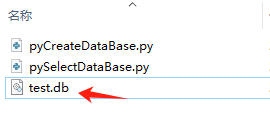
直接上代码
import os, sqlite3

# 获取当前脚本所在目录
script_dir = os.path.dirname(__file__)
print("脚本所在目录:", script_dir)

# 构建完整的数据库文件路径
db_file = os.path.join(script_dir, 'test.db')

# 如果数据库文件已存在,删除它(重新开始)
if os.path.isfile(db_file):
    os.remove(db_file)
    print("已删除旧的数据库文件")

# 初始数据:
conn = sqlite3.connect(db_file)  # 使用完整路径
cursor = conn.cursor()

# 创建表
cursor.execute('create table user(id varchar(20) primary key, name varchar(20), score int)')
print("创建user表成功")

# 插入多条数据并统计总行数
insert_statements = [
    r"insert into user values ('A-001', 'Adam', 95)",
    r"insert into user values ('A-002', 'Bart', 62)",
    r"insert into user values ('A-003', 'Lisa', 78)"
]

total_rows = 0
for stmt in insert_statements:
    cursor.execute(stmt)
    total_rows += cursor.rowcount

print("总共插入行数 =", total_rows)

conn.commit()
cursor.close()
conn.close()

# 查询 - 使用相同的数据库文件路径
conn = sqlite3.connect(db_file)  # 使用相同的路径,确保连接到同一个数据库文件
cursor = conn.cursor()

# 正确的参数传递方式
cursor.execute("select * from user where id=?", ("A-001",))

values = cursor.fetchall()
print("查询结果:", values)

# 可选:查询所有数据验证
cursor.execute("select * from user")
all_data = cursor.fetchall()
print("所有用户数据:", all_data)

cursor.close()
conn.close()
执行效果


 浙公网安备 33010602011771号