
自定义allure报告logo
为了在测试报告中凸显公司的标识,可以自定义修改allure报告中,左上角部分的图片和文字。
左上角内容由两部分组成,图片(左)和文字(右),均可修改。
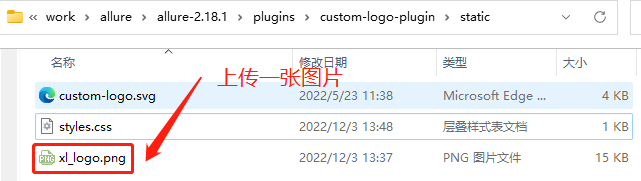
一、上传图片
路径:allure文件夹下\plugins\custom-logo-plugin\static
二、修改styles.css文件内容
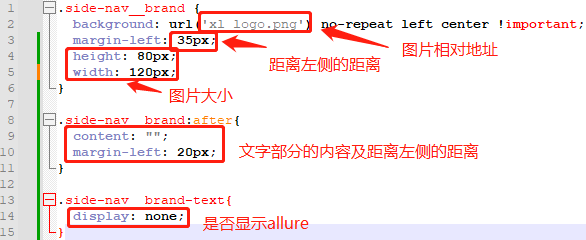
.side-nav__brand {
  background: url('xl_logo.png') no-repeat left center !important;
  margin-left: 35px;
  height: 80px;
  width: 120px;
}

.side-nav__brand:after{
  content: "";
  margin-left: 20px;
}

.side-nav__brand-text{
  display: none;
}
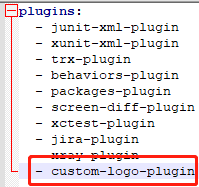
三、编辑config文件夹下的allure.yml文件
添加: - custom-logo-plugin
四、重新运行allure
便可以看到修改后的内容了

 浙公网安备 33010602011771号