
vscode中'stdio.h' file not found
VScode警告'stdio.h' file not found
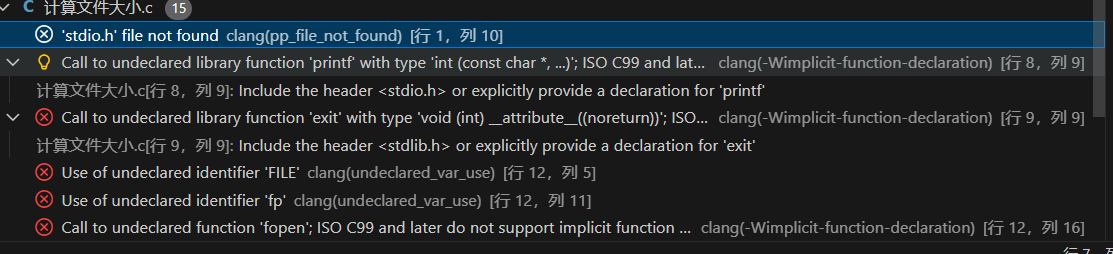
gcc -v检查自己的编译环境
当Cygwin64 版本:GCC 9.3.0(已验证头文件路径 /usr/include、/usr/lib/gcc/x86_64-pc-cygwin/9.3.0/include 存在且正常)
再检查clangd,是否配置Cygwin64 的编译环境和头文件路径
我的问题是clangd中没有添加和头文件路径
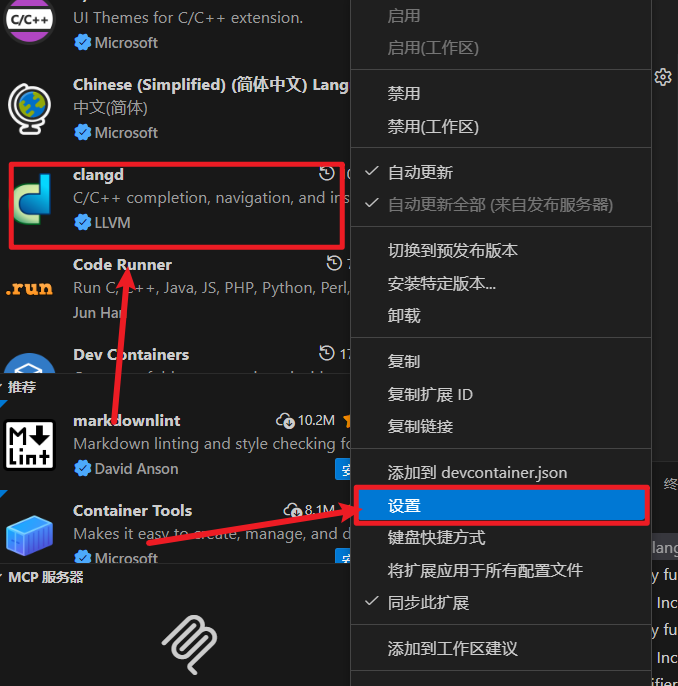
在如图的选项中点击添加项

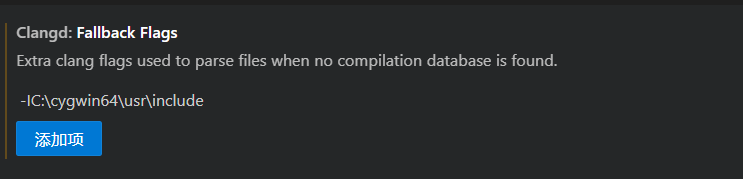
输入:-IC:\cygwin64\usr\include
找到自己的地址
-I自己的地址

 浙公网安备 33010602011771号