


建立javaweb连接数据库
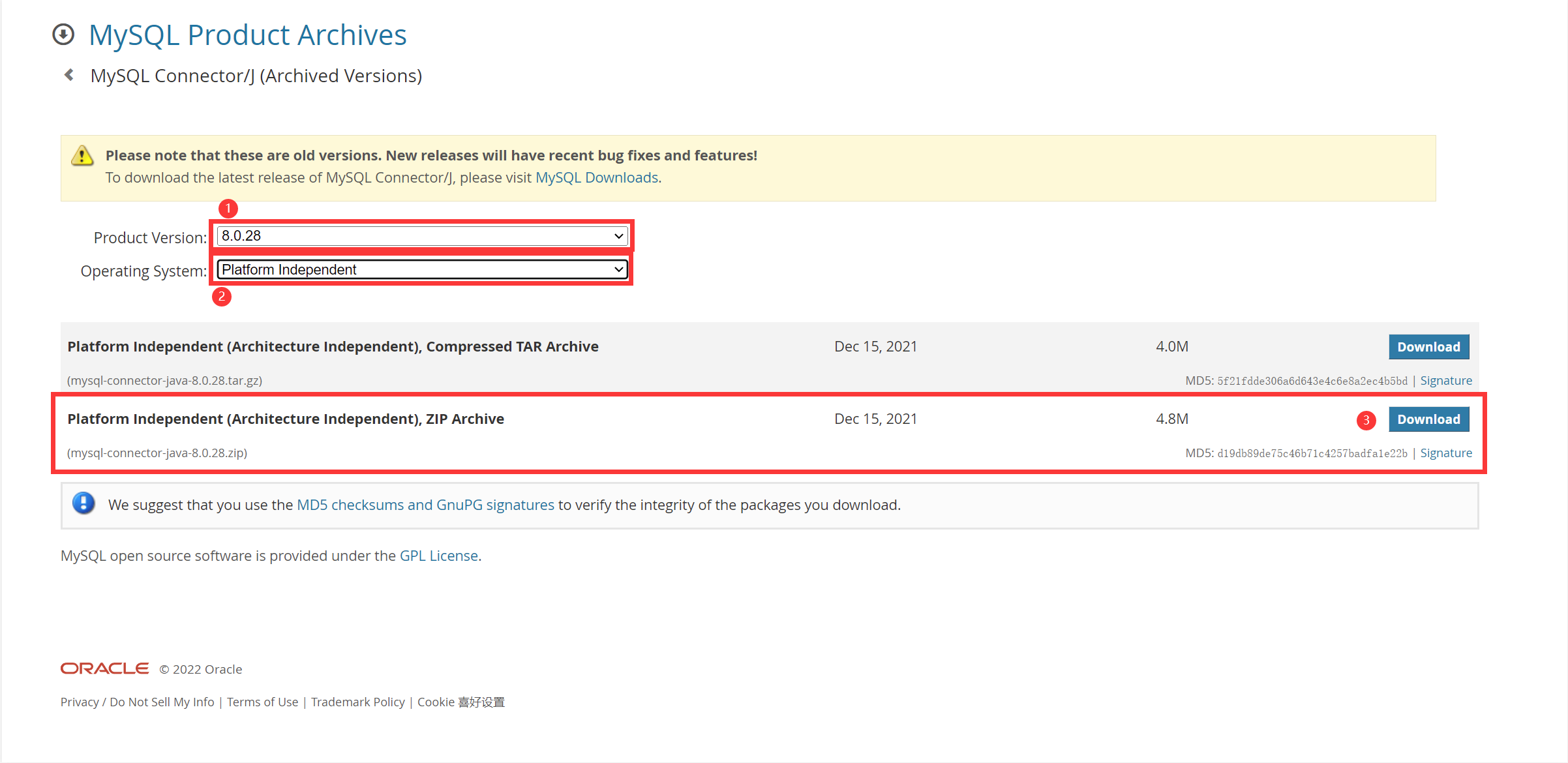
首先我们到MySQL的官网去下载支持程序“MySQL Connector/J”(MySQL官方的JDBC驱动程序)
这里附上一键直达的链接:MySQL :: Download MySQL Connector/J (Archived Versions)
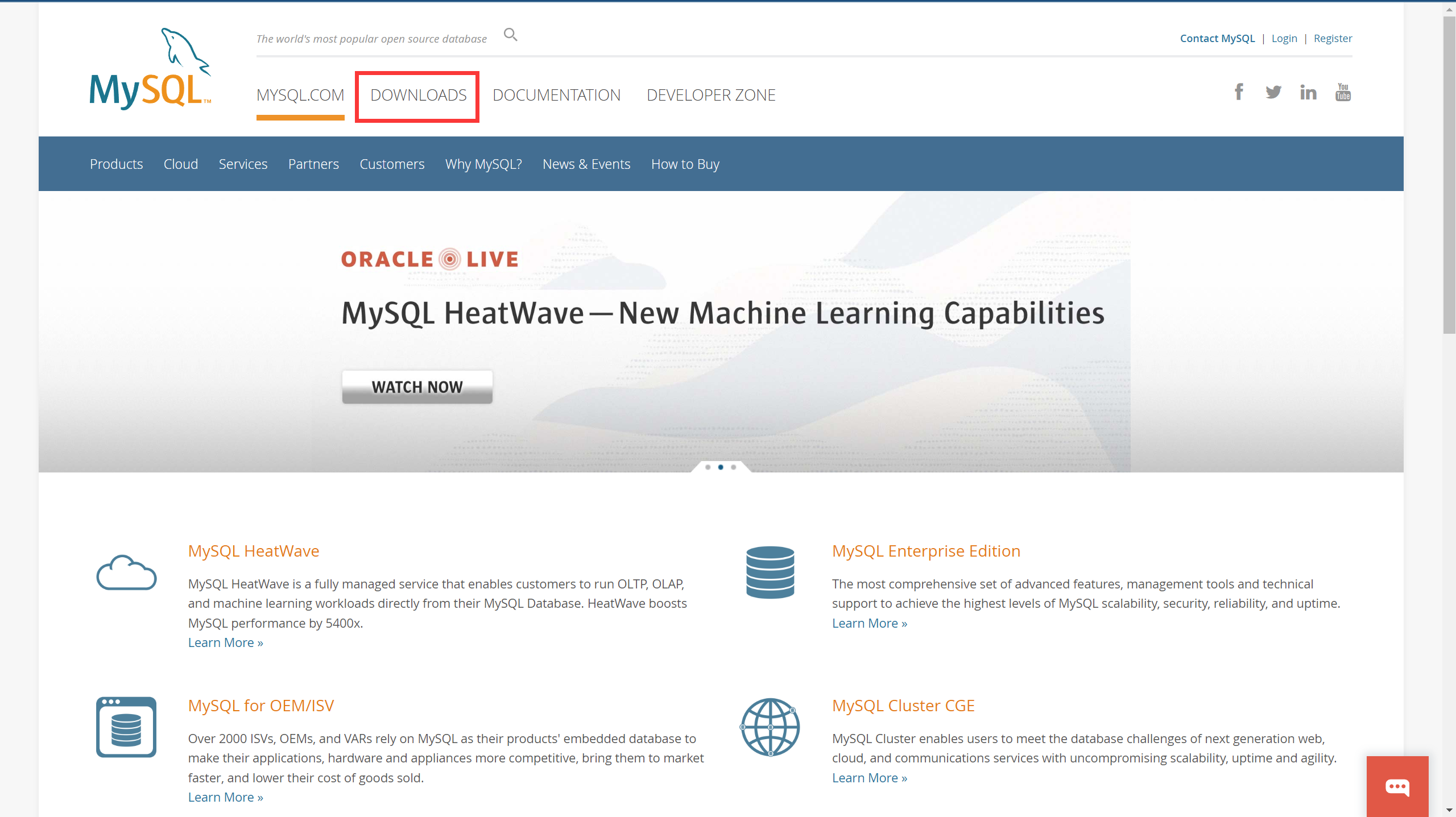
点击DOWNLOADS
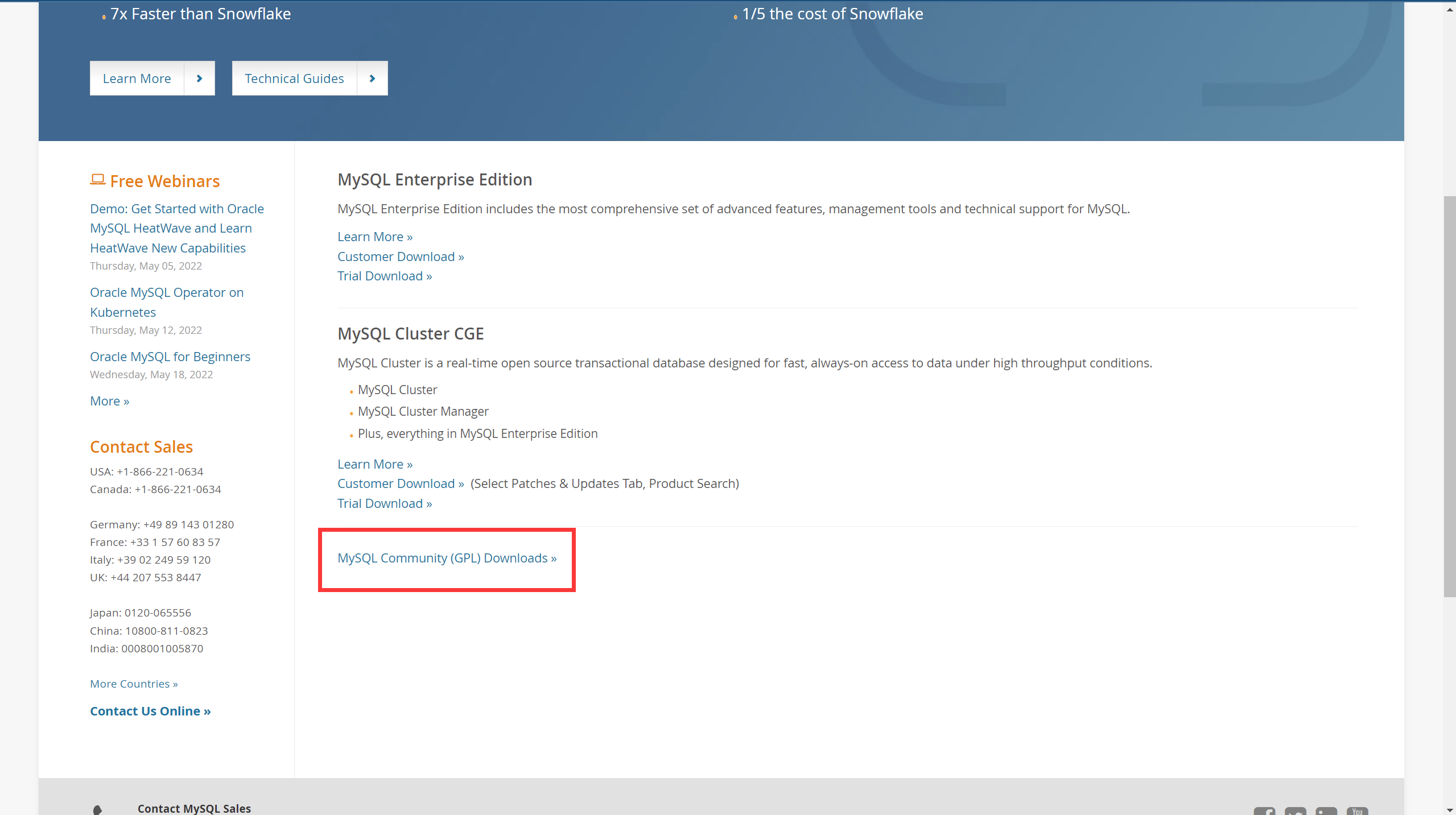
点击MySQL Community(GPL) Downloads
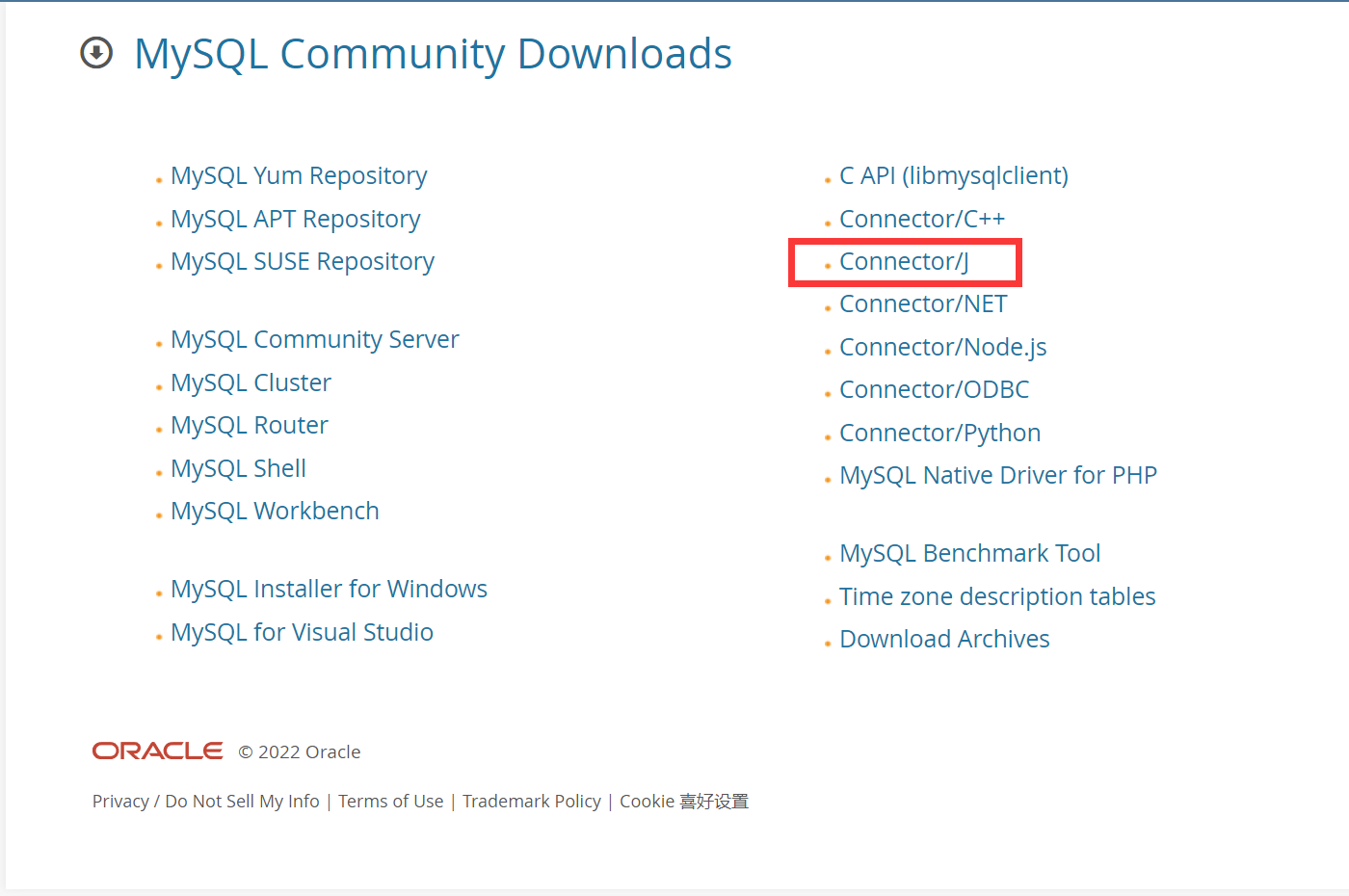
点击Connector/J
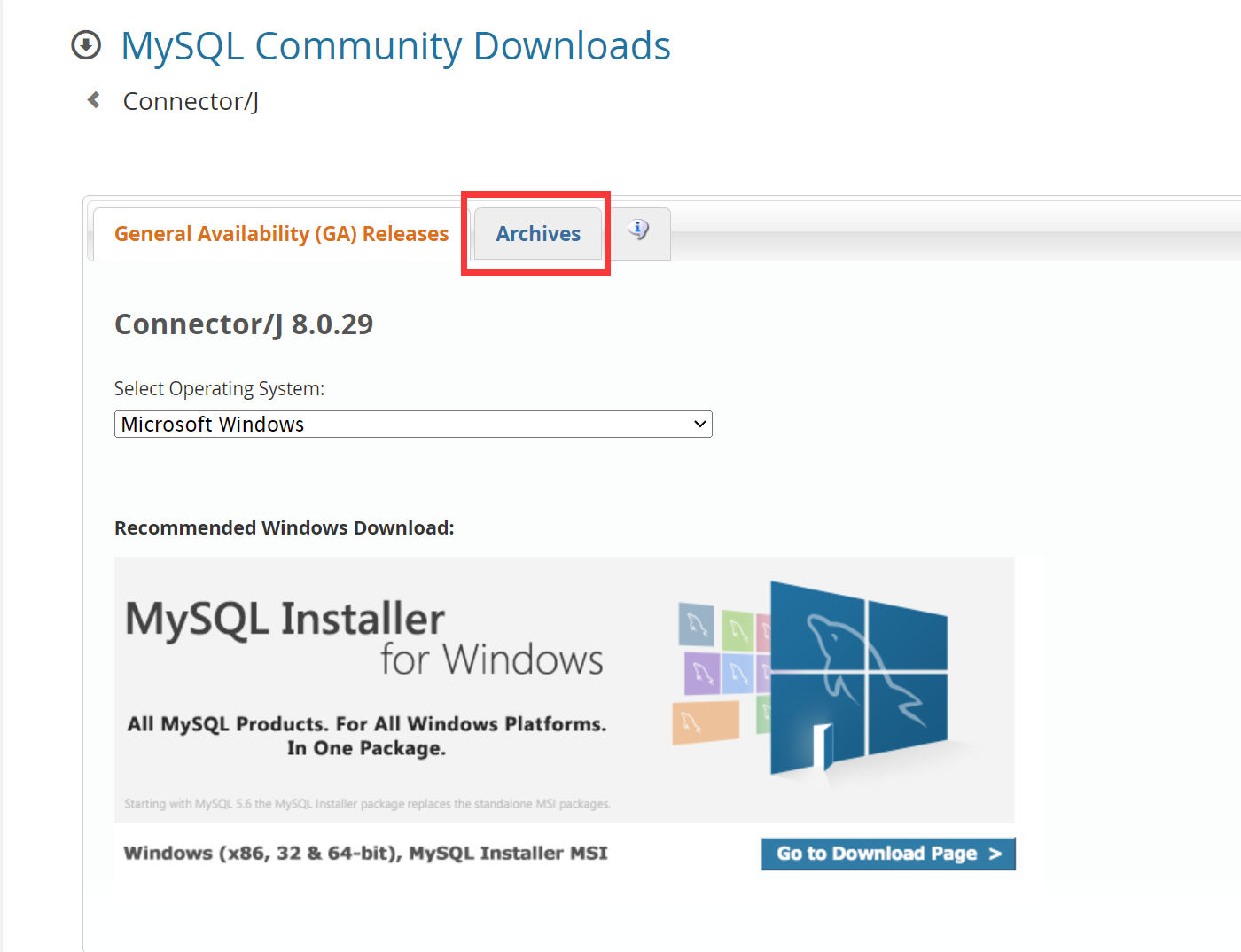
点击Archives
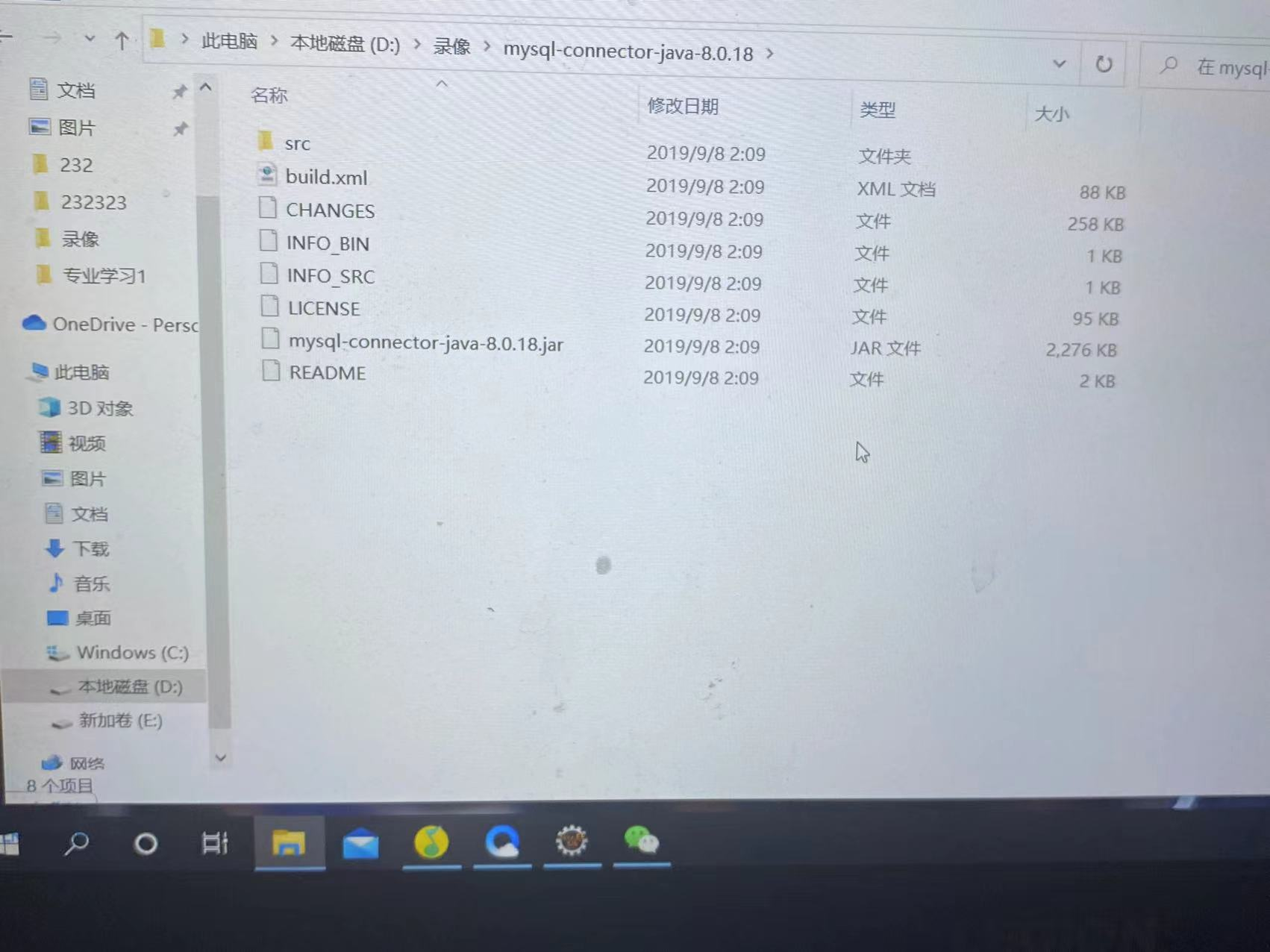
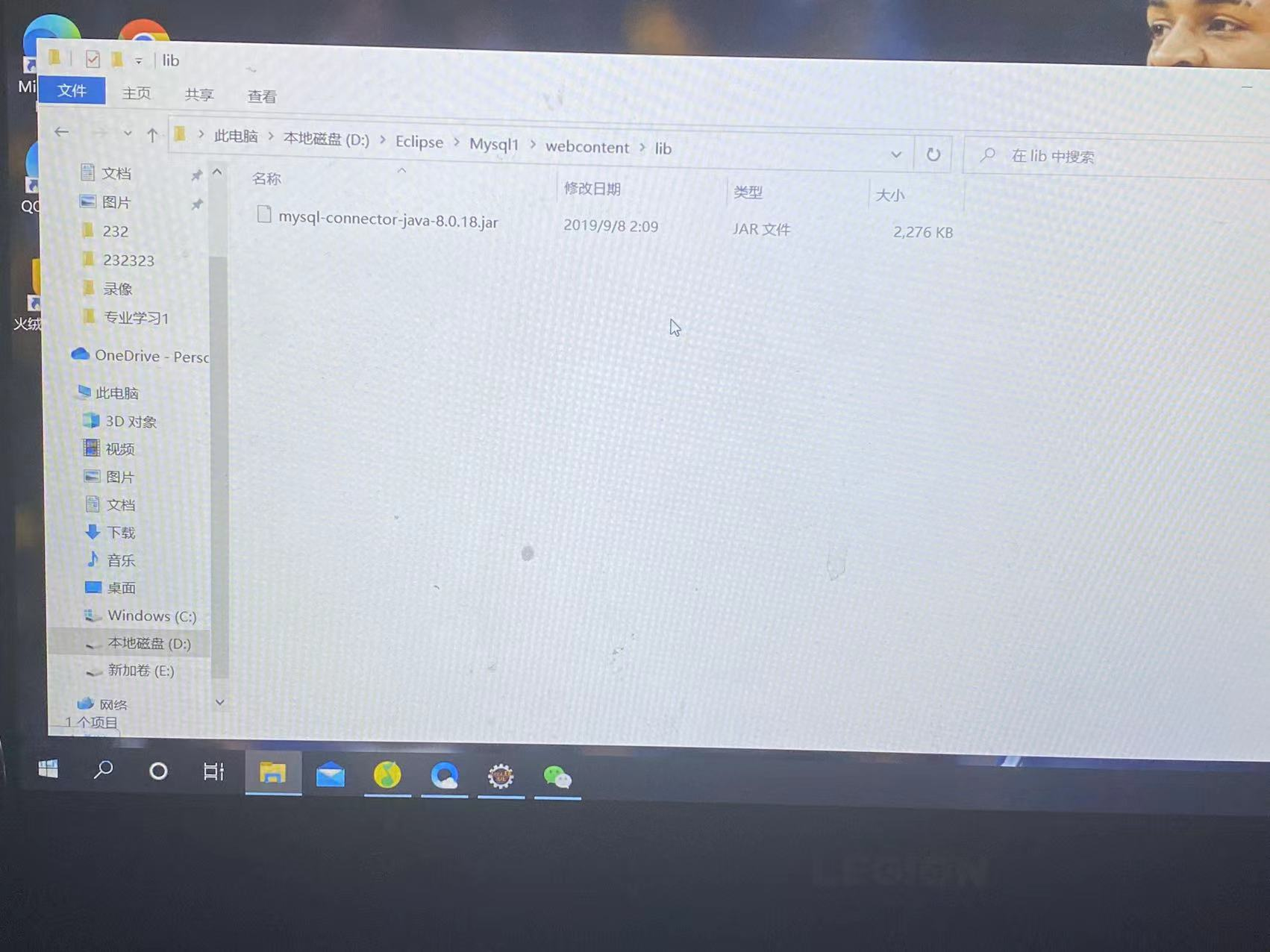
添加jar包

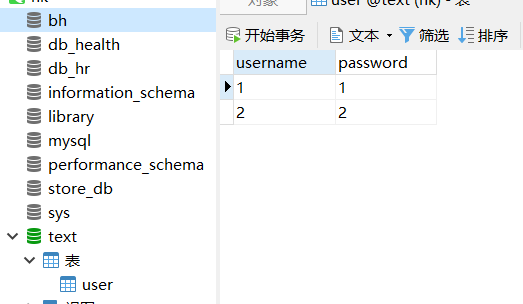
打开navicat,在里面创建一个数据库和一个表,这里创建了一个叫做text的数据库和一个叫user的表
java代码根据自己的数据库来写就行
package entity;
public class User {
private String username;//定义用户名
private String password;//定义密码
public String getName() {
return username;
}
public void setName(String name) {
this.username = name;
}
public String getPassword() {
return password;
}
public void setPassword(String password) {
this.password = password;
}
}
下面我们需要连接你的数据库
public static final String url="jdbc:mysql://localhost:这个地方是你的端口号/你的数据库名称?characterEncoding=utf8&useOldAliasMetadataBehavior=true";
public static final String username="root";//数据库用户名
public static final String password="xxxx";//数据库密码,你自己的密码
package util;
import java.sql.Connection;
import java.sql.DriverManager;
import java.sql.Driver;
import java.sql.SQLException;
import java.sql.Statement;
public class DBUtil {
public static final String driver="com.mysql.jdbc.Driver";
public static final String url="jdbc:mysql://localhost:3306/text?characterEncoding=utf8&useOldAliasMetadataBehavior=true";
// public static final String url="jdbc:mysql://localhost:3306/数据库名字characterEncoding=utf8&useOldAliasMetadataBehavior=true";
public static final String username="root";//数据库用户名
public static final String password="1234";//数据库密码,你自己
public static Connection con=null;
static{
try {
Class.forName(driver);//得到DriverManager,在下面建立连接时使用
} catch (ClassNotFoundException e) {
e.printStackTrace();
}
}
public static Connection getCon(){
if(con == null){
try {
con = DriverManager.getConnection(url, username, password);
} catch (SQLException e) {
e.printStackTrace();
}
}
return con;
}
//关闭的方法
public static void close(Statement statement,Connection conn){
if(statement !=null){
try {
statement.close();
} catch (SQLException e) {
// TODO Auto-generated catch block
e.printStackTrace();
}
}
if(conn !=null){
try {
conn.close();
} catch (SQLException e) {
// TODO Auto-generated catch block
e.printStackTrace();
}
}
}
public static void main(String args[]){
new DBUtil().getCon();
}
}
创建dao接口类
package dao;
import java.sql.Connection;
import java.sql.PreparedStatement;
import java.sql.ResultSet;
import java.sql.SQLException;
import entity.User;
import util.DBUtil;
public class UserDao {
//数据库连接对象
public User login(String username ,String password) {
User u=null;
Connection connection =null;
PreparedStatement pstmt=null;
ResultSet resultSet=null;
//赋值
try {
connection=DBUtil.getCon();
//静态sql语句
String sql = "select * from user where username=? and password=?";//这里是在你数据库中的user表中找到username password
pstmt = (PreparedStatement) connection.prepareStatement(sql);
pstmt.setString(1, username);//用户名
pstmt.setString(2,password);//密码
resultSet = pstmt.executeQuery();
if(resultSet.next()){ //判断用户名和密码数据库中是否拥有如果有输出登录成功
u=new User();
u.setName(resultSet.getString("username"));
u.setPassword(resultSet.getString("password"));
System.out.println("登录成功!");
}else{
System.out.println("用户名或者密码错误!");//没有输出显示用户名或者密码错误!
}
} catch (SQLException e) {
e.printStackTrace();
}finally {
// DBUtil.close(pstmt, connection);
}
return u;
}
public boolean addUser(User user) {
Connection connection = null;
PreparedStatement psmt = null;
try {
connection = DBUtil.getCon();
String sql ="insert into user(username,password);";
psmt = (PreparedStatement) connection.prepareStatement(sql);
//运用实体对象进行参数赋值
psmt.setString(1, user.getName());
psmt.setString(2,user.getPassword());
psmt.executeUpdate();
} catch (SQLException e) {
e.printStackTrace();
return false;
}finally {
//DBUtil.close(psmt, connection);
}
return true;
}
}
servlet处理类
package servlet;
import java.io.IOException;
import javax.servlet.ServletException;
import javax.servlet.annotation.WebServlet;
import javax.servlet.http.HttpServlet;
import javax.servlet.http.HttpServletRequest;
import javax.servlet.http.HttpServletResponse;
import javax.servlet.http.HttpSession;
import dao.UserDao;
import entity.User;
@WebServlet("/LoginServlet")
public class LoginServlet extends HttpServlet {
private static final long serialVersionUID = 1L;
public LoginServlet() {
super();
// TODO Auto-generated constructor stub
}
protected void doGet(HttpServletRequest request, HttpServletResponse response) throws ServletException, IOException {
// TODO Auto-generated method stub
response.getWriter().append("Served at: ").append(request.getContextPath());
}
protected void doPost(HttpServletRequest request, HttpServletResponse response) throws ServletException, IOException {
// TODO Auto-generated method stub
// doGet(request, response);
String account = request.getParameter("username");
String psd = request.getParameter("password");
HttpSession sessionzxl = request.getSession();
String username = request.getParameter("username");
String password = request.getParameter("password");
UserDao userDAO=new UserDao();
User user = userDAO.login(username,password);
if(user != null){
sessionzxl.setAttribute("user", user);
request.getRequestDispatcher("success.jsp").forward(request, response);;
}else{
request.getRequestDispatcher("error.jsp").forward(request, response);
}
}
}
现在创建一个登陆界面
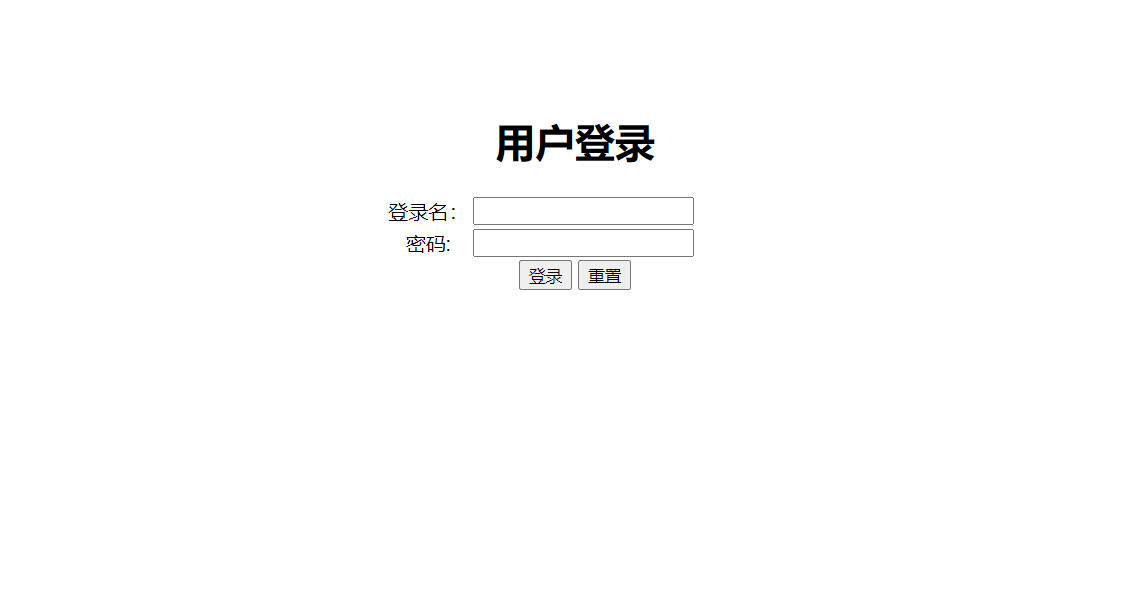
<%@ page language="java" contentType="text/html; charset=UTF-8"
pageEncoding="UTF-8"%>
<!DOCTYPE html PUBLIC "-//W3C//DTD HTML 4.01 Transitional//EN" "http://www.w3.org/TR/html4/loose.dtd">
<html>
<head>
<meta http-equiv="Content-Type" content="text/html; charset=UTF-8">
<title>登录界面</title>
<style type="text/css">
</style>
</head>
<body>
<div style="text-align:center;margin-top:120px">
<form action="LoginServlet" method="post">
<table style="margin-left:40%">
<h1 width="200"scrolldelay="250">用户登录</h1>
<tr>
<td>登录名:</td>
<td><input name="username" type="text" size="21"></td>
</tr>
<tr>
<td>密码:</td>
<td><input name="password" type="password" size="21"></td>
</tr>
</table>
<input type="submit" value="登录">
<input type="reset" value="重置">
</form>
<br>
</div>
</body>
</html>
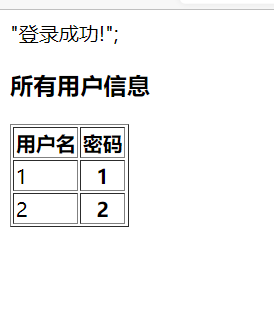
jsp页面导入实体类 然后在页面上显示数据库的所有信息
<%@ page language="java" contentType="text/html; charset=UTF-8"
pageEncoding="UTF-8"%>
<%@ page import = "java.sql.*" %>
<!DOCTYPE html PUBLIC "-//W3C//DTD HTML 4.01 Transitional//EN" "http://www.w3.org/TR/html4/loose.dtd">
<%@ page import="entity.User"%>
<%
String path = request.getContextPath();
String basePath = request.getScheme()+"://"+request.getServerName()+":"+request.getServerPort()+path+"/";
%>
<html>
<head>
<base href="<%=basePath%>">
<meta http-equiv="Content-Type" content="text/html; charset=UTF-8">
<title>登陆成功</title>
</head>
<body>
<%User user = (User)session.getAttribute("user");%>
"登录成功!";<br>
<h3>所有用户信息</h3>
<table border="1">
<tr>
<th>用户名</th>
<th>密码</th>
</tr>
<%
//加载、注册数据库驱动程序
Class.forName("com.mysql.jdbc.Driver");
//数据库连接字符串
String url = "jdbc:mysql://localhost:3306/text";
//用户名
String username = "root";
//密码
String password = "1234";
//数据库连接
Connection conn = DriverManager.getConnection(url, username, password);
//构造sql语句
String sql = "select * from user";
//获取数据库操作对象(PreparedStatement对象)
PreparedStatement pstmt = conn.prepareStatement(sql);
ResultSet rs = pstmt.executeQuery();
//循环前准备变量
String uname = null;
String upassword = null;
while(rs.next()){
uname = rs.getString("username");
upassword = rs.getString("password");
%>
<tr>
<td><%= uname %></td>
<th><%= upassword%></th>
</tr>
<%
}
//释放对象
if(pstmt != null){
pstmt.close();
}
if(conn != null){
pstmt.close();
}
if(rs != null){
rs.close();
}
%>
</table>
</body>
</html>
创建一个超链接登陆失败的话返回登陆界面
<%@ page language="java" contentType="text/html; charset=UTF-8"
pageEncoding="UTF-8"%>
<!DOCTYPE html PUBLIC "-//W3C//DTD HTML 4.01 Transitional//EN" "http://www.w3.org/TR/html4/loose.dtd">
<%
String path = request.getContextPath();
String basePath = request.getScheme()+"://"+request.getServerName()+":"+request.getServerPort()+path+"/";
%>
<html>
<head>
<base href="<%=basePath%>">
<meta http-equiv="Content-Type" content="text/html; charset=UTF-8">
<title>登陆失败</title>
</head>
<body>
登陆失败! <br>
<a href="login.jsp">请重新登录</a>
</body>
</html>


 浙公网安备 33010602011771号