样本制作
import numpy as np
import tensorflow as tf
import matplotlib.pyplot as plt
def distort_color(image, color_ordering=0):
if color_ordering == 0:
image = tf.image.random_brightness(image, max_delta=32. / 255.)
image = tf.image.random_saturation(image, lower=0.5, upper=1.5)
image = tf.image.random_hue(image, max_delta=0.2)
image = tf.image.random_contrast(image, lower=0.5, upper=1.7)
elif color_ordering == 1:
image = tf.image.random_contrast(image, lower=0.5, upper=1.7)
image = tf.image.random_hue(image, max_delta=0.2)
image = tf.image.random_saturation(image, lower=0.5, upper=1.5)
image = tf.image.random_brightness(image, max_delta=32. / 255.)
elif color_ordering == 2:
image = tf.image.random_hue(image, max_delta=0.2)
image = tf.image.random_saturation(image, lower=0.5, upper=1.5)
image = tf.image.random_contrast(image, lower=0.5, upper=1.7)
image = tf.image.random_brightness(image, max_delta=32. / 255.)
return tf.clip_by_value(image, 0.0, 1.0)
def preprocess_for_train(image, height, width, bbox):
if bbox is None:
bbox = tf.constant([0.0, 0.0, 1.0, 1.0], dtype=tf.float32, shape=[1, 1, 4])
if image.dtype != tf.float32:
image = tf.image.convert_image_dtype(image, dtype=tf.float32)
bbox_begin, bbox_size, _ = tf.image.sample_distorted_bounding_box(tf.shape(image), bounding_boxes=bbox)
distort_image = tf.slice(image, bbox_begin, bbox_size)
distort_image = tf.image.resize_images(distort_image, [height, width], method=np.random.randint(4))
distort_image = tf.image.random_flip_left_right(distort_image)
distort_image = distort_color(distort_image, np.random.randint(3))
return distort_image
image_raw_data = tf.gfile.FastGFile('D:/数据/3/6000/1.jpg','rb').read()
with tf.Session() as sess:
img_data = tf.image.decode_jpeg(image_raw_data)
boxes = tf.constant([[[0.05, 0.05, 0.9, 0.7], [0.35, 0.47, 0.5, 0.56]]])
for i in range(6):
result = preprocess_for_train(img_data, 299, 299, boxes)
plt.imshow(result.eval())
plt.show()
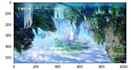
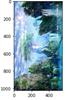
import matplotlib.pyplot as plt
import tensorflow as tf
import numpy as np
image_raw_data = tf.gfile.FastGFile('D:/数据/3/6000/1.jpg','rb').read()
with tf.Session() as sess:
img_data = tf.image.decode_jpeg(image_raw_data)
plt.imshow(img_data.eval())
plt.show()
# 上下翻转
flipped1 = tf.image.flip_up_down(img_data)
plt.imshow(flipped1.eval())
plt.show()
# 左右翻转
flipped2 = tf.image.flip_left_right(img_data)
plt.imshow(flipped2.eval())
plt.show()
#对角线翻转
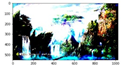
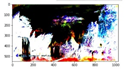
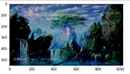
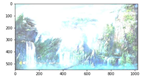
transposed = tf.image.transpose_image(img_data)
plt.imshow(transposed.eval())
plt.show()
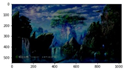
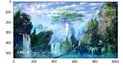
import matplotlib.pyplot as plt
import tensorflow as tf
image_raw_data = tf.gfile.FastGFile('D:/数据/3/6000/1.jpg','rb').read()
with tf.Session() as sess:
img_data = tf.image.decode_jpeg(image_raw_data)
plt.imshow(img_data.eval())
plt.show()
# 将图片的亮度-0.5。
adjusted = tf.image.adjust_brightness(img_data, -0.5)
plt.imshow(adjusted.eval())
plt.show()
# 将图片的亮度0.5
adjusted = tf.image.adjust_brightness(img_data, 0.5)
plt.imshow(adjusted.eval())
plt.show()
# 在[-max_delta, max_delta)的范围随机调整图片的亮度。
adjusted = tf.image.random_brightness(img_data, max_delta=0.5)
plt.imshow(adjusted.eval())
plt.show()
# 将图片的对比度-5
adjusted = tf.image.adjust_contrast(img_data, -5)
plt.imshow(adjusted.eval())
plt.show()
# 将图片的对比度+5
adjusted = tf.image.adjust_contrast(img_data, 5)
plt.imshow(adjusted.eval())
plt.show()
# 在[lower, upper]的范围随机调整图的对比度。
adjusted = tf.image.random_contrast(img_data, 0.1, 0.6)
plt.imshow(adjusted.eval())
plt.show()
#调整图片的色相
adjusted = tf.image.adjust_hue(img_data, 0.1)
plt.imshow(adjusted.eval())
plt.show()
# 在[-max_delta, max_delta]的范围随机调整图片的色相。max_delta的取值在[0, 0.5]之间。
adjusted = tf.image.random_hue(img_data, 0.5)
plt.imshow(adjusted.eval())
plt.show()
# 将图片的饱和度-5。
adjusted = tf.image.adjust_saturation(img_data, -5)
plt.imshow(adjusted.eval())
plt.show()
# 在[lower, upper]的范围随机调整图的饱和度。
adjusted = tf.image.random_saturation(img_data, 0, 5)
# 将代表一张图片的三维矩阵中的数字均值变为0,方差变为1。
adjusted = tf.image.per_image_standardization(img_data)
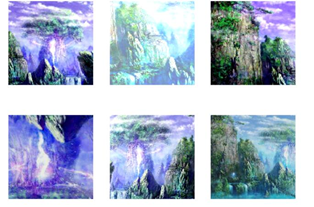
# 图像预处理的完整流程
import tensorflow as tf
import numpy as np
import matplotlib.pyplot as plt
# 转换图像的色彩(包括色度,饱和度,对比度, 亮度),不同的顺序会得到不同的结果
# 转换的顺序随机
def distort_color(input_img, color_order=0):
# 调整色度和饱和度的图像必须要求是rgb三通道图像
# 所以要确保你的图像位深度是24位
if color_order == 0:
# 随机调整色度
img = tf.image.random_hue(input_img, 0.2)
# 随机调整饱和度
img = tf.image.random_saturation(img, 0.5, 1.5)
# 随机调整对比度
img = tf.image.random_contrast(img, 0.5, 1.5)
# 随机调整亮度
img = tf.image.random_brightness(img, 0.5)
elif color_order == 1:
# 随机调整色度
img = tf.image.random_hue(input_img, 0.2)
# 随机调整对比度
img = tf.image.random_contrast(img, 0.5, 1.5)
# 随机调整亮度
img = tf.image.random_brightness(img, 0.5)
# 随机调整饱和度
img = tf.image.random_saturation(img, 0.5, 1.5)
elif color_order == 2:
# 随机调整饱和度
img = tf.image.random_saturation(input_img, 0.5, 1.5)
# 随机调整亮度
img = tf.image.random_brightness(img, 0.5)
# 随机调整色度
img = tf.image.random_hue(input_img, 0.2)
# 随机调整对比度
img = tf.image.random_contrast(img, 0.5, 1.5)
image = tf.clip_by_value(img, 0.0, 1.0)
return image
# 图像预处理函数
# 输入一张解码后的图像,目标图像的尺寸以及图像上的标注框
def image_preprocessing(input_img, height, width, bbox):
# 如果没有输入边界框,则默认整个图像都需要关注
if bbox is None:
bbox = tf.constant([0.0, 0.0, 1.0, 1.0],shape=(1,1,4))
# 转换图像的数据类型
if input_img.dtype != tf.float32:
input_img = tf.image.convert_image_dtype(input_img, tf.float32)
# 随机截取图像, 减少需要关注的物体的大小对识别算法的影响
# 随机生成一个bounding box(大小一定,位置随机)
bbox_begin, bbox_size, _ = tf.image.sample_distorted_bounding_box(
tf.shape(input_img), bbox)
# 得到随机截取的图像.
distorted_img = tf.slice(input_img, bbox_begin, bbox_size)
# 将随机截取的图像调整到指定大小,内插算法是随机选择的
distorted_img = tf.image.resize_images(distorted_img, (height, width),
method = np.random.randint(4))
# 随机左右翻转图像
distorted_img = tf.image.random_flip_left_right(distorted_img)
# 随机上下翻转图像
distorted_img = tf.image.random_flip_up_down(distorted_img)
# 随机打乱图像的色彩
distorted_img = distort_color(distorted_img,
color_order=np.random.randint(3))
return distorted_img
# 定义主函数
def main():
# 注意路径中不能有中文字符
picpath =tf.gfile.FastGFile('D:/1.jpg','rb').read()
# 加载图片,并解码得到三维数组, 注意打开模式必须是rb
# raw_pic = tf.gfile.FastGFile(picpath, 'rb').read()
# 解码得到三维数组
raw_data = tf.image.decode_jpeg(picpath)
# print(raw_data.get_shape())
# 设置bounding box 大小
bbox = tf.constant([0.2, 0.2, 0.8, 0.8], shape=(1,1,4))
plt.figure(figsize=(8,6))
with tf.Session() as sess:
# 随机6次截取
for i in range(6):
plt.subplot(2,3,i+1)
croped_img = image_preprocessing(raw_data, 256, 256, bbox)
# print(tf.shape(croped_img))
plt.imshow(sess.run(croped_img))
plt.axis('off')
if __name__ == '__main__':
main()
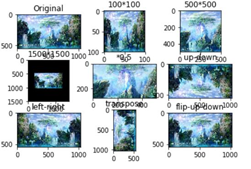
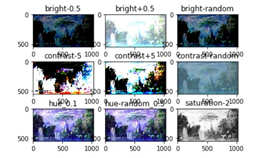
import matplotlib.pyplot as plt
import tensorflow as tf
import numpy as np
image_raw_data = tf.gfile.FastGFile('D:/数据/3/6000/1.jpg','rb').read()
with tf.Session() as sess:
img_data = tf.image.decode_jpeg(image_raw_data)
plt.subplot(331)
plt.title("Original")
plt.imshow(img_data.eval())
#plt.show()
resized = tf.image.resize_images(img_data, [100, 100], method=0)
# TensorFlow的函数处理图片后存储的数据是float32格式的,需要转换成uint8才能正确打印图片。
print("Digital type: ", resized.dtype)
resized = np.asarray(resized.eval(), dtype='uint8')
# tf.image.convert_image_dtype(rgb_image, tf.float32)
plt.subplot(332)
plt.title("100*100")
plt.imshow(resized)
#plt.show()
croped = tf.image.resize_image_with_crop_or_pad(img_data, 500, 500)
padded = tf.image.resize_image_with_crop_or_pad(img_data, 1500, 1500)
plt.subplot(333)
plt.title("500*500")
plt.imshow(croped.eval())
# plt.show()
plt.subplot(334)
plt.title("1500*1500")
plt.imshow(padded.eval())
#plt.show()
central_cropped = tf.image.central_crop(img_data, 0.5)
plt.subplot(335)
plt.title("*0.5")
plt.imshow(central_cropped.eval())
# plt.show()
# 上下翻转
flipped1 = tf.image.flip_up_down(img_data)
plt.subplot(336)
plt.title("up-down")
plt.imshow(flipped1.eval())
#plt.show()
# 左右翻转
flipped2 = tf.image.flip_left_right(img_data)
plt.subplot(337)
plt.title("left-right")
plt.imshow(flipped2.eval())
#plt.show()
# 对角线翻转
transposed = tf.image.transpose_image(img_data)
plt.subplot(338)
plt.title("transpose")
plt.imshow(transposed.eval())
# plt.show()
flipped3 = tf.image.random_flip_up_down(img_data)
plt.subplot(339)
plt.title("flip-up-down")
plt.imshow(flipped3.eval())
plt.show()
#————————————————————————————————————————————#
# 将图片的亮度-0.5。
adjusted = tf.image.adjust_brightness(img_data, -0.5)
plt.subplot(331)
plt.imshow(adjusted.eval())
plt.title("bright-0.5")
#plt.show()
# 将图片的亮度0.5
adjusted = tf.image.adjust_brightness(img_data, 0.5)
plt.subplot(332)
plt.imshow(adjusted.eval())
plt.title("bright+0.5")
#plt.show()
# 在[-max_delta, max_delta)的范围随机调整图片的亮度。
adjusted = tf.image.random_brightness(img_data, max_delta=0.5)
plt.subplot(333)
plt.imshow(adjusted.eval())
plt.title("bright-random")
#plt.show()
# 将图片的对比度-5
adjusted = tf.image.adjust_contrast(img_data, -5)
plt.subplot(334)
plt.imshow(adjusted.eval())
plt.title("contrast-5")
#plt.show()
# 将图片的对比度+5
adjusted = tf.image.adjust_contrast(img_data, 5)
plt.subplot(335)
plt.imshow(adjusted.eval())
plt.title("contrast+5")
#plt.show()
# 在[lower, upper]的范围随机调整图的对比度。
adjusted = tf.image.random_contrast(img_data, 0.1, 0.6)
plt.subplot(336)
plt.imshow(adjusted.eval())
plt.title("contrast-random")
#plt.show()
# 调整图片的色相
adjusted = tf.image.adjust_hue(img_data, 0.1)
plt.subplot(337)
plt.imshow(adjusted.eval())
plt.title("hue_0.1")
#plt.show()
# 在[-max_delta, max_delta]的范围随机调整图片的色相。max_delta的取值在[0, 0.5]之间。
adjusted = tf.image.random_hue(img_data, 0.5)
plt.subplot(338)
plt.imshow(adjusted.eval())
plt.title("hue-random_0.5")
#plt.show()
# 将图片的饱和度-5。
adjusted = tf.image.adjust_saturation(img_data, -2)
plt.subplot(339)
plt.title("saturation-2")
plt.imshow(adjusted.eval())
plt.show()
# 在[lower, upper]的范围随机调整图的饱和度。
#adjusted = tf.image.random_saturation(img_data, 0, 5)
# 将代表一张图片的三维矩阵中的数字均值变为0,方差变为1。
#adjusted = tf.image.per_image_standardization(img_data)
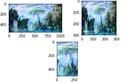
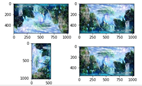
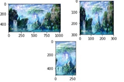
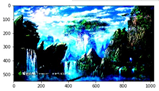
import tensorflow as tf
import matplotlib.pyplot as plt
image_raw_data = tf.gfile.FastGFile('D:/数据/3/6000/1.jpg','rb').read()
with tf.Session() as sess:
img_data = tf.image.decode_jpeg(image_raw_data)
print(img_data.eval())
encoded_image = tf.image.encode_jpeg(img_data)
with tf.gfile.GFile('./output.jpg', 'wb') as f:
f.write(encoded_image.eval())
img_data = tf.image.convert_image_dtype(img_data, dtype=tf.float32)
resized = tf.image.resize_images(img_data, [300, 300], method=0)
croped = tf.image.resize_image_with_crop_or_pad(img_data, 500, 300)
plt.figure()
plt.subplot(2, 2, 1)
plt.imshow(img_data.eval())
plt.subplot(2, 2, 2)
plt.imshow(resized.eval())
plt.subplot(2, 1, 2)
plt.imshow(croped.eval())
flipped_up_down = tf.image.flip_up_down(img_data)
flipped1 = tf.image.random_flip_up_down(img_data)
flipped_left_right = tf.image.flip_left_right(img_data)
flipped2 = tf.image.random_flip_left_right(img_data)
transpose_image = tf.image.transpose_image(img_data)
plt.figure()
plt.subplot(2, 2, 1)
plt.imshow(flipped_up_down.eval())
plt.subplot(2, 2, 2)
plt.imshow(flipped_left_right.eval())
plt.subplot(2, 2, 3)
plt.imshow(transpose_image.eval())
plt.subplot(2, 2, 4)
plt.imshow(flipped2.eval())
adjusted = tf.image.adjust_brightness(img_data, -0.5)
adjusted_down = tf.clip_by_value(adjusted, 0.0, 1.0)
adjusted_up = tf.image.adjust_brightness(img_data, 0.5)
adjusted_random = tf.image.random_brightness(img_data, 0.2)
adjusted1 = tf.image.adjust_contrast(img_data, 0.5)
adjusted2 = tf.image.adjust_contrast(img_data, 5)
adjusted3 = tf.image.random_contrast(img_data, 2, 4)
adjusted_hue1 = tf.image.adjust_hue(img_data, 0.6)
adjusted_hue2 = tf.image.adjust_hue(img_data, -0.6)
adjusted_hue3 = tf.image.random_hue(img_data, 0.3)
adjust_saturation1 = tf.image.adjust_saturation(img_data, -5)
adjust_saturation2 = tf.image.adjust_saturation(img_data, 5)
adjust_saturation3 = tf.image.random_saturation(img_data, 0, 4)
plt.figure()
plt.subplot(4, 2, 1)
plt.imshow(adjusted_down.eval())
plt.subplot(4, 2, 2)
plt.imshow(adjusted_up.eval())
plt.subplot(4, 2, 3)
plt.imshow(adjusted1.eval())
plt.subplot(4, 2, 4)
plt.imshow(adjusted2.eval())
plt.subplot(4, 2, 5)
plt.imshow(adjusted_hue1.eval())
plt.subplot(4, 2, 6)
plt.imshow(adjusted_hue2.eval())
plt.subplot(4, 2, 7)
plt.imshow(adjust_saturation1.eval())
plt.subplot(4, 2, 8)
plt.imshow(adjust_saturation2.eval())
adjust_standardization = tf.image.per_image_standardization(img_data)
plt.figure()
plt.imshow(adjust_standardization.eval())
plt.show()
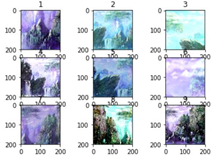
import tensorflow as tf
import numpy as np
import matplotlib.pyplot as plt
# 调整亮度.对比度.饱和度.色相的顺序可以得到不同的结果
# 预处理时随机选择的一种,降低无关因素对模型的影响
def distort_color(image, color_ordering=0):
if color_ordering == 0:
image = tf.image.random_brightness(image, max_delta=32./255)
image = tf.image.random_contrast(image, lower=0.5, upper=1.5)
image = tf.image.random_hue(image, max_delta=0.2)
image = tf.image.random_saturation(image, lower=0.5, upper=1.5)
elif color_ordering ==1:
image = tf.image.random_saturation(image, lower=0.5, upper=1.5)
image = tf.image.random_brightness(image, max_delta=32./255)
image = tf.image.random_contrast(image, lower=0.5, upper=1.5)
image = tf.image.random_hue(image, max_delta=0.2)
elif color_ordering ==2:
image = tf.image.random_brightness(image, max_delta=32./255)
image = tf.image.random_saturation(image, lower=0.5, upper=1.5)
image = tf.image.random_contrast(image, lower=0.5, upper=1.5)
image = tf.image.random_hue(image, max_delta=0.2)
elif color_ordering ==3:
image = tf.image.random_brightness(image, max_delta=32./255)
image = tf.image.random_contrast(image, lower=0.5, upper=1.5)
image = tf.image.random_saturation(image, lower=0.5, upper=1.5)
image = tf.image.random_hue(image, max_delta=0.2)
elif color_ordering ==4:
image = tf.image.random_brightness(image, max_delta=32./255)
image = tf.image.random_contrast(image, lower=0.5, upper=1.5)
image = tf.image.random_saturation(image, lower=0.5, upper=1.5)
image = tf.image.random_hue(image, max_delta=0.2)
elif color_ordering ==5:
image = tf.image.random_contrast(image, lower=0.5, upper=1.5)
image = tf.image.random_brightness(image, max_delta=32./255)
image = tf.image.random_saturation(image, lower=0.5, upper=1.5)
image = tf.image.random_hue(image, max_delta=0.2)
return tf.clip_by_value(image, 0.0, 1.0)
# 给定解码后的图像.目标图像的尺寸以及图像上的标注框
def preprocess(image, height, width, bbox):
# 若没有提供标注框则默认为关注区域为整个图像
if bbox is None:
bbox = tf.constant([0.0, 0.0, 1.0, 1.0], dtype=tf.float32, shape=[1, 1, 4])
# 转换图像数据类型
if image.dtype != tf.float32:
image = tf.image.convert_image_dtype(image, dtype=tf.float32)
# 随机截取图像减小识别物体大小对模型的影响
bbox_begin, bbox_size, _ = tf.image.sample_distorted_bounding_box(tf.shape(image), bounding_boxes=bbox)
distorted_image = tf.slice(image, bbox_begin, bbox_size)
# 随机调整图像的大小
distorted_image = tf.image.resize_images(distorted_image, (height, width), method=np.random.randint(4))
# 随机左右翻转图像
distorted_image = tf.image.random_flip_left_right(distorted_image)
# 使用一种随机的顺序调整图像色彩
distorted_image = distort_color(distorted_image, np.random.randint(2))
return distorted_image
# 获取图像
image_raw_data = tf.gfile.FastGFile('D:/数据/3/6000/1.jpg','rb').read()
with tf.Session() as sess:
img_data = tf.image.decode_jpeg(image_raw_data)
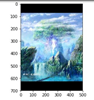
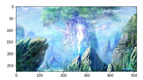
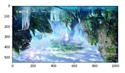
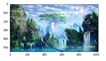
boxes = tf.constant([[[0.1, 0.32, 0.8, 0.7]]])
# 获得9种不同的图像并显示结果
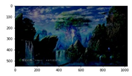
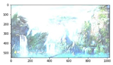
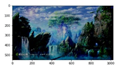
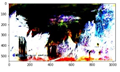
for i in range(9):
# 将图像大小调整为200*200
result = preprocess(img_data, 200, 200, boxes)
plt.subplot(331+i), plt.imshow(result.eval()), plt.title(str(i+1))
plt.show()



import matplotlib.pyplot as plt
import tensorflow as tf
#tf.gfile.FastGFile读取或保存图像文件
image_raw_data = tf.gfile.FastGFile('D:/数据/3/6000/1.jpg','rb').read()
with tf.Session() as sess:
#图形解码(可以解码jpeg, png,编码为encode_jpeg)
img_data = tf.image.decode_jpeg(image_raw_data)
print(img_data.eval())
plt.imshow(img_data.eval())
plt.show()
import numpy as np
with tf.Session() as sess:
#设定图片大小,method有4中插值,分别为0,1,2,3
resized = tf.image.resize_images(img_data, [300, 300], method=0)
print("Digital dtype: %s" % resized.dtype)
# TensorFlow的函数处理图片后存储的数据是float32格式的,需要转换成uint8才能正确打印图片。
cat = np.asarray(resized.eval(), dtype="uint8")
print(resized.get_shape())
plt.imshow(cat)
plt.show()
#图形剪切或填充
with tf.Session() as sess:
croped = tf.image.resize_image_with_crop_or_pad(img_data, 300,200)
padded = tf.image.resize_image_with_crop_or_pad(img_data, 700, 500)
plt.imshow(croped.eval())
plt.show()
plt.imshow(padded.eval())
plt.show()
with tf.Session() as sess:
central_cropped = tf.image.central_crop(img_data, 0.5)
plt.imshow(central_cropped.eval())
plt.show()
#图形翻转变换
with tf.Session() as sess:
#上下翻转
flipped = tf.image.flip_up_down(img_data)
#左右反转
flipped1 = tf.image.flip_left_right(img_data)
#对角翻转
transposed = tf.image.transpose_image(img_data)
plt.imshow(flipped.eval())
plt.show()
plt.imshow(flipped1.eval())
plt.show()
plt.imshow(transposed.eval())
plt.show()
##图形色彩调整
#调整亮度
with tf.Session() as sess:
adjusted = tf.image.adjust_brightness(img_data, -0.5)
adjusted1 = tf.image.adjust_brightness(img_data, 0.5)
adjusted2 = tf.image.random_brightness(img_data, max_delta=0.5)
plt.imshow(adjusted.eval())
plt.show()
plt.imshow(adjusted1.eval())
plt.show()
plt.imshow(adjusted2.eval())
plt.show()
#调整对比度
with tf.Session() as sess:
adjusted = tf.image.adjust_contrast(img_data, -5)
adjusted1 = tf.image.adjust_contrast(img_data, 5)
adjusted2 = tf.image.random_contrast(img_data, 0,5)
plt.imshow(adjusted.eval())
plt.show()
plt.imshow(adjusted1.eval())
plt.show()
plt.imshow(adjusted2.eval())
plt.show()
#调整色相
with tf.Session() as sess:
adjusted = tf.image.adjust_hue(img_data, 0.1)
adjusted1 = tf.image.adjust_hue(img_data, 0.5)
adjusted2 = tf.image.adjust_hue(img_data, 0.9)
adjusted3 = tf.image.random_hue(img_data, max_delta=0.4)
plt.imshow(adjusted.eval())
plt.show()
plt.imshow(adjusted1.eval())
plt.show()
plt.imshow(adjusted2.eval())
plt.show()
plt.imshow(adjusted3.eval())
plt.show()
#调整饱和度
with tf.Session() as sess:
adjusted = tf.image.adjust_saturation(img_data, -5)
adjusted1 = tf.image.adjust_saturation(img_data, 5)
adjusted2 = tf.image.random_saturation(img_data,3,7)
plt.imshow(adjusted.eval())
plt.show()
plt.imshow(adjusted1.eval())
plt.show()
plt.imshow(adjusted2.eval())
plt.show()
#处理标注框
with tf.Session() as sess:
boxes = tf.constant([[[0.05, 0.05, 0.4, 0.6]]])
begin, size, bbox_for_draw = tf.image.sample_distorted_bounding_box(tf.shape(img_data), bounding_boxes=boxes)
batched = tf.expand_dims(tf.image.convert_image_dtype(img_data, tf.float32), 0)
image_with_box = tf.image.draw_bounding_boxes(batched, bbox_for_draw)
distorted_image = tf.slice(img_data, begin, size)
plt.imshow(image_with_box[0].eval())
plt.show()
plt.imshow(distorted_image.eval())
plt.show()
N多张
原来网址
https://blog.csdn.net/qq_38269799/article/details/80723718?tdsourcetag=s_pcqq_aiomsg
import tensorflow as tf
import os
import random
source_file="D:/shuju/3/6000/" #原始文件地址
target_file="D:/shuju/3/800/" #修改后的文件地址
num=30 #产生图片次数
if not os.path.exists(target_file): #如果不存在target_file,则创造一个
os.makedirs(target_file)
file_list=os.listdir(source_file) #读取原始文件的路径
with tf.Session() as sess:
for i in range(num):
max_random=len(file_list) #这
a = random.randint(1, max_random)-1 #这 #随机数字区间
image_raw_data=tf.gfile.FastGFile(source_file+file_list[a],"rb").read()#读取图片
print("正在处理:",file_list[a])
image_data=tf.image.decode_jpeg(image_raw_data)
filpped_le_re=tf.image.random_flip_left_right(image_data) #随机左右翻转
filpped_up_down=tf.image.random_flip_up_down(image_data) #随机上下翻转
adjust=tf.image.random_brightness(filpped_up_down,0.4) #随机调整亮度
image_data=tf.image.convert_image_dtype(adjust,dtype=tf.uint8)
encode_data=tf.image.encode_jpeg(image_data)
with tf.gfile.GFile(target_file+str(i)+".jpg","wb") as f:
f.write(encode_data.eval())
print("图像增强完毕")

 浙公网安备 33010602011771号