

etherpad在线文本编辑工具部署
背景:
经常上网浏览文章,一些好的网站地址和文章内容需要保存下来,而身边又没有U盘,需要一个类似在线剪贴板的工具来支持,这里提供一个我经常用的网站,用来存放一些文本和小文件,实在是很方便,联网情况下,有它就够了
这里要补充的是,本地搭建一个在线剪贴板,服务内网的用户,用到了一款工具Etherpad
介绍
Etherpad: A real-time collaborative editor for the web
官网:https://etherpad.org/
gitbub:https://github.com/ether/etherpad-lite
环境准备:
v100系统:linxos-6.0.100-20230822-x86_64-DVD.iso
nodejs包:node-v22.14.0-linux-x64.tar.xz
Etherpad离线包(依赖也已打包):etherpad-lite-2.2.7.tgz
pnpm:https://github.com/pnpm/pnpm/releases
外网部署:
1、nodejs安装
wget https://nodejs.org/dist/v22.14.0/node-v22.14.0-linux-x64.tar.xz
wget #https://github.com/pnpm/pnpm/releases/download/v10.6.5/pnpm-linux-x64 #外网直接使用npm安装pnpm
tar xf node-v22.14.0-linux-x64.tar.xz -C /root
mv /root/node-v22.14.0-linux-x64 /usr/local/nodejs
#cp ./pnpm-linux-x64 /usr/local/nodejs/bin/pnpm #
echo ‘export PATH=/usr/local/nodejs/bin:$PATH’ >> /etc/profile
source /etc/profile
测试:
pnpm -v
2、启动
tar xf etherpad-lite-2.2.7.tgz
cd etherpad-lite-2.2.7
npm install -g pnpm
pnpm i
pnpm run build:etherpad
使用:
pnpm run prod 启动进程后
浏览器访问 http://ip:9001
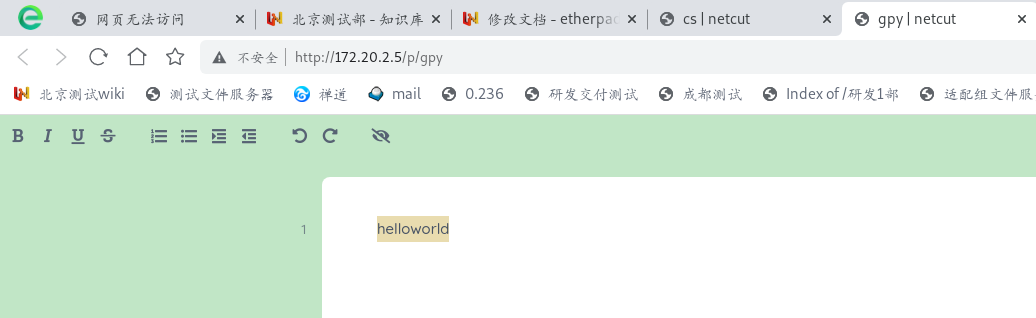
效果图
访问http://172.20.2.5
补充:
1、使用docker部署
2、插件拓展
3、内网部署
本文来自博客园,作者:赛博狗尾草,转载请注明原文链接:https://www.cnblogs.com/gpysir/p/18846572


 浙公网安备 33010602011771号