在ubuntu22上编译安装nginx
nginx源码包下载
wget -O /root/ http://nginx.org/download/nginx-1.27.4.tar.gz
系统版本及内核
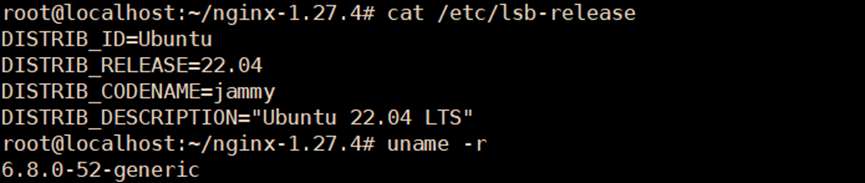
# cat /etc/lsb-release
DISTRIB_ID=Ubuntu
DISTRIB_RELEASE=22.04
DISTRIB_CODENAME=jammy
DISTRIB_DESCRIPTION="Ubuntu 22.04 LTS"
# uname -r
6.8.0-52-generic仓库源配置
使用默认仓库源即可,参考如下
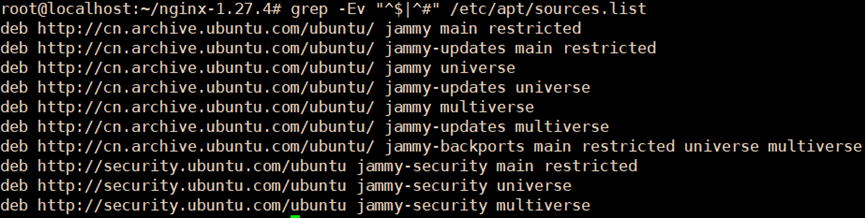
# grep -Ev "^$|^#" /etc/apt/sources.list
deb http://cn.archive.ubuntu.com/ubuntu/ jammy main restricted
deb http://cn.archive.ubuntu.com/ubuntu/ jammy-updates main restricted
deb http://cn.archive.ubuntu.com/ubuntu/ jammy universe
deb http://cn.archive.ubuntu.com/ubuntu/ jammy-updates universe
deb http://cn.archive.ubuntu.com/ubuntu/ jammy multiverse
deb http://cn.archive.ubuntu.com/ubuntu/ jammy-updates multiverse
deb http://cn.archive.ubuntu.com/ubuntu/ jammy-backports main restricted universe multiverse
deb http://security.ubuntu.com/ubuntu jammy-security main restricted
deb http://security.ubuntu.com/ubuntu jammy-security universe
deb http://security.ubuntu.com/ubuntu jammy-security multiverse
apt update
编译环境安装
sudo apt install -y build-essential libpcre3 libpcre3-dev zlib1g zlib1g-dev libssl-dev
sudo apt install -y libmaxminddb-dev
编辑和安装
tar xf /root/nginx-1.27.4.tar.gz
cd /nginx-1.27.4
./configure --with-cc-opt='-g -O2  -flto=auto
\-ffat-lto-objects -flto=auto -ffat-lto-objects -fstack-protector-strong -Wformat -Werror=format-security
\-fPIC -Wdate-time -D_FORTIFY_SOURCE=2' --with-ld-opt='-Wl,-Bsymbolic-functions -flto=auto
\-ffat-lto-objects -flto=auto -Wl,-z,relro -Wl,-z,now -fPIC' --prefix=/usr/share/nginx
\--sbin-path=/usr/sbin/nginx
\--conf-path=/etc/nginx/nginx.conf --http-log-path=/var/log/nginx/access.log
\--error-log-path=/var/log/nginx/error.log --lock-path=/var/lock/nginx.lock --pid-path=/run/nginx.pid
\--modules-path=/usr/lib/nginx/modules --http-client-body-temp-path=/var/lib/nginx/body
\--http-fastcgi-temp-path=/var/lib/nginx/fastcgi --http-proxy-temp-path=/var/lib/nginx/proxy
\--http-scgi-temp-path=/var/lib/nginx/scgi --http-uwsgi-temp-path=/var/lib/nginx/uwsgi --with-compat
\--with-debug --with-pcre-jit --with-http_ssl_module --with-http_stub_status_module
\--with-http_realip_module --with-http_auth_request_module --with-http_v2_module --with-http_dav_module
\--with-http_slice_module --with-threads
\--with-http_addition_module --with-http_gunzip_module --with-http_gzip_static_module
\--with-http_sub_module
make
make install
nginx.service配置
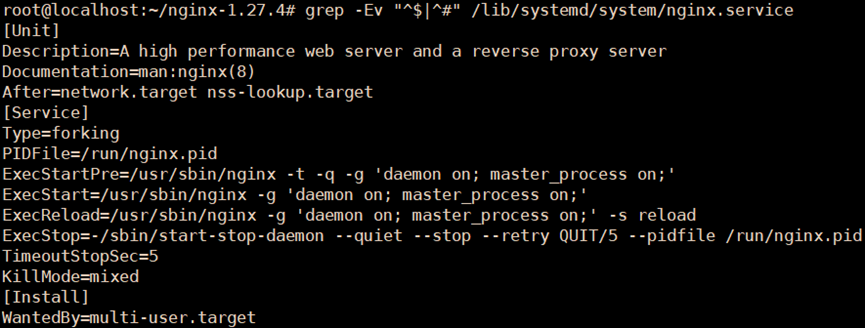
vim /lib/systemd/system/nginx.service
[Unit]
Description=A high performance web server and a reverse proxy server
Documentation=man:nginx(8)
After=network.target nss-lookup.target

[Service]
Type=forking
PIDFile=/run/nginx.pid
ExecStartPre=/usr/sbin/nginx -t -q -g 'daemon on; master_process on;'
ExecStart=/usr/sbin/nginx -g 'daemon on; master_process on;'
ExecReload=/usr/sbin/nginx -g 'daemon on; master_process on;' -s reload
ExecStop=-/sbin/start-stop-daemon --quiet --stop --retry QUIT/5 --pidfile /run/nginx.pid
TimeoutStopSec=5
KillMode=mixed

[Install]
WantedBy=multi-user.target
重载服务,启动服务
systemctl daemon-reload
systemctl restart nginx.service
附:文中提到的软件及仓库源官网
http://nginx.org/en/download.html
补:使用仓库源安装nginx,默认编译配置
# nginx -V

./configure --with-cc-opt='-g -O2 -ffile-prefix-map=/build/nginx-niToSo/nginx-1.18.0=. -flto=auto
\-ffat-lto-objects -flto=auto -ffat-lto-objects -fstack-protector-strong -Wformat -Werror=format-security
\-fPIC -Wdate-time -D_FORTIFY_SOURCE=2' --with-ld-opt='-Wl,-Bsymbolic-functions -flto=auto
\-ffat-lto-objects -flto=auto -Wl,-z,relro -Wl,-z,now -fPIC' --prefix=/usr/share/nginx
\--conf-path=/etc/nginx/nginx.conf --http-log-path=/var/log/nginx/access.log
\--error-log-path=/var/log/nginx/error.log --lock-path=/var/lock/nginx.lock --pid-path=/run/nginx.pid
\--modules-path=/usr/lib/nginx/modules --http-client-body-temp-path=/var/lib/nginx/body
\--http-fastcgi-temp-path=/var/lib/nginx/fastcgi --http-proxy-temp-path=/var/lib/nginx/proxy
\--http-scgi-temp-path=/var/lib/nginx/scgi --http-uwsgi-temp-path=/var/lib/nginx/uwsgi --with-compat
\--with-debug --with-pcre-jit --with-http_ssl_module --with-http_stub_status_module
\--with-http_realip_module --with-http_auth_request_module --with-http_v2_module --with-http_dav_module
\--with-http_slice_module --with-threads
\--add-dynamic-module=/build/nginx-niToSo/nginx-1.18.0/debian/modules/http-geoip2
\--with-http_addition_module --with-http_gunzip_module --with-http_gzip_static_module
\--with-http_sub_module
本文来自博客园,作者:赛博狗尾草,转载请注明原文链接:https://www.cnblogs.com/gpysir/p/18808017


 浙公网安备 33010602011771号