

Git版本控制
1.版本控制
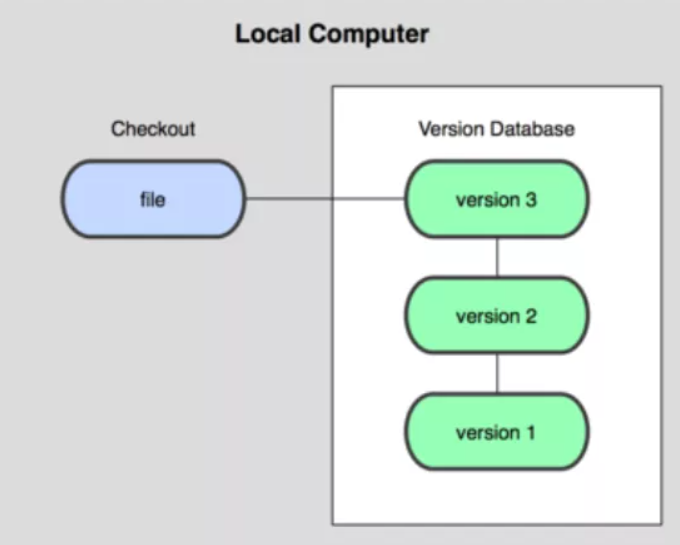
- 本地版本控制
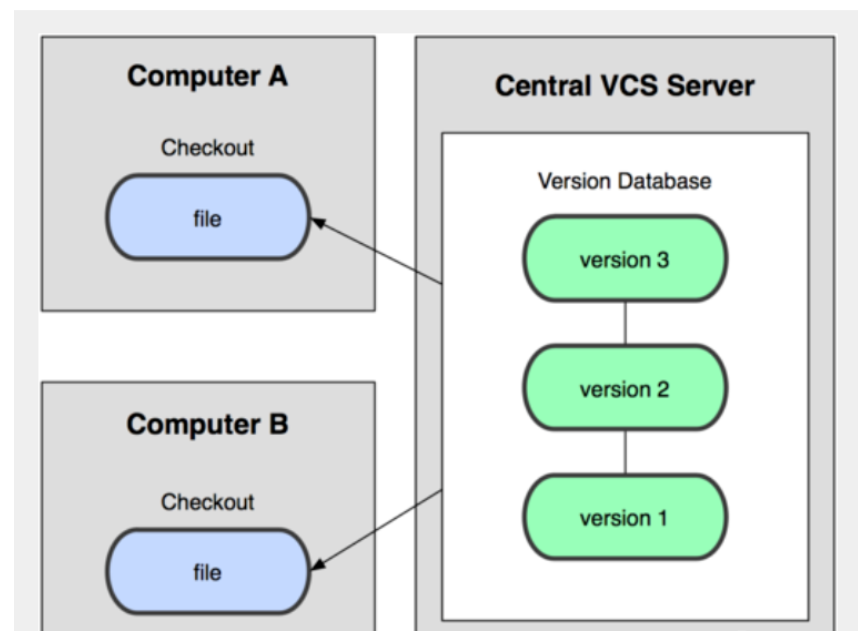
- 集中版本控制 (SVN)
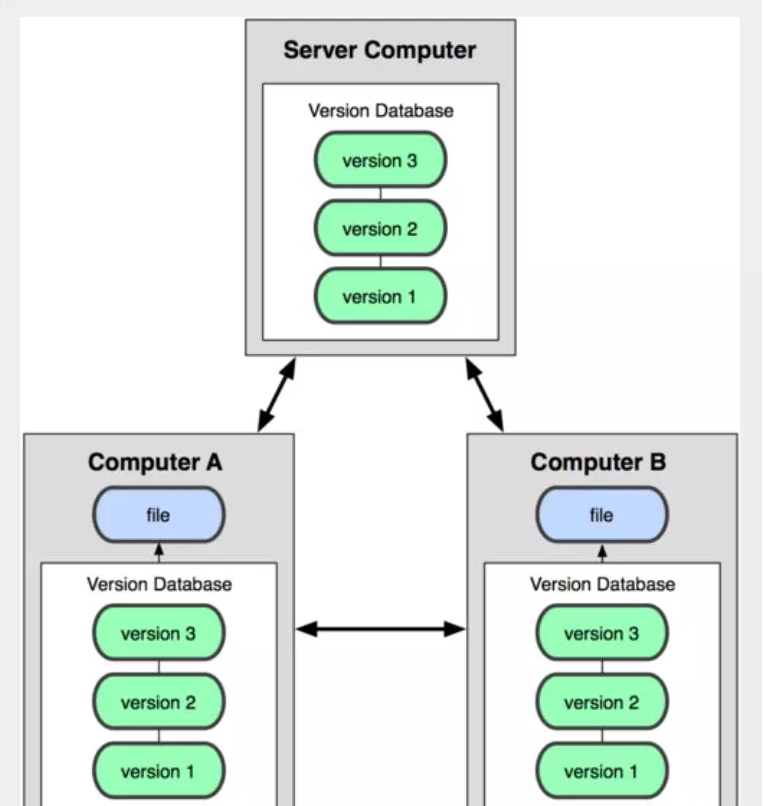
- 分布式版本控制 (Git)
本地版本控制
集中版本控制
分布式版本控制
2.Git环境搭建
1.下载安装Git
淘宝镜像:https://npm.taobao.org/mirrors/git-for-windows/v2.25.1.windows.1/
3.Git环境配置
1.配置用户名和邮箱
git config --global user.name "gmbjzg"
git config --global user.email 1924086038@qq.com
执行上面两条命令,修改的是Git配置文件夹
C:\Users\gmbjzg\.gitconfig
查看git配置
git config -l
查看git系统配置
git config --system --list
系统配置文件路径
C:\Users\gmbjzg\software\Git\etc\gitconfig
查看用户配置
git config --global --list
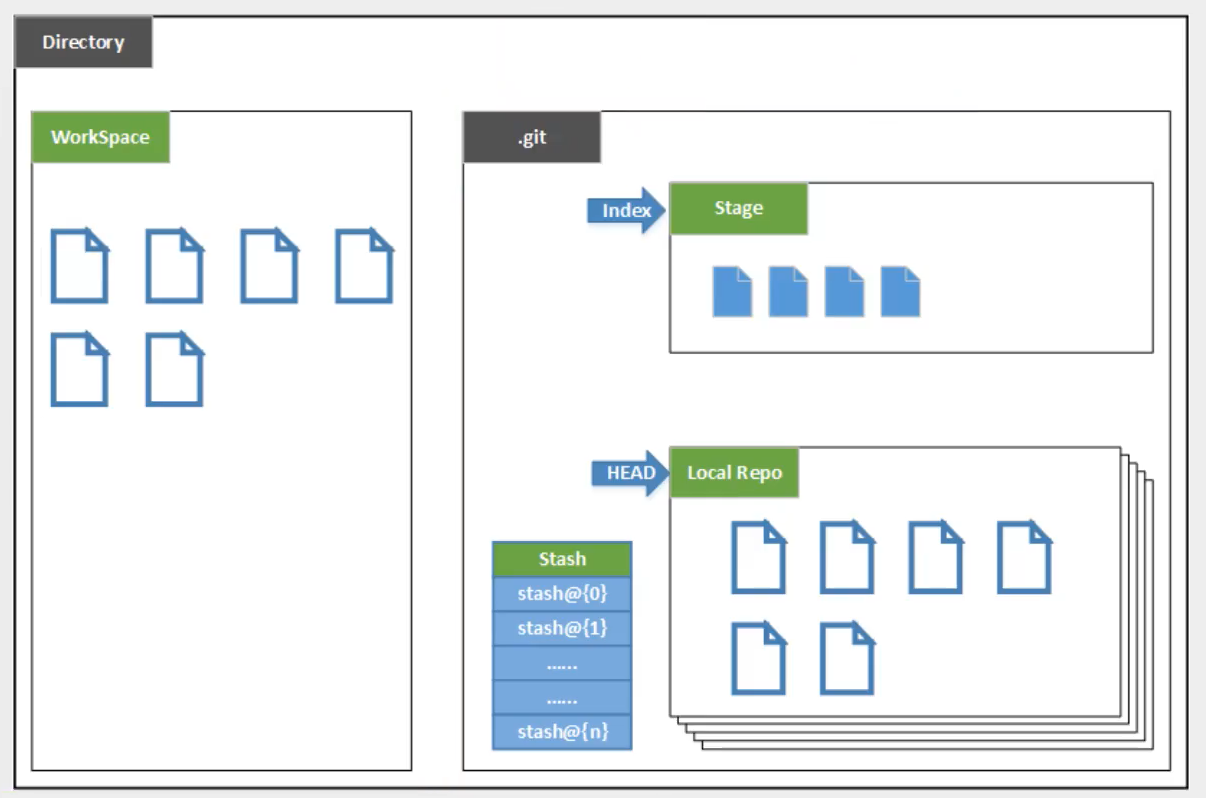
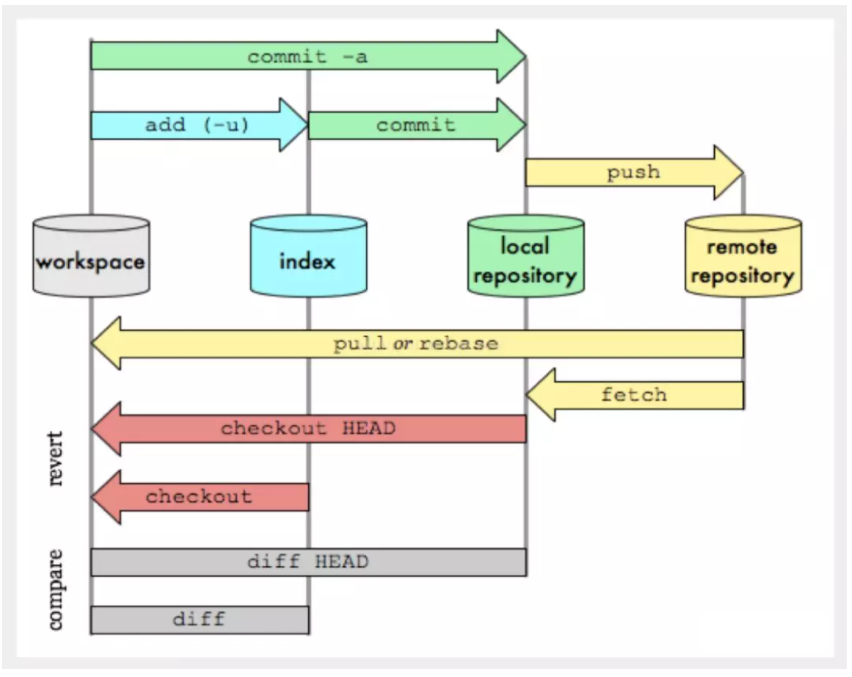
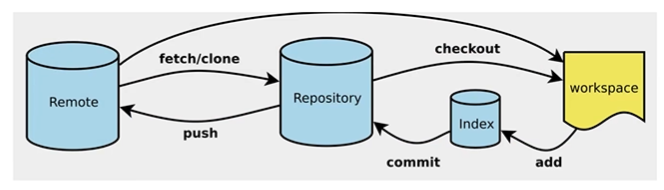
4.Git工作原理
图解1
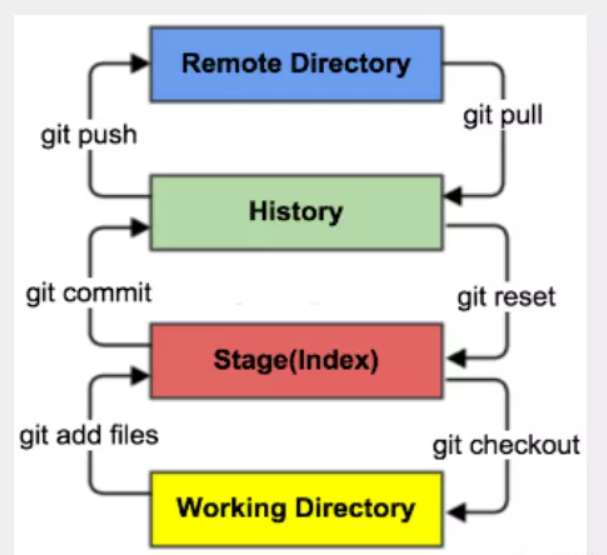
图解2
图解3
图解4
5.常用Git命令
git init # 初始化仓库
git add . # 提交到暂存区
git commit -m "修改注释"  # 提交到本地仓库
git clone [url] # 克隆远程仓库
6.Git文件的几种状态
Untracked: 未跟踪
Unmodify: 未修改
Modified: 文件已修改
Staged: 暂存状态
查看文件状态
# 查看指定文件状态
git status [filename]

# 查看所有文件状态
git status
7.远程仓库
1.生成公钥和私钥
ssh-keygen
公钥和私钥所在路径
C:\Users\gmbjzg\.ssh
2.上传公钥到Github
3.提交代码到远程仓库
git remote add origin https://gitee.com/gmbjzg/test.git  # 连接远程仓库

git init # 初始化仓库
git add . # 提交到暂存区
git commit -m "修改提示信息" # 提交到本地仓库
git push origin master  # 推送到远程仓库

 浙公网安备 33010602011771号