
伪类和伪元素
一、结构伪类选择器
定位html中的元素
| 选择器 | 作用 |
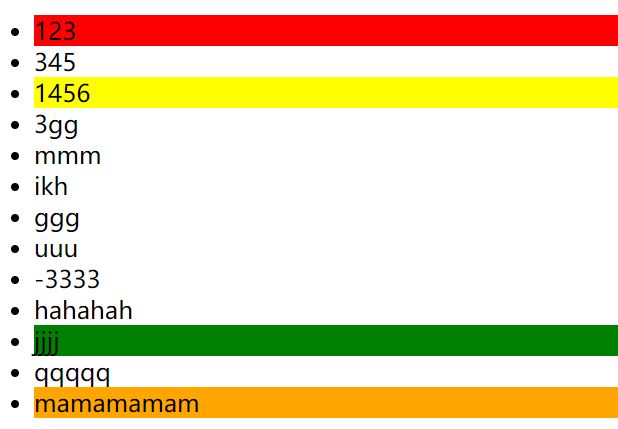
| E:first-child() | 父元素中第一个子元素,并且是E元素 |
| E:last-child() | 父元素中最后一个子元素,并且是E元素 |
| E:nth-child(n) | 父元素中第n个子元素,并且是E元素 |
| E:nth-last-child(n) | 父元素中倒数第n个子元素,并且是E元素 |
注意点:
1、n可以为数字: 1, 2, ...
2、n也可以下面几种
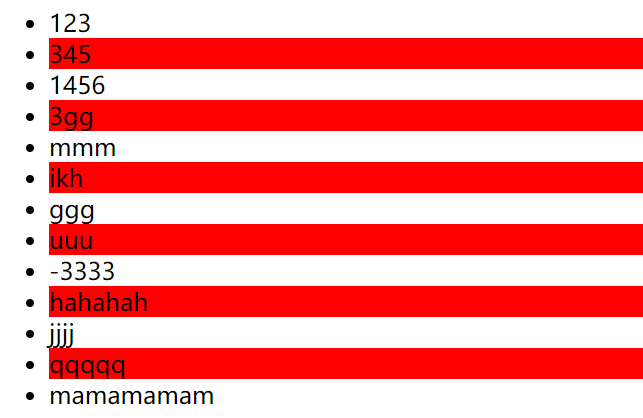
偶数 2n、 even
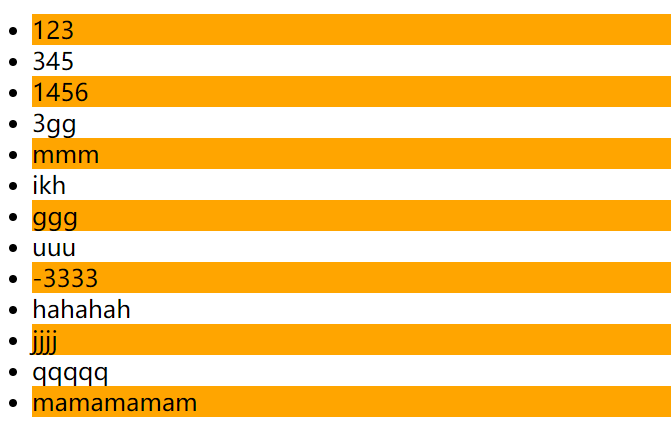
奇数 2n+1、 2n-1、odd
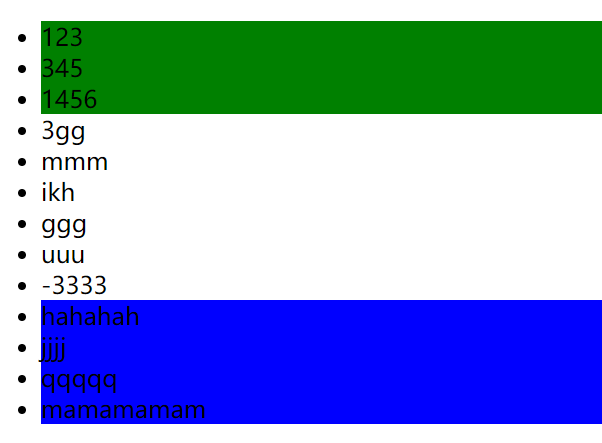
找到前3个 -n+3
找到从第3个往后 n+3
例子:
(1)n为数字时
(2) n为2n和even时
(3)n为2n-1,2n+1和odd时
(4) -n+3和 n+10
<!DOCTYPE html>
<html lang="en">
<head>
    <meta charset="UTF-8">
    <meta http-equiv="X-UA-Compatible" content="IE=edge">
    <meta name="viewport" content="width=device-width, initial-scale=1.0">
    <title>结构性伪类选择器</title>
    <style>

        /* 找到第一个子元素,并且是li标签 */
        li:first-child {
            background-color: red;
        }
         /* 找到最后一个子元素,并且是li标签 */
        li:last-child {
            background-color: orange;
        }
        /* 找到第三个子元素,并且为li标签 */
        li:nth-child(3) {
            background-color: yellow;
        }
        /* 找到倒数三个子元素,并且为li标签 */
        li:nth-last-child(3) {
            background-color: green;
        }

    /*操作时注释上方代码*/
    /* 偶数 */
li:nth-child(2n) {
background-color: orange;
}
li:nth-child(even) {
background-color: blue;
}
/*操作时注释上方代码*/
/* 奇数 */
li:nth-child(2n+1) {
background-color: orange;
}
li:nth-child(2n-1) {
background-color: orange;
}
li:nth-child(odd) {
background-color: orange;
}
/*操作时注释上方代码*/
/* 前3个 */
li:nth-child(-n+3) {
background-color: green;
}
/* 找到第10个开始 */
li:nth-child(n+10) {
background-color: blue;
}
</style>
</head>
<body>
    <ul>
        <!-- <div>可能</div> -->
        <li>123</li>
        <li>345</li>
        <li>1456</li>
        <li>3gg</li>
        <li>mmm</li>
        <li>ikh</li>
        <li>ggg</li>
        <li>uuu</li>
        <li>-3333</li>
        <li>hahahah</li>
    </ul>
</body>
</html>
二、伪元素
1、使用css模拟出标签效果。
| 伪元素 | 作用 |
| ::before | 在父元素内容的最前面添加一个伪元素 |
| ::after | 在父元素内容的最后添加一个伪元素 |
2、注意事项
伪元素需要设置content属性才能生效
伪元素默认是行内元素
3、例子
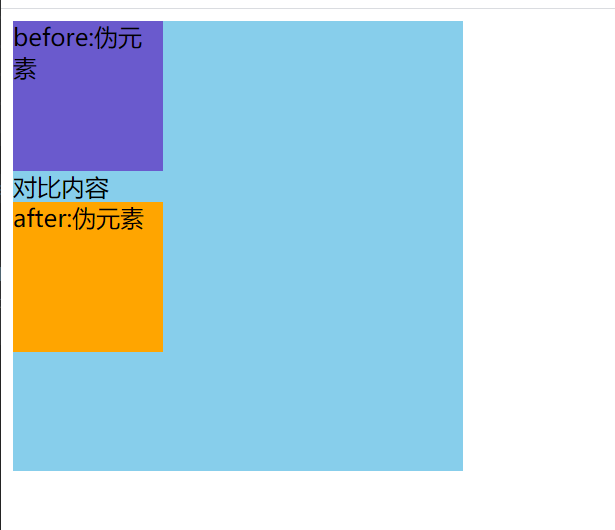
<!DOCTYPE html>
<html lang="en">
<head>
    <meta charset="UTF-8">
    <meta http-equiv="X-UA-Compatible" content="IE=edge">
    <meta name="viewport" content="width=device-width, initial-scale=1.0">
    <title>Document</title>
    <style>
        .example {
            width: 300px;
            height: 300px;
            background-color: skyblue;
        }
        .example::before {
            /* 必加属性 */
            content: 'before:伪元素';
            width: 100px;
            height: 100px;
            background-color: slateblue;
            display: block;
        }
        .example::after {
            /* 必加属性 */
            content: 'after:伪元素';
            width: 100px;
            height: 100px;
            background-color: orange;
            display: block;
        }
    </style>
</head>
<body>
    <div class="example">
        对比内容
    </div>
</body>
</html>

 浙公网安备 33010602011771号