
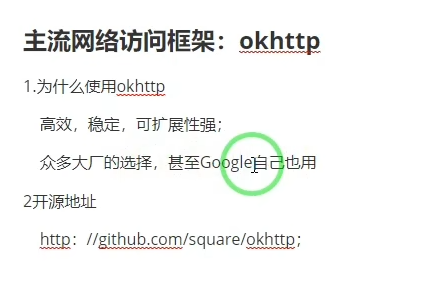
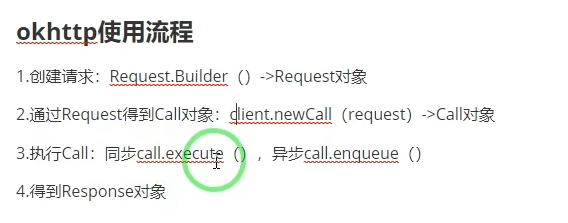
今天继续实现安卓连接后端对数据库进行增删改查的操作,这次我们使用okhttp协议实现get同步异步请求以及post请求。
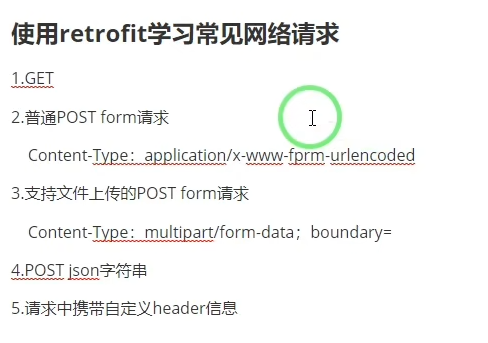
实现了选课系统,同时伴随着教室 教师 课程名称的查询
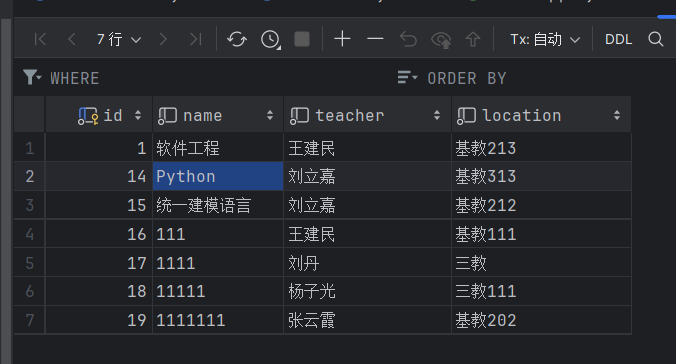
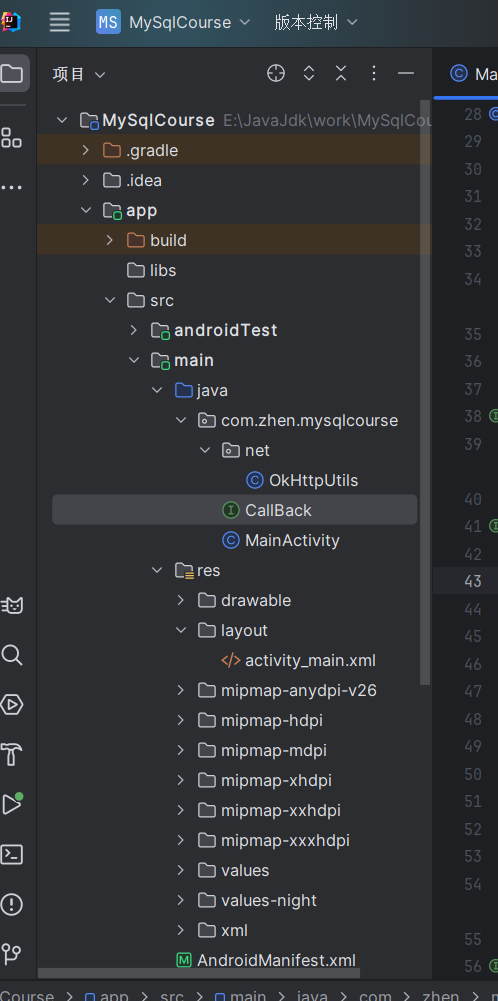
OkHttpUtils

package com.zhen.mysqlcourse.net;


import android.os.Handler;
import android.os.Looper;
import com.zhen.mysqlcourse.CallBack;
import okhttp3.*;
import okhttp3.logging.HttpLoggingInterceptor;
import org.jetbrains.annotations.NotNull;
import org.json.JSONObject;

import java.io.IOException;
import java.util.HashMap;

public class OkHttpUtils {
    private OkHttpUtils() {
        //创建日志拦截器
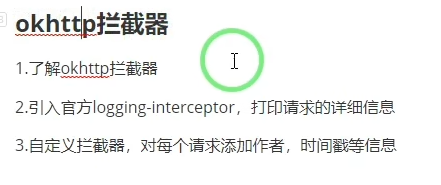
        HttpLoggingInterceptor httpLoggingInterceptor = new HttpLoggingInterceptor();
        httpLoggingInterceptor.setLevel(HttpLoggingInterceptor.Level.BODY);
        okHttpClient = new OkHttpClient.Builder().addInterceptor(httpLoggingInterceptor).build();
    }

    ;
    private static OkHttpUtils instance = new OkHttpUtils();
    private Handler handler = new Handler(Looper.getMainLooper());
    private static OkHttpClient okHttpClient;

    public static OkHttpUtils getInstance() {
        return instance;
    }

    public void doGet(String url, CallBack callBack) {
        Request request = new Request.Builder().url(url).build();
        extracted(callBack, request);
    }

    public void doPost(String url, CallBack callBack, String json) {
        RequestBody requestBody = RequestBody.create(MediaType.parse("application/json"), json);
        // Build the POST request with the RequestBody
        Request request = new Request.Builder().post(requestBody).url(url).build();
        // Call the extracted method with the updated request
        extracted(callBack, request);
    }


    private void extracted(CallBack callBack, Request request) {
        Call call = okHttpClient.newCall(request);
        call.enqueue(new Callback() {
            @Override
            public void onFailure(@NotNull Call call, @NotNull IOException e) {
                handler.post(new Runnable() {
                    @Override
                    public void run() {
                        callBack.onError(e);
                    }
                });
            }

            @Override
            public void onResponse(@NotNull Call call, @NotNull Response response) throws IOException {
                String string = null;
                try {
                    string = response.body().string();
                } catch (Exception e) {
                    e.printStackTrace();
                }

                String finalString = string;
                handler.post(new Runnable() {
                    @Override
                    public void run() {
                        callBack.onSuccess(finalString);
                    }
                });
            }
        });
    }
}
CallBck
package com.zhen.mysqlcourse;

public interface CallBack {
    void onSuccess(String result);
    void onError(Exception e);
}
MainActivity
package com.zhen.mysqlcourse;


import android.view.View;
import android.widget.Button;
import android.widget.EditText;
import android.widget.TextView;
import android.widget.Toast;
import androidx.appcompat.app.AppCompatActivity;
import android.os.Bundle;
import com.google.android.material.snackbar.Snackbar;
import com.zhen.mysqlcourse.net.OkHttpUtils;
import okhttp3.Callback;
import org.json.JSONException;
import org.json.JSONObject;

import java.io.IOException;
import java.util.HashMap;
import java.util.Objects;

public class MainActivity extends AppCompatActivity {
    private Button button, button1;
    private TextView nameText, teacherText, locationText;
    boolean f1 =false;
    private EditText name_course, teacher_name, location_name;

    @Override
    protected void onCreate(Bundle savedInstanceState) {
        super.onCreate(savedInstanceState);
        setContentView(R.layout.activity_main);
        initView();
        initEvent();
    }

    private void initEvent() {
        button.setOnClickListener(new View.OnClickListener() {
            @Override
            public void onClick(View view) {
                OkHttpUtils.getInstance().doGet("http://10.99.113.50:8080/user/get?name=软件工程", new CallBack() {
                    @Override
                    public void onSuccess(String result) {
                        try {
                            JSONObject jsonObject = new JSONObject(result);
                            String name = jsonObject.getString("name");
                            String teacher = jsonObject.getString("teacher");
                            String location = jsonObject.getString("location");
                            nameText.setText(name);
                            teacherText.setText(teacher);
                            locationText.setText(location);
                        } catch (JSONException e) {
                            e.printStackTrace();
                        }
                    }

                    @Override
                    public void onError(Exception e) {
                        Toast.makeText(MainActivity.this, "操作失败", Toast.LENGTH_SHORT).show();
                    }
                });

            }
        });
        button1.setOnClickListener(new View.OnClickListener() {
            @Override
            public void onClick(View view) {
                String name = name_course.getText().toString();
                String teacher = teacher_name.getText().toString();
                String location = location_name.getText().toString();
                ifExits(name);
                boolean f2 = ifTeacher(teacher);
                boolean f3 = ifLocation(location);
                if (f1 && f2 && f3) {
                    String json = "{" +
                            "\n" + "\t\"name\": \"" + name + "\",\n"
                            + "\t\"teacher\": \"" + teacher + "\",\n"
                            + "\t\"location\": \"" + location + "\"\n"
                            + "}";
                    OkHttpUtils.getInstance().doPost("http://10.99.113.50:8080/user/add", new CallBack() {
                        @Override
                        public void onSuccess(String result) {
                            try {
                                JSONObject jsonObject = new JSONObject(result);
                                String name = jsonObject.getString("name");
                                String teacher = jsonObject.getString("teacher");
                                String location = jsonObject.getString("location");
                                nameText.setText(name);
                                teacherText.setText(teacher);
                                locationText.setText(location);
                                showSnackbar("添加成功!");
                            } catch (JSONException e) {
                                e.printStackTrace();
                            }
                        }

                        @Override
                        public void onError(Exception e) {
                            showSnackbar("操作失败");
                        }
                    }, json);
               }
            }
        });
    }


    private boolean ifLocation(String location) {
        // 检查位置名称是否为空
        if (!location.isEmpty()) {
            // 指定的位置开头字符串数组
            String[] validPrefixes = {"基教", "一教", "二教", "三教"};

            // 检查位置名称是否以指定字符串开头
            for (String prefix : validPrefixes) {
                if (location.startsWith(prefix)) {
                    // 如果位置名称以指定字符串开头,返回true
                    return true;
                }
            }
            showSnackbar("输入教室格式有误");
            // 如果位置名称不以指定字符串开头,返回false
            return false;
        } else {
            // 如果位置名称为空,返回false
            showSnackbar("输入教室名字为空");
            return false;
        }
    }

    private boolean ifTeacher(String teacher) {
        // 检查教师名称是否为空
        if (!teacher.isEmpty()) {
            // 指定的教师列表
            String[] validTeachers = {"王建民", "刘立嘉", "刘丹", "杨子光", "张云霞", "武永亮", "孙静", "高飞", "黄荣峰"};

            // 检查教师名称是否在指定列表中
            for (String validTeacher : validTeachers) {
                if (teacher.equals(validTeacher)) {
                    // 如果教师名称在列表中,返回true
                    return true;
                }
            }
            showSnackbar("输入的教师不存在");
            // 如果教师名称不在列表中,返回false
            return false;
        } else {
            // 如果教师名称为空,返回false
            showSnackbar("教师姓名为空");
            return false;
        }
    }

    private void showSnackbar(String message) {
        Snackbar.make(findViewById(android.R.id.content), message, Snackbar.LENGTH_SHORT).show();
    }
    private void ifExits(String name) {

        OkHttpUtils.getInstance().doGet("http://10.99.113.50:8080/user/getByName?name=" + name, new CallBack() {
            @Override
            public void onSuccess(String result) {
               try {
                    if (result.length()<=2) {
                        f1=true;
                    } else {
                        showSnackbar("当前课程名称已存在" + result);
                    }
                } catch (Exception e) {
                    e.printStackTrace();
                }
            }
            @Override
            public void onError(Exception e) {
                Toast.makeText(MainActivity.this, "操作失败", Toast.LENGTH_SHORT).show();
            }
        });
    }


    // 调用示例

    private void initView() {
        button = findViewById(R.id.btn_get);
        nameText = findViewById(R.id.name);
        teacherText = findViewById(R.id.teacher);
        locationText = findViewById(R.id.location);
        button1 = findViewById(R.id.btn_post);
        name_course = findViewById(R.id.name_course);
        teacher_name = findViewById(R.id.teacher_name);
        location_name = findViewById(R.id.location_name);
    }
}
activity.xml
<?xml version="1.0" encoding="utf-8"?>
<LinearLayout
        xmlns:android="http://schemas.android.com/apk/res/android"
        xmlns:tools="http://schemas.android.com/tools"
        xmlns:app="http://schemas.android.com/apk/res-auto"
        android:layout_width="match_parent"
        android:layout_height="match_parent"
        android:orientation="vertical"
        tools:context=".MainActivity">
    <Button
            android:id="@+id/btn_get"
            android:layout_width="wrap_content"
            android:layout_height="wrap_content"
            android:text="发起GET请求"/>
        <TextView
                android:id="@+id/name"
                android:layout_width="match_parent"
                android:layout_height="wrap_content"/>
        <TextView
                android:id="@+id/teacher"
                android:layout_width="match_parent"
                android:layout_height="wrap_content"/>
        <TextView
                android:id="@+id/location"
                android:layout_width="match_parent"
                android:layout_height="wrap_content"/>

<!--    </ScrollView>-->
    <LinearLayout
            android:layout_width="match_parent"
            android:layout_height="wrap_content"
            android:orientation="horizontal">
        <TextView
                android:layout_width="wrap_content"
                android:layout_height="wrap_content"
                android:textStyle="bold"
                android:textColor="#00f"
                android:text="课程名称"/>
        <EditText
                android:id="@+id/name_course"
                android:layout_width="match_parent"
                android:layout_height="wrap_content"
                android:textStyle="bold"
                android:textColor="#00f"
                android:hint="请输入课程名称"/>
    </LinearLayout>
    <LinearLayout
            android:layout_width="match_parent"
            android:layout_height="wrap_content"
            android:orientation="horizontal">

        <TextView
                android:layout_width="wrap_content"
                android:layout_height="wrap_content"
                android:textStyle="bold"
                android:textColor="#00f"
                android:text="任课教师"/>
        <EditText
                android:id="@+id/teacher_name"
                android:layout_width="match_parent"
                android:layout_height="wrap_content"
                android:textStyle="bold"
                android:textColor="#00f"
                android:hint="请输入教师姓名"/>
    </LinearLayout>
    <LinearLayout
            android:layout_width="match_parent"
            android:layout_height="wrap_content"
            android:orientation="horizontal">
        <TextView
                android:layout_width="wrap_content"
                android:layout_height="wrap_content"
                android:textStyle="bold"
                android:textColor="#00f"
                android:text="任课地点"/>
        <EditText
                android:id="@+id/location_name"
                android:layout_width="match_parent"
                android:layout_height="wrap_content"
                android:textStyle="bold"
                android:textColor="#00f"
                android:hint="请输入任课地点"/>
    </LinearLayout>
    <Button
            android:text="添加"
            android:layout_width="wrap_content"
            android:layout_height="wrap_content"
            android:layout_gravity="center"
            android:id="@+id/btn_post"/>
</LinearLayout>

 浙公网安备 33010602011771号