
TortoiseSVN排除svn项目里的文件
-
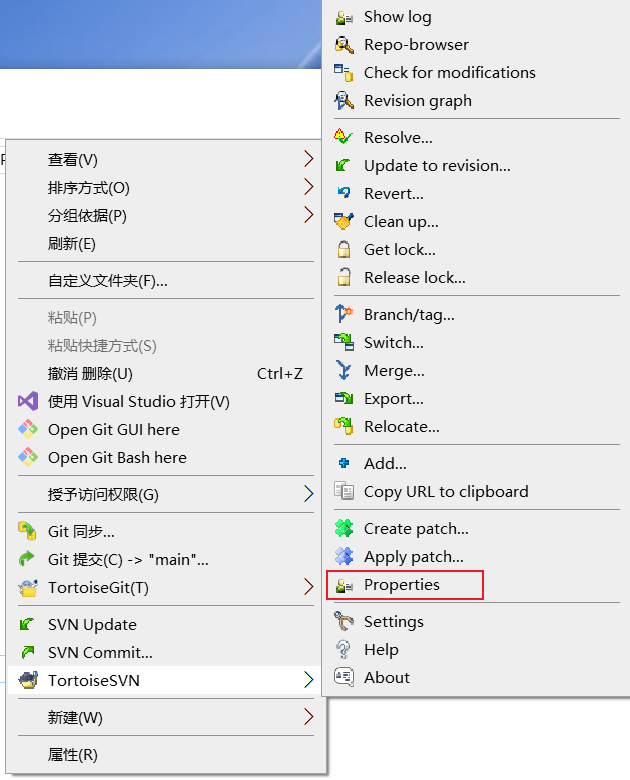
右键点击项目根目录,选择 TortoiseSVN -> Properties。
-
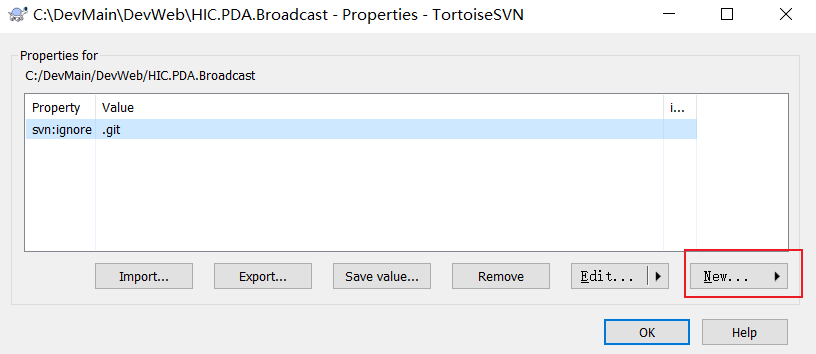
在弹出的属性窗口中,点击 New -> 选择 svn:ignore(如果没有选择Other)。
-
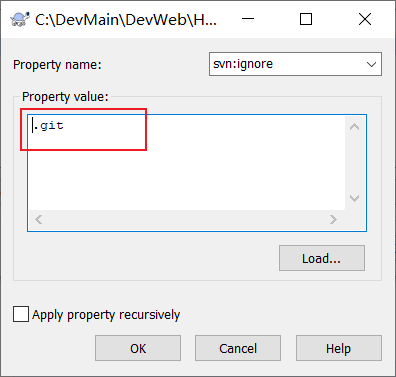
(例排除.git)在值字段中输入.git。
-
点击 OK 保存并提交。
右键点击项目根目录,选择 TortoiseSVN -> Properties。
在弹出的属性窗口中,点击 New -> 选择 svn:ignore(如果没有选择Other)。
(例排除.git)在值字段中输入.git。
点击 OK 保存并提交。

 浙公网安备 33010602011771号