

centos7部署libreoffice7.5
安装包下载地址:https://downloadarchive.documentfoundation.org/libreoffice/old/7.5.0.1/rpm/x86_64/

分别是
LibreOffice_7.5.0.1_Linux_x86-64_rpm.tar.gz      # libreoffice安装包

LibreOffice_7.5.0.1_Linux_x86-64_rpm_langpack_zh-CN.tar.gz          # 中文包

LibreOffice_7.5.0.1_Linux_x86-64_rpm_helppack_zh-CN.tar.gz          # 中文支持包
按上面安装包的顺序解压,然后逐个安装解压出来的离线包
rpm -ivh *.rpm
安装完之后检验一下
[root@localhost ~]# libreoffice7.5 -version
Warning: -version is deprecated.  Use --version instead.
LibreOffice 7.5.0.1 77cd3d7ad4445740a0c6cf977992dafd8ebad8df
这样就表示安装好了。但实际上可能不会那么顺利。可能出现以下报错:
/opt/libreoffice7.5/program/soffice.bin: error while loading shared libraries: libcairo.so.2: cannot open shared object file: No such file or directory
...
我这边安装下面三个包就可以了
yum install libXinerama
yum install cairo
yum install ibus
到这里libreoffice服务就安装好了
我们上传一个xlsx格式的表格文件转pdf测试以下功能
[root@localhost ~]# libreoffice7.5 --headless --convert-to pdf dhzy20241025171133543.xlsx
convert /root/dhzy20241025171133543.xlsx -> /root/dhzy20241025171133543.pdf using filter : calc_pdf_Export
生成了一个同名但是后缀不同的文件dhzy20241025171133543.pdf
在Windows上打开发现乱码,中文不能被正确展示。
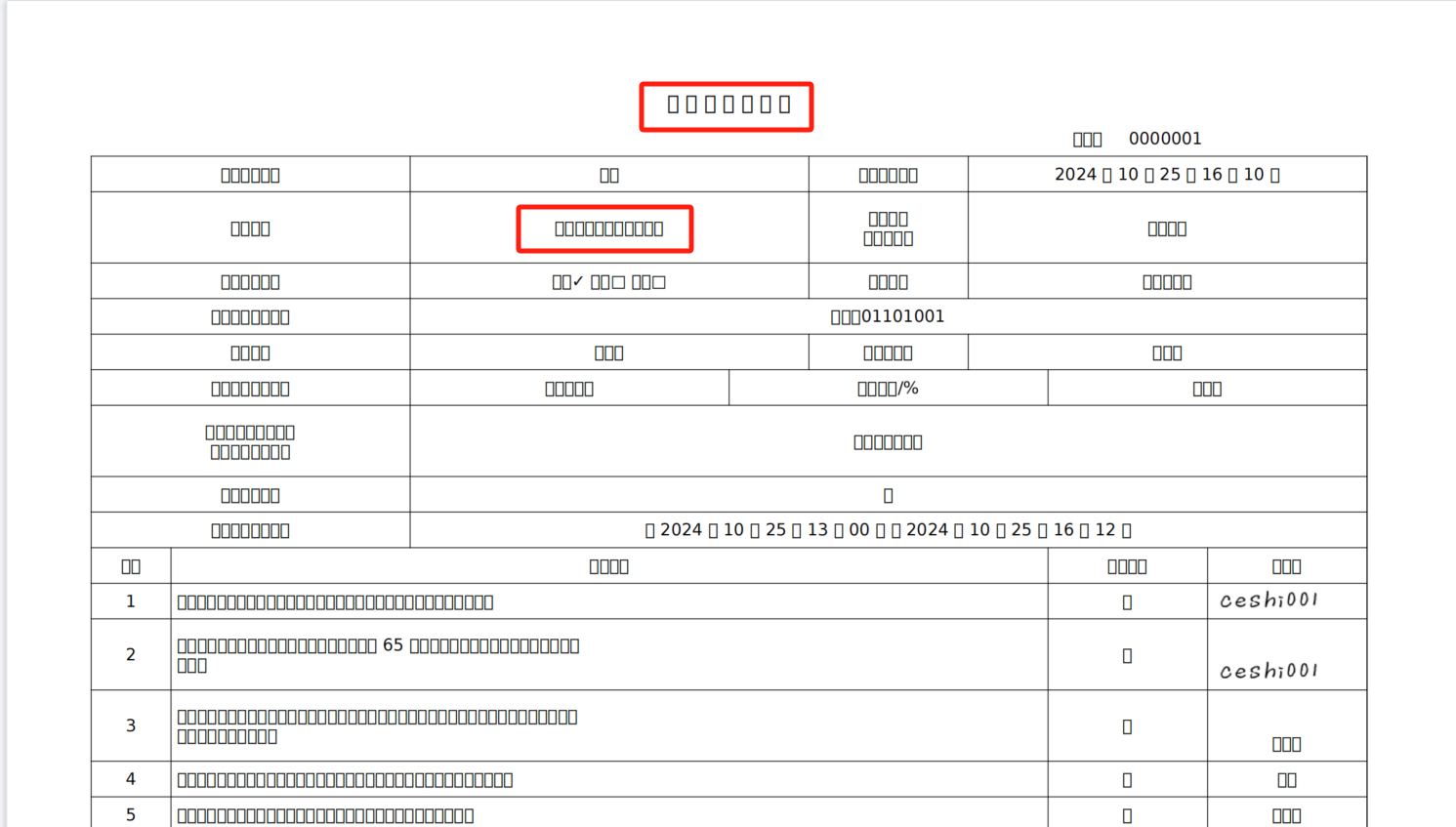
解决:
在Windows上找到对应的字体,传到服务器上
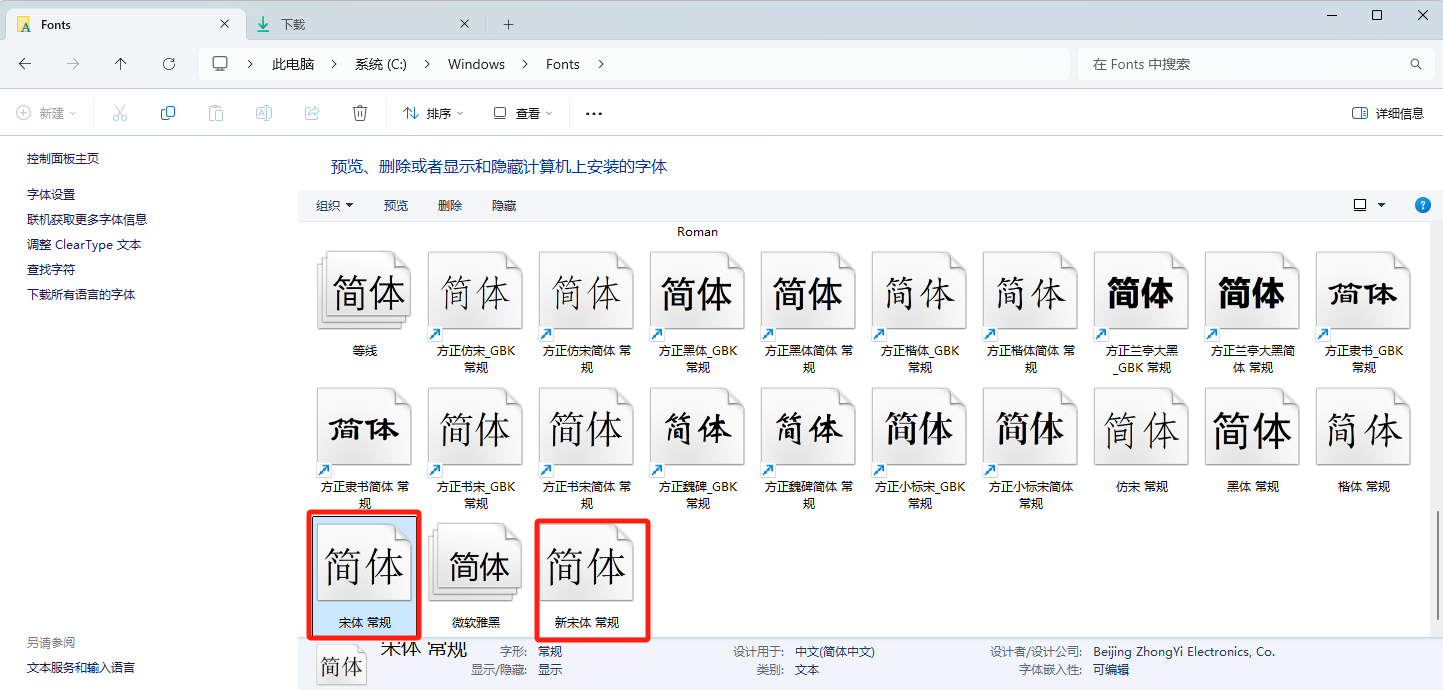
在服务器上新建字体存放目录
mkdir /usr/share/fonts/chinese

# 上传字体文件之后
[root@localhost ~]# ll /usr/share/fonts/chinese
total 35176
-rwxr-xr-x. 1 root root 18008680 Jul 12  2023 SIMSUN.TTC
-rwxr-xr-x. 1 root root 18008680 Jul 12  2023 SIMSUN.TTC.0

# 赋权
chmod -R 755 /usr/share/fonts/chinese

# 添加字体加载路径
vi /etc/fonts/fonts.conf
...
<!-- Font directory list -->

        <dir>/usr/share/fonts</dir>
        <dir>/usr/share/X11/fonts/Type1</dir> <dir>/usr/share/X11/fonts/TTF</dir> <dir>/usr/local/share/fonts</dir>
        <dir prefix="xdg">fonts</dir>
        <dir>/usr/share/fonts/chinese</dir>     # 加这一段
        <!-- the following element will be removed in the future -->
        <dir>~/.fonts</dir>

<!--
...

# 保存退出之后,执行以下命令刷新新字体缓存
fc-cache
检验字体是否生效
[root@localhost ~]# fc-list :lang=zh
/usr/share/fonts/chinese/SIMSUN.TTC: SimSun,宋体:style=Regular,常规
/usr/share/fonts/chinese/SIMSUN.TTC: NSimSun,新宋体:style=Regular,常规
/usr/share/fonts/chinese/SIMSUN.TTC.0: SimSun,宋体:style=Regular,常规
/usr/share/fonts/chinese/SIMSUN.TTC.0: NSimSun,新宋体:style=Regular,常规
最后再执行libreoffice命令转换文件格式,查看文件内容

ok 看起来没问题了。
我们这个服务需主要还是暴露给后端程序调用,并不是直接在命令行操作。而是要对外暴露
/opt/libreoffice7.5/program/soffice --headless --accept="socket,host=0.0.0.0,port=8100;urp;" --nofirststartwizard &
[1] 3097
[root@localhost program]# netstat -tunlp| grep 8100
tcp        0      0 0.0.0.0:8100            0.0.0.0:*               LISTEN      3120/soffice.bin
命令解释
- `--headless`:以无头模式运行 LibreOffice,不会打开任何图形用户界面。这通常用于服务器环境或自动化任务。
- `--accept="socket,host=0.0.0.0,port=8100;urp;"`:设置 LibreOffice 作为 UNO 服务器运行,监听来自所有 IP 地址(`0.0.0.0`)在 `8100` 端口的连接。这样其他设备可以通过网络与 LibreOffice 进行交互。
- `--nofirststartwizard`:跳过首次启动向导,使得 LibreOffice 在启动时不会弹出任何设置窗口,适合于自动化环境。
- `&`:将命令放在后台运行,这样你可以继续在命令行中执行其他操作。
综合来看,这个命令适合于在服务器上运行 LibreOffice 以进行文档处理、转换等自动化操作,而不需要用户界面干扰。

参考连接:
https://blog.csdn.net/xc_zhou/article/details/137695479
https://www.timeblog.cn/article/167.html
https://blog.csdn.net/u011924665/article/details/133211819

 浙公网安备 33010602011771号