ubuntu 下的 nslookup 命令利用 127.0.0.53 查询主机名失败,而使用网关则正常的问题
遇到一个奇怪的问题,ubuntu 下使用 KRDC 远程访问局域网主机时,连接主机名失败,使用 ip 则正常。通过 nslookup 命令发现,局域网主机名没有被正确解析(使用的是默认的 127.0.0.53 )。而使用网关则可以解析出来。
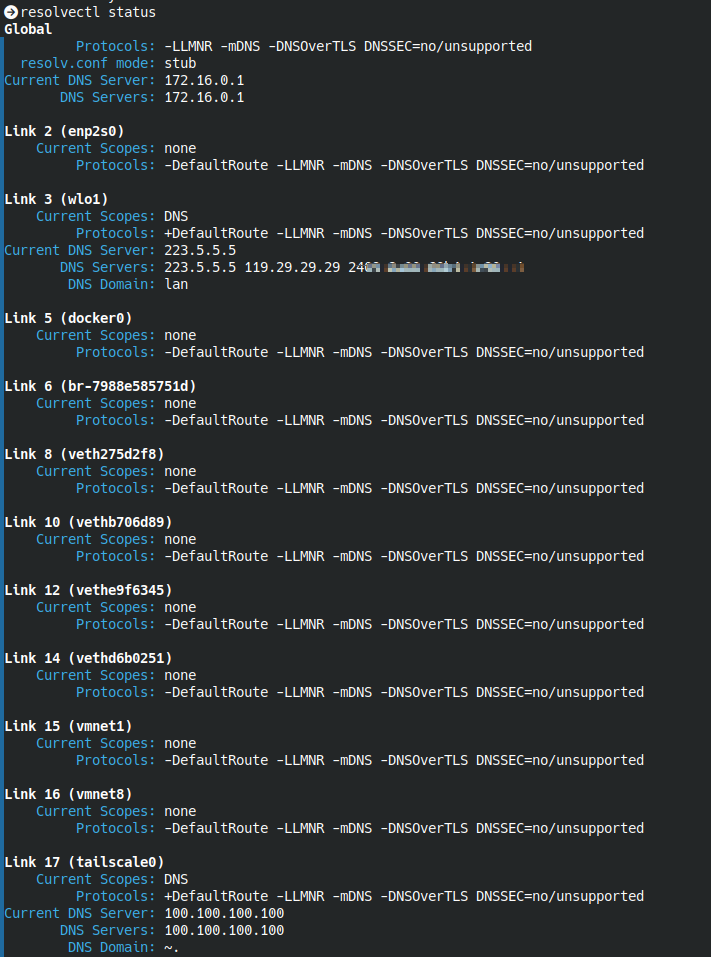
在 linux 终端下使用命令继续查看
resolvectl status
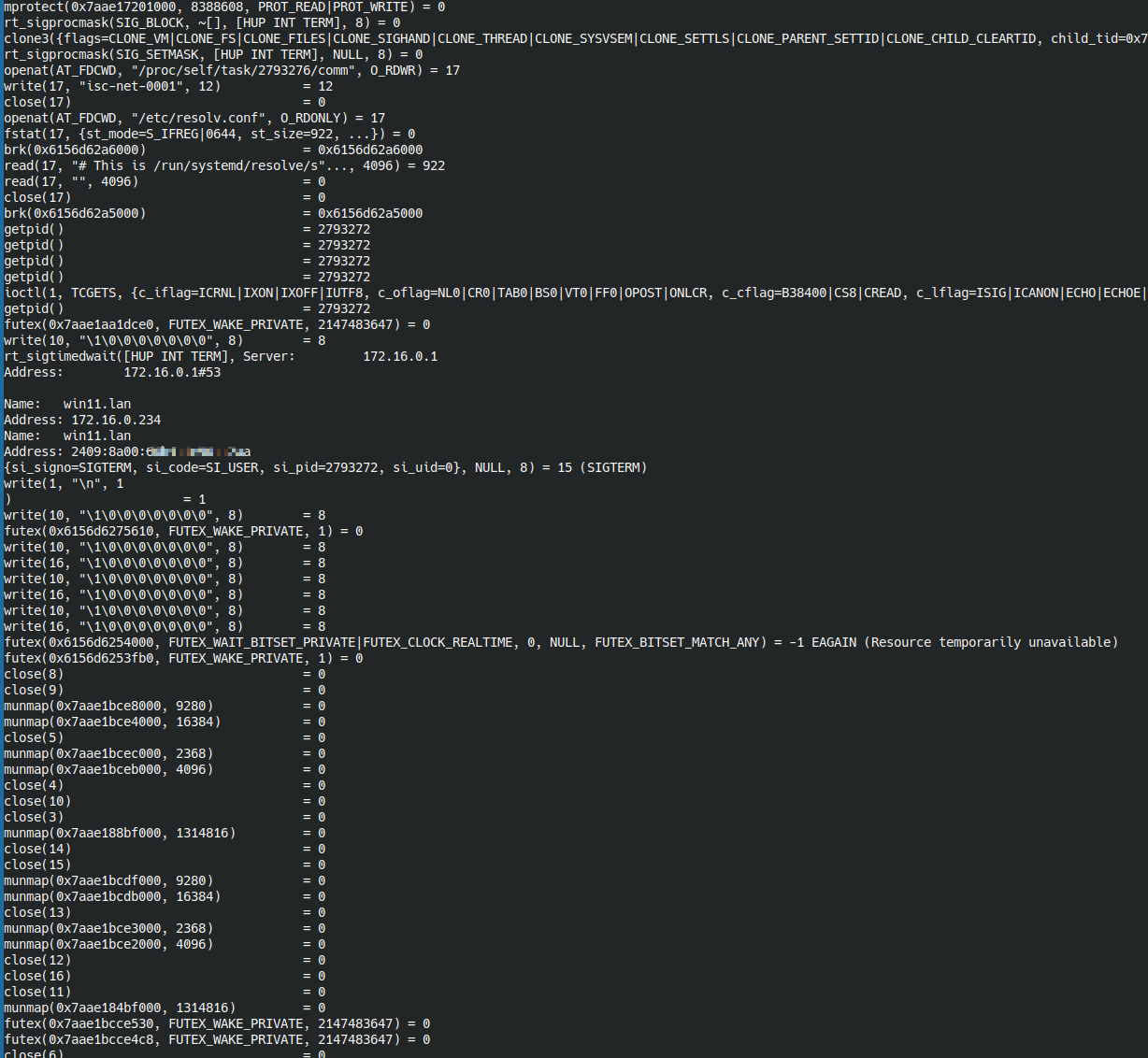
strace nslookup win11

strace nslookup win11 172.16.0.1
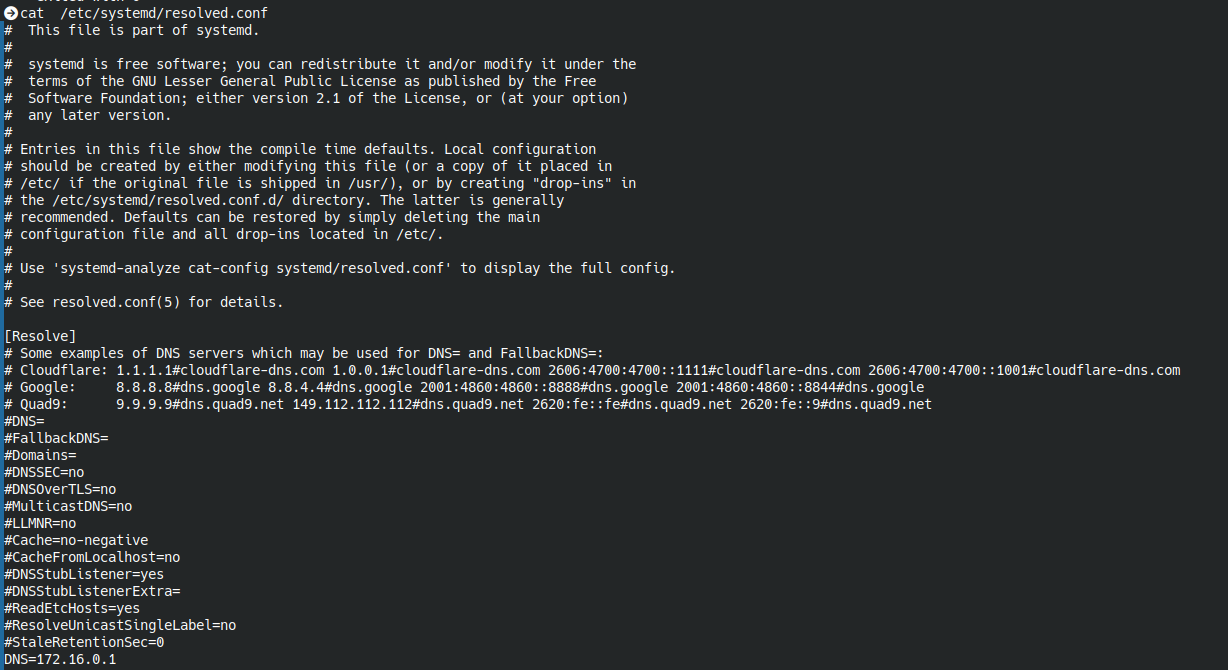
cat /etc/systemd/resolved.conf
网上检索也有一些类似的信息
Question on nslookup command
Why does /etc/resolv.conf point at 127.0.0.53?
NSLookup Unable To Resolve Local Computer's Hostname
再问 Claude,问题看起来明朗起来
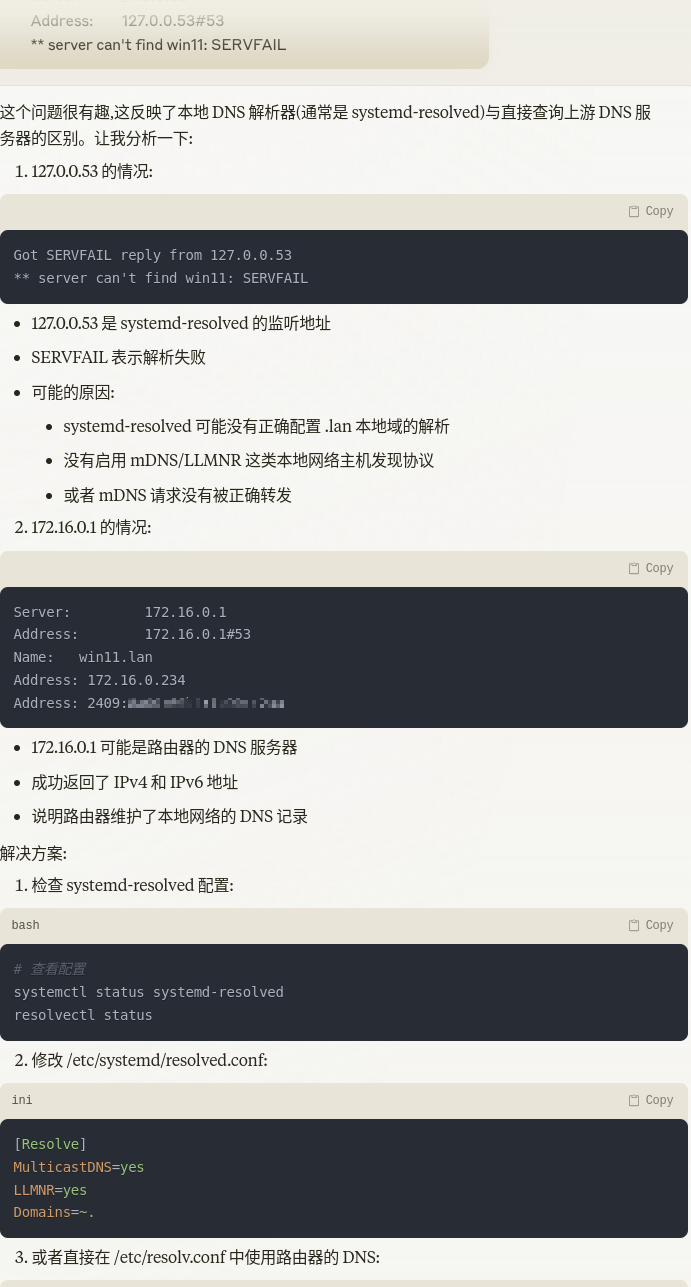
最后修改resolved.conf文件,再将systemd-resolved服务重启,问题消失。
echo "LLMNR=yes" | sudo tee -a /etc/systemd/resolved.conf
systemctl restart systemd-resolved
下面的修改似乎不是必须的
sed -i '/^#MulticastDNS=yes/s/^#//' /etc/systemd/resolved.conf
A question about the linux nslookup command not being able to resolve lan hostname using 127.0.0.53, but gateway.
最好还是多了解一下 systemd-resolved.service,比如看这篇 DNS三两事: 寻找最佳DNS及正确设置DNS服务器(Ubuntu) 就了解了之前模糊的东西。

 浙公网安备 33010602011771号