
CSharp: Spire.PdfViewer
<%@ Page Language="C#" AutoEventWireup="true" CodeBehind="SpirePDFdemo.aspx.cs" Inherits="WebAppPdfDemo.SpirePDFdemo" %>
<%@ Register Assembly="Spire.PdfViewer.Asp" Namespace="Spire.PdfViewer.Asp" TagPrefix="cc1" %>
<!DOCTYPE html PUBLIC "-//W3C//DTD XHTML 1.0 Transitional//EN" "http://www.w3.org/TR/xhtml1/DTD/xhtml1-transitional.dtd">

<html xmlns="http://www.w3.org/1999/xhtml">
<head runat="server">
   <meta charset="UTF-8">
    <meta http-equiv="X-UA-Compatible" content="IE=edge">
    <meta name="viewport" content="width=device-width, initial-scale=1.0">
    <title>pdf view</title>
</head>
<body>
    <form id="form1" runat="server">
    <div>
        <cc1:PdfViewer ID="PdfViewer1" runat="server" Width="800px" Height="800px">
        </cc1:PdfViewer>
    </div>
    </form>
</body>
</html>
using System;
using System.Collections.Generic;
using System.Linq;
using System.Web;
using System.Web.UI;
using System.Web.UI.WebControls;
using System.Drawing;
using Spire.Pdf;
using Spire.PdfViewer;
using Spire.Pdf.Graphics;
using Spire.Pdf.Tables;
using Spire.Pdf.Fields;
using Spire.Pdf.Annotations;
using Spire.Pdf.Actions;
using Spire.Pdf.General;
using Spire.Pdf.General.Find;
using Spire.PdfViewer.Asp;

namespace WebAppPdfDemo
{

    /// <summary>
    ///
    /// </summary>
    public partial class SpirePDFdemo : System.Web.UI.Page
    {


        /// <summary>
        ///
        /// </summary>
        /// <param name="sender"></param>
        /// <param name="e"></param>
        protected void Page_Load(object sender, EventArgs e)
        {
            if (!IsPostBack)
            {
                // Creates a pdf document
                PdfDocument doc = new PdfDocument();

                // Creates a new page
                PdfPageBase page = doc.Pages.Add();

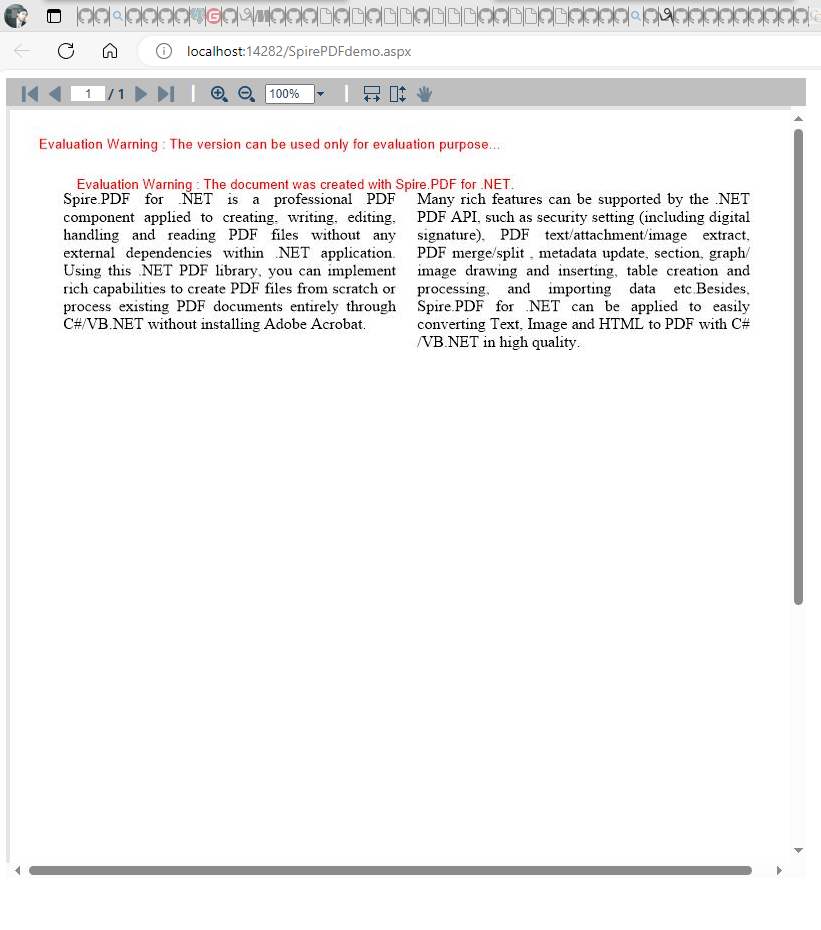
                string s1 = "Spire.PDF for .NET is a professional PDF component applied to creating, writing, "
                            + "editing, handling and reading PDF files without any external dependencies within "
                            + ".NET application. Using this .NET PDF library, you can implement rich capabilities "
                            + "to create PDF files from scratch or process existing PDF documents entirely through "
                            + "C#/VB.NET without installing Adobe Acrobat.";
                string s2 = "Many rich features can be supported by the .NET PDF API, such as security setting "
                            + "(including digital signature), PDF text/attachment/image extract, PDF merge/split "
                            + ", metadata update, section, graph/image drawing and inserting, table creation and "
                            + "processing, and importing data etc.Besides, Spire.PDF for .NET can be applied to easily "
                            + "converting Text, Image and HTML to PDF with C#/VB.NET in high quality.";

                // Get width and height of page
                float pageWidth = page.GetClientSize().Width;
                float pageHeight = page.GetClientSize().Height;

                PdfBrush brush = PdfBrushes.Black;
                PdfFont font = new PdfFont(PdfFontFamily.TimesRoman, 12f);
                PdfStringFormat format = new PdfStringFormat(PdfTextAlignment.Justify);

                // Draw text
                page.Canvas.DrawString(s1, font, brush, new RectangleF(0, 20, pageWidth / 2 - 8f, pageHeight), format);
                page.Canvas.DrawString(s2, font, brush, new RectangleF(pageWidth / 2 + 8f, 20, pageWidth / 2 - 8f, pageHeight), format);


                String result = Server.MapPath("CreateTwoColumnPDF_out.pdf");

                //Save the document
                doc.SaveToFile(result);
                //Launch the Pdf file
               // PDFDocumentViewer(result);

                //The interval time of emptying caching, specified in seconds.
                this.PdfViewer1.CacheInterval = 1200;
                //Caching time of an image, specified in seconds.
                this.PdfViewer1.CacheTime = 1000;
                //Cache the number of Image, default is 1000.
                this.PdfViewer1.CacheNumberImage = 1000;
                //The time of responding to event after stopping scrolling, specified in milliseconds.default is 500.
                this.PdfViewer1.ScrollInterval = 300;
                //Zoom value of page, default is 1.
                this.PdfViewer1.ZoomFactor = 1;
                this.PdfViewer1.CustomErrorMessages = "Error information";
                this.PdfViewer1.LoadFromFile("CreateTwoColumnPDF_out.pdf");

            }
        }

        /// <summary>
        ///
        /// </summary>
        /// <param name="fileName"></param>
        private void PDFDocumentViewer(string fileName)
        {
            try
            {
                System.Diagnostics.Process.Start(fileName);
            }
            catch { }
        }
    }
}
using System;
using System.Collections.Generic;
using System.ComponentModel;
using System.Data;
using System.Drawing;
using System.Linq;
using System.Text;

using System.Windows.Forms;
using System.IO;

namespace CustomizePdfViewerToolBar
{

    /// <summary>
    ///
    /// </summary>
    public partial class Form1 : Form
    {
        public Form1()
        {
            InitializeComponent();

        }

        /// <summary>
        ///
        /// </summary>
        /// <param name="sender"></param>
        /// <param name="e"></param>
        private void Form1_Load(object sender, EventArgs e)
        {
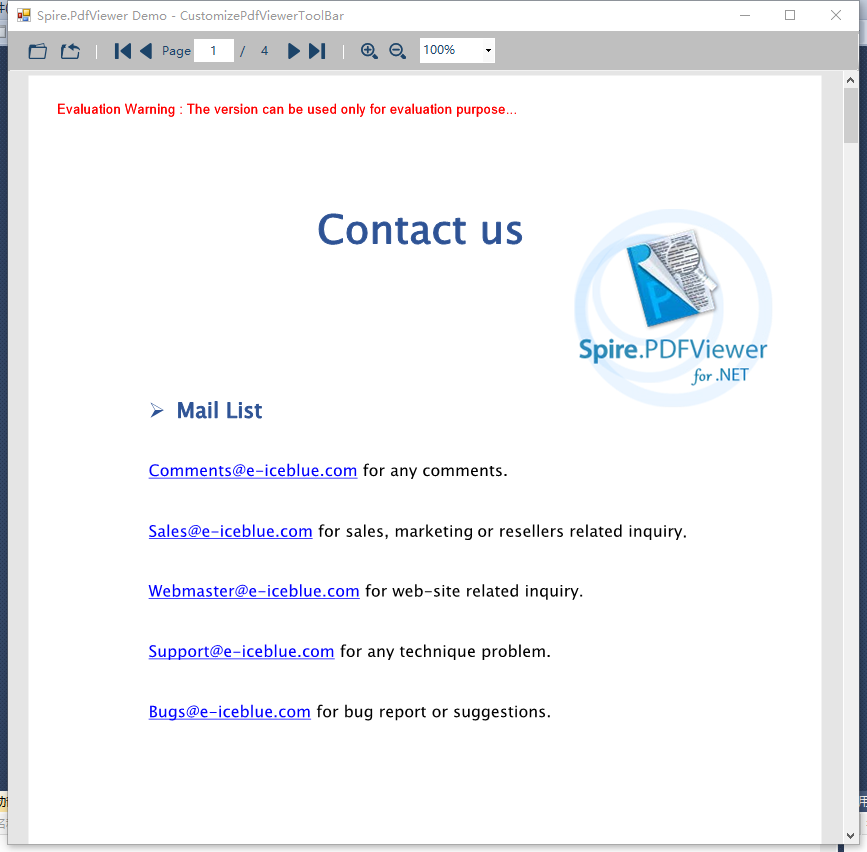
            string path = @"..\..\..\..\..\..\Data\Multipage.pdf";
            if (File.Exists(path))
            {
                this.pdfDocumentViewer1.LoadFromFile(path);
            }
        }
    }
}
哲学管理(学)人生, 文学艺术生活, 自动(计算机学)物理(学)工作, 生物(学)化学逆境, 历史(学)测绘(学)时间, 经济(学)数学金钱(理财), 心理(学)医学情绪, 诗词美容情感, 美学建筑(学)家园, 解构建构(分析)整合学习, 智商情商(IQ、EQ)运筹(学)生存.---Geovin Du(涂聚文)

 浙公网安备 33010602011771号