


完整教程:js基础高级:02、对象(定义与使用)、函数(定义与调用)、回调函数(定义与调用)、IIFE(立即调用函数表达式)、函数中的this(定义与调用)
javascript 的对象、函数、回调函数、IIFE、函数中this等的定义与调用:
Ⅰ、对象:
其一、对象的定义与使用:
<!DOCTYPE html>
    <html lang="zh-CN">
    <head>
        <meta charset="UTF-8">
          <meta name="viewport" content="width=device-width, initial-scale=1.0">
        <title>08_对象1</title>
        </head>
        <body>
          <!--
          1、什么是对象?
          * 多个数据的封装体
          * 用来保存多个数据的容器
          * 一个对象代表现实中的一个事物
          2、为什么要用对象?
          * 统一管理多个数据
          3、对象的组成:
          * 属性:由属性名(字符串)和属性值(任意类型)组成
          * 方法:一种特别的属性(属性值是函数类型的属性称之为方法)
          4、如何访问对象内部数据?
          * .属性名:编码简单,有时不能用
          * ['属性名']:编码麻烦,能通用(即:任何条件下都能使用)
          -->
            <script type="text/javascript">
            var name = 'Tom'
            var age = 12
            var p = {
            name: 'Tom',
            age: 12,
            setName: function(name) {
            this.name = name
            },
            setAge: function(age) {
            this.age = age
            }
            }
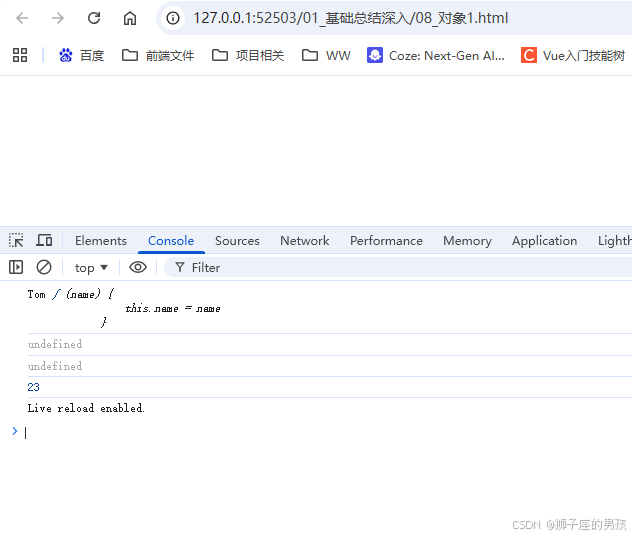
            console.log(p.name, p.setName)// Tom, ƒ (name) {	this.name = name }
            p.setName('Bob')
            console.log(p.setName('Bob'))// undefined,因为没有返回值;
            p['setAge'](23)
            console.log(p['setAge'](23))// undefined,因为没有返回值;
            console.log(p['age'])// 23
          </script>
        </body>
      </html>
其二、结果为:
// 一进入页面后的控制台:
其三、必须用[‘属性名’]方式情况的代码:
<!DOCTYPE html>
    <html lang="zh-CN">
    <head>
        <meta charset="UTF-8">
          <meta name="viewport" content="width=device-width, initial-scale=1.0">
        <title>09_对象2</title>
        </head>
        <body>
          <!--
          问题:什么时候必须使用 ['属性名'] 的方式?(即:什么时候不能使用 .属性名 的方式调用属性)
          * 1、属性名包含特殊字符:-、空格、
          * 2、属性名不确定(即:需要用一个变量来存放该属性名)
          -->
            <script type="text/javascript">
            //1、给 p 对象添加一个属性:content-type: text/json
            var p = {}
            // p.content-type = 'text/json'// 报错不能用;
            p['content-type'] = 'text/json'// 此时并不报错;
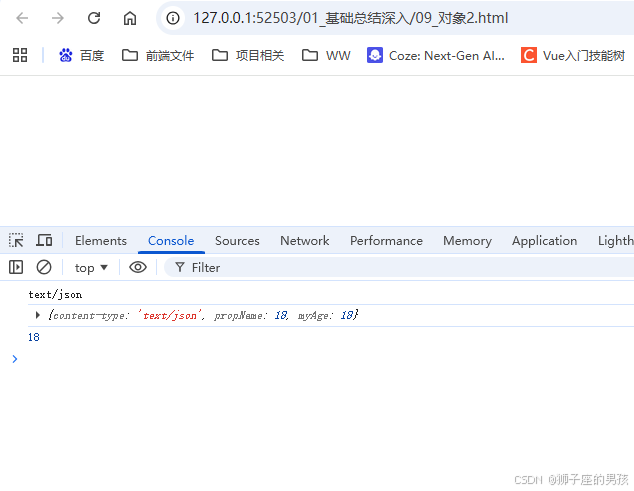
            console.log(p['content-type'])// 'text/json'
            //2、属性名不确定
            var propName = 'myAge'
            var value = 18
            p.propName = value// 不能用(因为此时是给 p 添加的属性值为 propName,而非 propName 变量代表的 'myAge' 属性,因此不能用)
            p[propName] = value
            console.log(p)// {content-type: 'text/json', propName: 18, myAge: 18}
            console.log(p[propName])// 18
          </script>
        </body>
      </html>
其四、结果为:
// 一进入页面后的控制台:
Ⅱ、函数的定义与调用:
其一、代码为:
<!DOCTYPE html>
    <html lang="zh-CN">
    <head>
        <meta charset="UTF-8">
          <meta name="viewport" content="width=device-width, initial-scale=1.0">
        <title>10_函数</title>
        </head>
        <body>
          <!--
          1、什么是函数?
          * 实现特定功能的 n 条语句的封装体;
          * 只有函数是可以执行的,其它类型的数据不能执行;
          2、为什么要用函数?
          * 提高代码复用;
          * 便于阅读交流;
          3、如何定义函数?
          * 函数声明:
          * 表达式;
          4、如何调用(执行)函数?
          * test(): 直接调用;
          * obj.test(): 通过对象调用;
          * new test(): new 调用;
          * test.call/apply(obj): 临时让 test 成为 obj 的方法进行调用(即:本质是 obj.test())
          -->
            <script type="text/javascript">
            /*
            编写程序实现以下功能需求:
            1、根据年龄输出对应的信息
            2、如果小于 18,输出:未成年,再等等!
            3、如果大于 60,输出:c
            4、其它,输出:刚好!
            */
            function showInfo(age) {
            if(age < 18) {
            console.log('未成年,再等等!')
            } else if(age > 60) {
            console.log('未成年,再等等!')
            } else {
            console.log('刚好!')
            }
            }
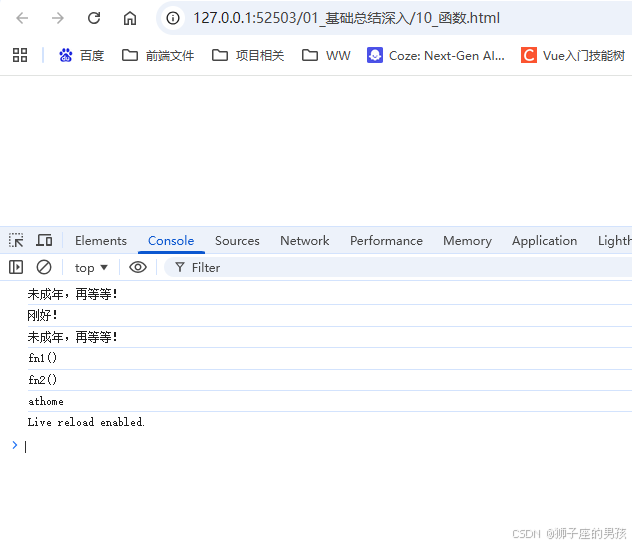
            showInfo(17)// 未成年,再等等!
            showInfo(20)// 刚好!
            showInfo(65)// 未成年,再等等!
            // 3、如何定义函数?
            function fn1() {// 声明函数方式一:函数声明;
            console.log('fn1()')
            }
            var fn2 = function() {// 声明函数方式二:表达式
            console.log('fn2()')
            }
            fn1()// fn1()
            fn2()// fn2()
            // 4、如何调用(执行)函数?
            var obj = {}
            function test2() {
            this.xxx = 'athome'
            }
            // obj.test2()// 报错(Uncaught TypeError: obj.test2 is not a function),不能直接调用,因为 obj 中根本没有 test2 函数;
            test2.call(obj)// js 的强大之处:可以让一个函数成为任意一个对象的方法,进行调用(这是其它语言所做不到的);
            console.log(obj.xxx)// 'athome'(说明:test2.call(obj) 代码使得 obj 成功调用了 test2 函数)
          </script>
        </body>
      </html>
其二、结果为:
// 一进入页面后的控制台:
Ⅲ、回调函数的定义与调用:
其一、代码为:
<!DOCTYPE html>
    <html lang="zh-CN">
    <head>
        <meta charset="UTF-8">
          <meta name="viewport" content="width=device-width, initial-scale=1.0">
        <title>11_回调函数</title>
        </head>
        <body>
        <button id="btn">测试点击事件</button>
          <!--
          1、什么函数才是回调函数?
          1). 你定义的
          2). 你没有调
          3). 但最终它执行了(在某个时刻或某个条件下,即:触发条件)
          2、常见的回调函数?
          * dom 事件回调函数;  ==> this 是发生事件的 dom 元素(如:button 对象)
          * 定时器回调函数;  ==> this 是 window
          * ajax 请求回调函数(后面讲);  ==> this 是发生事件的 dom 元素
          * 生命周期回调函数(后面讲);  ==> this 是发生事件的 dom 元素
          -->
            <script type="text/javascript">
            // dom 事件回调函数;
            document.getElementById('btn').onclick = function() {
            // alert(this.innerHTML)
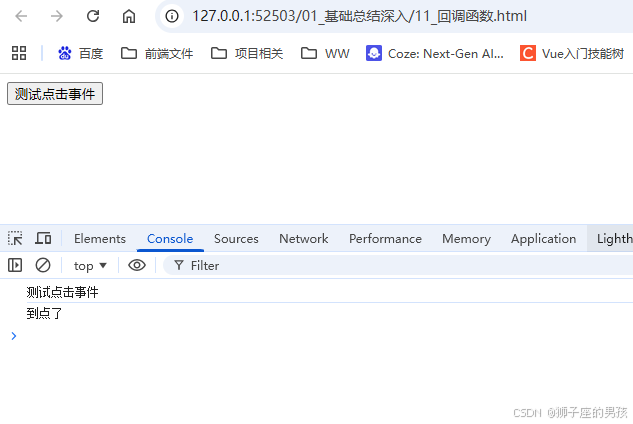
            console.log(this.innerHTML)// '测试点击事件'
            }
            /*
            定时器
            超时定时器
            循环定时器
            */
            // 定时器回调函数;
            setTimeout(function() {
            // alert('到点了')
            console.log('到点了')// '到点了'
            }, 2000)
          </script>
        </body>
      </html>
其二、结果为:
// 一进入页面后的控制台:
Ⅳ、IIFE:Immediately-Invoked Function Expression(立即调用函数表达式)
其一、代码为:
<!DOCTYPE html>
    <html lang="zh-CN">
    <head>
        <meta charset="UTF-8">
          <meta name="viewport" content="width=device-width, initial-scale=1.0">
        <title>12_IIFE</title>
        </head>
        <body>
          <!--
          1、理解:
          * 全称:Immediately-Invoked Function Expression(即:立即调用函数表达式)
          2、作用:
          * 隐藏实现
          * 不会污染外部(全局)命名空间
          * 可以用 IIFE 来编码 js 模块
          -->
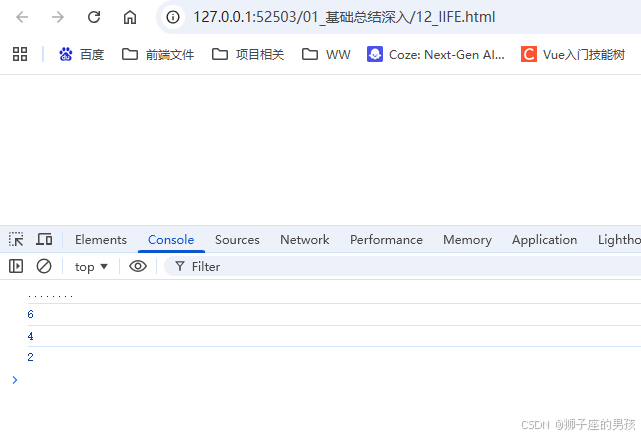
            <script type="text/javascript">
            (function() {// 匿名函数自调用;
            console.log('........')// '........'
            var a = 3
            console.log(a + 3)// 6
            })()
            var a = 4// 此时定义的 a 是在全局作用域中,而匿名函数中的 a 是在函数作用域内,因此不会受影响(即:不会报错,因为相互之间是隔离的);
            console.log(a)// 4
            ;(function() {// 此时不加分号会报错的原因:在没有分号的情况下,会将该匿名函数与上述的 console.log(a) 代码连在一起当成函数来执行,因此会报错;
            var a = 1
            function test() {
            console.log(++a)
            }
            window.$ = function() {// 向外暴露一个全局函数;
            return {
            test: test
            }
            }
            })()
            $().test()// 2(其一、$ 是一个函数; 其二、$ 执行后返回的是一个对象)
          </script>
        </body>
      </html>
其二、结果为:
// 一进入页面后的控制台:
Ⅴ、函数中this的定义与调用:
其一、代码为:
<!DOCTYPE html>
    <html lang="zh-CN">
    <head>
        <meta charset="UTF-8">
          <meta name="viewport" content="width=device-width, initial-scale=1.0">
        <title>13_函数中的this</title>
        </head>
        <body>
          <!--
          1、this 是什么?
          * 任何函数本质上都是通过某个对象来调用的,如果没有直接指定就是 window(即:在没有直接指定的情况下,该对象就是 window)
          * 所有函数内部都有一个变量 this
          * 它的值是调用函数的当前对象
          2、如何确定 this 的值?
          * test(): window
          * p.test(): p
          * new test(): 新创建的对象
          * p.call(obj): obj
          * dom 事件回调函数;  ==> this 是发生事件的 dom 元素(如:button 对象)
          * 定时器回调函数;  ==> this 是 window
          -->
            <script type="text/javascript">
            function Person(color) {
            console.log(this)
            this.color = color
            this.getColor = function() {
            console.log(this)
            return this.color
            }
            this.setColor = function(color) {
            console.log(this)
            this.color = color
            }
            }
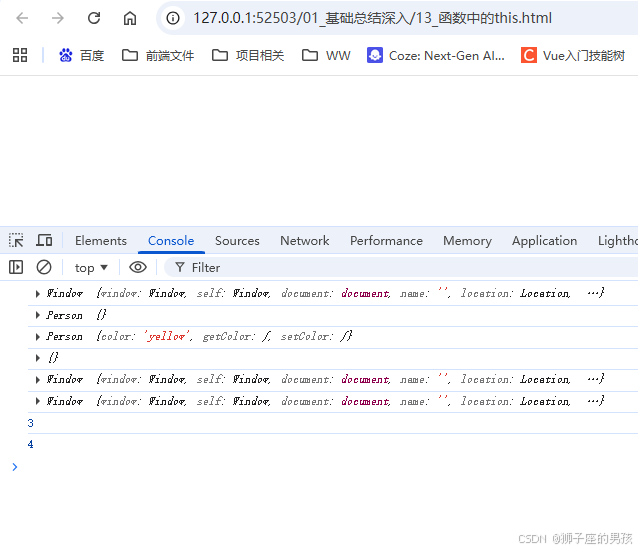
            Person("red")// this 是谁? window
            var p = new Person("yellow")// this 是谁? p(即:p 指向的 new 对象)(即:Person {},注意:由于输出 this 的语句是在 this.color = color 之前,因此是空对象,否则输出结果为:Person {color: 'yellow', ...})
            p.getColor()// this 是谁? p(即:Person {color: 'yellow', getColor: ƒ, setColor: ƒ})
            var obj = {}
            p.setColor.call(obj, "black")// this 是谁? obj(即:{})
            var test = p.setColor
            test()// this 是谁? window(原因:是直接调用的 setColor 函数,因此 this 是 window)
            function fun1() {
            function fun2() {
            console.log(this)
            }
            fun2()// this 是谁? window
            }
            fun1()
            var a = 3
            // alert(window.a)
            console.log(window.a)// 3
            window.b = 4
            // alert(b)
            console.log(b)// 4
          </script>
        </body>
      </html>
其二、结果为:
// 一进入页面后的控制台:
Ⅵ、小结:
其一、哪里有不对或不合适的地方,还请大佬们多多指点和交流!
其二、若有转发或引用本文章内容,请注明本博客地址(直接点击下面 url 跳转) https://blog.csdn.net/weixin_43405300,创作不易,且行且珍惜!
其三、有兴趣的话,可以多多关注这个专栏(Vue(Vue2+Vue3)面试必备专栏)(直接点击下面 url 跳转):https://blog.csdn.net/weixin_43405300/category_11525646.html?spm=1001.2014.3001.5482
其四、再有兴趣的话,也可以多多关注这个专栏(Java)(直接点击下面 url 跳转):https://blog.csdn.net/weixin_43405300/category_12654744.html?spm=1001.2014.3001.5482

 浙公网安备 33010602011771号