vue2+UniApp微信小程序集成高德地图 - 教程

技术文章大纲:UniApp微信小程序引入高德地图

准备工作

开发指南 :https://lbs.amap.com/api/wx/gettingstarted

  • 注册高德地图开发者账号并申请小程序应用的Key
  • 确保UniApp项目已配置微信小程序平台支持
  • 了解微信小程序与高德地图API的兼容性限制

高德地图SDK引入

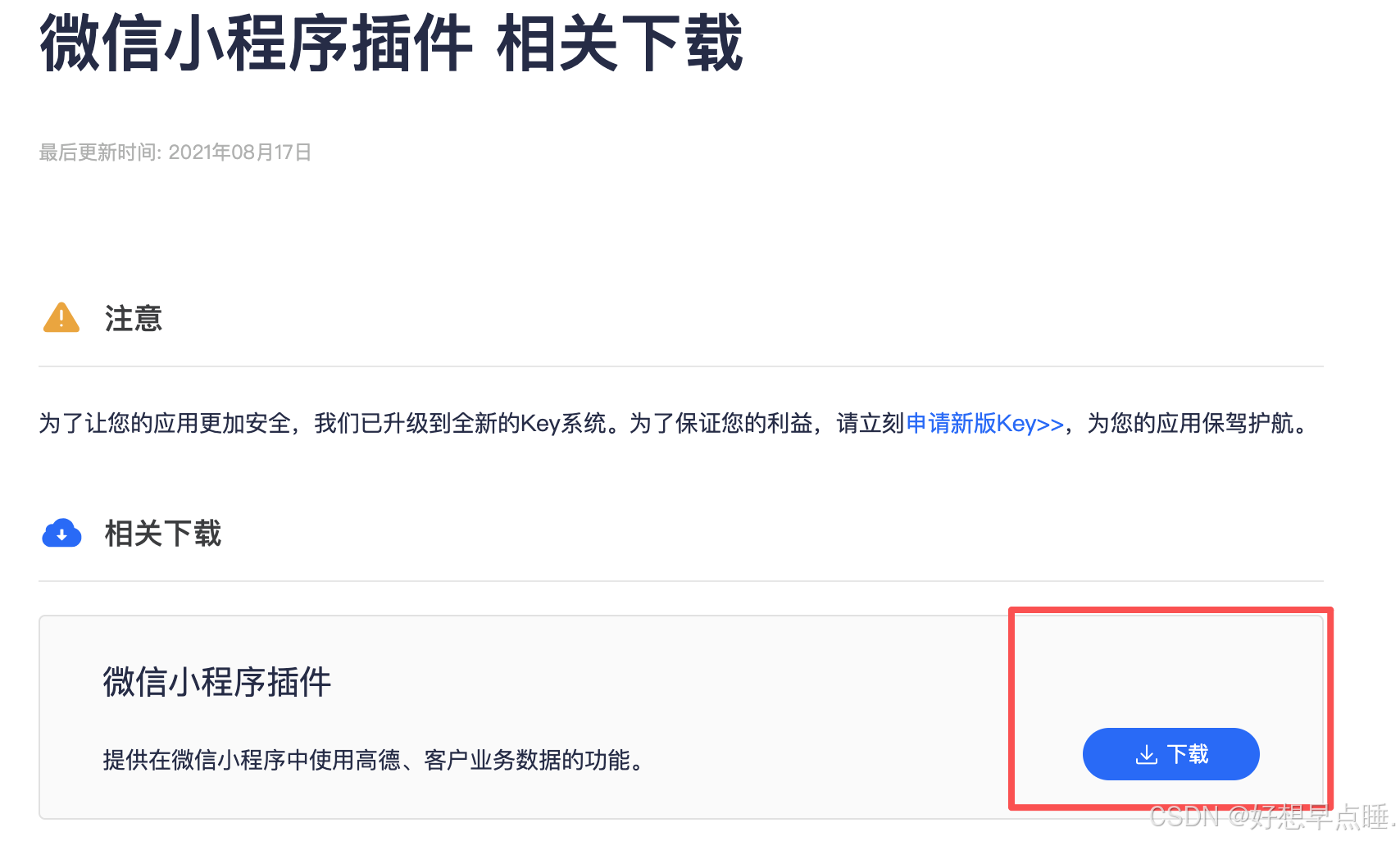
  • 下载高德地图微信小程序JavaScript SDK

  • https://lbs.amap.com/api/wx/download

  • 将SDK文件放置于UniApp项目静态资源目录

  • const amapFile = require('@/libs/amap-wx.130.js')

基础地图功能实现

  • 在页面中声明map组件,使用的是uniapp的map组件
  • https://uniapp.dcloud.net.cn/component/map.html#map
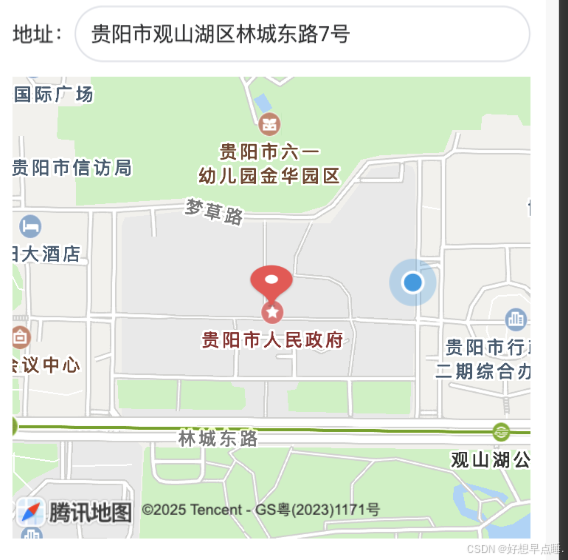
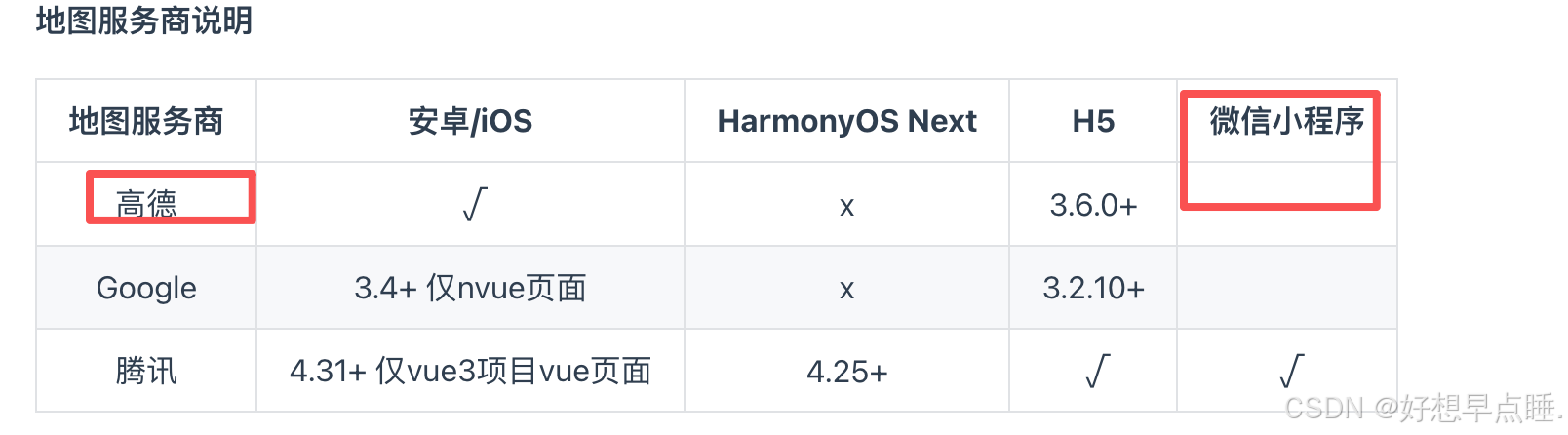
  • 注:因为地图服务商问题,引入高德地图api但是显示是腾讯地图
  • 模板中嵌入地图组件并设置初始经纬度
  • 通过CSS调整地图容器样式与尺寸
  • 
    <script>
    	const amapFile = require('@/libs/amap-wx.130.js')
    	export default {
    		name: 'MapLocation',
    		props:{
    			type:{
    				default:'',
    				type:String
    			}
    		},
    		data() {
    			return {
    				searchKeyword: '',
    				searchLoading: false,
    				locationLoading: false,
    				poiList: [],
    				longitude: '',
    				latitude: '',
    				markers: [],
    				selectedLocation: null,
    				searchTimer: null,
    				currentCity: '',
    				amapKey: '地图key',
    				amap: null
    			}
    		},
    		mounted() {
    			this.initMap()
    		},
    		methods: {
    			setInitialLocation(coordinates, address) {
    				if (!this.amap) {
    					this.initMap()
    				}
    				if (!coordinates) return
    				const [lng, lat] = coordinates.split(',').map(Number)
    				this.getRegeoByLocation(lng, lat)
    					.then(({
    						detailedAddress,
    						addressComponent
    					}) => {
    						this.currentCity = addressComponent.city || addressComponent.province
    						const targetAddress = address?.trim() || detailedAddress
    						this.updateLocationInfo(lng, lat, targetAddress)
    					})
    					.catch(err => {
    						uni.showToast({
    							title: '初始化地址失败',
    							icon: 'none'
    						})
    						console.error('初始化逆地理编码失败:', err)
    					})
    			},
    			confirmSelection() {
    				if (this.selectedLocation) {
    					this.$emit('confirm', this.selectedLocation)
    				}
    			},
    			initMap() {
    				if (!this.amap) {
    					this.amap = new amapFile.AMapWX({
    						key: this.amapKey
    					})
    				}
    			},
    			getCurrentLocation() {
    				uni.showLoading({
    					title: '定位中...'
    				})
    				this.amap.getRegeo({
    					success: (res) => {
    						uni.hideLoading()
    						const {
    							longitude,
    							latitude
    						} = res[0]
    						const {
    							addressComponent,
    							formatted_address
    						} = res[0].regeocodeData
    						const address = formatted_address
    						this.currentCity = addressComponent.city
    						this.updateLocationInfo(longitude, latitude, address)
    					},
    					fail: (err) => {
    						uni.hideLoading()
    						uni.showToast({
    							title: '定位失败',
    							icon: 'none'
    						})
    						console.error('定位失败:', err)
    					}
    				})
    			},
    			handleSearch() {
    				if (!this.searchKeyword.trim()) {
    					this.poiList = []
    					return
    				}
    				clearTimeout(this.searchTimer)
    				this.searchTimer = setTimeout(() => {
    					this.amap.getInputtips({
    						keywords: this.searchKeyword,
    						city: this.currentCity,
    						success: (res) => {
    							this.poiList = res.tips.filter(item => item.location)
    						},
    						fail: () => {
    							uni.showToast({
    								title: '搜索失败',
    								icon: 'none'
    							})
    						}
    					})
    				}, 500)
    			},
    			async selectPoi(item) {
    				if (!item.location) return
    				try {
    					const [lng, lat] = item.location.split(',').map(Number)
    					const {
    						detailedAddress,
    						addressComponent
    					} = await this.getRegeoByLocation(lng, lat)
    					this.currentCity = addressComponent.city || addressComponent.province
    					this.updateLocationInfo(lng, lat, detailedAddress)
    					this.searchKeyword = detailedAddress
    					this.poiList = []
    				} catch (error) {
    					uni.showToast({
    						title: '获取地址失败',
    						icon: 'none'
    					})
    					console.error('POI选择后获取详细地址失败:', error)
    				}
    			},
    			handleMapClick(e) {
    				const lng = e.detail.longitude
    				const lat = e.detail.latitude
    				this.getAddressByLocation(lng, lat)
    			},
    			async getAddressByLocation(lng, lat) {
    				try {
    					const {
    						detailedAddress,
    						addressComponent
    					} = await this.getRegeoByLocation(lng, lat)
    					this.currentCity = addressComponent.city || addressComponent.province
    					this.updateLocationInfo(lng, lat, detailedAddress)
    				} catch (error) {
    					uni.showToast({
    						title: '获取地址失败',
    						icon: 'none'
    					})
    					console.error('地图点击后获取地址失败:', error)
    				}
    			},
    			getRegeoByLocation(lng, lat) {
    				return new Promise((resolve, reject) => {
    					if (!this.amap) {
    						this.initMap()
    					}
    					this.amap.getRegeo({
    						location: `${lng},${lat}`,
    						success: (res) => {
    							if (res.length > 0 && res[0].regeocodeData) {
    								const {
    									addressComponent,
    									formatted_address: detailedAddress
    								} = res[0].regeocodeData
    								this.currentCity = addressComponent.city
    								resolve({
    									detailedAddress,
    									addressComponent
    								})
    							} else {
    								reject(new Error('未获取到地址信息'))
    							}
    						},
    						fail: (err) => {
    							reject(err)
    						}
    					})
    				})
    			},
    			updateLocationInfo(lng, lat, address) {
    				const locationStr = `${lng},${lat}`
    				this.longitude = lng
    				this.latitude = lat
    				this.markers = [{
    					id: 1,
    					longitude: lng,
    					latitude: lat,
    					title: address,
    					width: 30,
    					height: 30
    				}]
    				this.selectedLocation = {
    					coordinates: locationStr,
    					address: address
    				}
    				this.searchKeyword = address
    				this.confirmSelection()
    			}
    		}
    	}
    </script>
    

    引入:

    
    <script>
    import MapLocation from "@/components/MapLocation.vue";
    export default{
    components: {
        MapLocation
      },
    }
    </script>

    需要引入地图的方法里调用定位到当前位置:this.$refs.mapLocation.getCurrentLocation();

    已有经纬度坐标和位置调用定位到已有位置:this.$refs.mapLocation.setInitialLocation(lng, lat);  // lng:经度  lat:纬度

地图交互功能扩展

  • 监听地图缩放、拖动等事件
  • 添加标记点并实现点击弹窗
  • 集成位置搜索与路线规划功能

性能优化与注意事项

  • 控制地图渲染频率避免性能损耗
  • 处理微信小程序与H5环境差异
  • 遵守高德地图API调用频次限制

调试与发布

  • 使用真机调试解决API权限问题
  • 配置合法域名白名单
  • 提交微信小程序审核时的地图相关注意事项

更多功能,查看官方文档添加相关控件https://uniapp.dcloud.net.cn/component/map.html#map

修改了两个部分:

1.搜索时,范围为当前定位城市

2.地址回显通过逆地理编码返回详细地址(省市区)

posted @ 2025-12-13 14:57  gccbuaa  阅读(3)  评论(0)    收藏  举报