
定位:将盒子定在某一个位置,并且漂浮在其他盒子的上面
定位有4个属性值:
-
static(静态定位)
-
relative(相对定位)
-
absolute(绝对定位)
-
fixed(固定定位)
相对定位是元素相对于它原来在标准流中的位置来发生位置改变
原来在标准流中的位置继续占有,后面的盒子不会受到影响
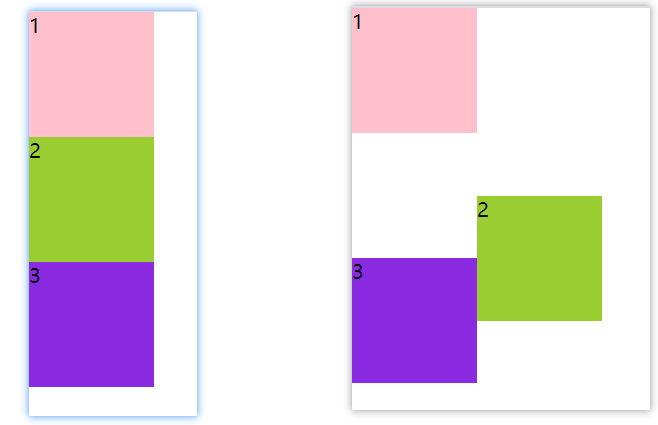
<style>
        * {
            margin: 0;
            padding: 0;
        }
        .box1 {
            width: 100px;
            height: 100px;
            background-color: pink;
        }
        .box2 {
            position: relative;
            left: 100px;
            top: 50px;
            width: 100px;
            height: 100px;
            background-color: yellowgreen;
        }
        .box3 {
            width: 100px;
            height: 100px;
            background-color: blueviolet;
        }
    </style>
绝对定位是元素以带有定位的父元素来移动位置
-
完全脱离标准流(完全不占位置)
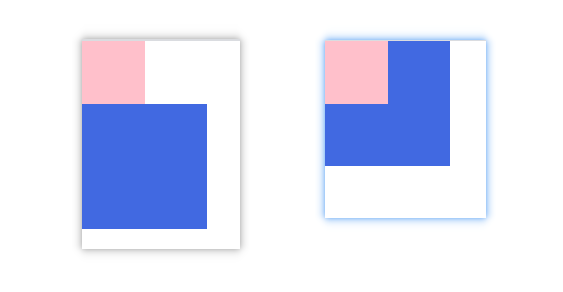
<style>
        * {
            margin: 0;
            padding: 0;
        }
        .far {
            position: absolute;
            left: 0;
            top: 0;
            width: 50px;
            height: 50px;
            background-color: pink;
        }
        .son {
            width: 100px;
            height: 100px;
            background-color: royalblue;
        }
    </style>
-
如果父元素没有定位,则以浏览器为准
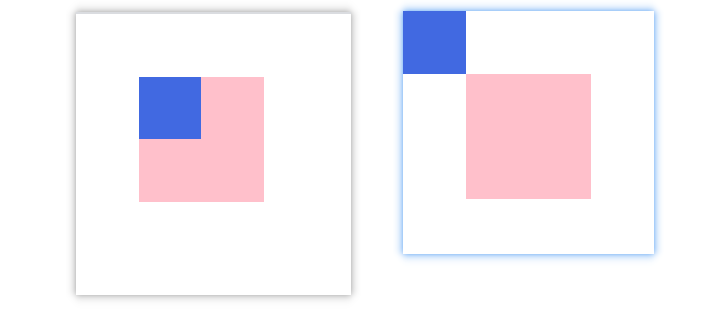
<style>
        * {
            margin: 0;
            padding: 0;
        }
        .far {
            width: 100px;
            height: 100px;
            margin: 50px 50px;
            background-color: pink;
        }
        .son {
            position: absolute;
            left: 0;
            top: 0;
            width: 50px;
            height: 50px;
            background-color: royalblue;
        }
    </style>
- 父元素有定位
- 将元素依据最近的已经定位(绝对、固定或相对定位)的父元素进行定位
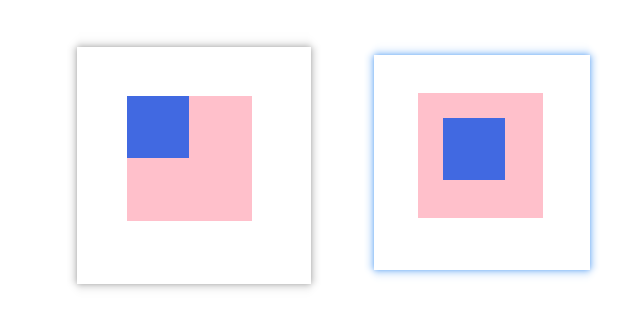
<style>
        * {
            margin: 0;
            padding: 0;
        }
        .far {
            position: relative;
            width: 100px;
            height: 100px;
            margin: 50px 50px;
            background-color: pink;
        }
        .son {
            position: absolute;
            left: 20px;
            top: 20px;
            width: 50px;
            height: 50px;
            background-color: royalblue;
        }
    </style>
-
-
只认浏览器的可视窗口
-
与父元素没有任何关系单独使用
-
 <style>
        .box {
            position:fixed;
            right: 0;
            top: 0;
            width: 100px;
            height: 100px;
        }
</style>
position:relative 和 position:fixed的结合
-
-
如果内容超出窗口位置,按照fixed执行
导航栏吸顶实现方法
position:sticky;
top:0;
默认: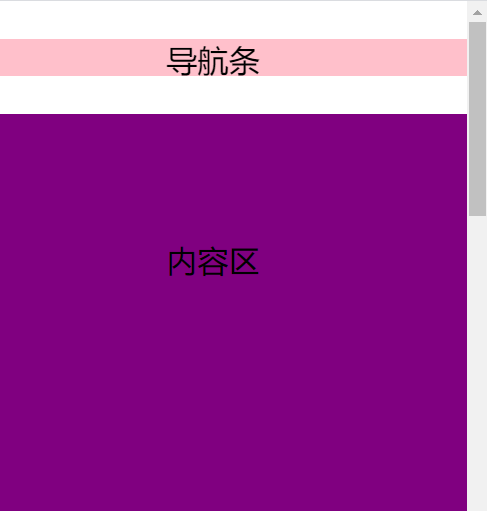 导航条到窗口顶部时: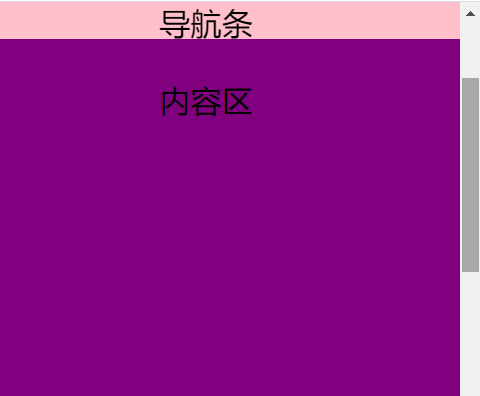
堆叠顺序(z-index)
在使用定位布局时,可能会出现盒子重叠的情况。
加了定位的盒子,默认后来者居上, 后面的盒子会压住前面的盒子。
应用 z-index 层叠等级属性可以调整盒子的堆叠顺序
如图: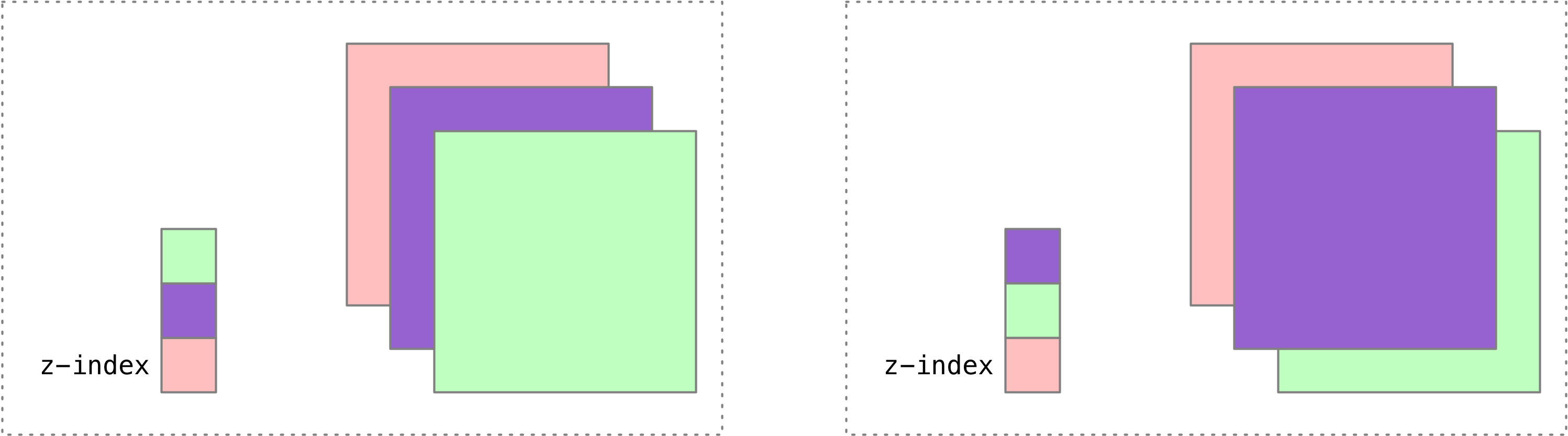
z-index 的特性如下:
-
属性值:正整数、负整数或 0,默认值是 0,数值越大,盒子越靠上;
-
如果属性值相同,则按照书写顺序,后来居上;
-
数字后面不能加单位。
- 注意 z-index是只能

 浙公网安备 33010602011771号