
Angular--富文本编辑器Ckeditor
1、官网下载Ckeditor
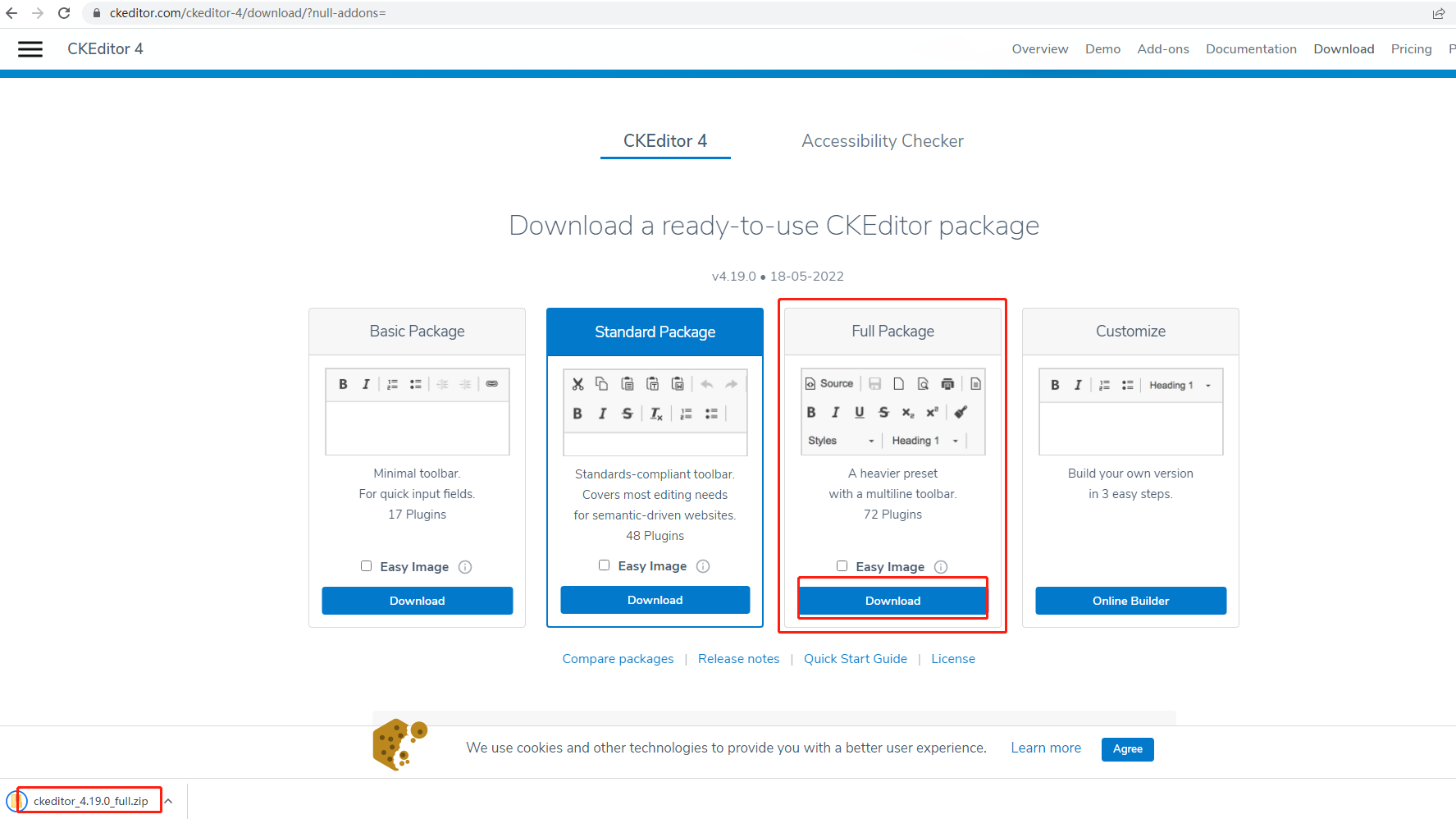
ck5最新版本不会用,目前是用的是ck4,下载full package全包,这样功能比较全。
官网地址:https://ckeditor.com/ckeditor-4/download/
https://ckeditor.com/docs/ckeditor4/latest/api/index.html
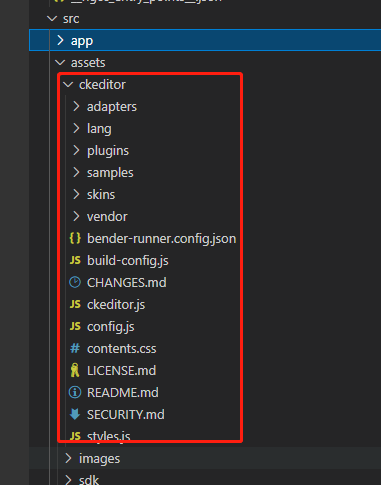
2、下载解压后,把ckeditor文件夹拷贝到项目中。我放在asset文件夹下
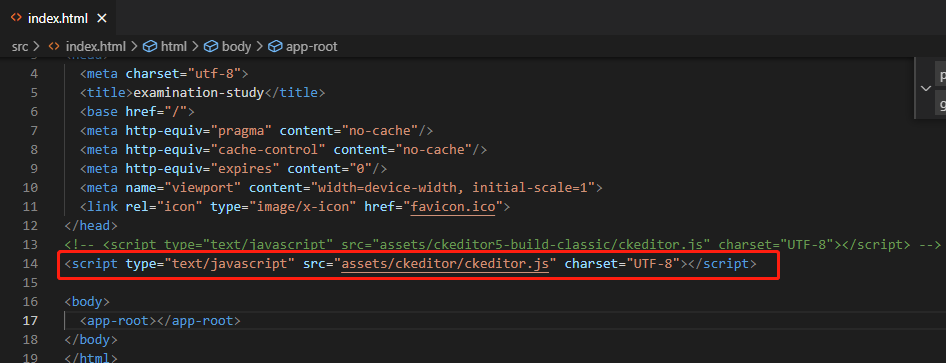
3、index.html
引用js:
<script type="text/javascript" src="assets/ckeditor/ckeditor.js" charset="UTF-8"></script>
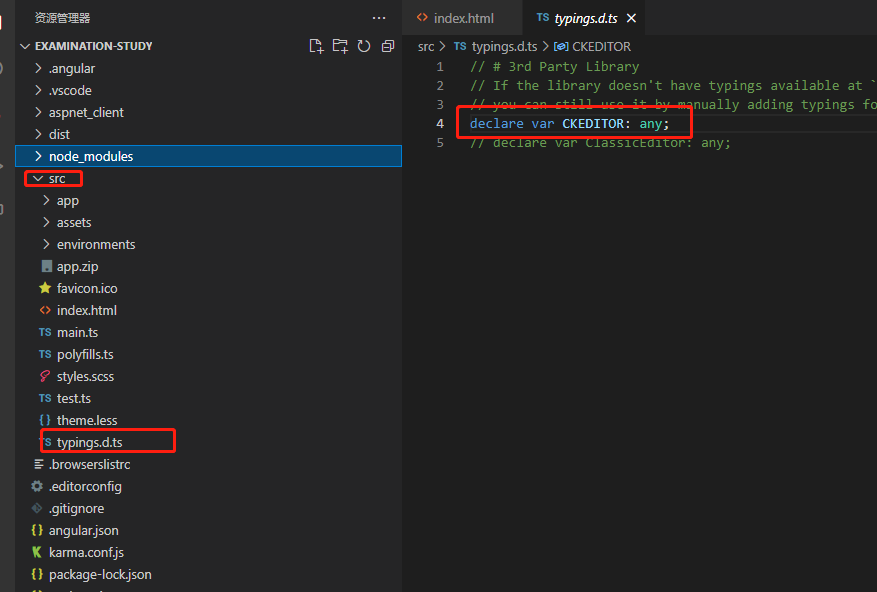
4、声明全局变量
src文件夹新建typings.d.ts文件
declare var CKEDITOR: any;
5、使用
画面加载时候配置CK
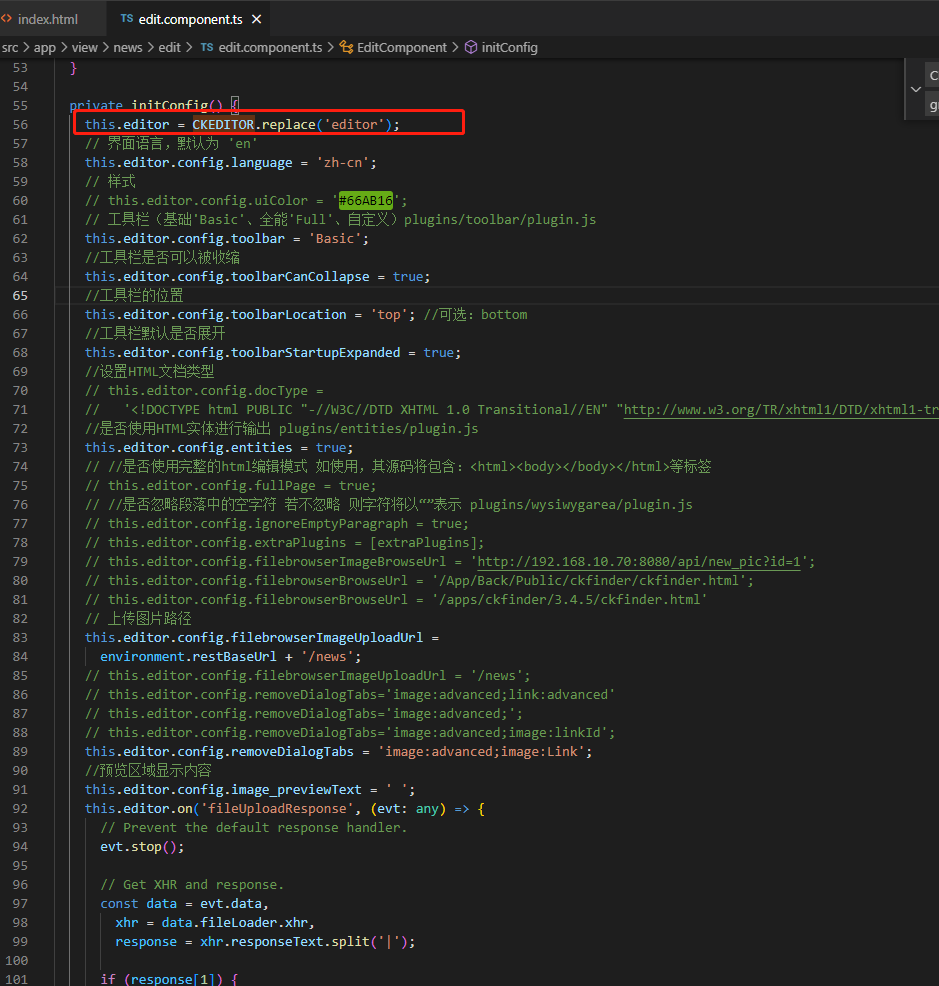
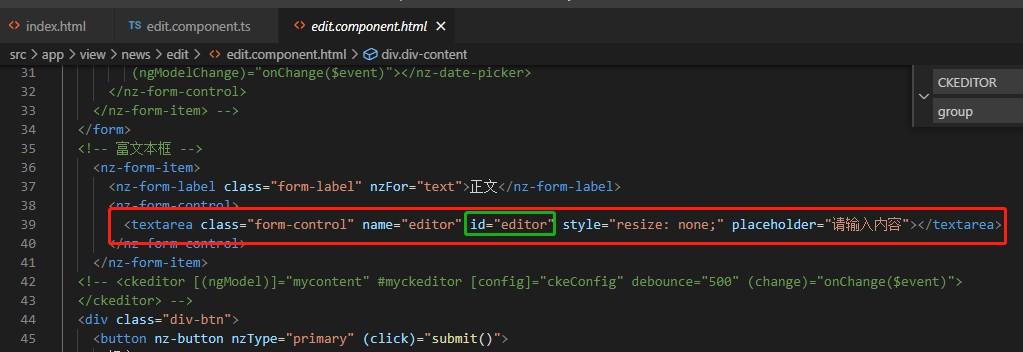
private initConfig() {
this.editor = CKEDITOR.replace('editor');
// 界面语言,默认为 'en'
this.editor.config.language = 'zh-cn';
// 样式
// this.editor.config.uiColor = '#66AB16';
// 工具栏(基础'Basic'、全能'Full'、自定义)plugins/toolbar/plugin.js
this.editor.config.toolbar = 'Basic';
//工具栏是否可以被收缩
this.editor.config.toolbarCanCollapse = true;
//工具栏的位置
this.editor.config.toolbarLocation = 'top'; //可选:bottom
//工具栏默认是否展开
this.editor.config.toolbarStartupExpanded = true;
//设置HTML文档类型
// this.editor.config.docType =
// '<!DOCTYPE html PUBLIC "-//W3C//DTD XHTML 1.0 Transitional//EN" "http://www.w3.org/TR/xhtml1/DTD/xhtml1-transitional.dtd%22';
//是否使用HTML实体进行输出 plugins/entities/plugin.js
this.editor.config.entities = true;
// //是否使用完整的html编辑模式 如使用,其源码将包含:<html><body></body></html>等标签
// this.editor.config.fullPage = true;
// //是否忽略段落中的空字符 若不忽略 则字符将以“”表示 plugins/wysiwygarea/plugin.js
// this.editor.config.ignoreEmptyParagraph = true;
// this.editor.config.extraPlugins = [extraPlugins];
// this.editor.config.filebrowserImageBrowseUrl = 'http://192.168.11.10:8080/api/new_pic?id=1';
// this.editor.config.filebrowserBrowseUrl = '/App/Back/Public/ckfinder/ckfinder.html';
// this.editor.config.filebrowserBrowseUrl = '/apps/ckfinder/3.4.5/ckfinder.html'
// 上传图片路径
this.editor.config.filebrowserImageUploadUrl =
environment.restBaseUrl + '/news';
// this.editor.config.filebrowserImageUploadUrl = '/news';
// this.editor.config.removeDialogTabs='image:advanced;link:advanced'
// this.editor.config.removeDialogTabs='image:advanced;';
// this.editor.config.removeDialogTabs='image:advanced;image:linkId';
this.editor.config.removeDialogTabs = 'image:advanced;image:Link';
//预览区域显示内容
this.editor.config.image_previewText = ' ';
this.editor.on('fileUploadResponse', (evt: any) => {
// Prevent the default response handler.
evt.stop();
// Get XHR and response.
const data = evt.data,
xhr = data.fileLoader.xhr,
response = xhr.responseText.split('|');
if (response[1]) {
// An error occurred during upload.
data.message = response[1];
evt.cancel();
} else {
const str = JSON.parse(response[0]);
if (str && str['status'] === MessageCode.success) {
data.url =
environment.restBaseUrl + '/new_pic?name=' + str['pic_name'];
this.pic_ids.push('' + str['pic_name']);
} else {
evt.cancel();
this.modal.error({
nzTitle: Message.error,
nzContent: str['msg'],
nzOnOk: () => {
}
});
}
}
});
this.editor.on('fileUploadRequest', (evt: any) => {
const fileLoader = evt.data.fileLoader;
const formData = new FormData();
const xhr = fileLoader.xhr;
// 上传图片,发送请求保存到服务器
xhr.open('POST', fileLoader.uploadUrl, true);
formData.append('upload', fileLoader.file, fileLoader.fileName);
fileLoader.xhr.send(formData);
// this.savePic(fileLoader);
// Prevented the default behavior.
evt.stop();
});
this.editor.on('instanceReady', (e: any) => {
// console.log(e);
// e.editor.widgets.on('instanceCreated', function(params: any) {
// console.log('editor创建', params)
// });
// var upload = e.editor.uploadRepository
// upload.on('instanceCreated', function(eve: any) {
// alert('112233')
// });
// e.editor.on('change', (change: any) => {
// this.globalVariableService.isEdit = true;
// });
});
}
6、获取/设置ck文本内容
const text = this.editor.getData(); // 获取
this.editor.setData('123'); // 设置内容
7、根据项目要求具体保存什么格式
我这项目最后要弄成字符的html5格式,一定要加一个 class:div-body 或者id,以便后面获取内容
formatNewsHtml(content: string): string {
return `<!DOCTYPE html>
<html>
<head>
<meta charset="utf-8">
</head>
<body>
<div class="div-body">
${content}
</div>
</body>
</html>`;
}
8、解析html5
// dom
parseToDOM(str: string): any {
let div = document.createElement("div");
if (typeof str == "string") div.innerHTML = str;
return div;
}
// text:html5文本
private processData(text: any): any {
const htmlstr = this.parseToDOM(text);
const bodyStr = htmlstr.getElementsByClassName('div-body'); // 根据div-body
if (bodyStr && bodyStr.length > 0) {
return bodyStr[0].innerHTML; // 获取之前保存的富文本编辑内容
}
return '';
}

 浙公网安备 33010602011771号