
RabbitMQ-SpringBoot
RabbitMQ-SpringBoot
准备工作
1、创建SpringBoot项目
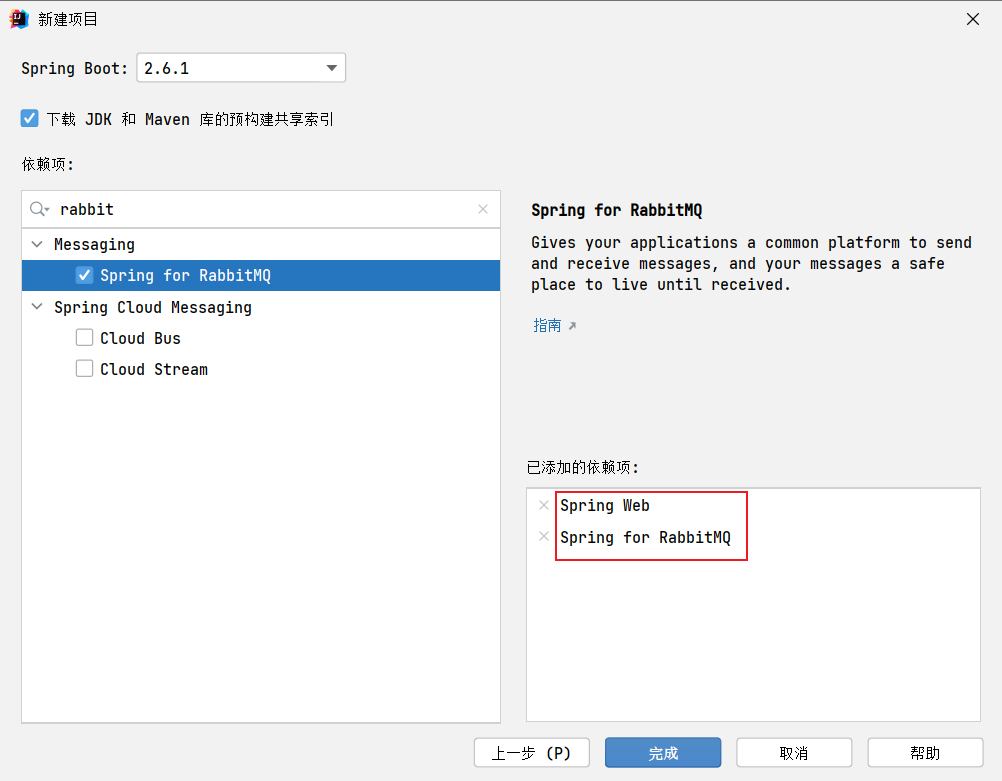
2、配置文件
spring.application.name=rabbitMQ-springboot
spring.rabbitmq.host=ip地址
spring.rabbitmq.port=5672
# 用户名
spring.rabbitmq.username=provider
# 密码
spring.rabbitmq.password=123123
# 虚拟主机
spring.rabbitmq.virtual-host=/provider
RabbitMQ五种常用工作模型学习
1、Hello world!
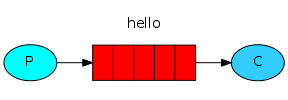
//模拟生产者
@SpringBootTest
class RabbitMQSpringbootApplicationTests {
    //注入模板
    @Autowired
    RabbitTemplate rabbitTemplate;

    @Test
    void contextLoads() {
        //参数1:routingKey(注意点)  参数2:message
        rabbitTemplate.convertAndSend("hello", "hello world!");
    }
}

/**
 * @author wulele
 * 模拟消费者
 * @Queue指定要接收消息的队列名称、持久化、自动删除等
 * durable = "", autoDelete = ""
 */
@RabbitListener(queuesToDeclare = @Queue(value = "hello"))
@Component
public class Consumer {

    /**
     * 接收消息与处理
     */
    @RabbitHandler
    public void consume(String msg) {
        System.out.println("Consumer: " + msg);
    }
}
注意点:生产者并没有指定队列,而是指定了routingKey,这种情况下,RabbitMQ会使用默认的Exchange
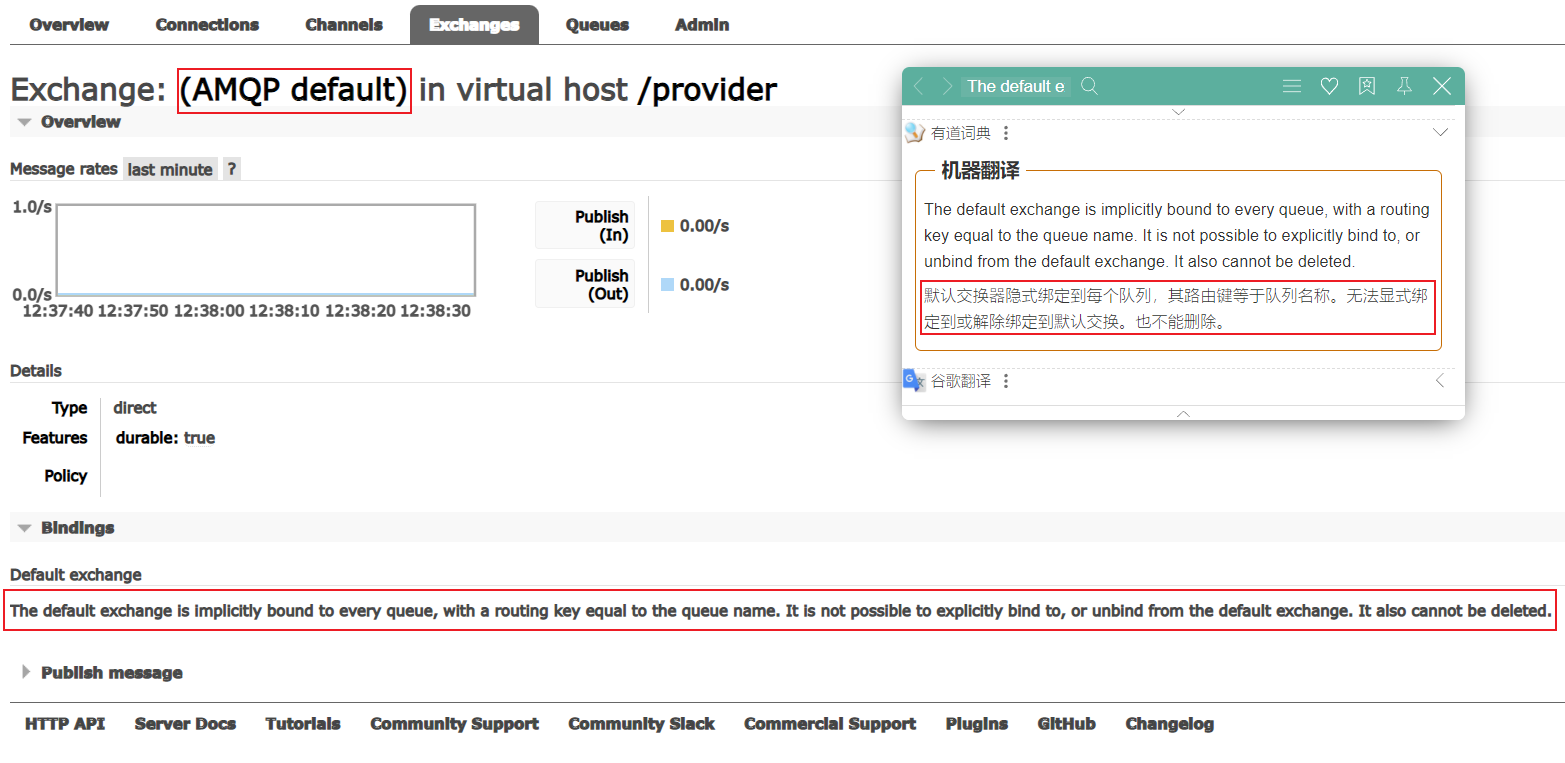
当生产者绑定的队列名与routingKey一致时两者会自动绑定在一起。
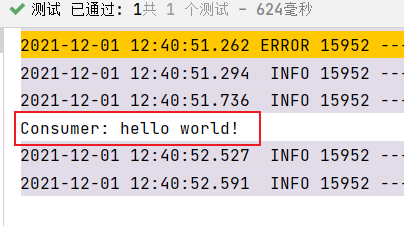
运行结果:
2、Work queues
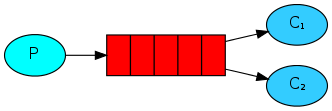
@SpringBootTest
class RabbitMQSpringbootApplicationTests {
    //注入模板
    @Autowired
    RabbitTemplate rabbitTemplate;

    @Test
    void workTest(){
        for (int i = 0; i < 10; i++) {
            rabbitTemplate.convertAndSend("work", "work queue");
        }
    }
}

/**
 * @author wulele
 */
@Component
public class WorkConsumer {

    @RabbitListener(queuesToDeclare = @Queue(value = "work"))
    public void consumer1(String msg){
        System.out.println("consumer1: " + msg);
    }

    @RabbitListener(queuesToDeclare = @Queue(value = "work"))
    public void consumer2(String msg){
        System.out.println("consumer2: " + msg);
    }
}
运行结果:
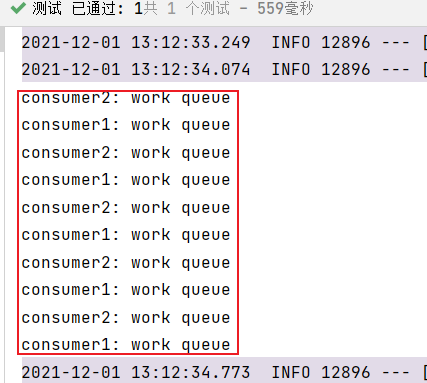
3、Publish/Subscribe(广播)
@SpringBootTest
class RabbitMQSpringbootApplicationTests {
    //注入模板
    @Autowired
    RabbitTemplate rabbitTemplate;

    @Test
    void publishTest(){
        //参数1:exchange 参数2:routingKey 参数3:message
        rabbitTemplate.convertAndSend("publish", "", "Publish/Subscribe");
    }

}

/**
 * @author wulele
 */
@Component
public class SubscribeConsumer {
    @RabbitListener(bindings = {
            @QueueBinding(
                    value = @Queue, //临时队列
                    exchange = @Exchange(value = "publish", type = "fanout") //队列绑定exchange
            )
    })
    public void consumer1(String msg) {
        System.out.println("consumer1: " + msg);
    }

    @RabbitListener(bindings = {
            @QueueBinding(
                    value = @Queue, //临时队列
                    exchange = @Exchange(value = "publish", type = "fanout") //队列绑定exchange
            )
    })
    public void consumer2(String msg) {
        System.out.println("consumer2: " + msg);
    }
}
运行结果:
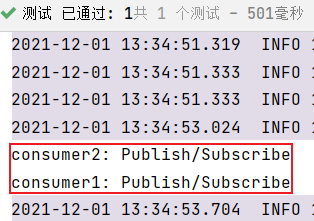
4、Routing
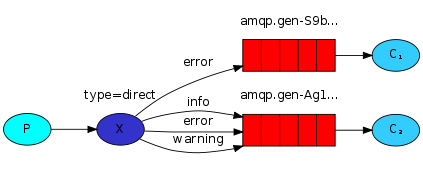
@SpringBootTest
class RabbitMQSpringbootApplicationTests {
    //注入模板
    @Autowired
    RabbitTemplate rabbitTemplate;

    @Test
    void routingTest(){
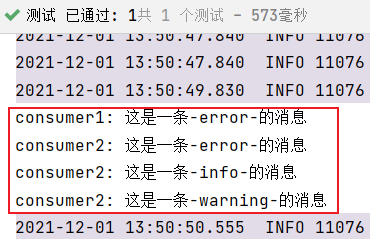
        String[] routingKeys = {"error", "info", "warning"};
        for (int i = 0; i < 3; i++) {
            rabbitTemplate.convertAndSend("routing", routingKeys[i], "这是一条-" + routingKeys[i] + "-的消息");
        }
    }
}

/**
 * @author wulele
 */
@Component
public class RoutingConsumer {
    @RabbitListener(bindings = {
            @QueueBinding(
                    value = @Queue,
                    exchange = @Exchange(value = "routing", type = "direct"),
                    key = "error"
            )
    })
    public void consumer1(String msg) {
        System.out.println("consumer1: " + msg);
    }

    @RabbitListener(bindings = {
            @QueueBinding(
                    value = @Queue,
                    exchange = @Exchange(value = "routing", type = "direct"),
                    key = {"error", "info", "warning"}
            )
    })
    public void consumer2(String msg) {
        System.out.println("consumer2: " + msg);
    }
}
运行结果:
5、Topics
@SpringBootTest
class RabbitMQSpringbootApplicationTests {
    //注入模板
    @Autowired
    RabbitTemplate rabbitTemplate;

    @Test
    void topicsTest(){
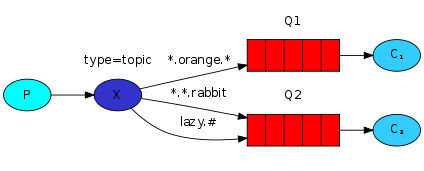
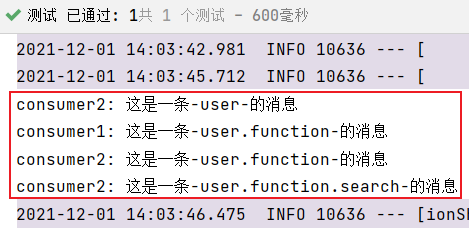
        String[] routingKeys = {"user", "user.function", "user.function.search"};
        for (int i = 0; i < 3; i++) {
            rabbitTemplate.convertAndSend("topics", routingKeys[i],"这是一条-" + routingKeys[i] + "-的消息");
        }
    }
}

/**
 * @author wulele
 */
@Component
public class TopicsConsumer {
    @RabbitListener(bindings = {
            @QueueBinding(
                    value = @Queue,
                    exchange = @Exchange(value = "topics", type = "topic"),
                    key = {"user.*"}
            )
    })
    public void consumer1(String msg) {
        System.out.println("consumer1: " + msg);
    }

    @RabbitListener(bindings = {
            @QueueBinding(
                    value = @Queue,
                    exchange = @Exchange(value = "topics", type = "topic"),
                    key = {"user.#"}
            )
    })
    public void consumer2(String msg) {
        System.out.println("consumer2: " + msg);
    }
}
运行结果:

 浙公网安备 33010602011771号