
网络自动化之python(4):paramiko+concurrent.futures多线程测试,将获取的设备SN等信息添加到CSV表中
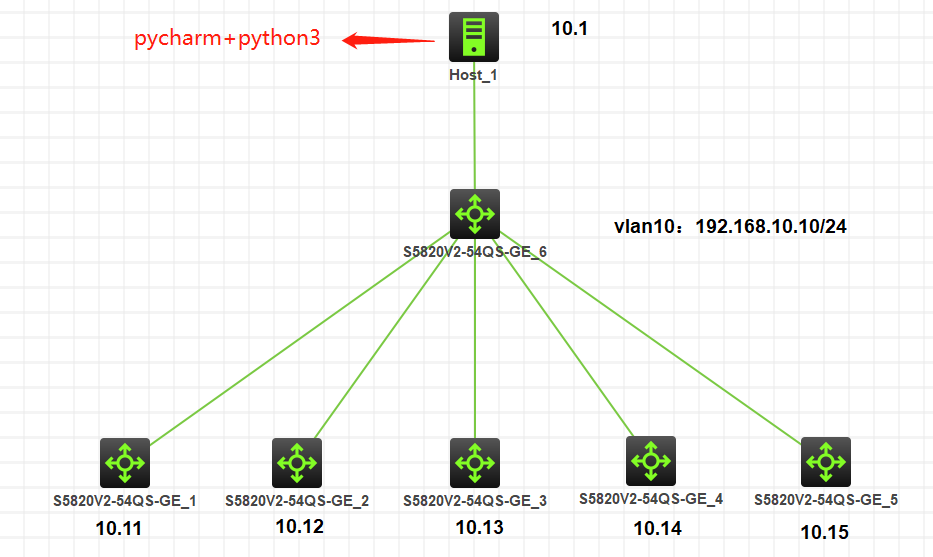
1、测试环境:
window 10 + pycharm + python3 + HCL
2、测试结果:
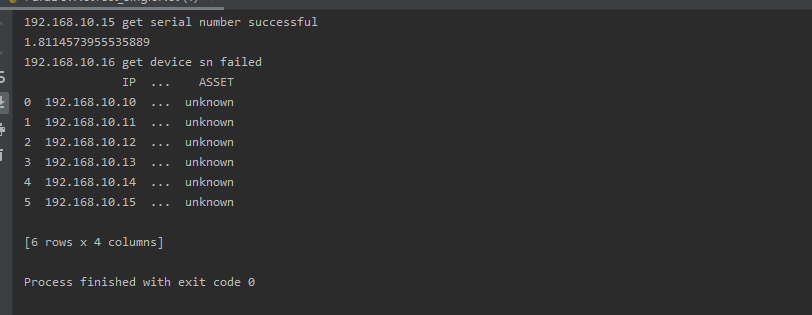
2.1、返回结果如图:
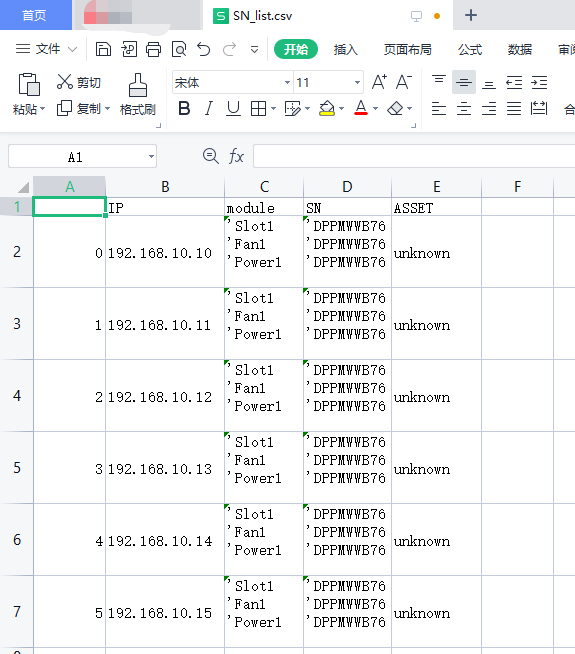
2.2、回填表格信息如图:
ps:
2.2.1.表格中的单元格存在单引号,可以将代码中的相关部分删除,不对数据添加单引号即可;
2.2.2.表格中的单元格存在空行,可采用strip对返回值处理即可;
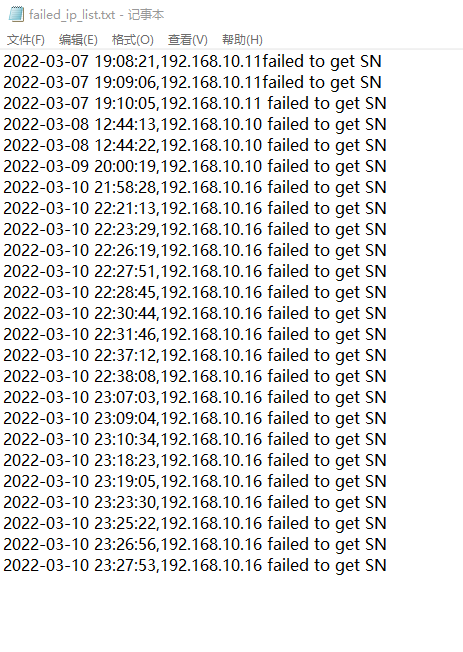
2.3、获取SN失败日志如下图所示:
3、代码如下:
* max_workers的值决定线程池的大小,可自己根据运行脚本的设备性能进行调节;
* 脚本未进行真机测试,不保证脚本可靠性;
* 设备信息的读取需要根据自己的表格进行修改;
from paramiko import SSHClient,AutoAddPolicy
import time
import pandas
from xlrd import open_workbook
import re
from concurrent.futures import ThreadPoolExecutor as thread_pool


def h3c_sn(ip,user,password):
    ssh_client = SSHClient()
    ssh_client.set_missing_host_key_policy(AutoAddPolicy())
    try:
        ssh_client.connect(hostname=ip,username=user,password=password,look_for_keys=False)
        chann = ssh_client.invoke_shell()
        print(f'{ip} login successful')
        chann.send('screen-length disable\r')
        time.sleep(0.2)
        chann.send('display device manuinfo\r')
        time.sleep(1.5)
        output = chann.recv(65535).decode('utf-8').replace('\r','')
        out_list = output.split('\n')
        module = ''
        sn = ''
        asset = ''
        for line in out_list:
            if re.match('DEVICE_ID', line, flags=0):
                module += "'" + line.split()[0].split(':')[1] + line.split()[1].split(':')[1] + '\n'
            elif re.match('DEVICE_SERIAL_NUMBER', line, flags=0):
                sn += "'" + line.split(':')[1] + '\n'
        ssh_client.close()
        print(f'{ip} get serial number successful')
        return ip, module, sn, asset
    except:
        now = time.strftime("%Y-%m-%d %H:%M:%S", time.localtime())
        with open(r'.\failed_ip_list.txt', 'a+') as failed_f:
            failed_f.write(now + "," + ip + " failed to get SN" + "\r")
            failed_f.close()
        print(f'{ip} get device sn failed')
        return False


def get_devices(username,password):
    xlsx = open_workbook(r'C:\Users\Administrator\Desktop\ASSET.xlsx') # 读取表格对象
    sheet1 = xlsx.sheet_by_index(0) # 取sheet索引值为0的表格
    rows = sheet1.nrows # 获取行数
    excel_header_list = sheet1.row_values(0) # 索引(即第一列数据:表头)
    data = [] # 最终的数据列表
    for i in range(1, rows): # 从第1行开始遍历循环所有行,获取每行的数据
        row_data = sheet1.row_values(i)
        row_data_dict = {} # 组建每一行数据的字典
        devices_status = row_data[18]
        while devices_status == '已上架':
            devices_type = row_data[28]
            if devices_type == '华三':
                ios_type = 'h3c'
            else:
                print('{} is {}, not supported'.format(row_data[21],devices_type))
                break
            row_data_dict['username'] = username
            row_data_dict['password'] = password
            excel_header_list[21] = 'host'
            excel_header_list[28] = 'device_type'
            row_data_dict[excel_header_list[21]] = row_data[21]
            row_data_dict[excel_header_list[28]] = ios_type
            row_data_dict['port'] = 22
            data.append(row_data_dict) # 将字典作为单位数据,添加到数据列表中
            break
    return data # 一台设备信息为一个dict,以dict为元素,组成list


username = input("input aaa username:\n"
                 ">>>>")
password = input("input aaa password:\n"
                 ">>>>")
devices = get_devices(username, password)
counter = 0
with thread_pool(max_workers=2) as thread:
    IP = []
    MODULE = []
    SN = []
    ASSET = []
    for device in devices:
        start = time.time()
        ip = device['host']
        device_type = device['device_type']
        task = thread.submit(h3c_sn, ip, username, password)
        result = task.result()
        while result is not False:
            IP.append(result[0])
            MODULE.append(result[1])
            SN.append(result[2])
            if bool(result[3]) == False:
                ASSET.append('unknown')
            else:
                ASSET.append(result[3])
            end = time.time()
            print(end-start)
            break
    DICT = {'IP': IP, 'module': MODULE, 'SN': SN, 'ASSET': ASSET}
    sn_data = pandas.DataFrame(DICT)
    print(sn_data)
    sn_data.to_csv(r'C:\Users\Administrator\Desktop\SN_list.csv')
【更新2022/04/15】回看发现本文的线程池方法使用有误,修正方法见我的另一篇笔记:
python基础5:concurrent.futures的线程池方法使用
本文来自博客园,作者:段愿仁长九,转载请注明原文链接:https://www.cnblogs.com/gaogaoing/p/15991895.html

 浙公网安备 33010602011771号