  1 <! DOCTYPE html>
  2 <html>
  3 <head>
  4 <title>Clock</title>
  5 </head>
  6 <style>
  7 canvas{
  8 border:1px solid red;
  9 }
 10 </style>
 11 <body onload="move();">
 12 <canvas width=500 height=400  id="c">浏览器暂不支持该功能</canvas>
 13 </body>
 14 <script>
 15 //画表盘的函数
 16 function drawcycle(){
 17 var cxt=document.getElementById("c").getContext("2d");
 18 //画圆盘
 19 cxt.fillStyle='gray';
 20 cxt.beginPath();
 21 cxt.arc(250,200,120,0,Math.PI*2,false);
 22 cxt.closePath();
 23 cxt.fill();
 24 //画指针心
 25 cxt.fillStyle='black';
 26 cxt.beginPath();
 27 cxt.arc(250,200,5,0,Math.PI*2,false);
 28 cxt.closePath();
 29 cxt.fill();
 30 //画刻度
 31 cxt.fillStyle='black';
 32 cxt.beginPath()
 33 cxt.fillRect(248,81,4,10);
 34 cxt.fillRect(360,198,10,4);
 35 cxt.fillRect(248,310,4,10);
 36 cxt.fillRect(130,198,10,4);
 37 cxt.closePath();
 38 //画线条观测刻度位置是否端正
 39 cxt.moveTo(250,80);
 40 cxt.lineTo(250,320);
 41 cxt.moveTo(130,200);
 42 cxt.lineTo(370,200);
 43 cxt.stroke();*/
 44 }
 45 //变量alphe代表秒针初始状态所在位置角度
 46 var alphe=Math.PI/2;
 47 //变量bata代表分针初始状态所在位置角度
 48 var bata=Math.PI/2;
 49 //变量gama代表时针初始状态所在角度
 50 var gama=Math.PI/2;
 51 //秒针,分针,时针长度定义
 52 var second_len=105;
 53 var minite_len=75;
 54 var hour_len=55;
 55 //画针的函数
 56 function drawpaint(){
 57 //画布的宽高
 58 var width=500;
 59 var height=400;
 60 //秒针初始位置
 61 var second_start_width=250;
 62 var second_start_height=95;
 63 //分针初始化
 64 var minite_start_width=0;
 65 var minite_start_height=0;
 66 //时针初始化
 67 var hour_start_width=0;
 68 var hour_start_height=0;
 69 var cxt=document.getElementById("c").getContext("2d");
 70 cxt.clearRect(0,0,width,height);
 71 drawcycle();
 72 cxt.fillStyle='black';
 73 //画秒针
 74 cxt.moveTo(250,200);
 75 var del=Math.PI/30;
 76 alphe=alphe-del;
 77 second_start_width +=second_len*Math.cos(alphe);
 78 second_start_height =200-second_len*Math.sin(alphe);
 79 cxt.lineTo(second_start_width,second_start_height);
 80 cxt.stroke();
 81 //画分针
 82 cxt.moveTo(250,200);
 83 //分针一秒转过的角度
 84 var del_min=Math.PI/1800;
 85 bata=bata-del_min;
 86 minite_start_width =250+minite_len*Math.cos(bata);
 87 minite_start_height =200-minite_len*Math.sin(bata);
 88 cxt.lineTo(minite_start_width,minite_start_height);
 89 cxt.stroke();
 90 //cxt.fillRect(248,110,4,90);
 91 //画时针
 92 cxt.moveTo(250,200);
 93 //时针一秒转过的角度
 94 var del_hou=Math.PI/108000;
 95 gama=gama-del_hou;
 96 hour_start_width =250+hour_len*Math.cos(gama);
 97 hour_start_height =200-hour_len*Math.sin(gama);
 98 cxt.lineTo(hour_start_width,hour_start_height);
 99 cxt.stroke();
100 //cxt.fillRect(247,130,6,70);*/
101 }
102 function move(){
103 setInterval('drawpaint()',1000);
104 }
105 </script>
106 </html>
- 实现思路:首先要有绘图的画布,既要用到canvas画布,其次要绘出表盘的图案,最后要画出针的位置,这里注意到不管是时针还是分针亦或是秒针,他们的圆心始终是重叠的,唯一要关注的就是画线的终点坐标,这里就要有一定的几何图案的分析能力。
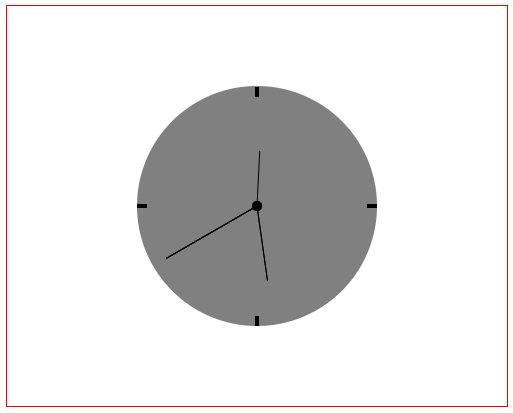
- 运行效果:
![]()


 浙公网安备 33010602011771号