

通过JS设置CSS样式
读取元素样式
在JS中可以使用getComputedStyle() 读取元素样式
官网摘要
Window.getComputedStyle()方法返回一个对象,该对象在应用活动样式表并解析这些值可能包含的任何基本计算后报告元素的所有 CSS 属性的值。私有的 CSS 属性值可以通过对象提供的 API 或通过简单地使用 CSS 属性名称进行索引来访问。
语法
let style = window.getComputedStyle(element, [pseudoElt]);
示例
const box =  document.getElementById("box")
const btn = document.getElementById("btn")

btn.onclick = ()=>{
    const w = getComputedStyle(box).width
    console.log(parseInt(w));
}
通过以上操作可以在控制台输出元素的宽度
修改元素样式
1.直接修改
修改元素样式的方法为,在选中元素之后按如下格式修改
元素.style.样式名称 = '样式值'
如果没有特别说明,示例中的HTML代码为同一段
HTML代码
<head>
    <meta charset="UTF-8">
    <meta name="viewport" content="width=device-width, initial-scale=1.0">
    <title>Document</title>
    <link rel="stylesheet"  href="./index.css">
    <script defer src="./index.js"></script>

</head>
<body>
    <div class="box"></div>
    <button type="button" id="btn">按钮</button>
</body>
</html>
CSS代码
.box{
    width: 100px;
    height: 100px;
    background-color: black;
}

.box1{
    width: 300px;
    height: 400px;
    background-color: #6A5ACD;
}
.box2{
    border: 2px red solid;
}
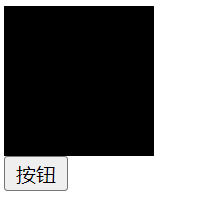
设置完成之后效果如下:
JS代码
const box =  document.getElementById("box")
const  box = document.querySelector(".box")

btn.onclick = ()=>{
    box.style.backgroundColor = '#dfcacf'
}
2.通过className修改
修改方式如下
JS代码
const btn = document.getElementById("btn")
const  box = document.querySelector(".box")

btn.onclick = ()=>{
    box.className = "box1"
}
方式2相比与方式一有所改善,但是当同时需要添加多个样式的收依旧存在不便,方法三中的方式解决了这个问题
3.通过classList修改
- 添加属性
btn.onclick = ()=>{
    box.classList.add('box2')
}
- 移除属性
btn.onclick = ()=>{
    box.classList.remove('box')
}
- 切换属性
btn.onclick = ()=>{
    box.classList.toggle('box1')//只能切换一个元素
}
- 替换属性
使用box1替换box
btn.onclick = ()=>{
    box.classList.replace('box','box1')
}
- 检查是否包含某个类
btn.onclick = ()=>{
    const is = box.classList.contains('box')
    console.log(is);
}
关于classList的其它具体内容请查看官网介绍 官网链接
以上就是今天的记录


 浙公网安备 33010602011771号